
Utilization in Deco app
 This thread has been locked for further replies. You can start a new thread to share your ideas or ask questions.
I recently installed 3 TP-link Deco X50’s in my home. The main AP and one other are hard wired with cat6 to a TP link POE switch which is connected to my Xfinity modem which provides 800Mb/40Mb. The 3rd AP uses WiFi backhaul.
The network utilization is inaccurate in the Deco app. At the moment I’m streaming HD video on 3 devices with no lag, running a speed test on an 4th device (which shows 523Mb down / 41Mb up) and 49 total devices connected to the 3 AP’s and the utilization in the Deco app is reporting next to nothing (37Kb / 2Kb). This can’t be right.
All 3 Deco AP’s are up to date with the latest firmware and yes I have rebooted them.
I need to keep an eye on my utilization so I know if I have the right bandwidth from my ISP.
Is TP link aware of this issue? Is there a fix?
It’d be helpful if the app showed a historical graph of total network utilization, but with inaccurate real time stats, I have major concerns with these devices and am contemplating returning them.
Lastly, it's concerning that the majority of the posts on the TP-link forum have 0 replies which is sad. Why is nobody from TP link responding to your customers? I've also emailed TP link support and awaiting a response.
- Copy Link
- Subscribe
- Bookmark
- Report Inappropriate Content


I've never put much into the numbers? They are 'instantaneous' numbers I think? Speed tests are done over a set time. They measure how much you get in a specific time period (or send). Numbers are extrapolated to show the instant time, that is if you get 20 bytes in 1 second, multiply it by the number of seconds in the test.
App shows instant time, real time what is going in/out. At least that is what I think it is?
Occasionally I'll access the Deco outside of the home, and only 'traffic' would be the occasional mail check or some timed evens. Of course some devices, like the Echo Show would be active and doorbells recording its camera maybe.
If I look at it now, I see figures from 0 kbps to 100's of kbps....
I just ignore this.
Seems you want speed tests though? With 'time line' data kept, per Deco?
- Copy Link
- Report Inappropriate Content
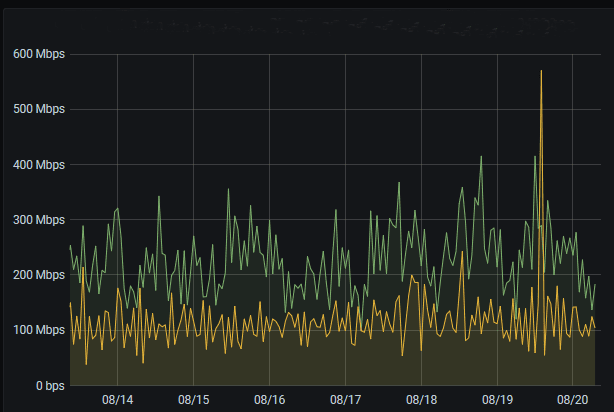 @IrvSp I understand the utilization (measured in kbps or mbps) is real time which is why I purposely ran a speed test at the exact moment that I watched the numbers. Speedtest.net takes about 30 seconds. It puts traffic across the network. I watched the deco app while this took place, a few times. My point is the numbers are not accurate, and FAR from it. Why even have those statistics in the app if they're misleading? Just trying to understand if all the Deco's have this issue. Maybe a firmware issue? Or perhaps mine are defective?
I'm not asking for a speed test in the Deco app. What I'm asking for is historical utilization graphs to see how often spikes are occurring and how much traffic is traversing at those times. Bonus if it can break out download vs upload traffic. This is pretty basic stuff. Here's an example of what I'd like to see...
- Copy Link
- Report Inappropriate Content
I see what you are saying, but there are two things on the Deco app.
- The instantaneous throughput on the Deco. Really doesn't tell you much other than indicate to me there is traffic through the Deco that is the main one.
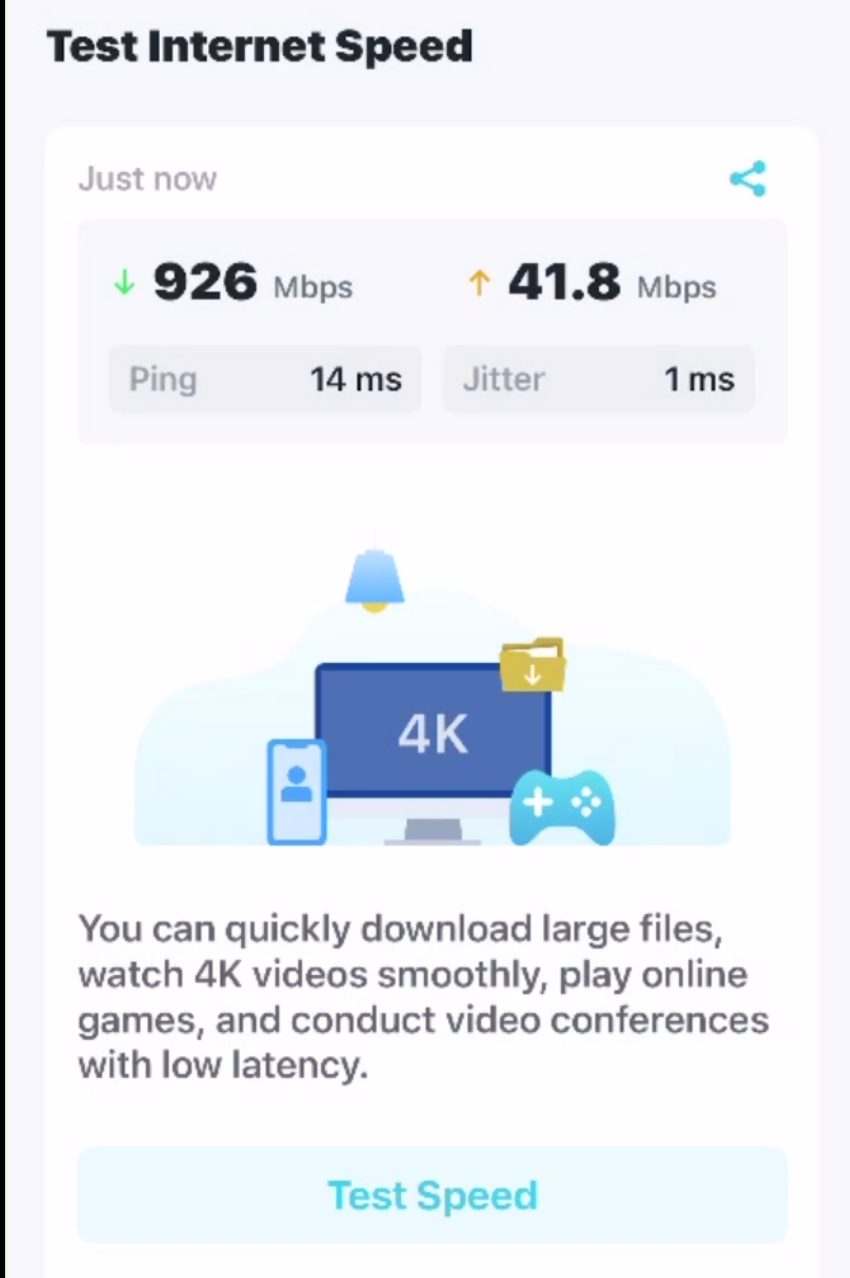
- The Speed Test, which is internal to the Deco master and shows the true speed of the Deco to your ISP. NO overhead for of your PC.
Of course, there is NO historical numbers kept for #2, like the OOKLA Browser or Desktop app does keep.
For instance, on my BE68 Deco:
Network Screen (on my iPhone):
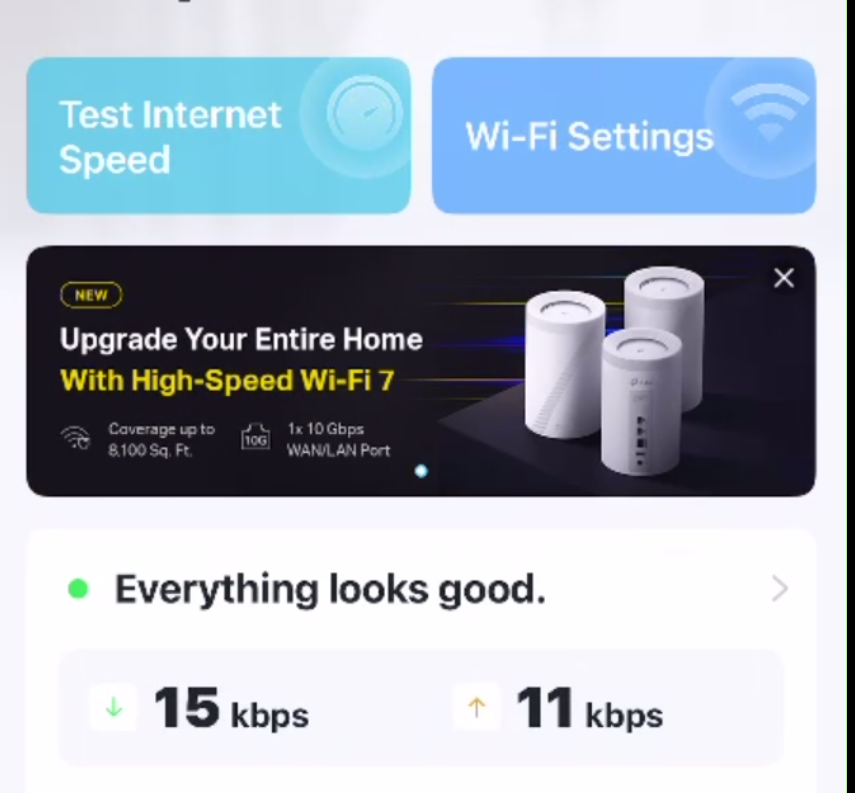
Select the "Test Internet Speed': run it and you do get the Results:
Below is history:
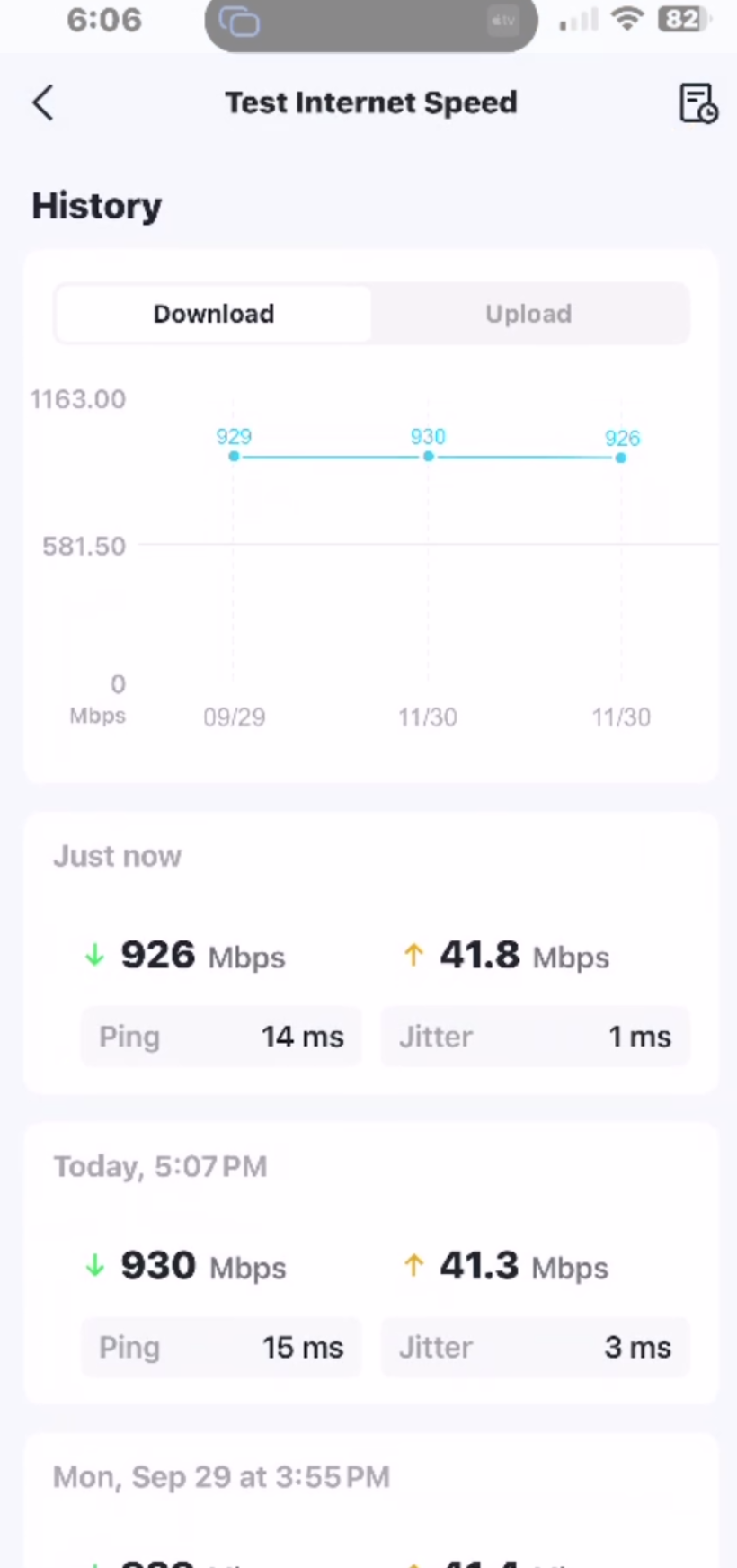
It is the best you can get but even what you created that you'd like, it is a lot of useless information? No want to tell what was happening at the time, nor even what Deco is doing what?
Even then, and even the speed test above isn't really telling me how 'whatever I want to do' did perform?
Also you seem to want numbers but from where? Any specific Deco? That would be nice, but it appears from the 'network' the Deco app connects to the MAIN deco.
Your example doesn't mean much to me? Don't even know how you got that graph? I'll assume the different colors are for down and up. At the point of the Network Adapter on the PC/tablet/phone?
You initially posted this sentence, "
The network utilization is inaccurate in the Deco app. At the moment I’m streaming HD video on 3 devices with no lag, running a speed test on an 4th device (which shows 523Mb down / 41Mb up) and 49 total devices connected to the 3 AP’s and the utilization in the Deco app is reporting next to nothing (37Kb / 2Kb). This can’t be right."
You graph I'll assume 'X' is hour/minutes? It never goes to zero which would be odd?
Also said this, "
I need to keep an eye on my utilization so I know if I have the right bandwidth from my ISP"
Your service is " 800Mb/40Mb" but I don't see how that graph tells you anything?
I am assuming that graph is real time and easy to get, not one 'made up' to indicate what you wanted to see?
I am just curious how you got that graph and what it really indicates.
I do NOT work for TP-Link and I am just a user who also has Deco units. I am happy with the Speed test on the Deco Network page... it indicates to me my ISP 1Gbps/4mMbps is coming into the main Deco. Wish I could test the same from the 2 Sattelites to see if there was/is degradation due to the Backhauls?
I'm not happy with the app too as it doesn't support an MLO SSID. At least not completely.
- Copy Link
- Report Inappropriate Content
@IrvSp the screenshot was an example. Not sure why you're trying to convince me that what I'm asking for is useless. Or maybe you don't understand what I'm saying. Most WiFi routers/AP's provide this info. I've set up a few.
How do you determine how much bandwidth you need to purchase from your ISP? Guess? Take the ISP's recommendation? Most people are sold way more bandwidth than they need and think more bandwidth = faster, less problems, etc. That's usually not the case, unless you are pushing a lot of throughput. You need to look at the utilization spikes to determine how much bandwidth you actually need/use. I know, because I've been an ISP Network Sales Engineer for 10 years and have been setting up and troubleshooting networks and internet circuits for 20 years.
Most home ISP's don't provide this level of detail. Can you guess why?
- Copy Link
- Report Inappropriate Content
Well, the Deco app is for general use.
Think 'general' ISP customer. Most are cost conscious. They buy what they need, and it is in terms of speed.
Heck, I started with the Phone Modem, 110bytes I think, a Hayes modem, but I am showing my age I guess?
I don't even get to pick my ISP or Internet speed. Live in a community that has an HOA that provides it.
I have Spectrum, and a subsidy Brighthouse. They bought the OLD AOL system basically, but before that we had cable via a Canadian ISP that was trying to get into America Network business, AT&T came into the development and laid fiber and offered lifetime 11GB's service for sixty dollars/mo. Meanwhile Brighthouse was at 100Mbps... and moved it up to 200Mbps... and a year or tow later 400Mbps... then fiber and the 1Gpbs/40 speed. We were supposed to go Symetric by the end of the year too...
Do I need it, NO WAY, but I like it. So used to the speed I don't think I could go back. Really see the difference on huge D/L's. Like an MS Flight Sim. update that can be 300GB's or more.
You apparently think people would use that 'data' to determine if they want to get better ISP speed? First, you can have cable or WiFi (Telecomm company) as the speed from an ISP. Many are fixed speed, but with Cable you can usually purchase different speeds.
You might be able to tell when you need more ISP speed, but would the common user know? Maybe if their Streaming couldn't keep us for all the users in the home could?
However, that is why individual data per Deco might be more important?
It used to be when you knew you didn't have enough incomming speed one would use the priority for each device....
I don't think that would drive people to get a higher speed... and what good is that data if you have the highest you can get now? Other then the Telecomm's Wireless modems over the air, other vendors are licensed by the city/county to be in an area. Your chances of swithing on cable vendor would need those fiber cables in your area, and the city/county controls that. AT&T wasted a lot of money putting Fiber here and now we get the same speed in our HOA dues. I know a few who took it and dropped it once Brighthouse even went to 600Mbps as that was more than they needed.
- Copy Link
- Report Inappropriate Content
RaymondNoodles wrote
@IrvSp the screenshot was an example. Not sure why you're trying to convince me that what I'm asking for is useless. Or maybe you don't understand what I'm saying. Most WiFi routers/AP's provide this info. I've set up a few.
I re-read this... I've used quite a few vendor Router's and Deco's myself, NetGear, LinkSys, and others, none I recall come even close to what you want.
Why, probably because these are Residential products. Not Commercial grade.
TP-Link has an Aramda line, and this I suspect provides what you want.
Check this web page ---->https://www.omadanetworks.com/us/business-networking/omada-controller-cloud-software/omada-software-controller/
From it, what you can get with its s/w:
Easy and Intelligent Network Monitoring: The easy-to-use dashboard makes it simple to see the real-time network status and traffic distribution
- Copy Link
- Report Inappropriate Content
Information
Helpful: 0
Views: 1000
Replies: 6
Voters 0
No one has voted for it yet.