
New Arrival New USB-C Hubs for Versatile Connectivity


Expand your Connectivity With USB-C, HDMI, SD/microSD, Ethernet, and More
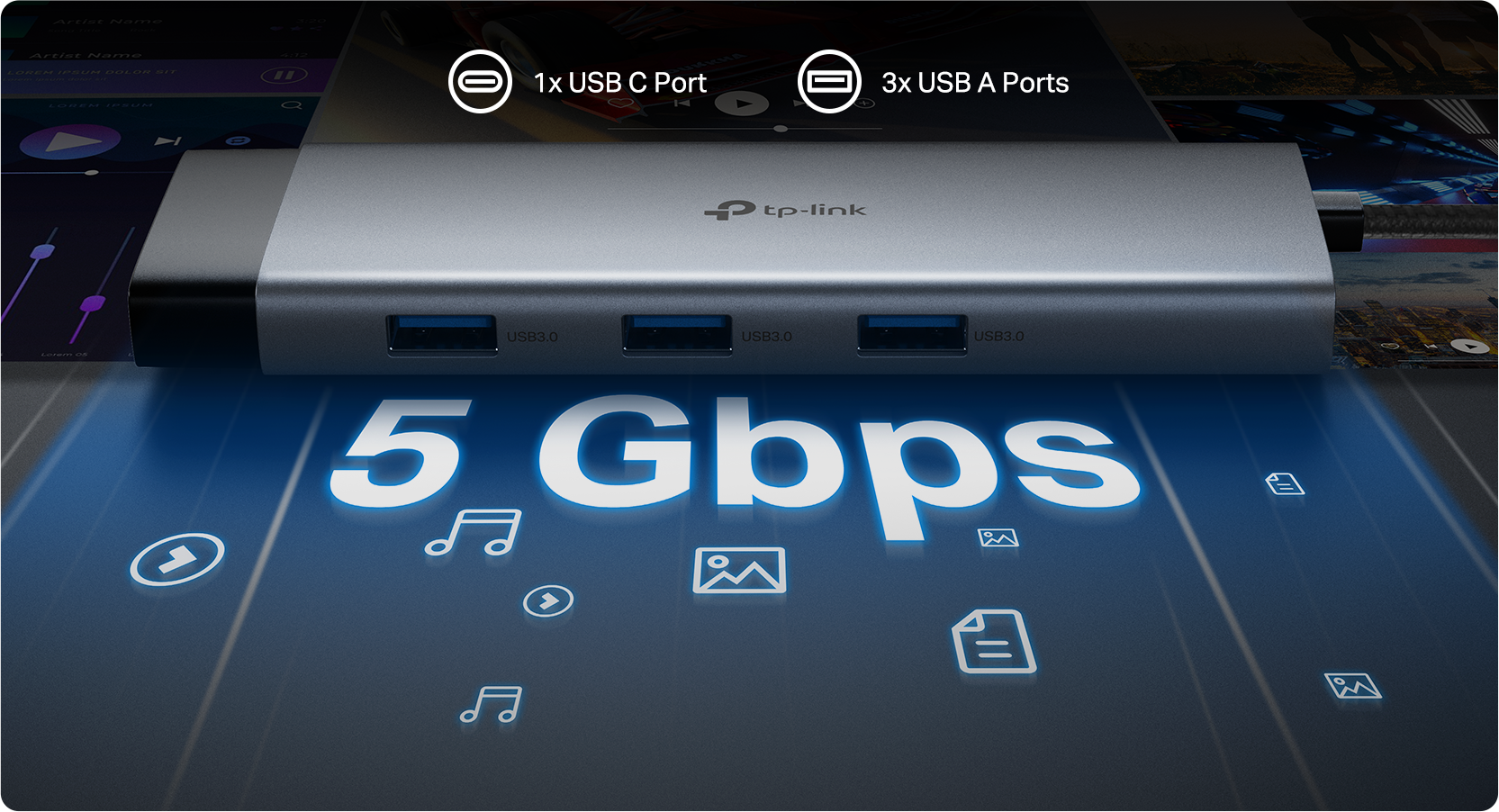 USB hubs have traditionally been a flexible solution for expanding USB peripherals. However, given the variety of modern USB devices and the decreasing number of ports on compact, ultraportable laptops, it’s beneficial for users to have a simple way to connect USB devices while also accessing storage, network, and video output through a single 5 Gbps USB-C connection. (*UH9120C Pictured)
Introducing TP-Link's newest USB Hub Accessories — offering HDMI connectivity up to 4K @60Hz, TF card slots, USB-A and USB-C connectivity (including USB-C PD), a durable aluminum alloy chassis, and a self-storing braided connector cable in a convenient, pocket-sized form factor with Plug and Play Compatibility.
Community Survey Update—USB Hub Form Factor and Connections
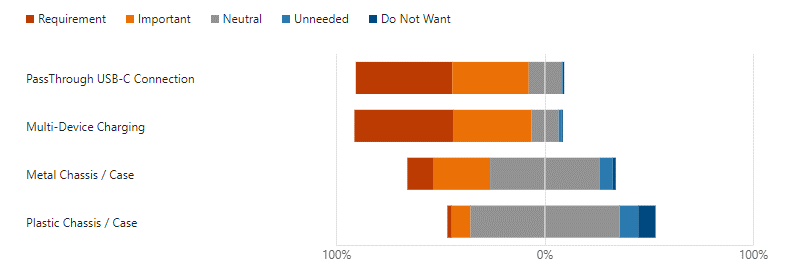
Last year, our Community hosted a survey looking at what you would like to see in new USB Hubs and Accessories. Our teams appear to have taken your feedback to heart and have followed nearly all your suggestions, from the number of ports to device features, compatibility, and even cable length!
Rate the Importance of These Features When Purchasing a USB Hub:
Declutter Your USB Connections (USB-A and USB-C)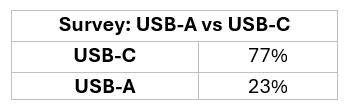
When choosing a USB Hub, some key considerations should be taken into account —
Which Type of USB Port Will the Hub Connect to (e.g., on your PC)?
USB-C: Our latest USB Hubs feature USB-C on the primary connector, offering a compact yet versatile design that supports additional features, higher bandwidth, and greater compatibility (Plus a Reversible Connector).
Note: Ensure your device supports USB-C connectivity to take advantage of the features offered by our USB Hubs.
USB-A: If your device does not have a USB-C connection, you can always look to our existing USB Hubs, such as the UH400 (4-Port) or UH720 (7-Port).
What USB Connection Types Do Your Devices Need, and How Many USB-A and USB-C?
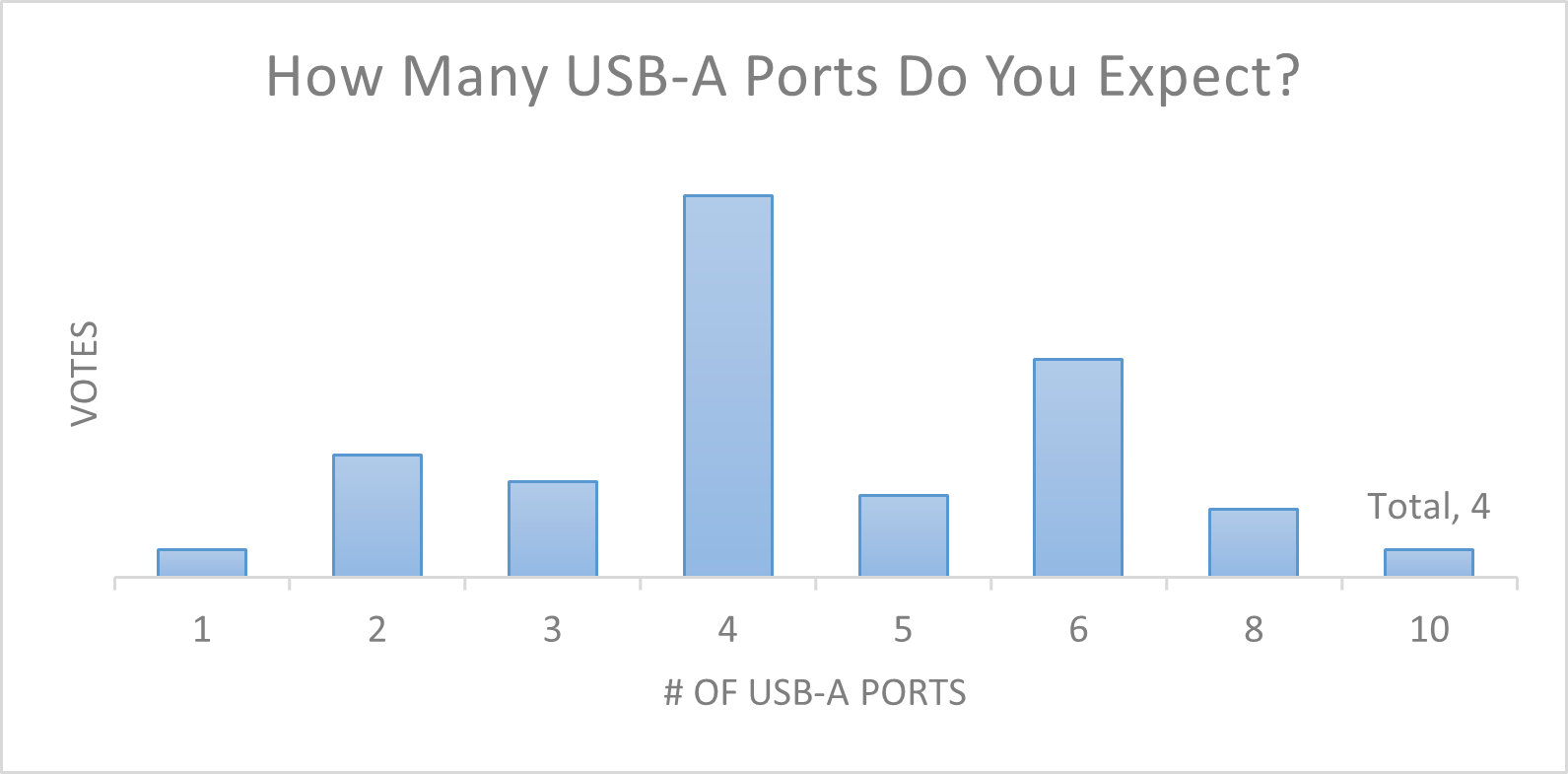
It is easy to underestimate the number of devices you need connected. Make sure to take into account any devices such as external storage drives, wired keyboards, game controllers, mice, webcams, printers, phones, and more.
Workstation Versatility Meets Portability
Apart from USB-A and USB-C connectivity, some of our new USB Hubs are portable powerhouses for workstation versatility, bringing Gigabit Ethernet for the stability of a wired network connection, and SD/MicroSD compatibility for transferring photos, files, and more.
Connecting Monitors (HDMI)
The Built-in HDMI provides expandable display capabilities, whether connecting your laptop to a larger monitor or creating multi-monitor setups using a combination of your laptop’s HDMI and the hub’s USB-C and HDMI ports. The HDMI ports on our latest hubs can support resolutions up to 4K @60Hz!
Powerful 100W Fast Charging
Plug your existing USB-C Power adapter's charging cable into your hub’s USB-C PD Port and enjoy powerful charging flexibility — including fast charging on supported devices. This feature supplies up to 100W of power (based on the power delivered from the connected power source) to your PC and connected devices, whether transferring files or streaming media.
SD/microSD Card Reader
Supported models include built-in SD/microSD card readers. Easily transfer data in SD and microSD cards (up to 200 MB/s). Experience seamless data management with simultaneous read/write capabilities on both microSD and SD cards.
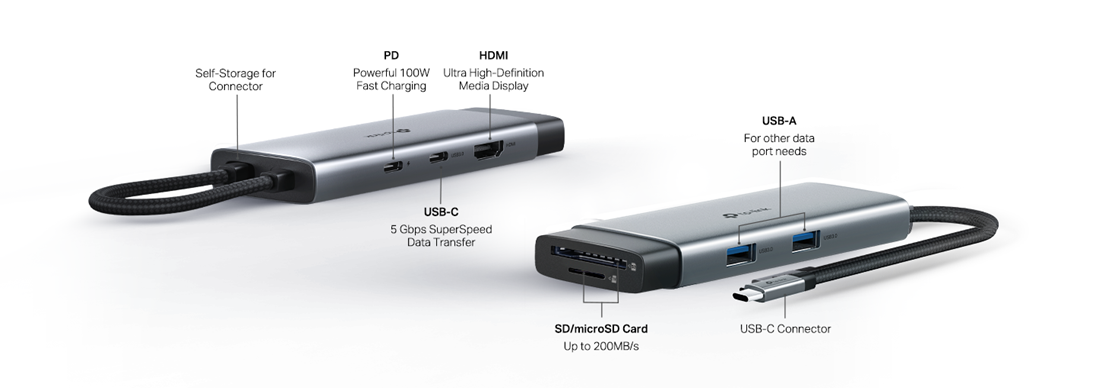
*UH7020C Pictured Above
Our latest USB Accessories offer a variety of port configurations for any need.
Ready to Upgrade Your Peripheral Versatility — At Home or On The Go?
Check out the Product Spotlight Pages For Each Model Below:
UH3020C | USB Type-C 3-in-1 Hub
UH5020C | USB Type-C 3-in-1 Hub