
Wifi connectifity issued after autoupdate

After this night (1/6/2026) auto update to 1.5.1 (from 1.4.1) Wifi on 6GHz is completely unusable. 5GHZ is also lagging. Neither my MacBook pro M3, Samsung S10, Ipad Air 6 nor One plus 15R can get a stable connection faster than ~ 80mbps. With the 1.4.1 Firmware it was running perfect.
My Access Point - also an AXE75 -which did not auto update is still running perfect with 1.4.1.
Since the 1.5.1 is not listen on TP-links firmware website I strongly suggest you disable auto update until they fix it.
I'll try later to downgrade firmware if possible.
- Copy Link
- Subscribe
- Bookmark
- Report Inappropriate Content
The new firmware made 6Ghz unusable with Quest 3, the latency randomly spikes from 16ms to >200ms and remains high. Changing the channel helps for a while, but then the problem returns.
- Copy Link
- Report Inappropriate Content

Chiming in to also confirm this is happening for me on my Quest 3. The Quest reports transmit speeds of 2401Mbps/2401Mbps but a speedtest reflects speeds of only 70-80MBps at most. Have tried multiple channels and widths settings along with confirming the 5GHz is unaffected.
- Copy Link
- Report Inappropriate Content


Hello @Gothge ,
@AZTim ,
I have sent you the beta firmware via Message to your account. Please check the Message and update the firmware manually.
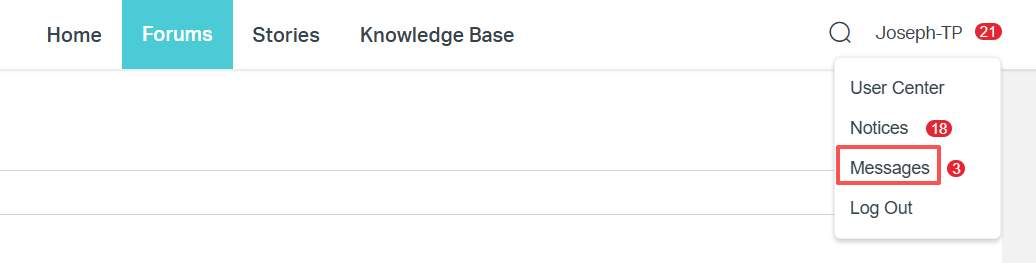
You can refer to case 2 of the following: How to upgrade the firmware on the TP-Link Wi-Fi Routers
Please let me know if the beta firmware is helpful. If there are any other problems, please feel free to reply.
- Copy Link
- Report Inappropriate Content
@Joseph-TP where can I get it?
- Copy Link
- Report Inappropriate Content
@Joseph-TP awesome, thanks! Where can we download it from?
Also, I have v1.60 of the router. Will the same firmware work, or do I need a separate one?
- Copy Link
- Report Inappropriate Content
I forgot to mention Latency:
It's between 30-500ms, look like the router is stuttering, which may cause the slow speed.
2.4/5 ghz is unaffected.
Where is the beta?
- Copy Link
- Report Inappropriate Content

Can you send me the beta firmware for this router also? The 1.5.1 firmware auto update made the wifi completely unstable now. Devices that connected fine before are now not able to after the update. I have the AXE5400 router Version 1.0. Thank you!
Andy
- Copy Link
- Report Inappropriate Content
@Joseph-TP Can you also send me the beta. Same issue as everyone here. hardware version 1.0
- Copy Link
- Report Inappropriate Content
@Joseph-TP This beta works great! I am able to play my Quest 3 now with minimal latency on 6GHz. Thanks so much. When can we expect a stable/standard release?
- Copy Link
- Report Inappropriate Content
@Joseph-TP I installed the firmware (Joseph send it as notification in the portal, you must login to see it),
- 160GHz is working now
- Samsung tab 10+ (Mediatek 9400 Chipset) is ok, 17 ms ping, full speed
- Oneplus 15R (888 Elite gen 5) 22 ms ping, full speed,
- Mac (m3) und iPad 15 ~ 30-60 ms ping, speeds varing 60-100% inconsistent.
Anyhow better that not working. :-)
- Copy Link
- Report Inappropriate Content
Information
Helpful: 6
Views: 6454
Replies: 59
Voters 3


