
I just did a Factory Reset on my TL-WR1502X Travel Router and it 'appears like I'm using a VPN'

I did a Factory Reset on my Travel Router and re set up the router manually and did not install a VPN, as some websites were 'complaining' that I was running a VPN.
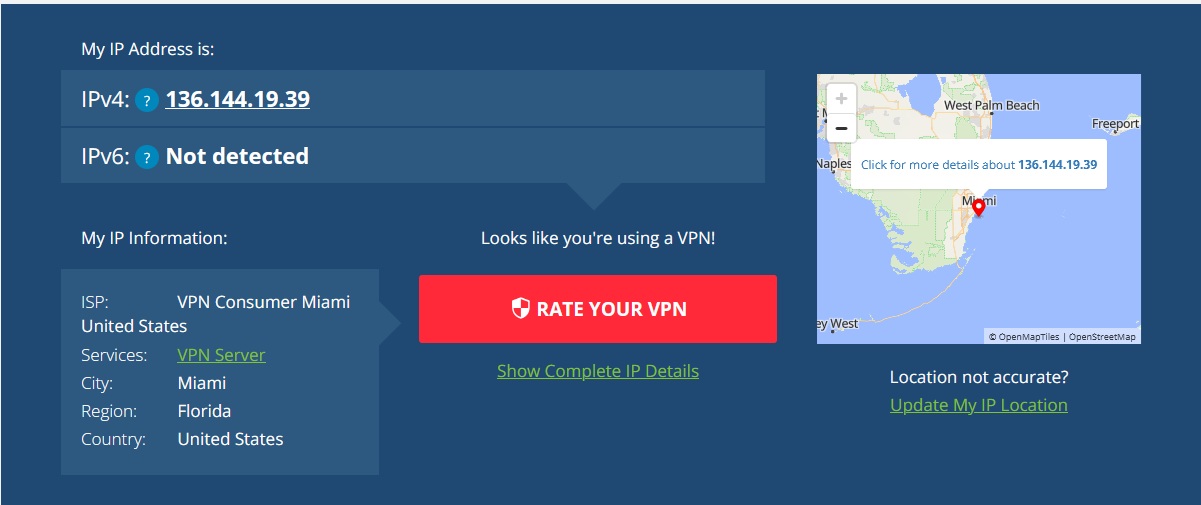
So, I looked at What's my IP Address and it says that I'm running a VPN. Anyone know Why? I'm not in Miami, I'm in the Bahamas.
If I connect to the Resort's WiFi here, it does indicate that I'm not running a VPN and that I'm indeed in the Bahamas. I'm Connected to the Resort's Internet
on my travel router.
Anyone know what's going on?
- Copy Link
- Subscribe
- Bookmark
- Report Inappropriate Content
Joseph-TP wrote
Hello @Cut-Throat ,
Welcome to our community.
Do you mean that you have connected the TL-WR1502X to Resort's Internet via Wi-Fi?
If so, the IPv4 address 136.144.19.39 is likely not the WAN IP address your router obtained, but rather the Resort's Internet IPv4 address.
If you're concerned, you can also connect to the Restore internet via your phone instead of the router's WiFi, and then check whatismyip again.
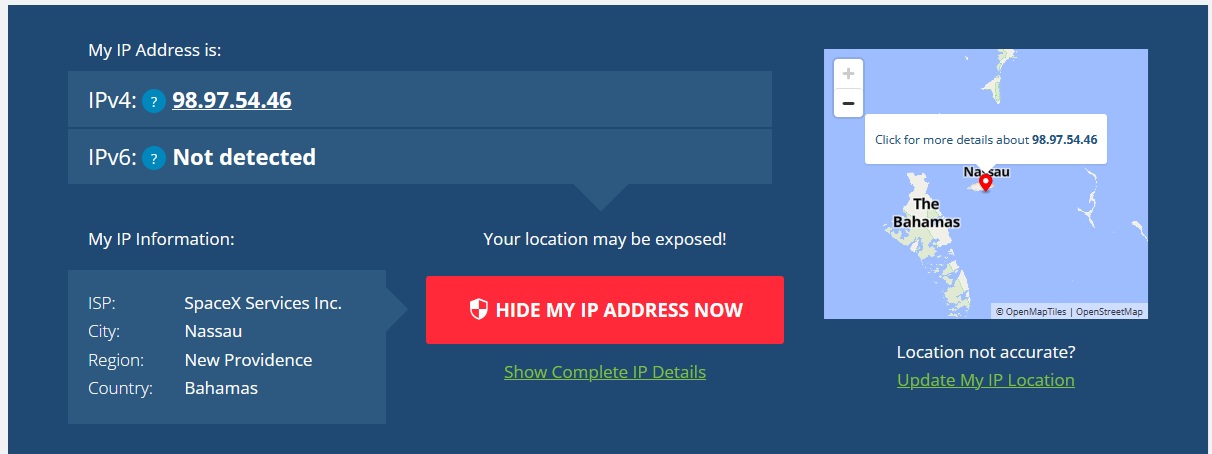
Thanks for your reply....... I did make some progress on this yesterday. I discovered that the problem was not my travel router after all, but it was the Ethernet Connection in my Resort's Apartment. What I did was I connected my Travel Router to the Resort's WiFi instead of the Ethernet Connection, and all of the problems that I was having with various websites went away. I checked my IP Address and it said Indeed that I was in the Bahamas and did not indicate that I was using a VPN. I also connected my Laptop directly to the Ethernet Connection that I was using and then it also showed that I was using a VPN and my Location was in Miami (Which it is not). So, whatever the Ethernet is connected to, is not the same Internet as the resort's WiFi. So, I'm done fiddling with it. And to my amazement, my Travel Router is now faster with the WiFi Connection than it was with the Ethernet connection. So, I'm going to mark this as the Solution to my problem. Here is not what my IP address is showing.
- Copy Link
- Report Inappropriate Content


Hello @Cut-Throat ,
Welcome to our community.
Do you mean that you have connected the TL-WR1502X to Resort's Internet via Wi-Fi?
If so, the IPv4 address 136.144.19.39 is likely not the WAN IP address your router obtained, but rather the Resort's Internet IPv4 address.
If you're concerned, you can also connect to the Restore internet via your phone instead of the router's WiFi, and then check whatismyip again.
- Copy Link
- Report Inappropriate Content
Joseph-TP wrote
Hello @Cut-Throat ,
Welcome to our community.
Do you mean that you have connected the TL-WR1502X to Resort's Internet via Wi-Fi?
If so, the IPv4 address 136.144.19.39 is likely not the WAN IP address your router obtained, but rather the Resort's Internet IPv4 address.
If you're concerned, you can also connect to the Restore internet via your phone instead of the router's WiFi, and then check whatismyip again.
Thanks for your reply....... I did make some progress on this yesterday. I discovered that the problem was not my travel router after all, but it was the Ethernet Connection in my Resort's Apartment. What I did was I connected my Travel Router to the Resort's WiFi instead of the Ethernet Connection, and all of the problems that I was having with various websites went away. I checked my IP Address and it said Indeed that I was in the Bahamas and did not indicate that I was using a VPN. I also connected my Laptop directly to the Ethernet Connection that I was using and then it also showed that I was using a VPN and my Location was in Miami (Which it is not). So, whatever the Ethernet is connected to, is not the same Internet as the resort's WiFi. So, I'm done fiddling with it. And to my amazement, my Travel Router is now faster with the WiFi Connection than it was with the Ethernet connection. So, I'm going to mark this as the Solution to my problem. Here is not what my IP address is showing.
- Copy Link
- Report Inappropriate Content
Hello @Cut-Throat ,
Based on the description, this phenomenon is likely due to a pre-installed VPN network tunnel in the resort's wired network infrastructure. In other words, there's a difference in network architecture between the two connection methods:
- The resort's wired network may have a built-in VPN relay node, forcing all user traffic via wired connection to be routed to the VPN gateway exit in Miami.
- The wireless network, on the other hand, uses a direct connection mode, bypassing the VPN relay, thus obtaining a local IP address and enjoying faster direct connection speeds.
- Copy Link
- Report Inappropriate Content
Information
Helpful: 0
Views: 522
Replies: 3
Voters 0
No one has voted for it yet.