
Deco App Settings for IPv6 with Spectrum Internet
Deco App Settings for IPv6 with Spectrum Internet

Has anyone, with Spectrum as their ISP, successfully set a Deco x20 Mesh system up for Dual Stack IPv4/IPv6? If so what IPv6 settings should be selected?
My Deco default settings are for IPv4 only.
I looked into setting up IPv6 and couldn't get any assistance from Spectrum tech support. They refuse to give you any IPv6 settings for use on 3rd party routers.
I asked google what settings to use for IPv6 on Spectrum and this is what was suggested:
Connection Type: Dyanmic
Get IPv6 Address: Auto
Prefix Delegation: Enabled
DNS Address: Auto
Assigned Type: DHCPv6 first or SLAAC+ Stateless DHCP second choice.
Then, for the settings to take effect, both the Deco router and Spectrum Modem need a reboot.
There was also mention of Spectrum using prefix sizes of /64 or /60 or /56; preferably /60 or /56, but I have no idea where in the Deco app those are.
I have been misled by google in the past, so I'm hoping to find out what works for anyone that has actually done it.
My network works to my satisfaction as currently configured to IPv4, should I leave well enough alone, or is there something to be gained with IPv6?
Thanks for any advice.
- Copy Link
- Subscribe
- Bookmark
- Report Inappropriate Content


Hi, maybe you can refer to the following posts:
IPv6 when switching to personal router
IPV6 is more secure and faster than IPV4 in general. It's worth a try with the following configuration:
Connection Type: Dynamic
Get IPv6 Address: Auto
Prefix Delegation: Enabled
DNS Address: Auto
Assigned Type: DHCPv6
Deco doesn't allow setting the Prefix Delegation Size. You might just need to make sure "Prefix Delegation" is enabled.
Thank you very much.
Best regards.
- Copy Link
- Report Inappropriate Content


- Copy Link
- Report Inappropriate Content
@Jamval Thanks for the replies. Initially I used the following settings:
Connection Type: Dynamic
Get IPv6 Address: auto
Prefix Delegation: enabled
DNS Address: Auto
Assigned Type: DHCPv6
I rebooted and the Deco app is showing a valid IPv6 address, but test-ipv6.com is showing ipv6 address is not detected.
I think the problem is that I didn't give the Spectrum modem a chance to completely reboot with an internet connection established before I rebooted my Deco router. I have since read that if the router completes reboot before the modem reboot is complete it will result in a failed IPv6 test.
So I will try rebooting again in the proper order, and if that doesn't work I will try the SLAAC+ Stateless DHCP for the Assigned Type setting.
Thanks again.
- Copy Link
- Report Inappropriate Content

- Copy Link
- Report Inappropriate Content
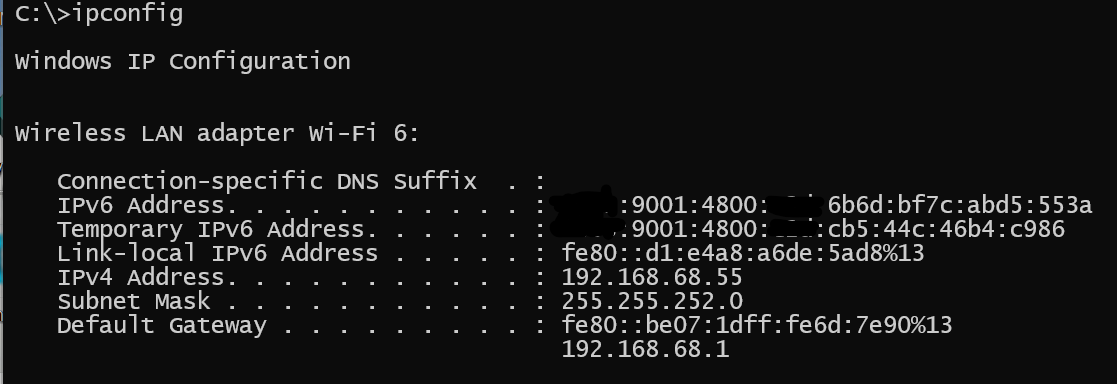
@Jamval Prefix appears to be /64 2603:xxxx:xxxx:0c2d part is matching/the same...
- Copy Link
- Report Inappropriate Content
Thanks, but like the OP, web tests all declare I do not have IPv6 capability.
Also I do not allow PING on my Router and think (I am not sure) the A/V suite would block someone?
I'll change it anyway.
- Copy Link
- Report Inappropriate Content
@IrvSp I have one friend and an acquaintance with Spectrum. Neither could care less about IPv6 unless necessary...
I vaguely remember, because my BE95 is no longer the main/primary router, on the Web GUI there's a place to change the IPv6 DNS server. (Similar to IPv4), there are several choices.
TP-Link did a good job on IPv6 introduction.
If you foul up the IPv6 settings on an ASUS router:
1. It takes maybe an hour before your mistake takes effect.
2. It can knock out your Internet service.
Changes in setting that require reboot automatically reboot the router, (this is valid with ASUS routers as well).
Might be AT&T specific, (as I tried with Frontier on another ASUS router and it appears to be incorrect settings and/or Frontier does not support IPv6 in our area):
Do not custom set the IPv6 DNS server address. On that same web page almost immediately after setting an "acceptable" DNS address it should show the router gets an IPv6 address, and the Prefex number. The DNS address, (I believe,) should be the IPv6 address of the router. So once you set to automatic, it should send the "proper" IPv6 addresses to a Windows Machine. At least with Windows 11, there could be 3, primary, secondary, and router IPv6 address. (Yes I looked up the Google IPv6 DNS address, and even figured out how the :: shorthand notation works, so I input the full 128 bit address just in case there was a bug on interpreting it....
Please follow up if this helps...
- Copy Link
- Report Inappropriate Content
- Copy Link
- Report Inappropriate Content
Very limited in the Deco App on what I can set, but what I did was accept the defaults, which appeared correct. As you can tell, I've enabled Win11 to have IPv6 capability.
However, Spectrum's DNS is a "Double Stack' DNS, that means it used IPv4 first, and if doesn't 'work' or the site rejects it, it uses the IPv6 address.
I think that might be the 'cause'?
This is what Dual Stack DNS definition is:
Dual-stack DNS enables a network or device to operate using both IPv4 and IPv6 simultaneously, ensuring compatibility with both internet versions. It works by querying DNS servers for both A (IPv4) and AAAA (IPv6) records, allowing clients to prefer IPv6 while falling back to IPv4, which is crucial for modern, efficient network connectivity.
If you search for sites that are IPv6 there are many.
I tried a few, and some don't open, other do, but they state I am using IPv4, or they just open.
It is possible the testing sites can not handle Dual Stack DNS service?
- Copy Link
- Report Inappropriate Content
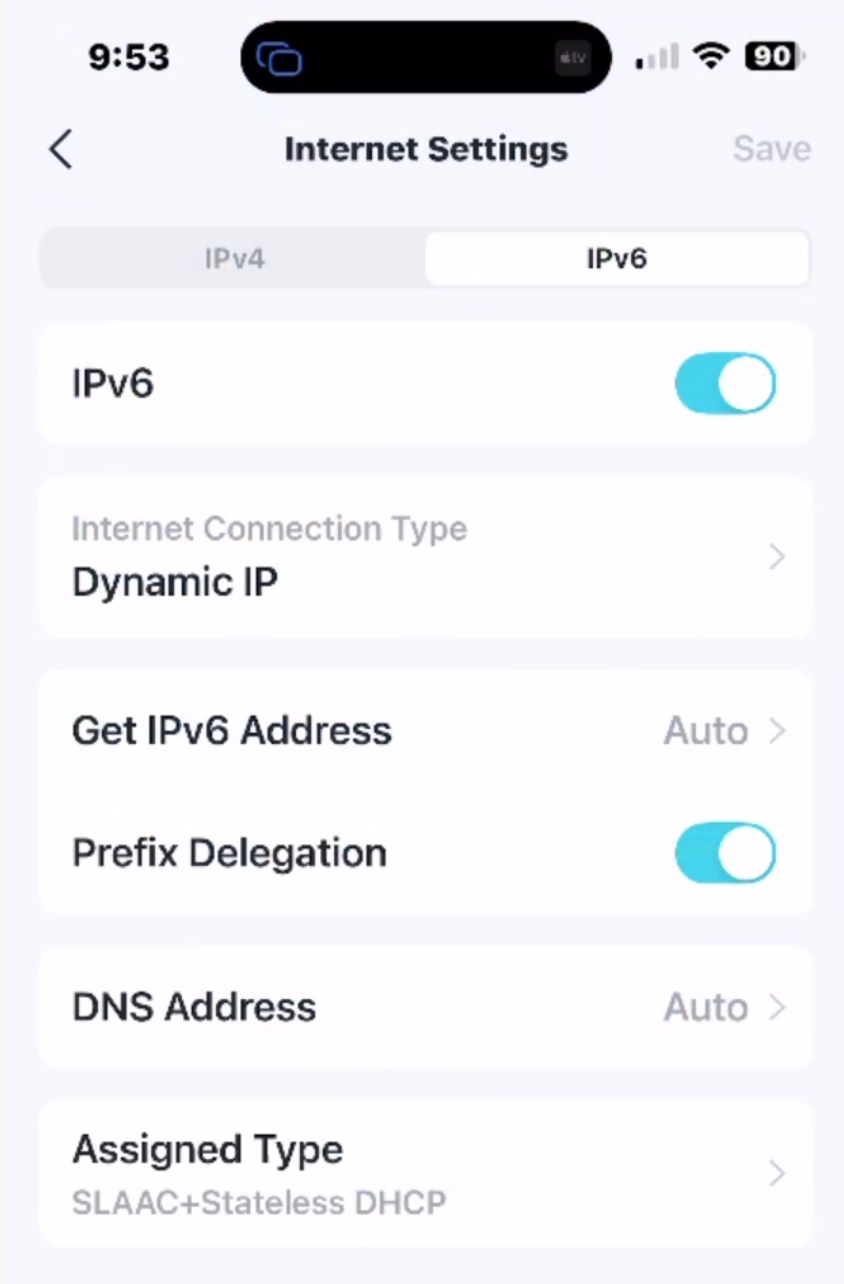
On the Deco App for the BE68 there are not a lot of choices:
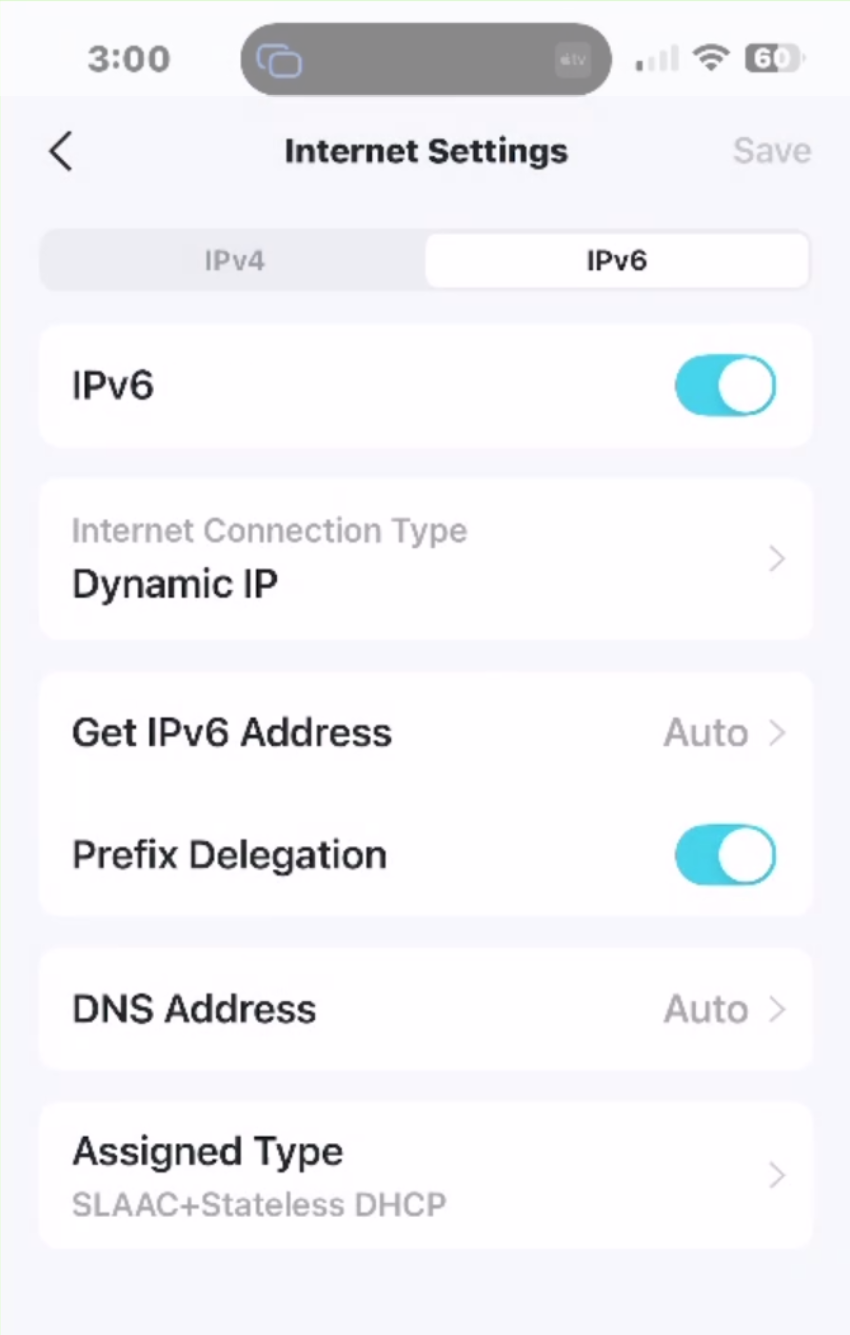
The Deco during setup, made 'choices' on what it determined are needed.
Dynamic IP is correct of the choices:
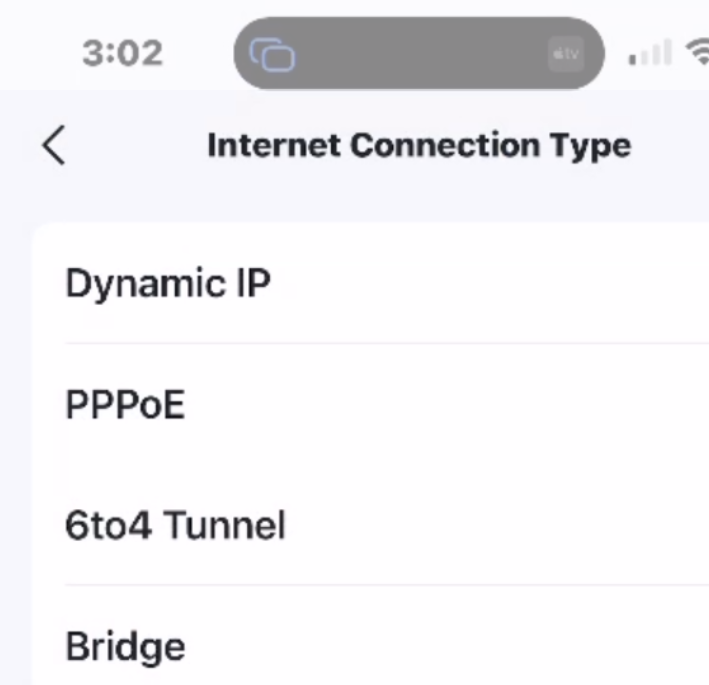
So is Assigned Type:
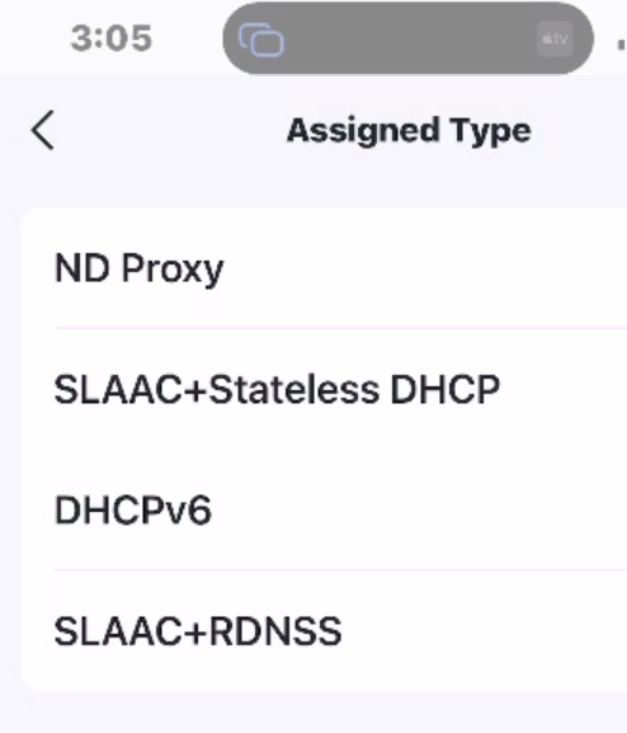
I don't see any reason to change the 'defaults' it discovered?
- Copy Link
- Report Inappropriate Content
Information
Helpful: 0
Views: 567
Replies: 20
Voters 0
No one has voted for it yet.