
Archer BE670 ― BE12000 Tri-Band Wi-Fi 7 Router


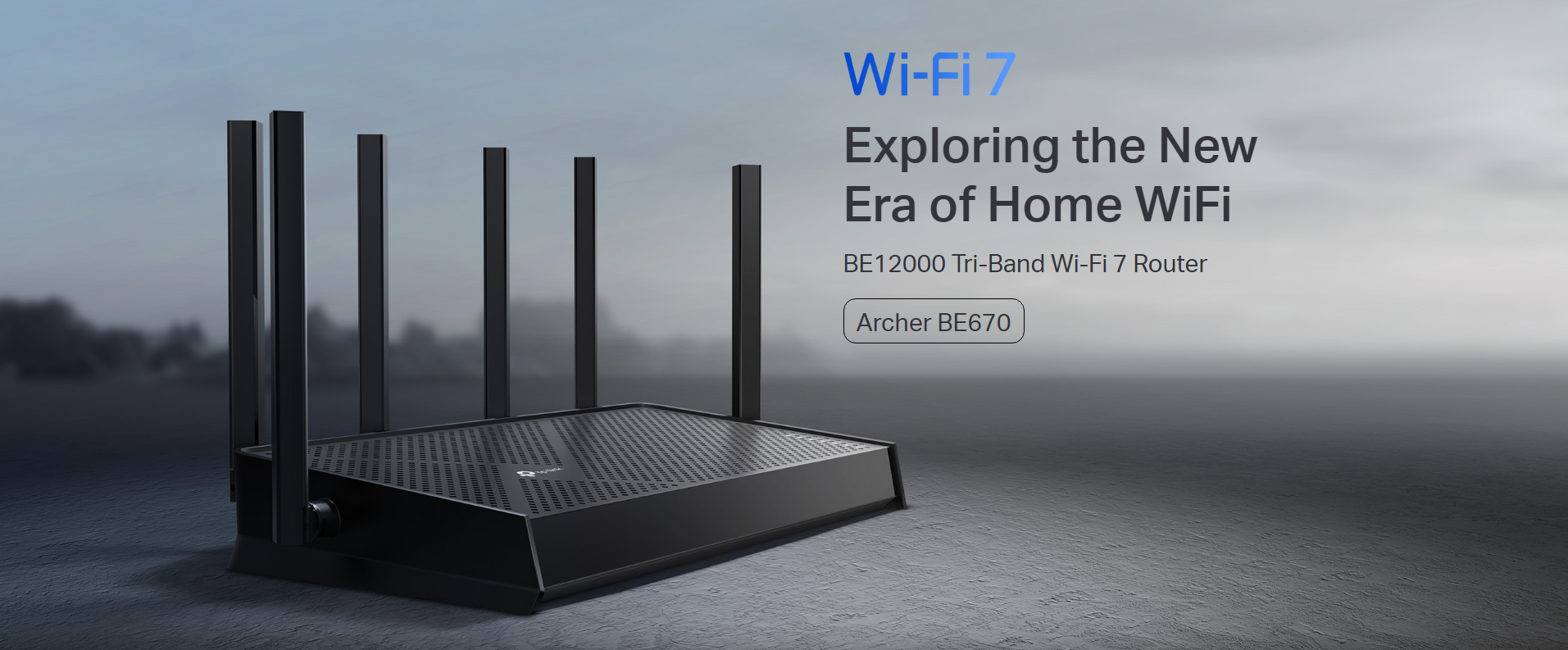
Exploring the New Era of Home Wi-Fi
Wi‑Fi demands are growing fast—more devices, higher speeds, and new use cases like 4K/8K streaming, cloud gaming, and AR/VR. The Archer BE670 is built to meet those demands head‑on, combining next‑generation Wi‑Fi 7 performance, multi‑gig wired connectivity, and whole‑home coverage in a powerful router.
Wi‑Fi 7 Performance for The Modern Home Network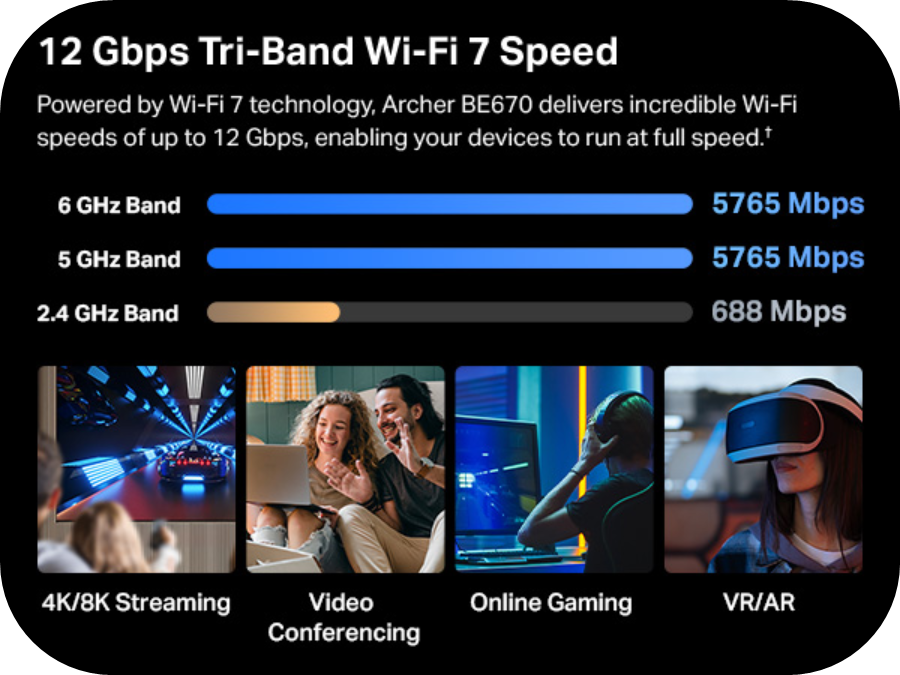
The Archer BE670 delivers up to 12 Gbps of total tri-band Wi-Fi 7 speed, helping compatible devices run at full performance even in busy households. With dedicated 6 GHz, 5 GHz, and 2.4 GHz bands, it’s designed for smoother streaming, faster downloads, and lower latency.
Tri‑Band Wi-Fi 7 Delivers Ample Speed and Connectivity
By operating across three frequency bands, the Archer BE670 helps keep your network responsive even under heavy load.
- 6 GHz for Ultra‑High Throughput and Low Interference―up to 5765 Mbps
- 5 GHz for High‑Speed Connectivity to both Modern and Legacy Devices―up to 5765 Mbps
- 2.4 GHz for Extended Range and IoT Devices―up to 688 Mbps
This bandwidth is designed to support demanding tasks like 4K/8K streaming, online gaming, video conferencing, and AR/VR experiences.
Multi‑Gig Networking with 10 Gbps, 2.5 Gbps, and 1 Gbps Ethernet Ports
The Archer BE670 is equipped with Multi-Gigabit Ports for Enhanced Wired Performance―Ideal for Multi‑Gigabit Internet Plans, NAS Devices, Gaming PCs, and High-Bandwidth Home Servers.
- 1× 10 Gbps WAN Port
- 1× 2.5 Gbps LAN Ports
- 3× 1 Gbps LAN Ports
- 1× USB 3.0 Port
Stronger Coverage with Smart Antenna Design
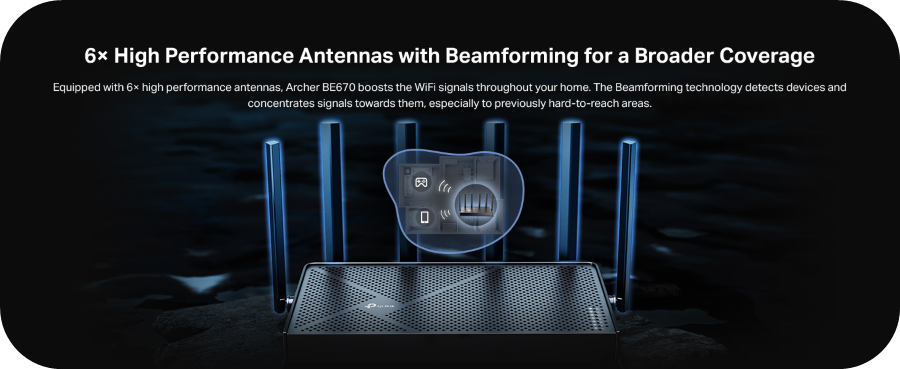
Equipped with six high‑performance external antennas and Beamforming technology, the Archer BE670 focuses Wi‑Fi signals toward connected devices, resulting in broader coverage, more stable connections, and better performance in hard‑to‑reach areas.
The Archer BE670 Offers More Than Just Powerful Hardware―it's Packed with Features for Robust, Effortless Control of Your Network
Multi‑Link Operation (MLO)
Multi‑Link Operation allows Wi‑Fi 7 devices to transmit data across multiple bands at the same time. This increases throughput, reduces latency, and improves connection reliability—especially when multiple high‑demand devices are active.
EasyMesh Support for Whole‑Home Wi‑Fi: With its EasyMesh compatibility, you can expand coverage by adding EasyMesh routers or range extenders. Enjoy one Wi‑Fi name, seamless roaming, and support for a flexible whole‑home mesh setup.
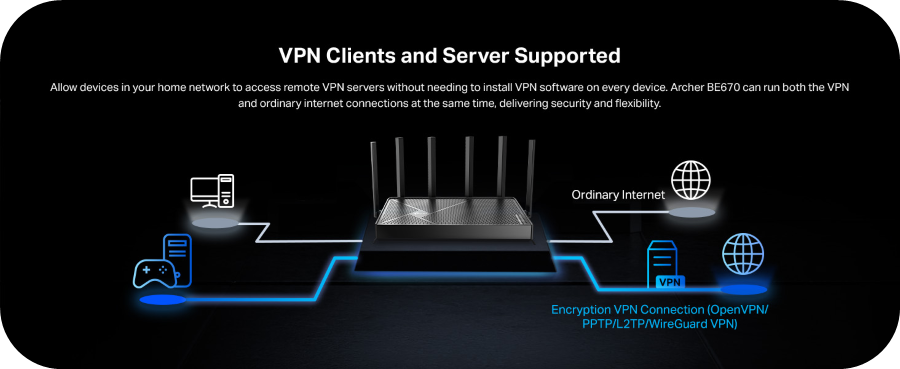
VPN Client and Server Support: The Archer BE670 supports VPN Client and Server functionality, allowing devices on your home network to connect securely to remote VPN servers. VPN and regular internet traffic can run at the same time, without installing VPN software on every device.
Simple Setup with the Tether App: Setup takes just minutes using the TP‑Link Tether app. Follow the guided steps to connect your router, configure your network, and manage devices and settings from your phone. Don't worry, you can always set up the router using the traditional Web UI if that's what you prefer!
Broad Compatibility: The Archer BE670 supports all Wi‑Fi generations and works with a wide range of devices and internet service providers, making it a solid upgrade even if not all of your devices support Wi‑Fi 7 yet.
The Archer BE670 combines Wi‑Fi 7 performance, Multi‑Gig Wired Ports, strong coverage with its High Performance External Antennas, and expandable mesh support into a router designed for today’s connected homes—and tomorrow’s demands.
For full specifications and purchasing information, visit the Official Archer BE670 Product Page
If you’re considering the BE670—or already using one—we’d love to hear your thoughts and questions. Feel free to share your setup or join the discussion below.