
New Arrival Introducing the H500 CentralHub™ - Your Smart Home Control Center


Introducing the Tapo H500 CentralHub™: Your Smart Home Control Center 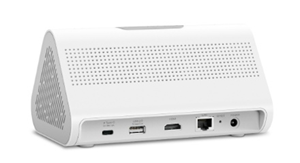
No Internet Connection? No Problem! The Tapo H500 is designed to operate locally, processing your automations without requiring an internet connection. This ensures a reliable and accessible smart home, ensuring functionality even when your internet is down
Built for Tapo Pad! Missed our Introduction of the Tapo App's Tablet Layout? Many of the features added to this version of the Tapo App were designed with these hubs in mind, with the H500 even featuring a tablet stand and a passthrough USB-C connection for charging.
See the H500's Overview Page Here
or
 Local Camera Recording
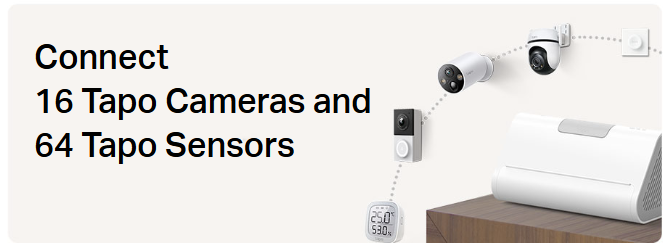
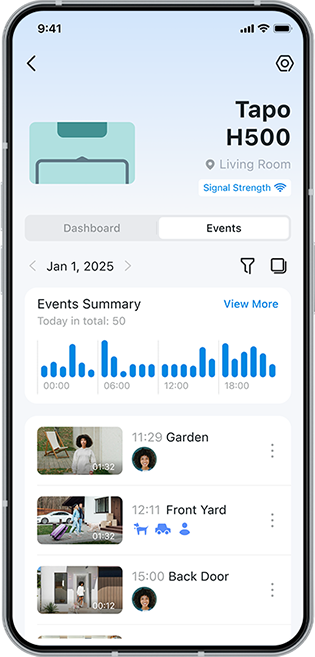
- Connect and Record Footage from Up to 16 Tapo Cameras (Up to 4 Cameras with 24/7 Recording)
- Expandable Storage up to 16TB via 2.5” HDD or SDD drive
- Supports both Wired and Wireless Cameras (See Hub Compatibility Here)
- USB Connectivity for Network Sharing and Video Backup
- The USB port on your H500 brings quite a few new options to back up your clips or recordings, and even the ability to access your backed-up clips across your network.
- Note: Direct storage to USB is not supported; clips and recordings must first be filtered and backed up to the USB drive from the Tapo App
Back Up Your Clips with USB Backup and Network Access
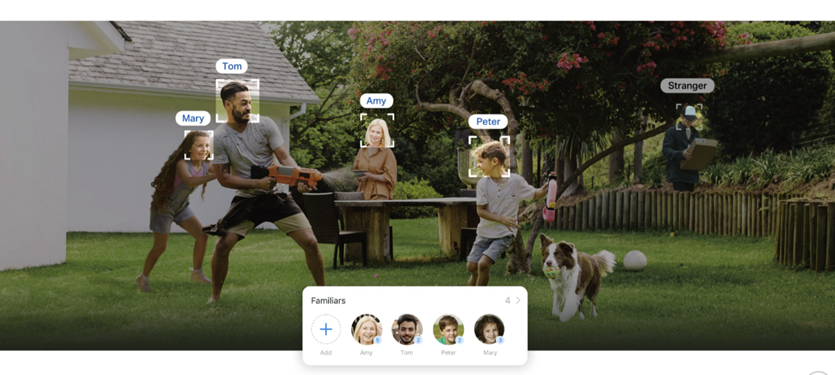
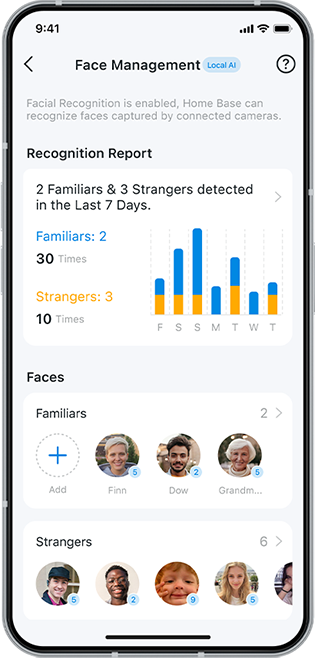
- Camera Detection with Local AI Empowerment and Facial Recognition:
- Enhance existing camera detections with local AI processing (Person, Pet, Vehicle) to Reduce False Positives
- Facial Recognition categorizes detected faces into "Familiars" and "Strangers."
Navigate Tapo’s AI Detection and Facial Recognition Features
 Compatibility with Matter:
- Directly add third-party matter-compatible smart plugs and lights to the Tapo Hub, through the H500s new Matter Controller feature.
- Or use the H500’s Matter Bridging Feature to add your existing Tapo sensors to another Matter platform.
Get Started with the Tapo H500’s New Matter Controller and Matter Bridging Features
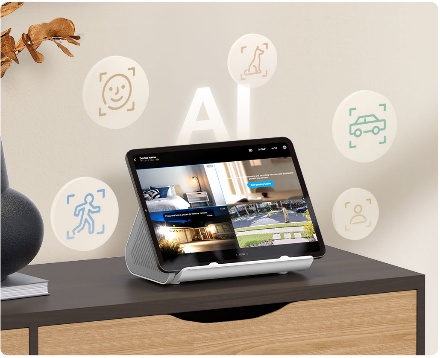 HDMI Connectivity for Camera Mirroring:
-
- Display up to 4 camera feeds and clocks on a separate connected screen or TV.
- This feature is available to both wired and battery cameras; however, they will function differently.
- Battery Cameras will display their feeds when they begin to detect an event, while they are not recording a detected event, a black screen will be shown with a message:
“Live Stream Paused. Battery-powered cameras only start mirroring when an event is detected. If AI Detection is disabled, mirroring will be deactivated.”
Have a Feature You Would Like to Request for the H500?
Provide Your Recommendation on our Tapo Feature Requests Module, and Our Team will Make Sure to pass it to our Development Teams for Consideration!
Frequently Asked Questions
How many devices can be connected to the hub at the same time?
The Tapo H500 supports connecting to up to 16 cameras or doorbells* and 64 IoT Devices (Such as Sensors, switches, buttons, etc.). Wi-Fi cameras can also connect to the H500’s Wi-Fi and use the Hub’s storage; please refer to this FAQ: How to Connect Tapo Wi-Fi Cameras/Doorbells with Tapo Hub
Note: The H500 can only save continuous 24/7 recording for up to 4 cameras. Other cameras connected to the H500 will only be able to record detection-based clips.
How can I move devices paired with an Existing Hub to the H500?
You can use the “Migrate Connected Devices” feature to migrate devices that were configured to the hub, such as sub-G devices and Wi-Fi cameras connected to the old hub, to the H500. Please make sure your devices are up to date.
Note: Only the C400 doesn’t support migrating from an offline hub to an online hub. Other sub-G devices support migrating even when the previous hub is offline. This feature requires the latest firmware update for your devices and the H500. Manual migration may also be required if using an out-of-region hub.
—
Our team has had the opportunity to push the H500 to the limits in our own homes, so we welcome any questions you may have about our own experience or what the process was like moving a large smart home to be primarily Tapo-focused!
—
Related
Introducing the H500 – Your Smart Home Control Center
See the H500's Overview Page Here or Buy the H500 on Amazon Now!
H500 KB - Back Up Your Clips with USB Backup and Network Access
H500 KB - Get Started with the H500’s New Matter Controller and Matter Bridging Features
H500 KB - Navigate Tapo’s AI Detection and Facial Recognition Features
Contact Support or Join our Official Subreddits: r/tapo, r/tplink, r/omada_networks
- Copy Link
- Subscribe
- Bookmark
- Report Inappropriate Content

this nice bit of kit runs linux. Please add a web interface for at least viewing the cameras attached to it. Admin and control would be better. This would be vastly superior (and cheaper) than an HDMI port, which is largely useless these days.
- Copy Link
- Report Inappropriate Content
It happens when "detecting" cameras and devices on the same network, the H500 use the first 3 bytes of the IPv4 address (class C) and ignores the subnet mask. For example, on a 10.10.0.0 network with a 255.255.0.0 subnet mask (class B), devices with address 10.10.1.1 and 10.10.2.2 should be considered on the same network.
I had this problem in setup today because I use a class B 10.x.x.x network at home. Unknown devices get a 10.5.1.x address and I move them to 10.5.2.x static assignments when identified. I had moved the cameras to 10.5.2.x and plugged in the H500. It would "see" the cameras but not allow them to be added claiming they were "not on the same network". When I moved the H500 to a 10.5.2.x address and rebooted it, it then allowed the cameras to be added.
- Copy Link
- Report Inappropriate Content

The article mentions no internet required.
Does that also mean no router required?
Can 2.4Ghz cameras connect directly to the hub?
If yes, is it connecting to the hubs access point with wpa2 and password?
If yes, is the hubs own ssid and password configurable?
There will be no open network on the hub?
On another configuration, if camera and hub are on the same router and the new WiFi backup connection feature is used, is that connection wpa2 with password?
If yes, is the backup connection ssid and password configurable?
There would not be a chance that the backup connection is open wifi?
- Copy Link
- Report Inappropriate Content
You are still required to have a network and router operational. The H500 is not a completely offline device; instead, its core functions can continue to work when your internet connection fails. Meaning that the recording and AI empowerment of detections will continue, along with any local smart actions configured to the hub.
2.4GHz cameras can connect directly to the hub via the Wi-Fi Backup feature; however, many cameras will require you to connect them to your regular Wi-Fi. The network used by the hubs<>cameras is not part of your regular wi-fi and will only work with Tapo cameras; it should not be visible to other devices.
Contact Support or Join our Official Subreddits: r/tapo, r/tplink, r/omada_networks
- Copy Link
- Report Inappropriate Content
Information
Helpful: 0
Views: 21179
Replies: 24
Voters 0
No one has voted for it yet.