
assigning manual ip address to printer
 This thread has been locked for further replies. You can start a new thread to share your ideas or ask questions.
My HP printers are constantly dropping offline. HP tech suggests that the router may be changing the ip addresses of the printer, and suggests that I set up a manual ip address for them.
Can you give me the steps to accomplish that on the archer c3150?
I can only access the routers EWS via an ethernet cabel. The browser on my PC can't see the router.
For what it's worth, I have no problem printing wirelessly from my Apple devices.
WBS
- Copy Link
- Subscribe
- Bookmark
- Report Inappropriate Content


Hello@WBS ,
Welcome to our community.
For your need, please refer to How to configure Address Reservation on the TP-Link Wi-Fi Routers (new designed blue UI).
- Copy Link
- Report Inappropriate Content


There are a FEW ways to set the printer to a FIXED IP ADDRESS.
One way, in the Testher App it might show assign IP Address via the MAC Address.
Might show that too on the Web GUI if it has that feature for the router.
An 'easier' way would be to use HP's Smart program. It can assign and IP Address to the Printer.
Here is the program opened to do that:
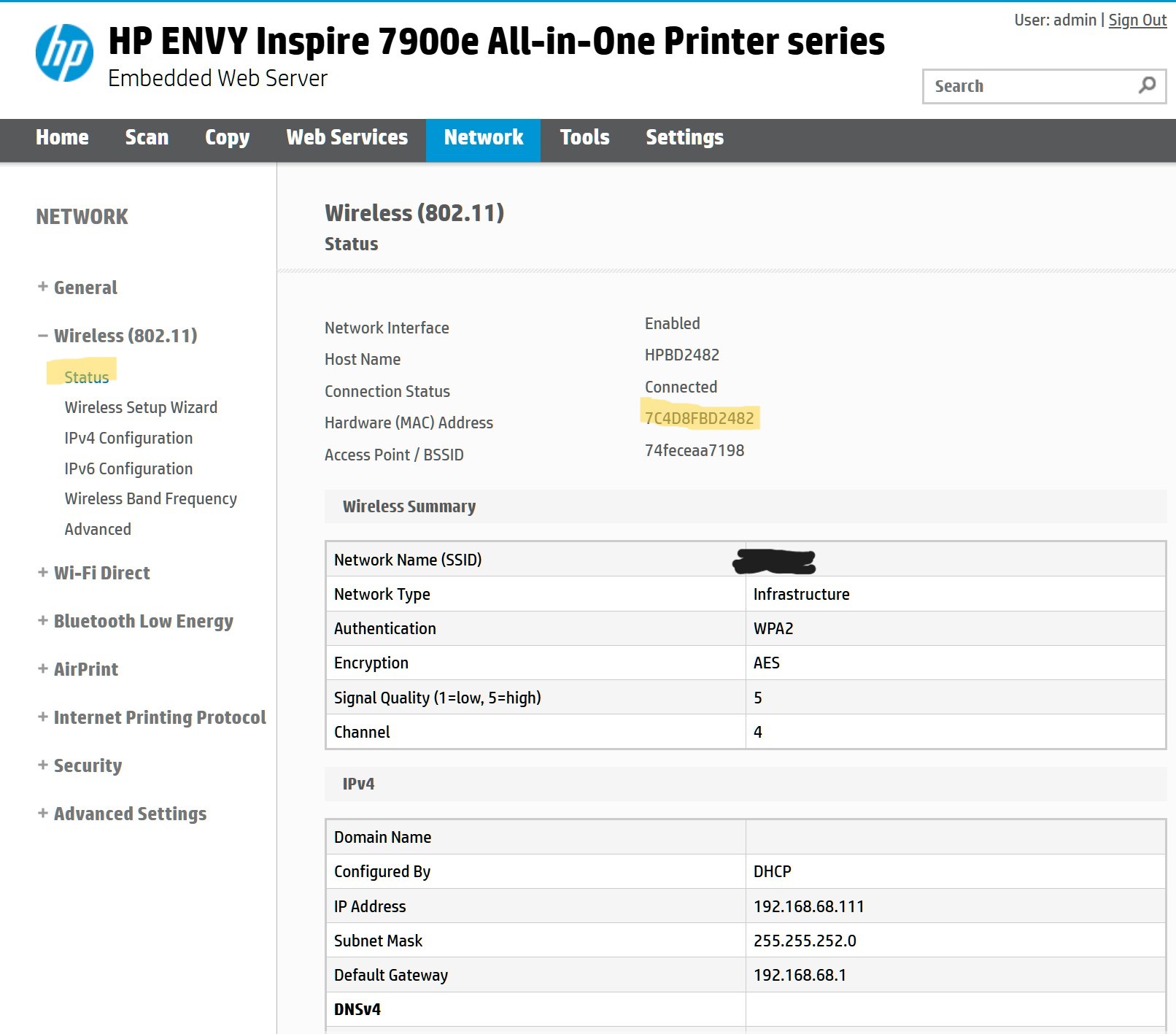
First get the MAC address from above Status page.
Then use this page to create a saved IP Address for that MAC Address:
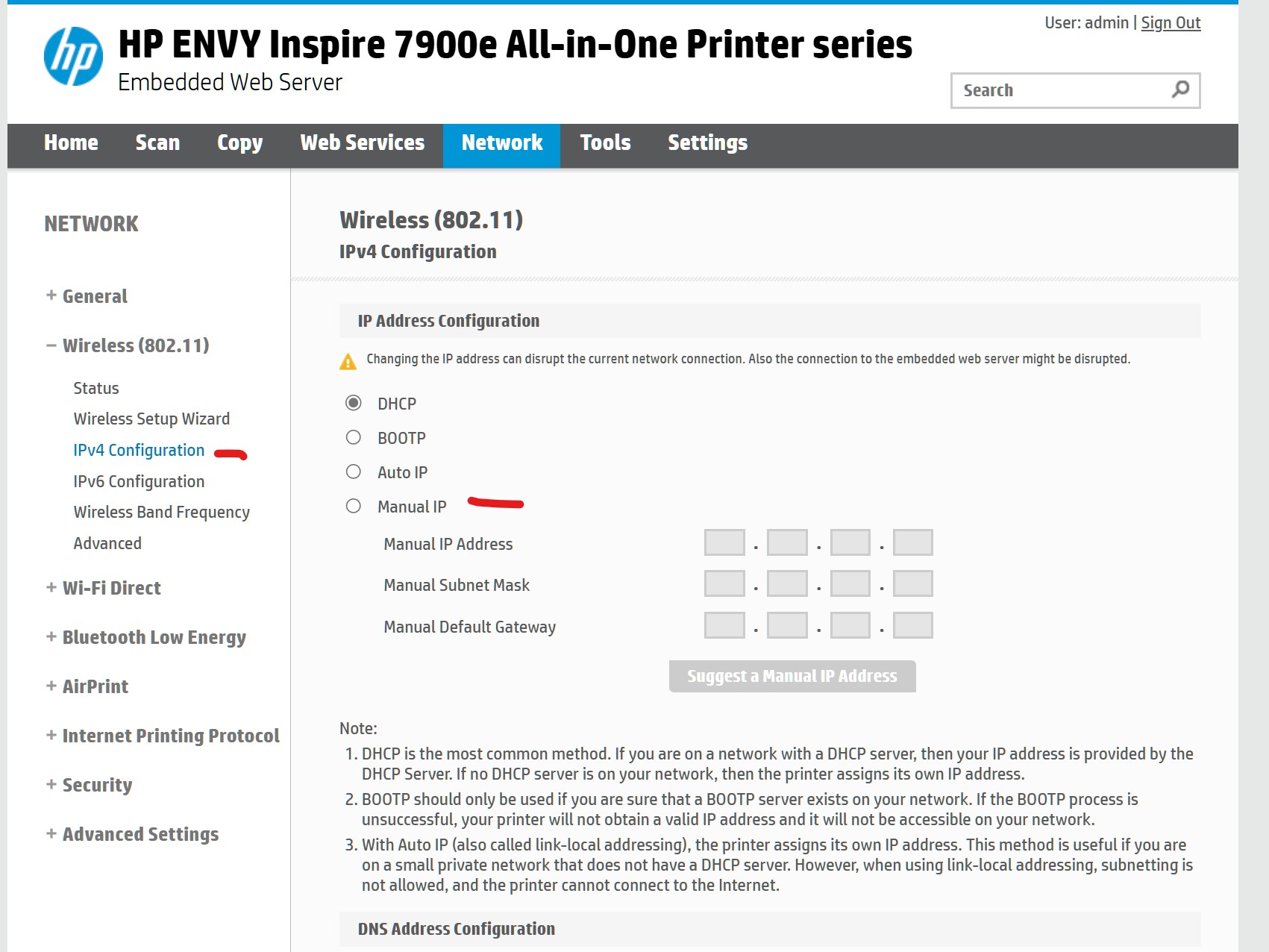
This always then assign the SAME IP Address to the printer when it connects.
Set the IP Address high, DHCP usually hands out IP Addresses sequentially. In my Deco setup I set DHCP limited to 192.168.1.99, so after that address I can 'manage' connections to specific devices that need or I want fixed IP Addresses for.
Best way probably would be in the Web GUI or TETHER app to assing the printer a fixed IP Address. Using those 'Reserved' IP Addressing DHCP will not hand it to another device.
- Copy Link
- Report Inappropriate Content
I clicked on the link you provided regarding a Reserved Address and went through the procedure.
I entered the MAC address of my HP OfficeJet Pro 6978, the reserved IP of 192.168.0.2, Saved and rebooted. That put both of my printers back online.
Hopefully, that will take care of the printer offline problem.
Thank you for your assistance.
WBS
- Copy Link
- Report Inappropriate Content
Hi @WBS ,
I am glad to hear that my suggestion can help you.
Feel free to contact us if you have further questions.
- Copy Link
- Report Inappropriate Content
Information
Helpful: 0
Views: 1033
Replies: 4
Voters 0
No one has voted for it yet.