
Early Access New Firmware for Archer BE900 V2 Supports Multi-WAN, DoH/DoT, EasyMesh in AP Mode and More!


Hey Everyone,
We’re excited to announce the latest pre-release firmware update for the Archer BE900 V2, which adds features like Multi-WAN and several other key enhancements.
We encourage Archer BE900 V2 users to upgrade to this pre-release firmware and share your experience. Your feedback and suggestions are appreciated and can directly help us enhance your Wi-Fi 7 experience.
Download the update today to access and enjoy these new features!
New Features/Enhancements:
1. Multi-WAN
This update introduces the Multi-WAN feature, enabling users with multiple Internet service providers to add two or more WAN connections. This achieves two primary objectives:
(a) Ensuring network connectivity remains stable through seamless failover during service disruptions;
(b) Enhancing network performance by aggregating the bandwidth of two or more broadband connections via load-balancing technology.
You may select Ethernet, USB Modem, or USB Tethering as your backup WAN connection.
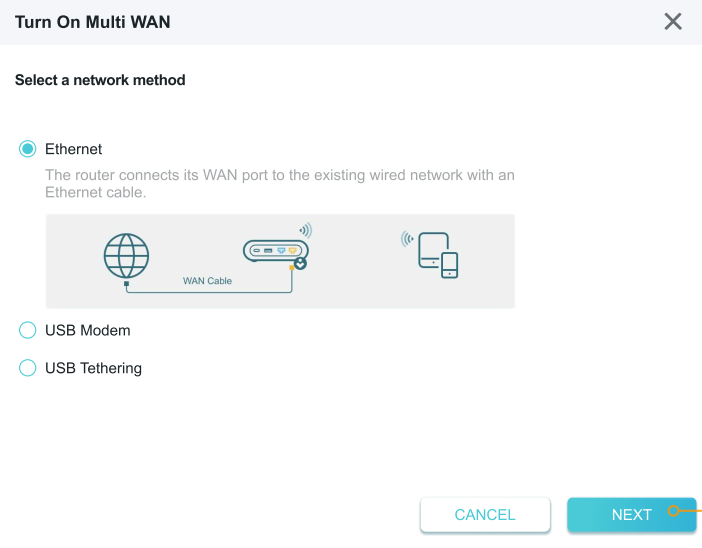
(1) Failover
Failover continuously monitors the status of the primary network. Upon detecting signal loss or complete disconnection, the router automatically redirects traffic to the backup network connection, preventing application downtime.
In Failover mode, only one WAN connection will be active at a time. When the primary WAN fails, traffic is rerouted to the backup WAN, ensuring an uninterrupted Internet connection.
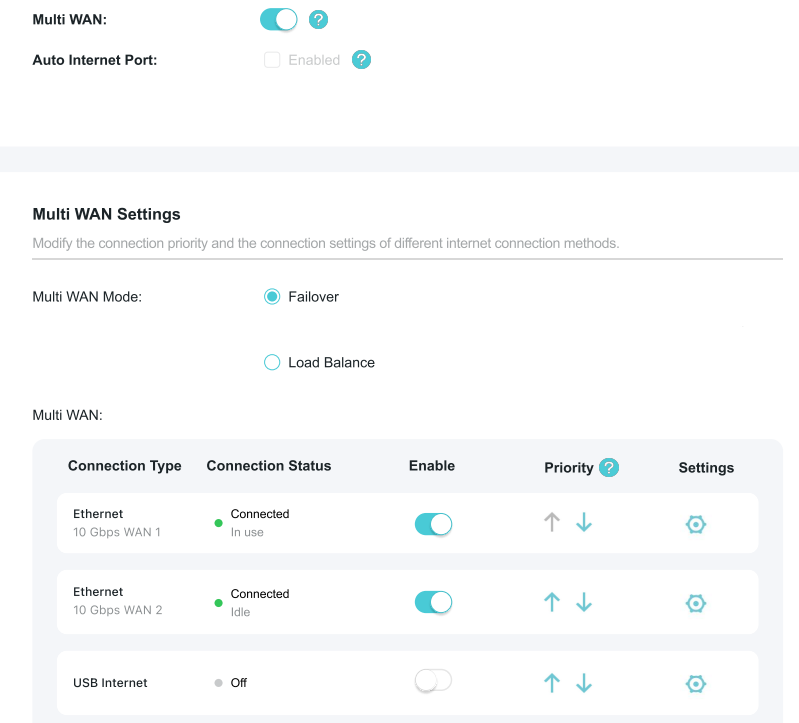
(2) Load Balance
Load Balance distributes network traffic across multiple WAN links to prevent overload on any single connection.
In Load Balance mode, all connected WAN links will be activated. You can configure Traffic Allocation Priority settings to intelligently distribute traffic and improve network availability.
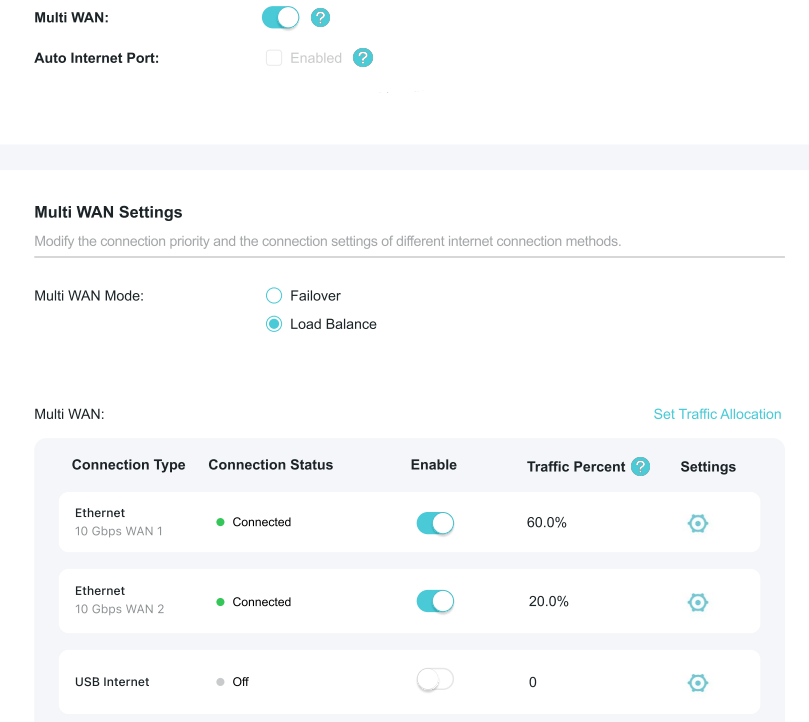
Did You Know?
In Load Balance Mode, you can also configure Routing Allocation rules to direct specific client traffic through a particular WAN connection, enabling more flexibility and management of your network.
2. DoH/DoT
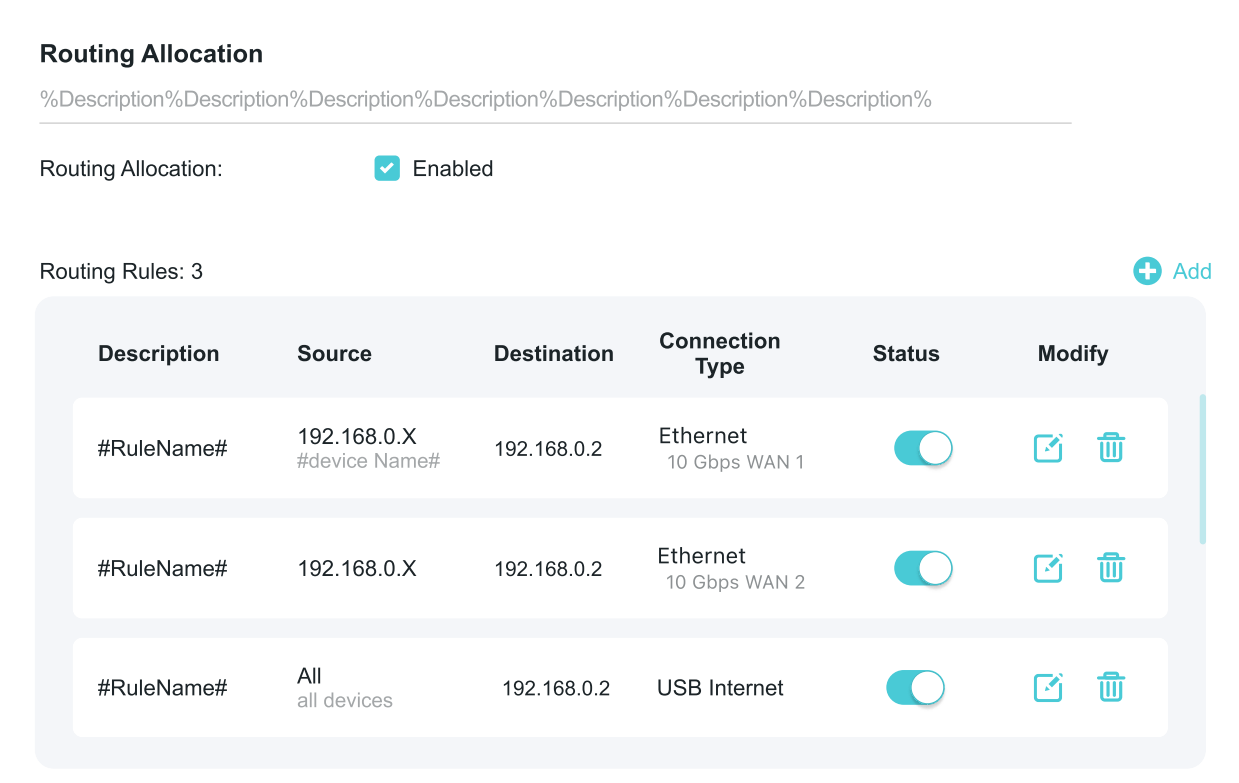
DoH (DNS over HTTPS) and DoT (DNS over TLS) both work to improve the security and privacy of DNS lookups during network communication. With DoH, DNS requests are hidden inside HTTPS traffic, making them blend in with regular web browsing and harder for others to track.
DoT, on the other hand, protects DNS messages by sending them over a special encrypted TLS connection, keeping them safe from spying or interference.
3. Supported built-in easy configuration of VPN
Note: In compliance with local regulations, the Third-party VPN feature may be restricted to specific regions.
4. EasyMesh Improvements
(a) Added Support for EasyMesh in AP Mode (as a Main Router)
(b) Added support for web-based management in EasyMesh satellite mode
For instructions on this feature, please refer to How to log in the Web interface page of EasyMesh satellite router?
Firmware Download:
Before Upgrading
(1) It is always recommended to save a copy of the router's Backup Config file before upgrading or downgrading firmware.
(2) This pre-release firmware for Archer BE900 V2 is available for all versions (excluding JP versions).
(3) For instructions on how to upgrade your router's firmware, please see: How to Upgrade the Firmware on TP-Link Wi-Fi Routers?
(4) The screenshots in this article are taken from the web GUI of Archer BE900 V2 for reference only.
(5) This pre-release firmware version cannot be degraded to the previous official version.
Direct Firmware Download Link
Update: Official 1.3.1 Firmware is now available. If you do not have Automatic Updates enabled, you may visit the Firmware Download Page to manually download and install the latest firmware for your device.
| Archer BE900_V2 |
Note:
- Pre-release and Beta firmware should be used at your own discretion. We cannot guarantee the functionality of features or technical support for Pre-Release or Beta Firmware.
- If you are not comfortable using beta firmware, please wait for the official fix or contact our support teams for assistance
Additional Information
As always, we value your feedback. If you happen to encounter any concerns during or after the router firmware upgrade, please feel free to comment below with the following information. Your input helps us continue to improve and provide the best possible products and support.
- Provide a detailed network layout, including how the devices are connected, especially if there are EasyMesh satellite devices.
- Include a detailed description of the behavior and as much information as possible regarding the specific conditions that seem to trigger it.
Thank you for your continued support and for being part of our community.



