C520WS won't reonnect

This thread has been locked for further replies. You can start a new thread to share your ideas or ask questions.

C520WS won't reonnect

This thread has been locked for further replies. You can start a new thread to share your ideas or ask questions.

C520WS won't reonnect
2025-02-27 15:07:45 - last edited 2025-03-14 09:01:16
Model: Tapo C520WS  
Hardware Version: V1
Firmware Version: lastest version

Hi all,


I have been running tapo cameras for few years, recently my C520WS stop working with the Wi-fi and ethernet


  • I did reboot / reset of the camera, still not working
  • Reboot wi-fi route, still not working
  • Setup guest Wi-Fi at 2.4g, still not working
  • Removed the Tapo app from phone and reinstalled, still not working
  • I have four cameras running on app, so I remove (C100) at test, it won't reconnect either?
  • Try the Tapo app on another phone, won't connect with any cameras
  • I have try diffrent wireless channels, still not working
  • I change the band width, still not working
  • This business Virgin Hub only 2 people using it


I believe the root of the problem lies with the Tapo app. I haven't encountered any issues with the app over the last three years. There must have been a recent update, but it seems odd that only one camera has stopped working while the others are functioning fine.

See attached Wi-fi settings


Thanks,

Niall

  0      
  0      
#1
Options
1 Accepted Solution
Re:C520WS won't reonnect-Solution
2025-02-28 12:02:27 - last edited 2025-03-14 09:01:16

  @Niall-C 

Hi,
Typically, you can refer to the instructions below to troubleshoot if fail to set up the camera.
What should I do if I fail to configure Tapo Camera?
 

If the problem remains, please confirm the following information. 
  1. Please change the 2.4G Wi-Fi channel from 13 to 1, 6, or 11 on the router.
  2. Please ensure your Tapo app is up to date.
  3. Disable the special settings, such as MAC Filtering, firewall rules, etc., on the router for a try.
  4. What error message displays on the Tapo app when failing to configure the camera?


Best Regards

Recommended Solution
  0  
  0  
#2
Options
4 Reply
Re:C520WS won't reonnect-Solution
2025-02-28 12:02:27 - last edited 2025-03-14 09:01:16

  @Niall-C 

Hi,
Typically, you can refer to the instructions below to troubleshoot if fail to set up the camera.
What should I do if I fail to configure Tapo Camera?
 

If the problem remains, please confirm the following information. 
  1. Please change the 2.4G Wi-Fi channel from 13 to 1, 6, or 11 on the router.
  2. Please ensure your Tapo app is up to date.
  3. Disable the special settings, such as MAC Filtering, firewall rules, etc., on the router for a try.
  4. What error message displays on the Tapo app when failing to configure the camera?


Best Regards

Recommended Solution
  0  
  0  
#2
Options
Re:C520WS won't reonnect
2025-03-06 13:57:30
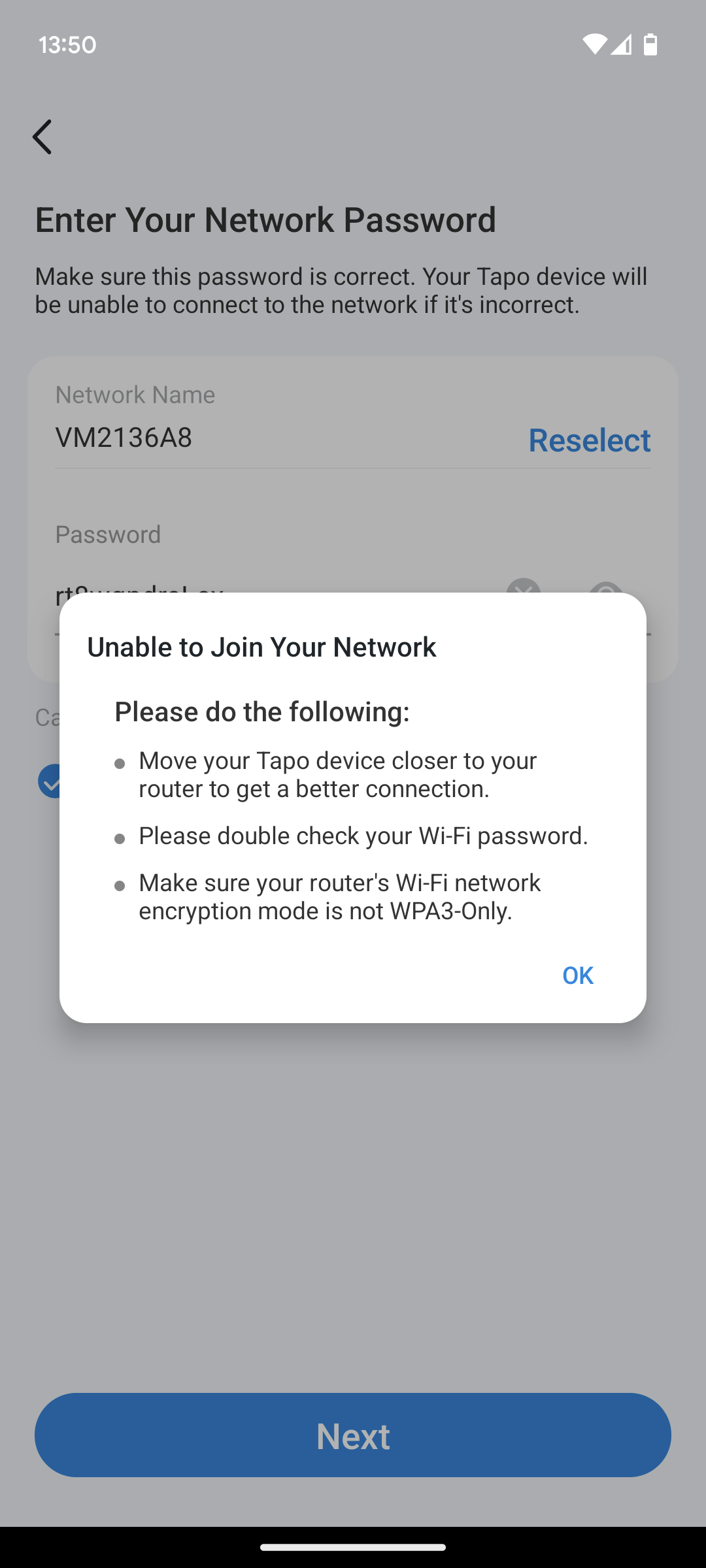
I have try all this, follow every step several time. Still working. Camera is saying "wrong password" which is completely incorrect
  0  
  0  
#3
Options
Re:C520WS won't reonnect
2025-03-06 14:00:08

 this is error message, I have check all this errors, still not working 

  0  
  0  
#4
Options
Re:C520WS won't reonnect
2025-03-13 10:49:03

  @Niall-C 

Hi,
You can try to enable a hotspot Wi-Fi on your phone, factory reset the camera, configure it with another phone, connect it to the hotspot Wi-Fi, and then check if you can set it up successfully.
Best Regards

  0  
  0  
#5
Options