
Early Access Introducing AI QoS: Elevate Your Gaming Experience on the Archer GE800 Gaming Router!


Update on Jan 16th, 2026:
The official version of Archer GE800 V1, 1.3.2 Build 20250929, has been released publicly. Users can check for updates via the router's web interface or through the Tether App to install the latest version manually.
If you cannot find the latest version, please download the firmware from the official website and upgrade it manually:
Archer GE800_V1_1.3.2 Build 20250929
We will manually lock this post to better focus on discussions regarding the new firmware. We also encourage all users to upgrade to the latest firmware for testing and to provide feedback.
--------------------------------------------------------------------------------
Hello Everyone,
We are excited to announce a pre-release firmware update introducing AI QoS (Quality of Service) for the Archer GE800 V1 before its official release. This allows our users to enjoy the ultimate gaming experience in advance.
AI QoS is designed to revolutionize your online gaming experience. Leveraging artificial intelligence, our new feature set transforms how your router manages bandwidth, ensuring seamless performance for all your applications. Here are the key features that make AI QoS a game-changer.
One-Click Acceleration
Say goodbye to complicated setups! With just a single click, you can enjoy lightning-fast performance without the hassle of complex configurations. Get ready to dive into your favorite games instantly.
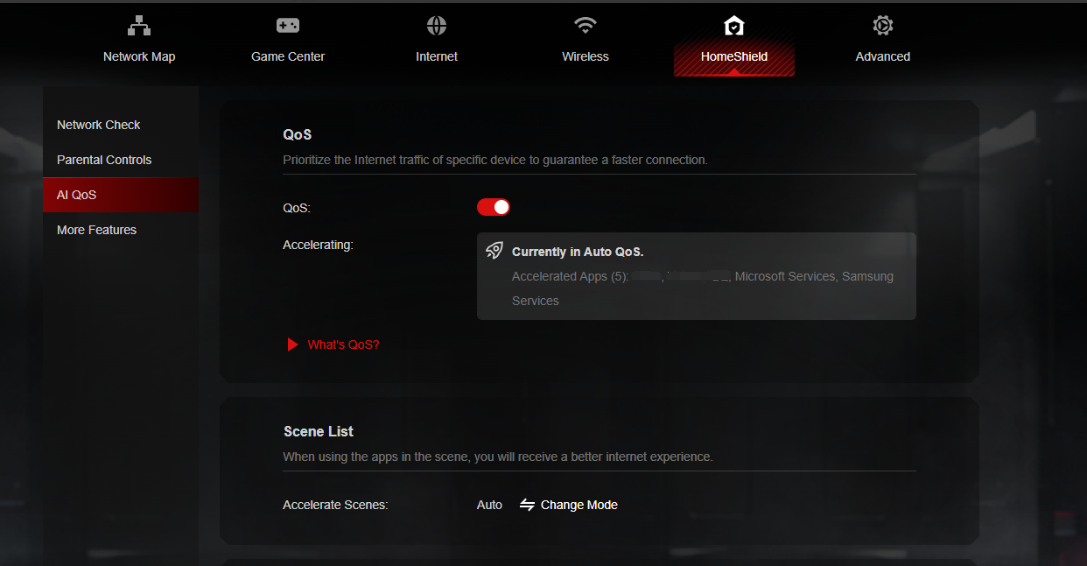
Dynamic Bandwidth Detection
Our advanced technology allows you to instantly assess your available bandwidth. By continuously monitoring network conditions, AI QoS helps prevent congestion, ensuring that your gaming and streaming sessions remain smooth and uninterrupted.
Enhanced QoS Optimization
Experience significantly reduced gaming latency, even in congested network scenarios. AI QoS intelligently optimizes your connection, minimizing lag and providing a competitive edge when it matters most.
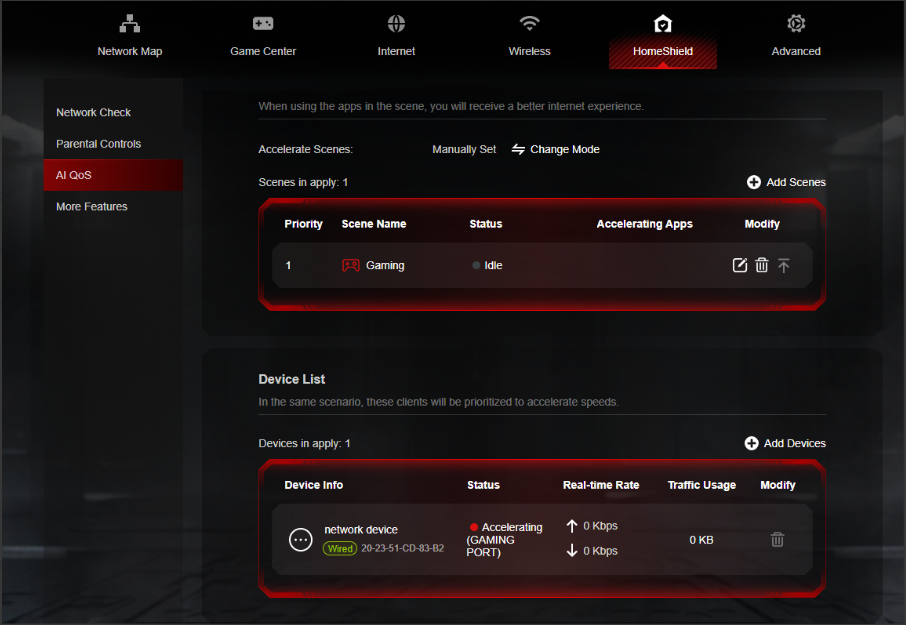
Intelligent Traffic Prioritization
Every application deserves the best performance. With AI QoS, traffic is prioritized intelligently, guaranteeing that all your applications run optimally. Whether you're gaming, streaming, or video conferencing, you can be confident that your experience will be top-notch.
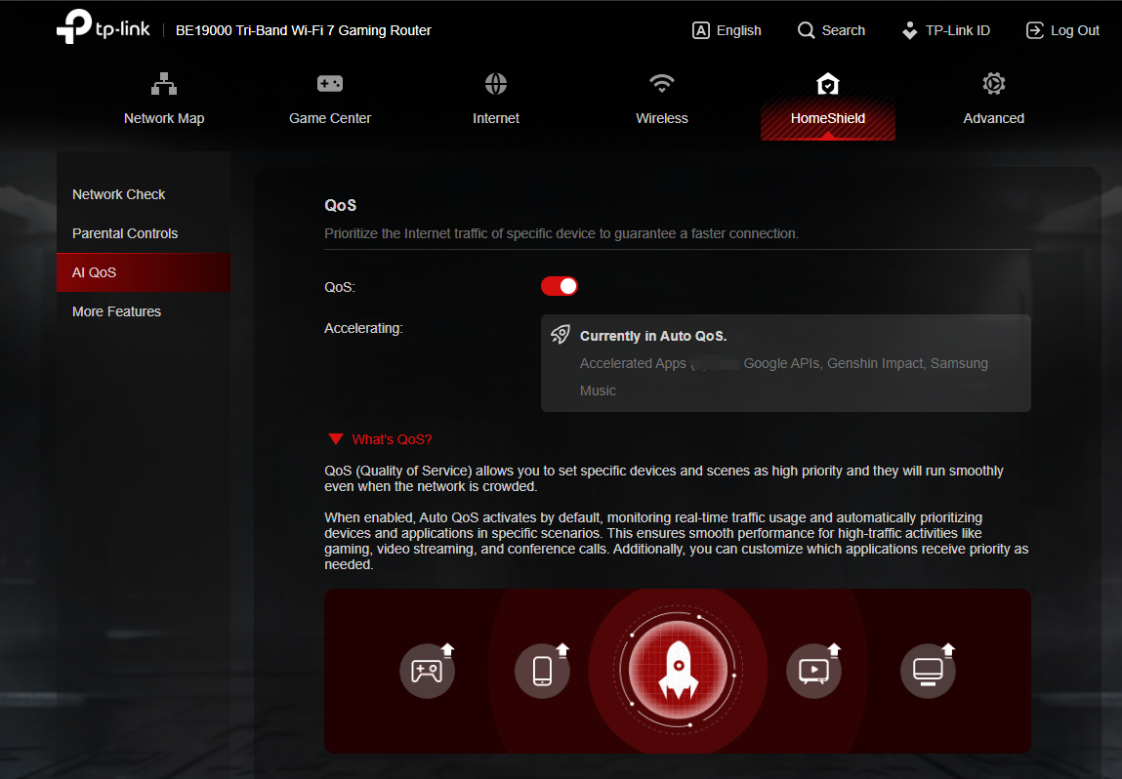
More New Features and Modifications:
This pre-release firmware includes all the new features and modifications mentioned in previous posts below:
Pre-release Firmware for Archer GE800/GE550/GE650v1 Supports EasyMesh in AP Mode, DoH&DoT, ECO Mode
Bug Fixes:
Fixed the issue where enabling Bandwidth Control for the Guest Network will take effect for all networks.
Firmware Download:
Before the Upgrade
(1) Please be sure you have read the Beta Test Agreement before upgrading the pre-release firmware!
(2) For the sake of insurance, it's always recommended to save a copy of the router's Backup Config file before upgrading or downgrading.
(3) This pre-release firmware for Archer GE800 V1 can be applied to all versions (EU/US/AU/CA/etc).
(4) You may follow the guide to upgrade the firmware of your router. How to Upgrade the Firmware on the TP-Link Wi-Fi Routers.
(5) The screenshots in this article are taken from the web GUI of Archer GE800 V1 for reference only.
(6) This version of software can be degraded to the previous official version.
Direct Firmware Download Link
| Archer GE800_V1 | Archer GE800(EU)_V1_1.3.2 Build 20251013 (Updated Pre-release firmware) |
Additional Information
As always, we value your feedback. If somehow you encounter an issue during or after the router firmware upgrade, please comment below with the following info. Your input helps us continue to improve and provide the best products and support.
- Provide a detailed network layout, including how the devices are connected, especially if there are EasyMesh satellite devices.
- Detailed issue description, and provide more information on the specific conditions that seem to trigger the problem.
Thank you for your continued support and for being part of our community.
Update Log
Oct 13th, 2025:
Updated to provide a new pre-release firmware based on the latest 1.3.1 official version.
Jul 4th, 2025:
Updated to provide a new pre-release firmware based on the latest 1.2.1 official version.
Jun 13th, 2025:
Release of the article.
Related Articles
Pre-release Firmware for Archer GE800/GE550/GE650v1 Supports EasyMesh in AP Mode, DoH&DoT, ECO Mode
- Copy Link
- Subscribe
- Bookmark
- Report Inappropriate Content

@Forzic What are you talking about - they just released one they've been working on for months yesterday
- Copy Link
- Report Inappropriate Content

- Copy Link
- Report Inappropriate Content
Jaybonaut wrote
@Forzic What are you talking about - they just released one they've been working on for months yesterday
@Jaybonaut As far as I'm concerned there is no new release because it has not been published on my regional web site and the last release that 'is' present had specific regional releases.
- Copy Link
- Report Inappropriate Content
Vendex wrote
At the moment, this update seems to be available only for the US and Canada regions. Could someone from the TP-Link team please clarify when we can expect the EU/European version to be released?
The update includes some very important stability fixes, and many of us in Europe are waiting for it.
Thank you!
It's on the way.
For your reference also, both the US and EU hardware share the same firmware compatibilities. You can install it manually on the EU hardware if you cannot wait.
- Copy Link
- Report Inappropriate Content

@Kevin_Z are you absolutely sure of what you say it probably just changes the wifi transmission power
- Copy Link
- Report Inappropriate Content
Hey @Forzic
Thanks for asking.
When manually upgrading the router firmware, the router itself will adapt and modify wireless parameters according to the country code to ensure compliance.
So you can install the firmware manually on your hardware without worries.
- Copy Link
- Report Inappropriate Content
@Kevin_Z Inquiry regarding Archer GE800 (HW v1.0) emergency recovery methods (Web & TFTP)
Hi Kevin,
I currently own a TP-Link Archer GE800 (Hardware v1.0) and I am planning to manually flash a firmware update. Before proceeding, I want to ensure I am fully prepared for any worst-case scenario (e.g., a bricked router) and have the correct emergency recovery environment set up on my PC.
Could you please clarify the following technical details regarding the bootloader recovery options for this specific model?
1. HTTP Web Recovery
I am aware that some newer BE-series routers might feature a hidden HTTP Web Recovery page for emergency firmware flashing.
Does the GE800 v1.0 support this Web Recovery interface?
If so, what is the exact trigger method (e.g., holding the Reset button during boot) and the default IP address to access the page?
2. TFTP Recovery
If the Web Recovery interface is not available, I am ready to use the classic TFTP recovery method via Tftpd32. To set up the server correctly, could you please confirm the exact parameters hardcoded in the GE800 v1.0 bootloader?
Expected TFTP Server IP: Is the router looking for 192.168.0.66 or a different IP address?
Exact recovery filename: What specific filename does the bootloader request? (e.g., tp_recovery.bin, ArcherGE800v1_tp_recovery.bin, etc.)
Thank you in advance for your time and technical support.
Best regards
- Copy Link
- Report Inappropriate Content
Please provide the link for manual installation.
- Copy Link
- Report Inappropriate Content
@Kevin_Z I confirm that the new USA firmware v1.33 can be installed https://www.tp-link.com/us/support/download/archer-ge800/#Firmware
- Copy Link
- Report Inappropriate Content
@Kevin_Z to think I actually believed the firmware might finally be usable with this update since the release note mentioned a couple of problem I had, oh silly me.
- Copy Link
- Report Inappropriate Content
Information
Helpful: 7
Views: 88855
Replies: 520
Voters 7





