Deco BE65_V2_1.2.10 New Firmware with Enhanced Stability & Interference Resistance

Deco BE65_V2_1.2.10 New Firmware with Enhanced Stability & Interference Resistance

Deco BE65_V2_1.2.10 New Firmware with Enhanced Stability & Interference Resistance
Yesterday - last edited Yesterday

This Article Applies to:

Deco BE65(US/AU/CA/EU)_V2.0/2.6
Deco BE63(US)_V2.6
Deco BE11000(US)_2.6


Modifications and Enhancements:

  • Boosted Mesh Roaming Performance
  • Improved Network Performance in High-Interference Environments
  • Increased MLO Network Stability
  • Optimized IOT Connectivity


Firmware Download Link:

Deco BE65/BE63/BE11000_V2.0/V2.6 1.2.10_build_20251212_Beta

Update Notice:


As always, we value your feedback. If you happen to encounter any concerns during or after the firmware upgrade, please feel free to comment below with the following information. Your input helps us continue to improve and provide the best possible products and support.

  • Provide a detailed network layout, including how the devices are connected, WiFi Backhaul or Ethernet Backhaul.
  • Include a detailed description of the issue and as much information as possible regarding the specific conditions that seem to trigger the behavior.


Thank you for your continued support and for being part of our community.

 

  3      
  3      
#1
Options
8 Reply
Re:Deco BE65_V2_1.2.10 New Firmware with Enhanced Stability & Interference Resistance
19 hours ago

  @David-TP 

I loaded this up about 8 hours ago to 4 BE65 Euro v2.0 units operating in AP mode; all ethernet hard wired back to a 2.5G switch, which has worked fine with both these units and previous XE75 pro units.


After a few hiccups with some devices not connecting with error 'incorrect wifi password'; a couple of reboots on the main deco unit followed by all units, and forgetting the WiFi and re-entering the password on those showing the password error all was up and running as expected.

Also had some devices which were connected fine, but showing as not connected, but after reboots also now showing as connected.


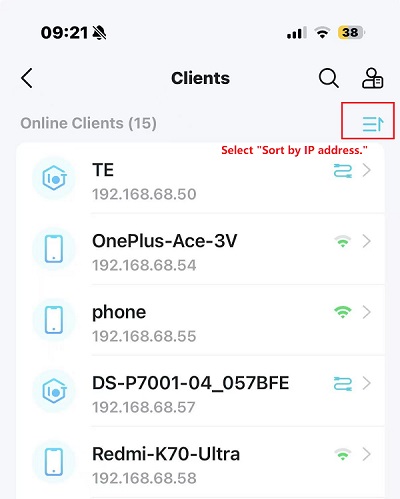
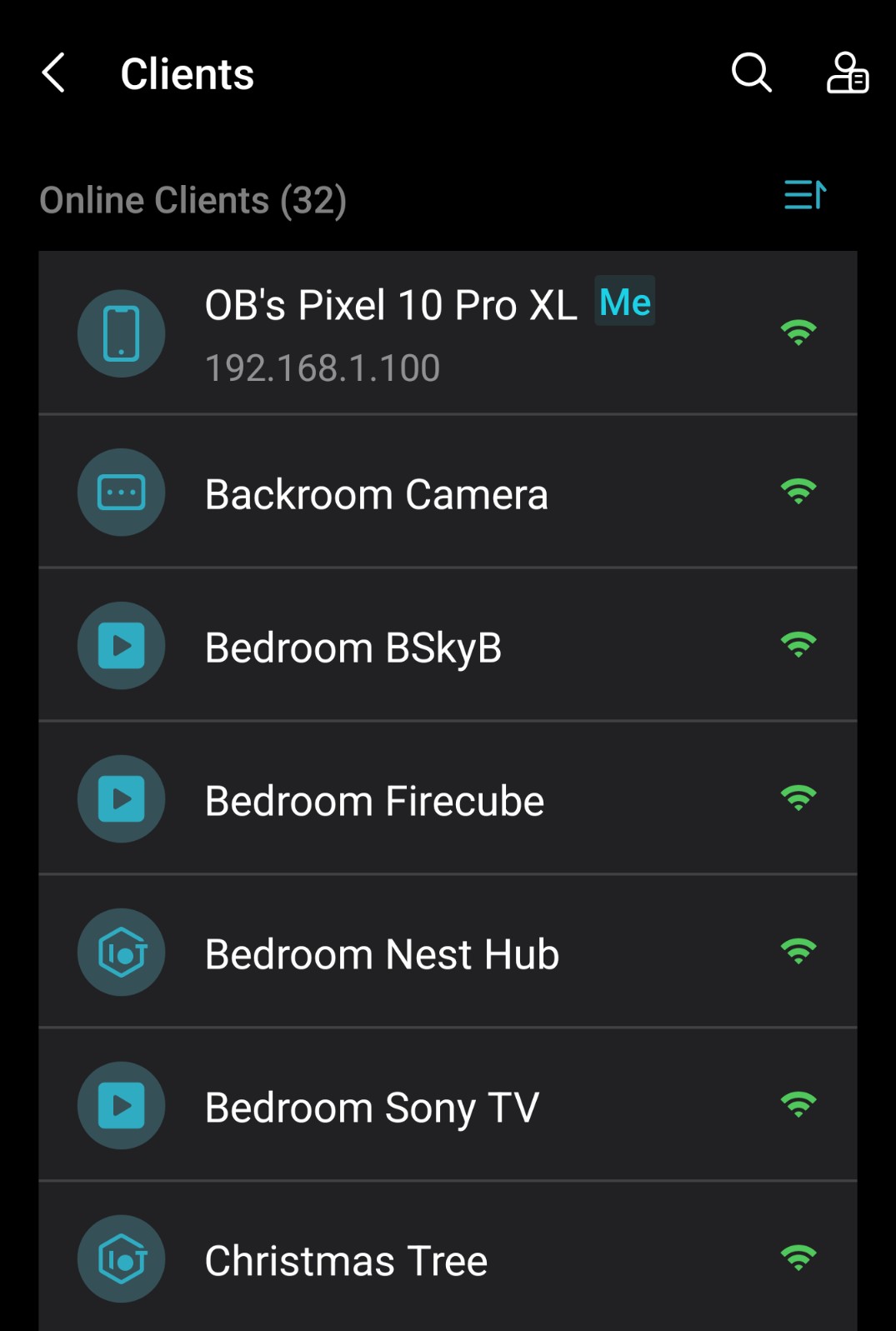
I have however found that the 'IP' information is not being displayed (MAC addresses all OK) for devices apart from the device accessing via the App (Mobile/Tablet etc), but changing to another device will only show their own IP information.


Hope this is of assistance.

  2  
  2  
#2
Options
Re:Deco BE65_V2_1.2.10 New Firmware with Enhanced Stability & Interference Resistance
18 hours ago

  @navzptc 

😄Excellent!

Do you mean that Deco App doesn't list the client IP addresses here?

Can you add some screenshots here, such as?

Wait for your reply.

Best regards.


  0  
  0  
#3
Options
Re:Deco BE65_V2_1.2.10 New Firmware with Enhanced Stability & Interference Resistance
17 hours ago

For another data point, I updated my two BE11000 v2.6 devices with this firmware with no issues today. One is the main router connected to my modem, and the other is connected to the main via ethernet. My devices are showing their IP addresses in the web UI, and all my clients seemed to reconnect just fine. I'm really hoping this fixes the issues I've been having with the main router rebooting several times throughout the day (or whatever else might cause it to go from green LED to solid yellow for 2 minutes).

  1  
  1  
#4
Options
Re:Deco BE65_V2_1.2.10 New Firmware with Enhanced Stability & Interference Resistance
14 hours ago - last edited 14 hours ago

  @David-TP 


Hi David,

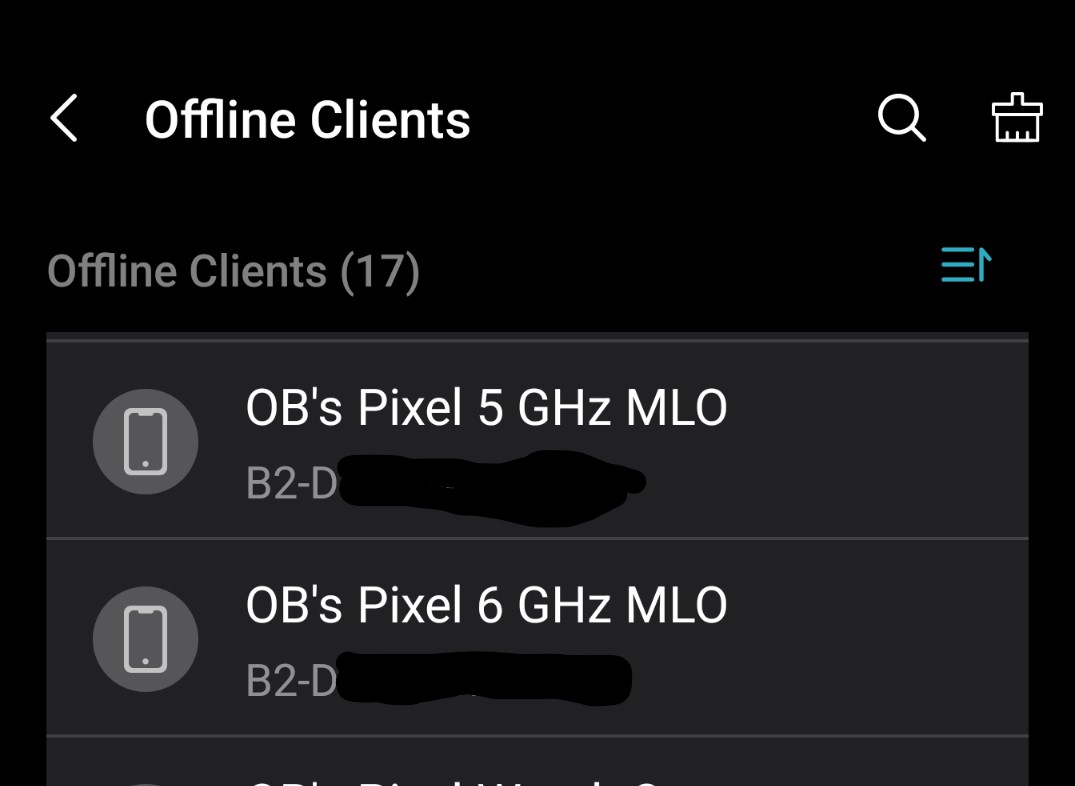
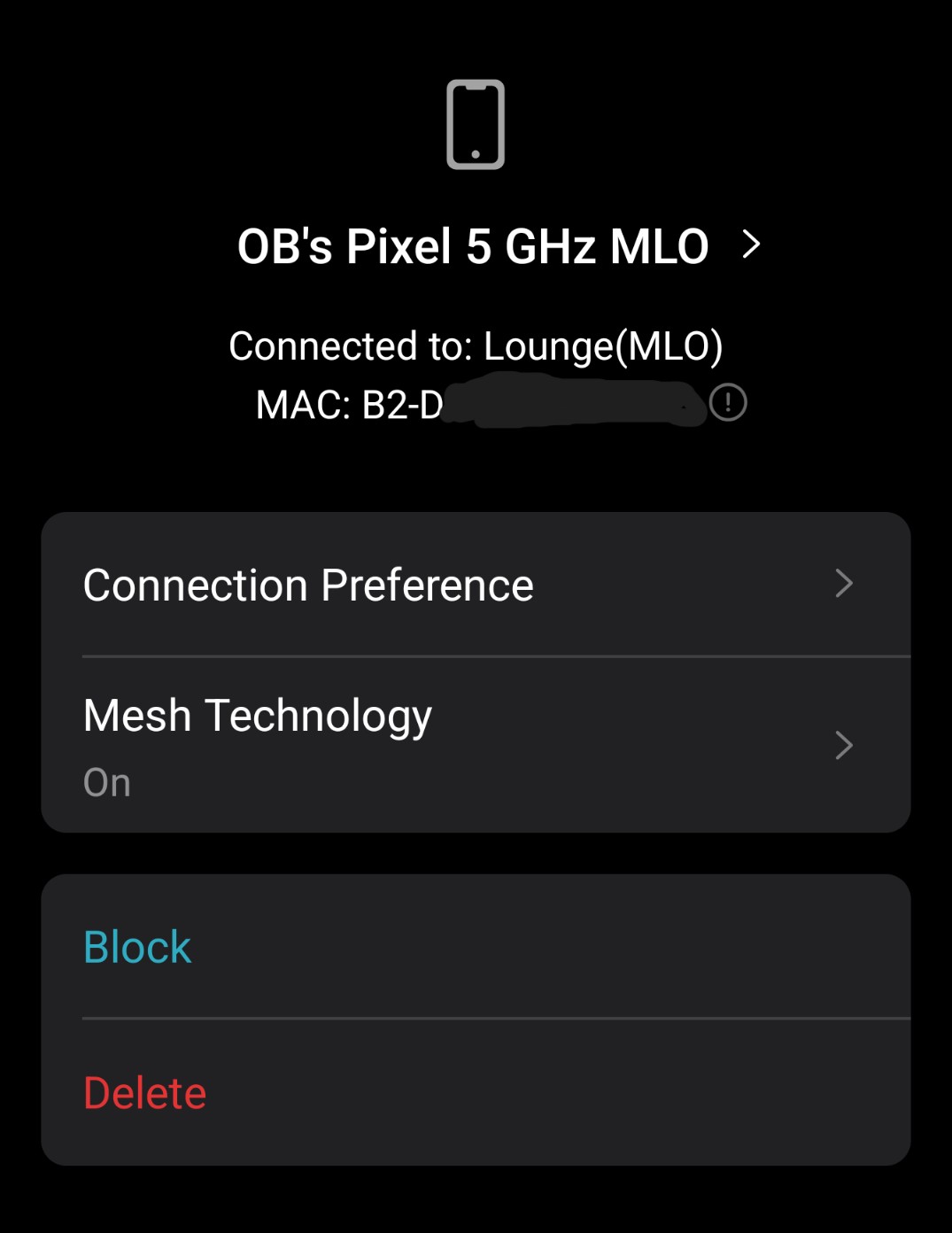
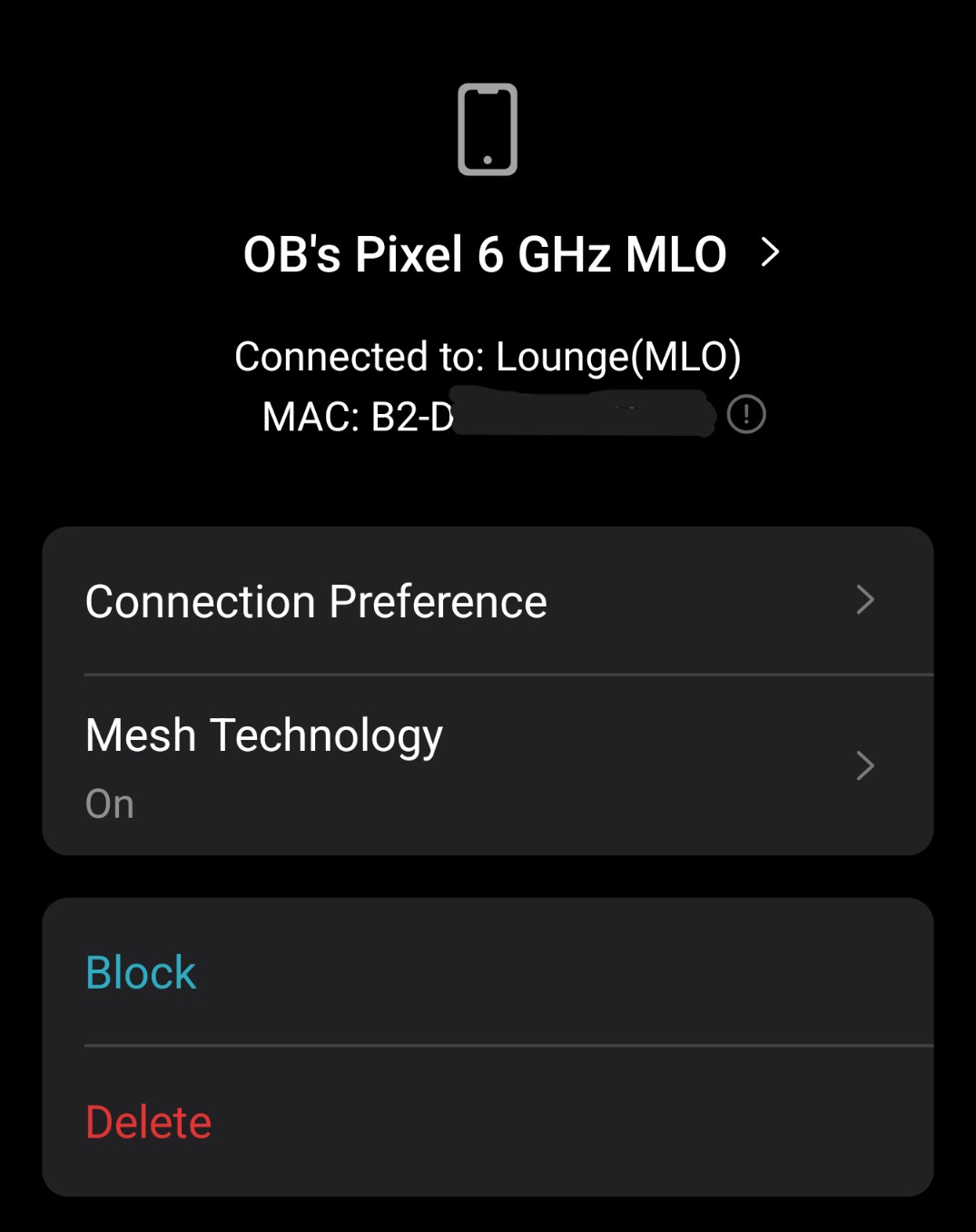
Another thing I have noticed, is that the 2 network devices - (To do with MLO based on MAC addresses??), which appeared after selecting MLO for my phone are reporting as offline, even though the phone states Transmit/Receive speeds on 5/6 GHz and the 'devices' state they are connected to a Deco unit..


Screen shots as requested:


Hope this helps.

(IP addresses also not showing on WEB UI)

  1  
  1  
#5
Options
Re:Deco BE65_V2_1.2.10 New Firmware with Enhanced Stability & Interference Resistance
12 hours ago

  @navzptc 

Hi, thanks for the update.

Can you also help me submit the Deco APP logs:How to submit Deco APP log?


By the way, what are the model numbers of these two Pixel phones?

Did you use a single SSID for all the Main WiFi network, 6Ghz network, and MLO network?

Wait for your reply.

Best regards.

  0  
  0  
#6
Options
Re:Deco BE65_V2_1.2.10 New Firmware with Enhanced Stability & Interference Resistance
11 hours ago

  @David-TP 

Hi David, Logs sent as requested.


The 'Offline' pictures are both from my Pixel 10 Pro XL - As stated previously, these appeared after logging onto the MLO WiFi and were originally called 'network device', but seeing the MAC codes for both were only different from my phones MAC by 1digit at end assumed they were from MLO operation, hence the name change together with the band they were connecting to.


SSID for 2.4/5/6 GHz is the same with the MLO network having the Same main SSID with -MLO added to end.


These problems have only appeared since upgrading to this beta firmware from 1.20.


Hope this helps.


Best regards.

  0  
  0  
#7
Options
Re:Deco BE65_V2_1.2.10 New Firmware with Enhanced Stability & Interference Resistance
6 hours ago

My Decos made it through the night without a self-induced reboot, so that's promising. I'll continue monitoring and will report back if anything pops up. For the record, I recently bought an iPhone 17 Pro, and that was the first MLO device I added to the network. It might be coincidence, but that also lines up when all my issues started happening.

  1  
  1  
#8
Options
Re:Deco BE65_V2_1.2.10 New Firmware with Enhanced Stability & Interference Resistance
5 hours ago

Hi @David-TP do you plan to have a version for BE65 pro ?

  0  
  0  
#9
Options