
Deco X68 no longer connects to new/old SSID

I have 2 Deco X68 that have worked fine for a few years, but now they will not connect to a new SSID and I can no longer connect to my old SSID.
What I have tried:
- delete network from Deco app, power off Deco, wait 30 secs, power on and wait for flashing blue lights, then set up again. After setting up, LED just stays red.
- different firmwares, 1.2.3, 1.2.4, and 1.2.5 via the web interface
- different ethernet cables
- tried different tplink account to log into Deco app
- tried factory resetting both Decos via the reset hole on the bottom, also tried holding reset for 30 secs while turning on then LED goes yellow then green as if it still remembers old configuration according to ChatGPT
When I connect direct to the modem internet works fine, I am currently using an old Dlink router to get online.
Please if any knows how to flush out the old config from both Decos, either from my tplink cloud account or via firmware reset remotely (if possible) that would be great! Open to any suggestions as this old Dlink is just too slow.
Thanks!
- Copy Link
- Subscribe
- Bookmark
- Report Inappropriate Content


Hi, would the main Deco X68 continue working well when the NBN modem connects to another Ethernet port?
Based on the following topology:
Main Deco > Satellite Deco (via wireless backhaul) > switch > laptop, desktop, etc via ethernet
-If we manually configured static IP settings on the desktop, such as 192.168.68.200/196.168.68.1, will it be able to have internet access from the satellite X68
By the way, may I know your internet service provider? Is the current network topology like:
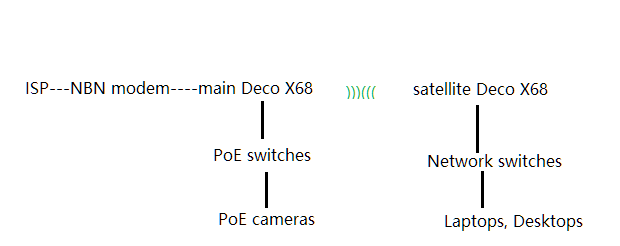
And the mobile clients are working well when connected to Deco WiFi, right?
Wait for your reply.
Best regards.
- Copy Link
- Report Inappropriate Content
Hi, here are some suggestions for your reference:
- Pick a different Deco X68 as the main Deco, and power off the other Deco X68.
- Hold the rese pinhole for 1s only. (Holding too long, like 30s, might get Deco into firmware recovery mode.)
- Before setting up, make sure the previous network SSIDs are all gone under WLAN settings of the mobile phone(you can manually remove or forget the previous WiFi profiles), and only the default SSID, like Deco_xxxx of this Deco, exists.
After the setup, if the LED ends up with solid RED. It is very likely you might choose the incorret Interent Connection Type. (You can refer to NBN Network in Australia or Unable to connect to the Internet when setting up main Deco for more troubleshooting suggestions.
Wait for your reply.
Best regards.
- Copy Link
- Report Inappropriate Content
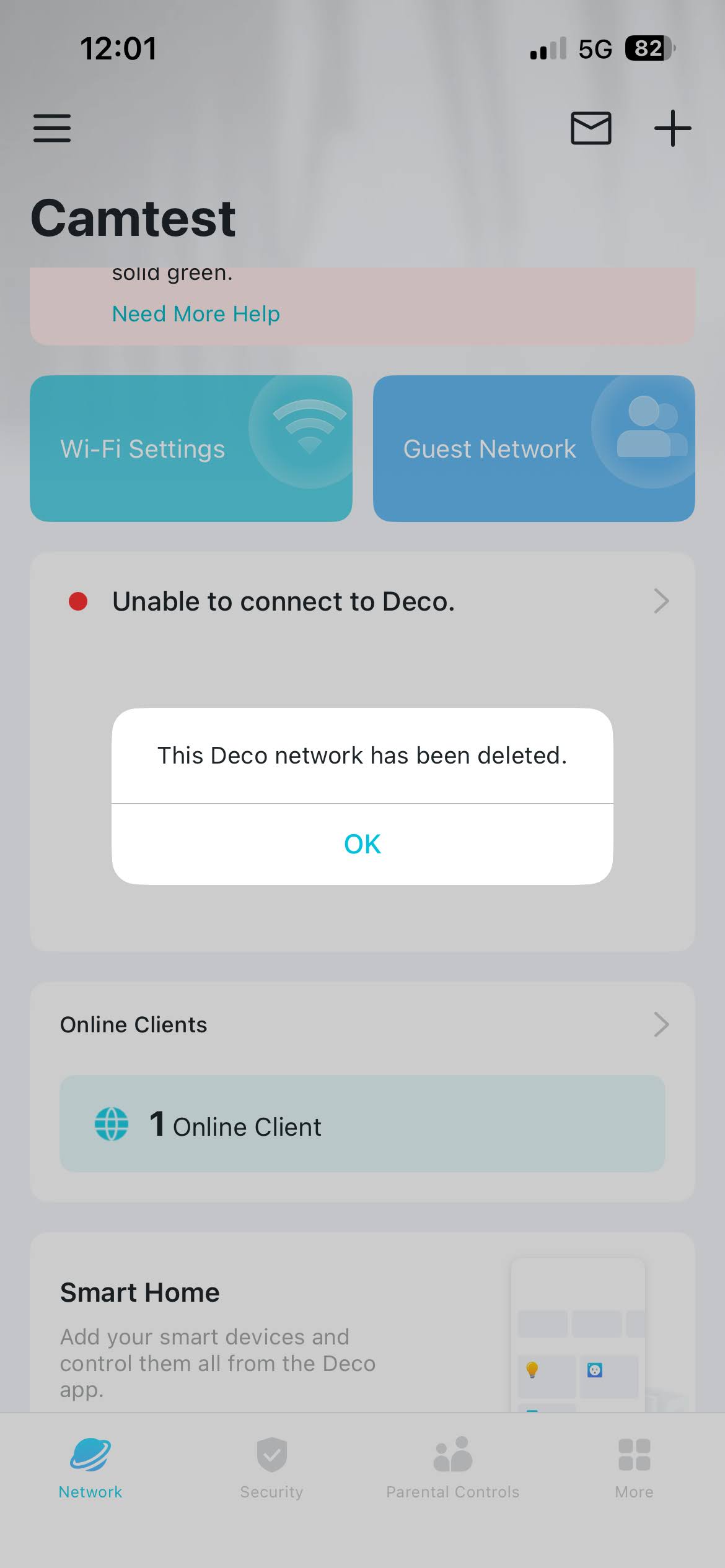
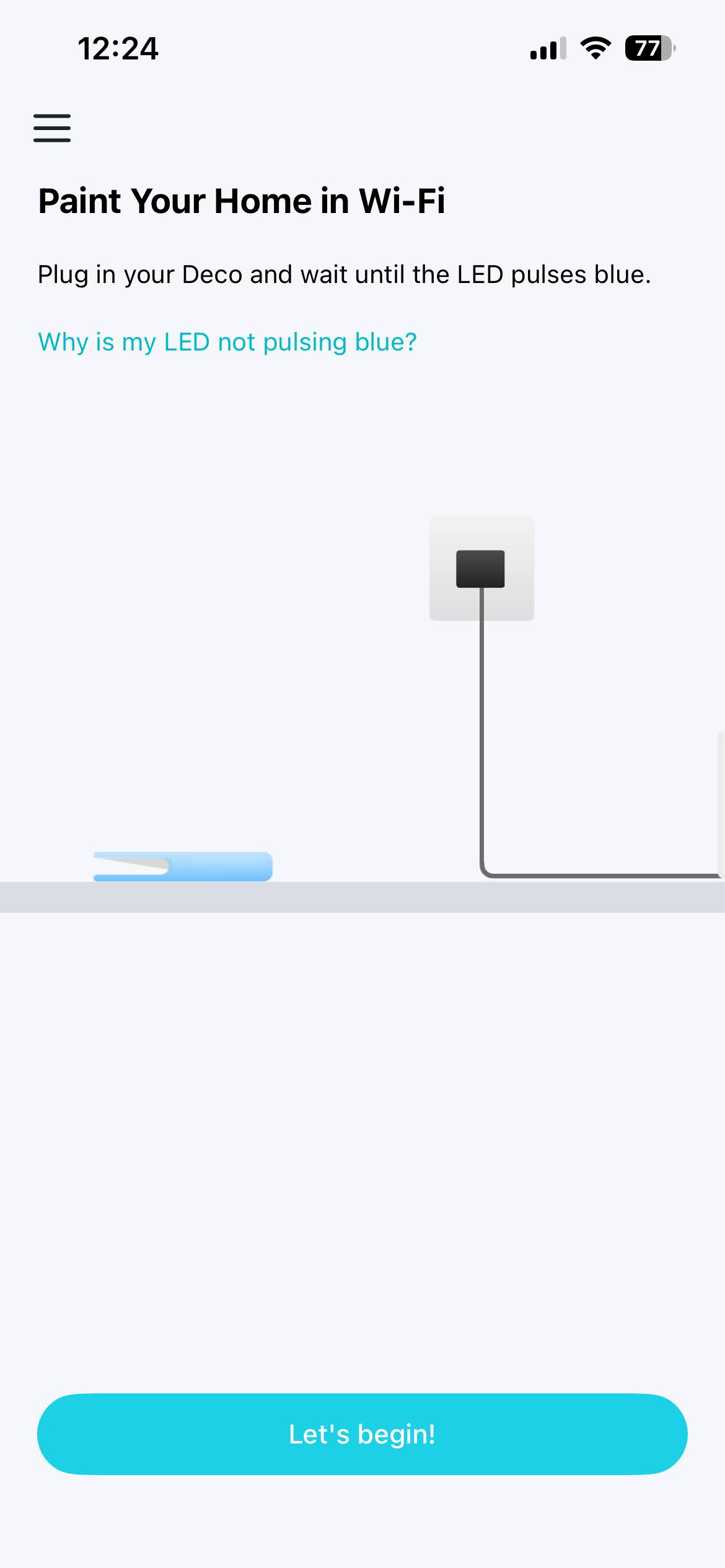
hi david, thanks for the reply. i have tried both of my deco x68s and both have the same issue. i have left them unplugged for a few day but have just tried to configure again (hold reset for 1 sec), removed all old SSIDs from my phone, and LED stays solid red even after restarting Deco. I have selected the right internet type (Dynamic IP) which I am using on an old router for now.
These are the steps i followed below, also added some screenshots.
- All old SSIDs deleted from phone, Deco has been unplugged for a few days
-
Plug in power with no ethernet connected
-
LED solid yellow for 1 min
- LED solid red light
- Press reset for 1 sec
- LED flashing yellow then solid for 1 min
- LED flashing blue
- Setup via Deco app
- Connect to Deco wifi fails twice before succeeding
- LED solid blue
- Connect Ethernet from modem (link light on)
- Restart nbn modem, wait til online light is solid
- Select Dynamic IP internet connection, this is correct as I have setup an old router for now with this config
- Create new wifi SSID, did not reuse old SSID
- When loading for creating wifi is nearly complete, LED turns solid red
- App connects to newly created SSID
- App tried to connect to internet but fails 3x
- Skip step to get to next screen
- Restart Deco via app
- LED solid yellow for 1 min
- LED solid red
- Deco app deletes network
- Deco app shows setup screen again
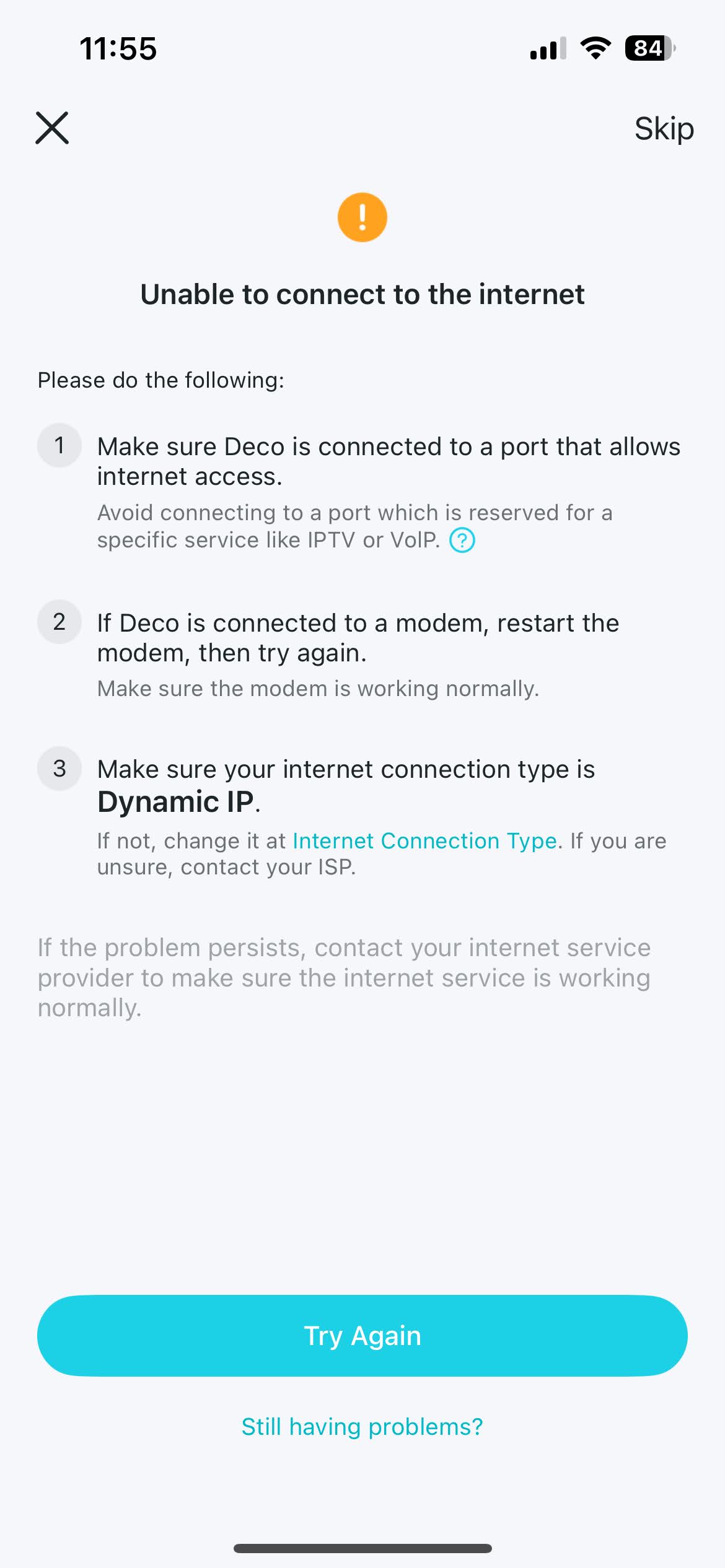
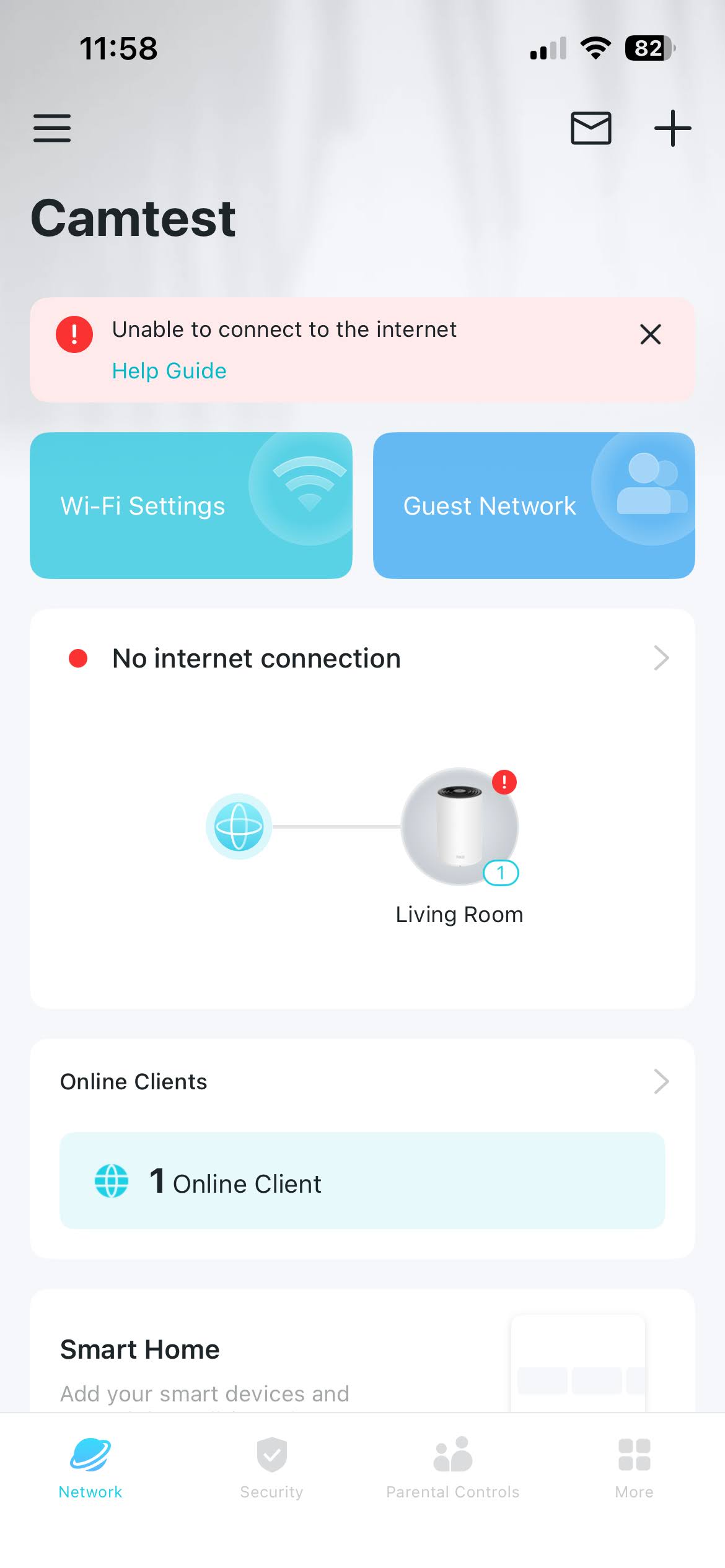
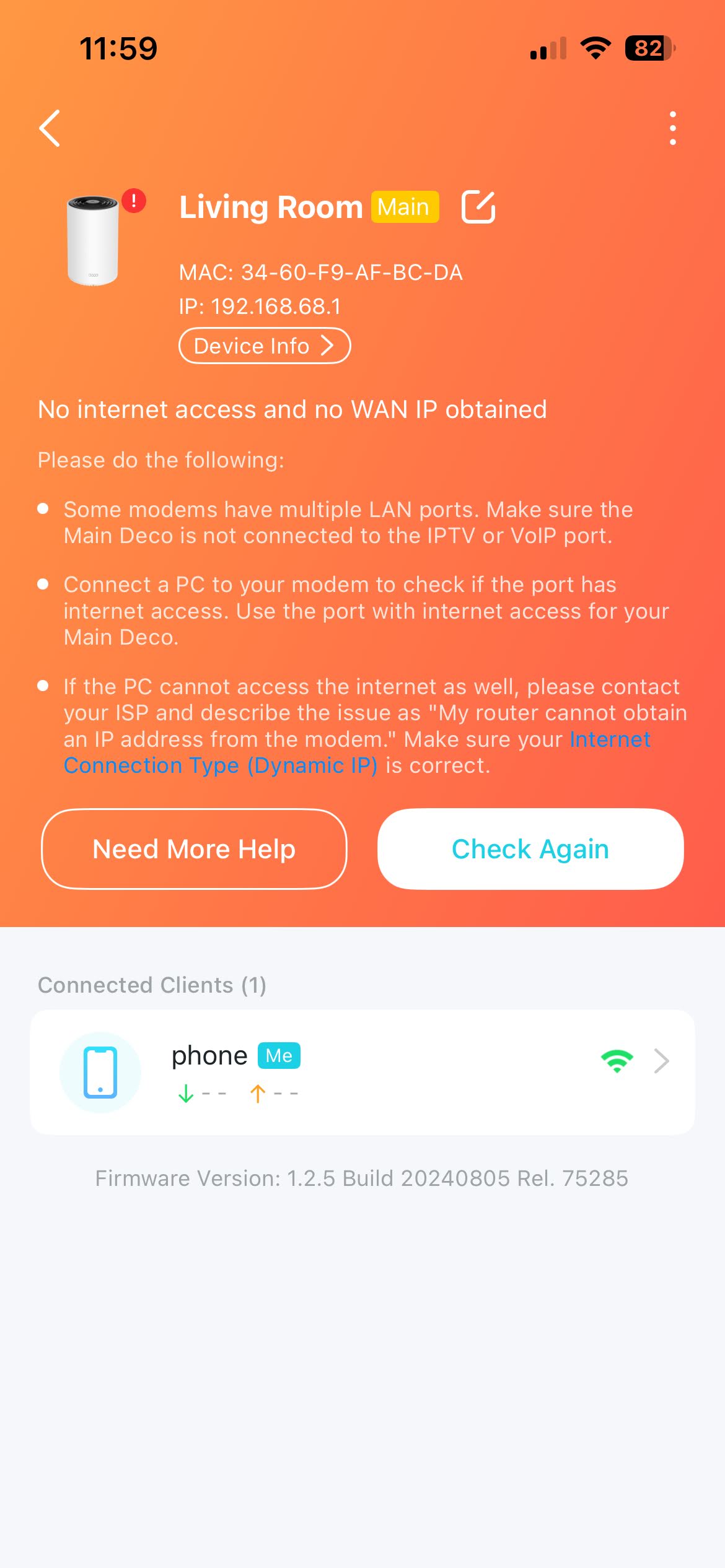
- Copy Link
- Report Inappropriate Content
Looks like this is now connecting to my internet, i had to keep trying on the "Unable to connect to the internet" screen, ended up working after 5x tries. My other x68 satellite also auto-connected to the main x68 once it booted up.
I now have another issue where the LAN port is not working, I need the LAN port on the main deco to connect to my PoE switch for my home cameras. I also need the LAN port on the satellite to hardwire multiple devices in my office (where the satellite is).
When connecting a laptop to the LAN port on either the main or satellite deco, IP is always 169.254.x.x
Please advise.
- Copy Link
- Report Inappropriate Content
Hi, thank you very much for the update.
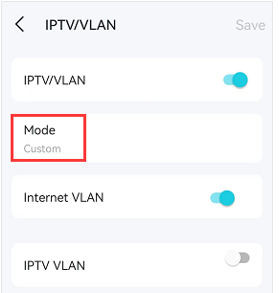
You can go to Deco App>More>Advanced>IPTV/VLAN:
Make sure the IPTV VLAN is disabled if there is no IPTV service. You can keep the Internet VLAN enabled if your ISP required an VLAN ID for internet service.
Best regards.
- Copy Link
- Report Inappropriate Content
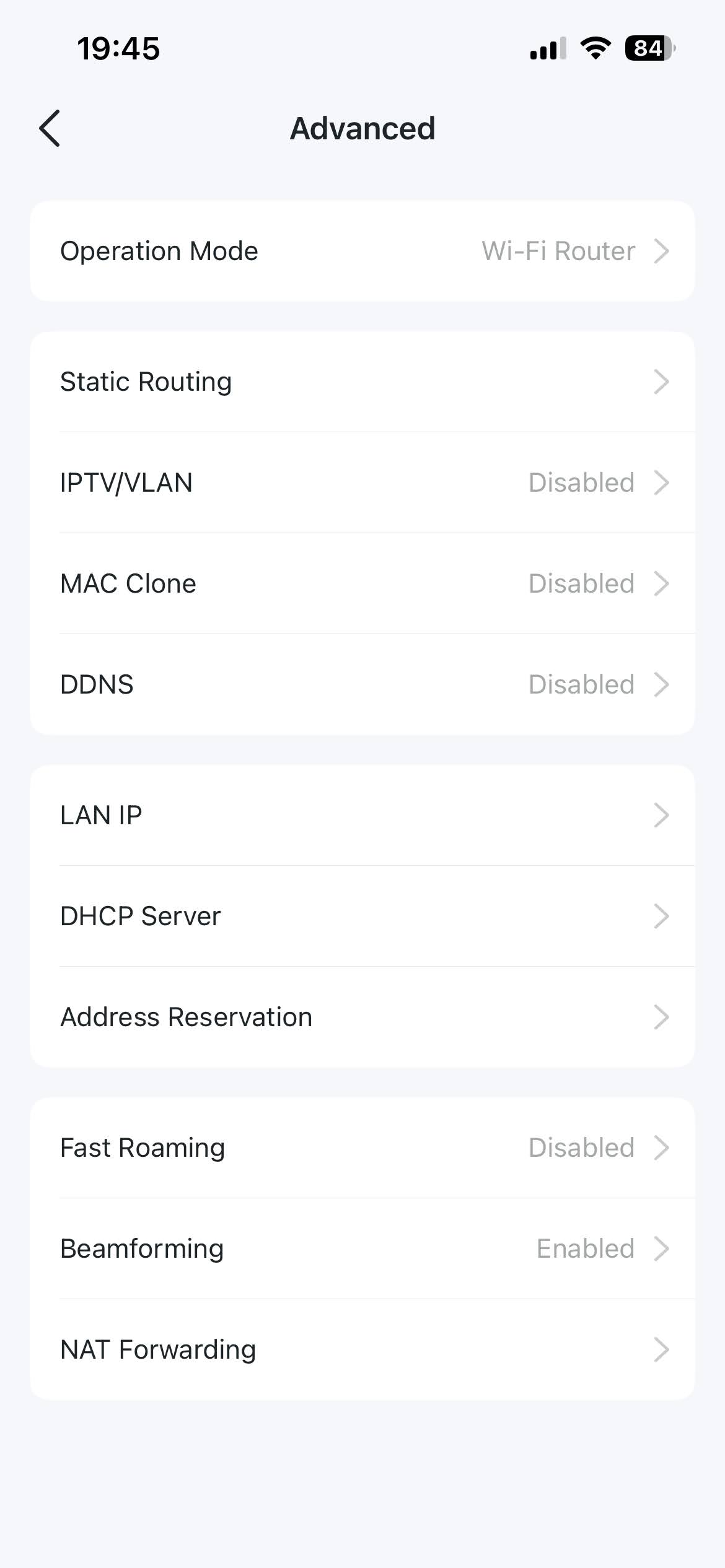
thanks david, but that is disabled. my connection is pretty basic, just Dynamic IP connection with static IP from my ISP. NBN modem > Main Deco > Satellite Deco (via mesh) and PoE switch (via LAN) > then Satellite Deco to switch via ethernet.
Any other ideas? Looks like something wrong with the auto-sensing on the port.
- Copy Link
- Report Inappropriate Content
Hi, the "Auto-sensing" mainly happens on the main Deco when the internet is down.
If you had a similar issue when the laptop is connected to the satellite Deco X68, it might be something else.
Have you tested on another wired laptop/equipment?
Please also replace it with a new Ethernet cable.
Moreover, does it make any difference if we temporarily unplug the 3rd Deco X68 from the POE switch:
NBN modem > Main Deco ----<WiFi>--- Satellite Deco---- PoE switch----laptop
Thank you very much.
Best regards.
- Copy Link
- Report Inappropriate Content
sorry i only have 2 Decos, my earlier post was confusing sorry. I have Main Deco > Satellite Deco (via wireless backhaul) > switch > laptop, desktop, etc via ethernet. The Main Deco also has a PoE switch connected but the PoE devices also do not work.
If you a different router then the PoE switch works fine. I have tried many ethernet cables already. And I also have a desktop and laptop connected to the switch on the satellite deco but when connected via ethernet they always get 169.254.x.x, only the wifi works. I also connected my laptop to the LAN port on the main deco but that also gets 169.254.x.x address.
- Copy Link
- Report Inappropriate Content
Hi, would the main Deco X68 continue working well when the NBN modem connects to another Ethernet port?
Based on the following topology:
Main Deco > Satellite Deco (via wireless backhaul) > switch > laptop, desktop, etc via ethernet
-If we manually configured static IP settings on the desktop, such as 192.168.68.200/196.168.68.1, will it be able to have internet access from the satellite X68
By the way, may I know your internet service provider? Is the current network topology like:
And the mobile clients are working well when connected to Deco WiFi, right?
Wait for your reply.
Best regards.
- Copy Link
- Report Inappropriate Content
Information
Helpful: 0
Views: 433
Replies: 8
Voters 0
No one has voted for it yet.