
Bakchaul ethernet easymesh ax58 problem
Bakchaul ethernet easymesh ax58 problem
Hello!
I have two AX58 routers connected with Cat6 LAN cables to run EasyMesh. A few days ago, EasyMesh started malfunctioning over the wired connection; it would randomly disconnect and sync via Wi-Fi, but because it was too far away, it didn't work well. I saw on the forum that there was firmware version 1.5.2 Build 20250922 rel.22602(4555), so I installed it on both AX58 routers, but it's still malfunctioning.
The problem is that the LAN port negotiation speed drops from 1000 Mbps to 100 Mbps and then, after a while, returns to 1000 Mbps, but it seems to be happening randomly. I've changed the cables and tested them with a multimeter, and they're fine (I always use Cat6). For example, my NAS is also wired and always negotiates at 1000 Mbps, as if the main router, the AX58 (1), is randomly changing the port negotiation speed.
I've also tried changing the LAN ports, the AX58 controller, and the agent, but it still fails after a while. What else can I check? Is there a way to force a LAN port to always negotiate at 1000 Mbps?
Thanks!
- Copy Link
- Subscribe
- Bookmark
- Report Inappropriate Content
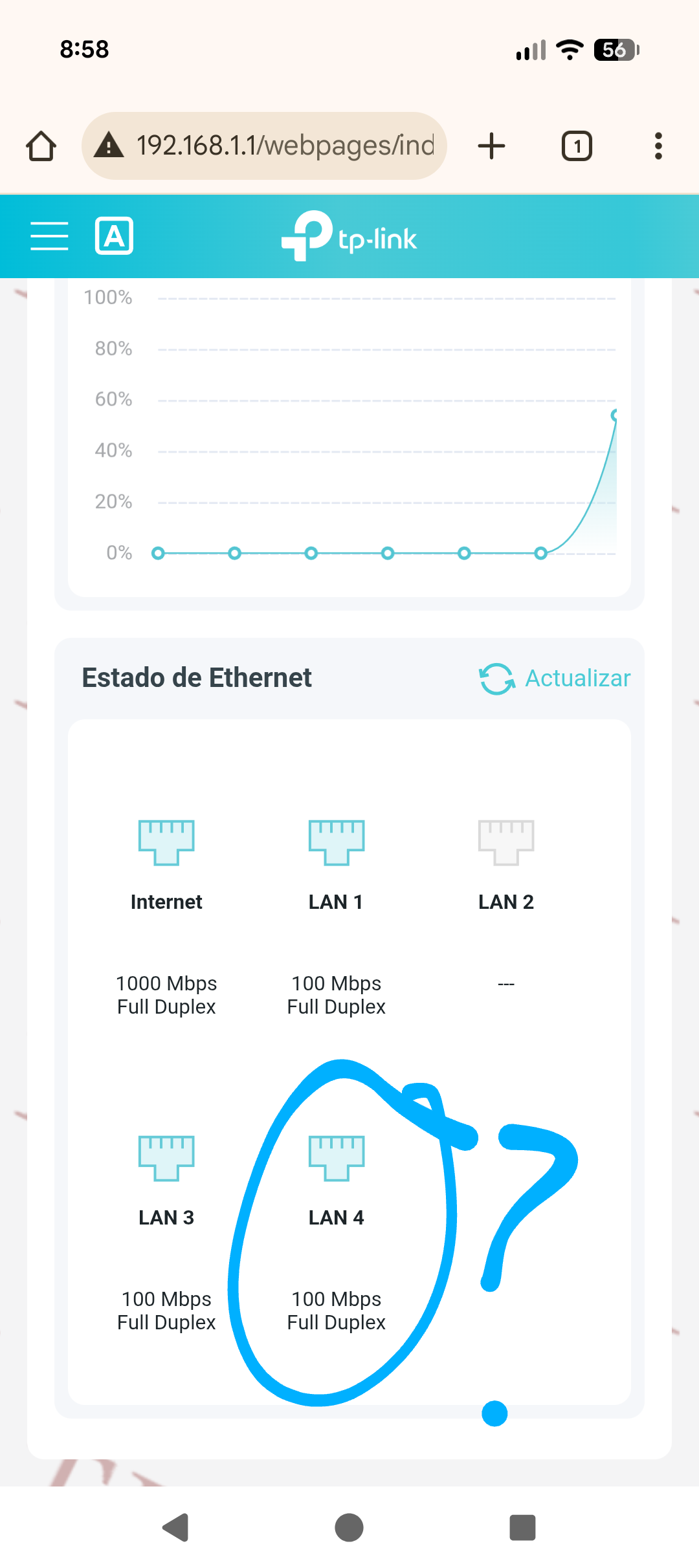

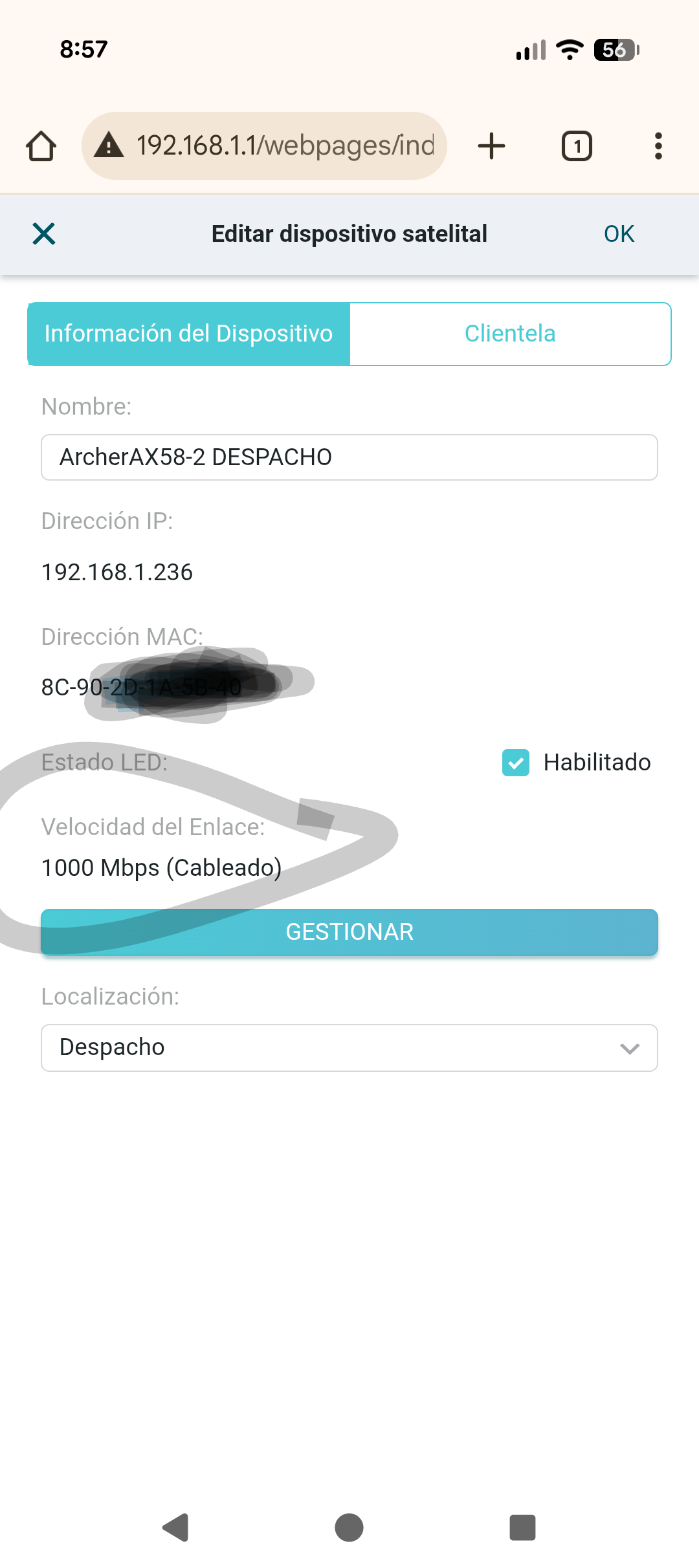
- Copy Link
- Report Inappropriate Content
@JordiRisa I'm going to try a Cat5e cable from ax58-1 LAN to ax58-2 WAN for a few hours to see what happens....
- Copy Link
- Report Inappropriate Content


Hello@JordiRisa ,
It is recommended to connect the main router’s LAN port to the satellite’s LAN port via an Ethernet cable.
It can also be connected to the WAN port of the Satellite router.
What if you set the Internet Port Negotiation Speed Setting to 1000Mbps Full Duplex? Will it help?
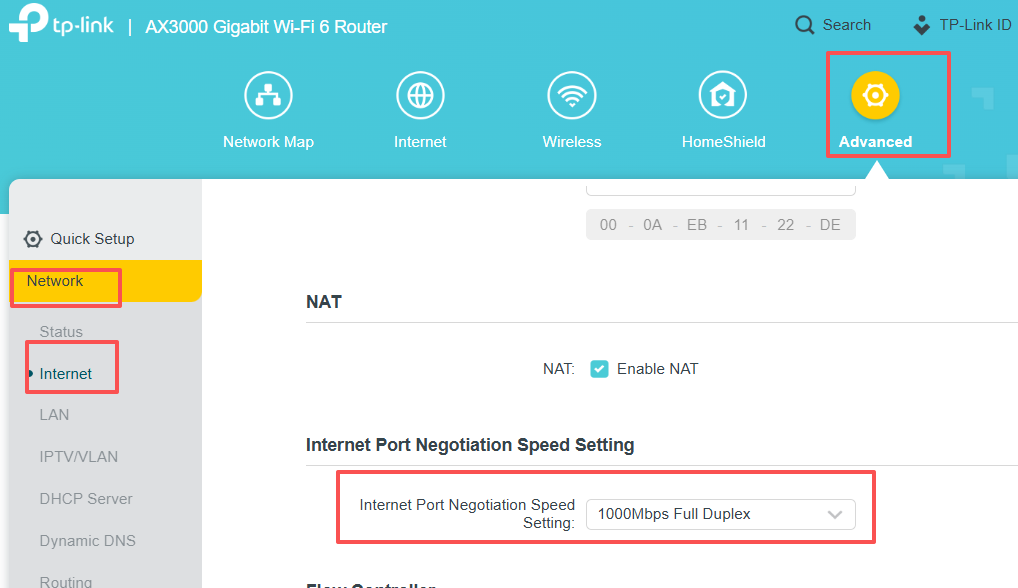
If the negotiated speed still drops to 100Mbps after changing the connection from LAN to WAN, please reset both routers and switch their roles for comparison.
Also, who is your ISP? What is its model number of your ISP modem?
- Copy Link
- Report Inappropriate Content
I have setup internet no negotiation, full duplex 1000mbps
Isp modem - main ax58 never fail, and pcs connect to lan never fail, only fail backhaul.
- Copy Link
- Report Inappropriate Content
@JordiRisa Hi, I don't know why, but I've tested it for 24 hours with a brand new Cat 5e patch cable and it works perfectly, while with a brand new Cat 6 cable it's unstable. It seems surreal, but with a Cat 5e cable it never fails!
Cat 5e 100% done!
Cat 6 fail.
I understend haha
- Copy Link
- Report Inappropriate Content
Information
Helpful: 3
Views: 204
Replies: 15
Voters 1
