
Continuous Recording Problem with Tapo C560WS

hello everyone. my camera is set to continuously record for 24 hours, however, it only does detection recording from 6PM up to 6AM the following day. i have 2 of these cameras and they behave the same way. i also have a C510W with the same recording setting but it records the whole 24 hours. what setting did i miss in the C560WS?
- Copy Link
- Subscribe
- Bookmark
- Report Inappropriate Content


Hi,
If your camera is configured to store video recordings on the inserted SD card, please refer to the instructions below to ensure your storage settings are correct.
How can I store the Tapo camera video recordings on a microSD card
In your situation, please confirm the following information for further analysis.
1. Have you inserted an SD card into the Tapo C560WS to store video recordings? If so, what's the model number and capacity of the SD card?
2. Please send us a screenshot of the camera's Device Settings > Storage & Recording > Recording Schedule page.
3. Please go to the camera's Live View > Playback & Download > Playback > SD card page, then send us a screenshot of the timeline that displays the camera only does detection recording from 6 PM to 6 AM the following day.
4. On the Tapo app > Smart tab > Automation page, please check if there are entries that will turn on the camera privacy mode from 6 AM to 6 PM.
Best Regards
- Copy Link
- Report Inappropriate Content
Hi,
If your camera is configured to store video recordings on the inserted SD card, please refer to the instructions below to ensure your storage settings are correct.
How can I store the Tapo camera video recordings on a microSD card
In your situation, please confirm the following information for further analysis.
1. Have you inserted an SD card into the Tapo C560WS to store video recordings? If so, what's the model number and capacity of the SD card?
2. Please send us a screenshot of the camera's Device Settings > Storage & Recording > Recording Schedule page.
3. Please go to the camera's Live View > Playback & Download > Playback > SD card page, then send us a screenshot of the timeline that displays the camera only does detection recording from 6 PM to 6 AM the following day.
4. On the Tapo app > Smart tab > Automation page, please check if there are entries that will turn on the camera privacy mode from 6 AM to 6 PM.
Best Regards
- Copy Link
- Report Inappropriate Content
thank you very much for your reply. i'm currently using a sandisk high endurance 128gb card. as of now, it seems to be working properly already. i played around with the recording schedule, setting everything to detection recording then reboot the camera and set it back to continuous recording then reboot the camera. i'm not sure if that fixed it. here's the timeline screenshot right now. i'll be monitoring this for now and provide feedback if it's really working properly already. thanks!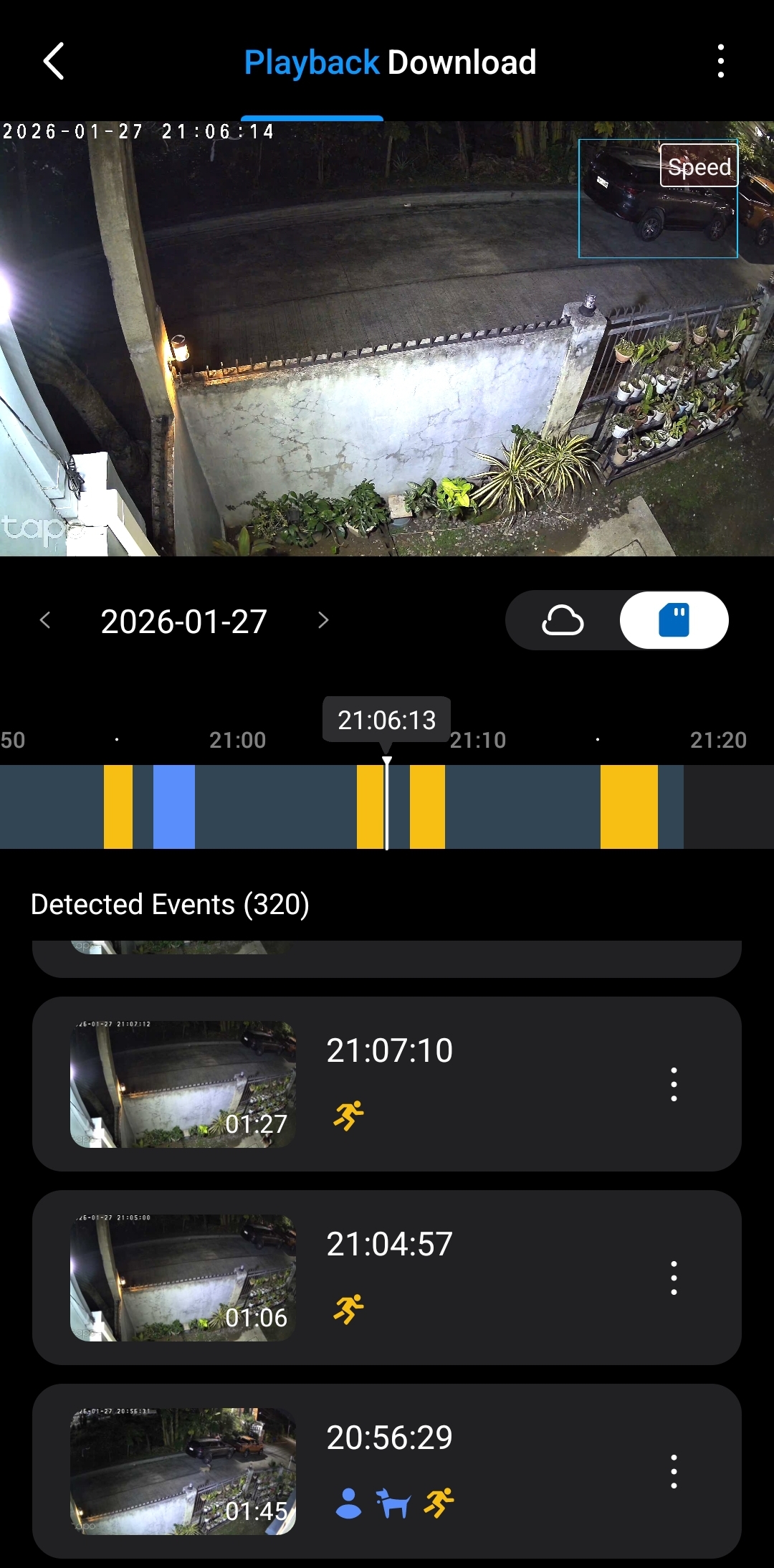
- Copy Link
- Report Inappropriate Content
Hi,
The camera is in continuous recording based on the picture of the timeline. You can keep monitoring the camera for a while to confirm it's working properly.
Best Regards
- Copy Link
- Report Inappropriate Content
Information
Helpful: 0
Views: 710
Replies: 3
Voters 0
No one has voted for it yet.