
Early Access Deco BE65/BE63/BE11000_V2_1.3.0 Added DoH & DoT, Speed Limit and Internet Backup
 This thread has been locked for further replies. You can start a new thread to share your ideas or ask questions.

Update on May 18, 2026:
The official version for Deco BE65/BE63/BE11000_V2 has been released publicly. Users can check for updates via the Deco's web interface or through the Deco App to install the latest version manually.
How to Update TP-Link Deco Firmware
If you cannot find the latest version, please download the firmware from the link below and upgrade it manually:
1.3.2_build_26040912_rel_40631
We will manually lock this post to better focus on discussions regarding the new firmware. Please feel free to start a new thread here if you need assistance.
Best Regards
-------------------------------------
This Article Applies to:
Deco BE65(EU/US/AU/CA/UK)_V2.0
Deco BE63(US)_V2.6
Deco BE11000(US)_V2.6
Hey Everyone!
We are excited to announce a pre-release firmware update introducing DoH & DoT, Speed Limit, and Internet Backup, as well as other advanced features for Deco BE65/63/BE11000. We encourage users to install this firmware and share their feedback with us.
Firmware Modifications
New Features/Enhancements:
- Added WiFi Heatmap. (It also requires the Deco App version to be: 3.10.133 for IOS and 3.10.80 for Android.)
- Supported fixing a specific port as the WAN port.
- Added Hybrid Mesh feature.
- Added Internet Backup feature.
- Added DoH & DoT feature.
- Added Speed Limit feature for client devices.
- Optimized HomeShield feature.
- Improved System Stability.
Bug Fixes:
- Fixed the NAT Loopback issue.
- Fixed the issue where the Online List doesn't show IP addresses of connected clients when Deco is in AP mode.
- Resolved the issue where the Qos Total Bandwidth doesn't take effect as expected under certain circumstances.
- Addressed the issue where the Deco may restart automatically under certain circumstances.
Download Link:
Deco BE65/BE63/BE11000_V2.0/V2.6 |
1.3.0_build_2602261_rel_21001_Beta 2026.3.9 updated |
Update Notice:
- Please be sure you have read the Beta Test Agreement before upgrading the Pre-release firmware!
- Please make sure the Deco APP is up-to-date.
- This firmware can’t be degraded directly to the previous 1.2.10/1.2.0 version.
- How to manually update the firmware via web UI.
As always, we value your feedback. If you happen to encounter any concerns during or after the firmware upgrade, please feel free to comment below with the following information. Your input helps us continue to improve and provide the best possible products and support.
- Provide a detailed network layout, including how the devices are connected.
- Include a detailed description of the issue and as much information as possible regarding the specific conditions that seem to trigger the behavior.
Thank you for your continued support and for being part of our community.
- Copy Link
- Subscribe
- Bookmark
- Report Inappropriate Content

@David-TP I have experienced two issues first one mentioned earlier in this thread that the 5ghz network kept reporting radar scanning and would alter configuration for 30 mins. Since restarting all decos this has stopped.
2nd issue is related to Tapo P110m's are showing as offline (I have 8 and only 1 is showing online) in the deco app however they are working fine via Alexa / Tapo app. I have restarted some of the smart plugs and Deco but still not showing online. This has never been a problem for me.
James.
- Copy Link
- Report Inappropriate Content
@curiousbeaver78 while waiting on David to reply I was wondering if this issue has been going since you have installed the Beta? Have you configured the internet backup feature at all? One of the features in the Beta now lets you fix the WAN port on the Primary Deco "Settings | Advanced | WAN Port". Disable Auto WAN port and pick your current WAN port (think it picks the current port for you). I believe this should stop the deco's seeking an internet connection when your WAN connection fails (also means the wired network will work between the decos when the WAN is down). Wondering if the decos are wondering when it thinks the internet is down.
- Copy Link
- Report Inappropriate Content

This is a very detailed breakdown - thank you so much for taking the time to report this. I'm having an issue with just one 2.4GHz IoT device, a restart of that client genrally fixes things for a while before having to restart it again. Deco app shows that it is online.
@David-TP do you think we might receive an updated firmware version based upon some of the feedback in this thread?
- Copy Link
- Report Inappropriate Content

Hi, can I have the model number of the network switch here?
Did you set Deco into "Access Point" or "Wireless Router" mode?
Deco BE65-1.3.0 supports fixing the WAN port. Does it make any difference if we set the port connected to the ISP modem/gateway as the fixed WAN port?
I'll also follow up on your case via email. After fixing the WAN port, if the same issue repeats, before rebooting the main Deco, could you please go to the web admin UI and help me save the system log?
Thank you very much.
Best regards.
curiousbeaver78 wrote
Hi David! My network configuration is pretty simple, All Decos are BE65 Main Deco >>> Switch >>> Satellite Deco A and B (not daisy chained, both using different switch port) the issues that i found is that 1. Sometimes the main deco switched from Main Deco to Deco A (or B sometimes) 2. During the "switch" , internet access is gone. Restarting Main Deco seems to fix the problem. But i got this problem at least once a day.
- Copy Link
- Report Inappropriate Content
Hi, thank you very much for your feedback in the community.
I'd like to follow up on your case via email and escalate to the senior engineer for further assistance.
Please check whether you've received my email.
Best regards.
- Copy Link
- Report Inappropriate Content
Hi, nice to see you again.
Could you please refer to this link to help me submit the Deco App log:
Can I also have some screenshots of the current network map on the Deco App, such as:
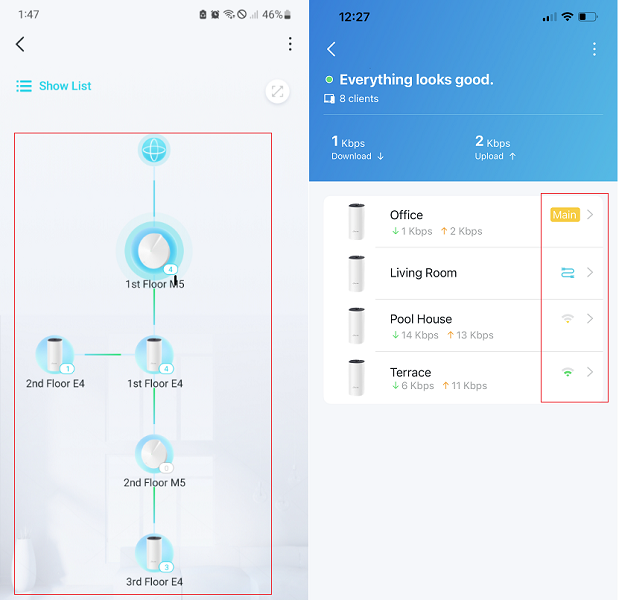
Wait for your reply.
Best regards.
- Copy Link
- Report Inappropriate Content
Hi, I didn't know either. I'll keep this post updated if there is a newer version. Best regards.
ToneAU wrote
This is a very detailed breakdown - thank you so much for taking the time to report this. I'm having an issue with just one 2.4GHz IoT device, a restart of that client genrally fixes things for a while before having to restart it again. Deco app shows that it is online.
@David-TP do you think we might receive an updated firmware version based upon some of the feedback in this thread?
- Copy Link
- Report Inappropriate Content
@David-TP Hello Again
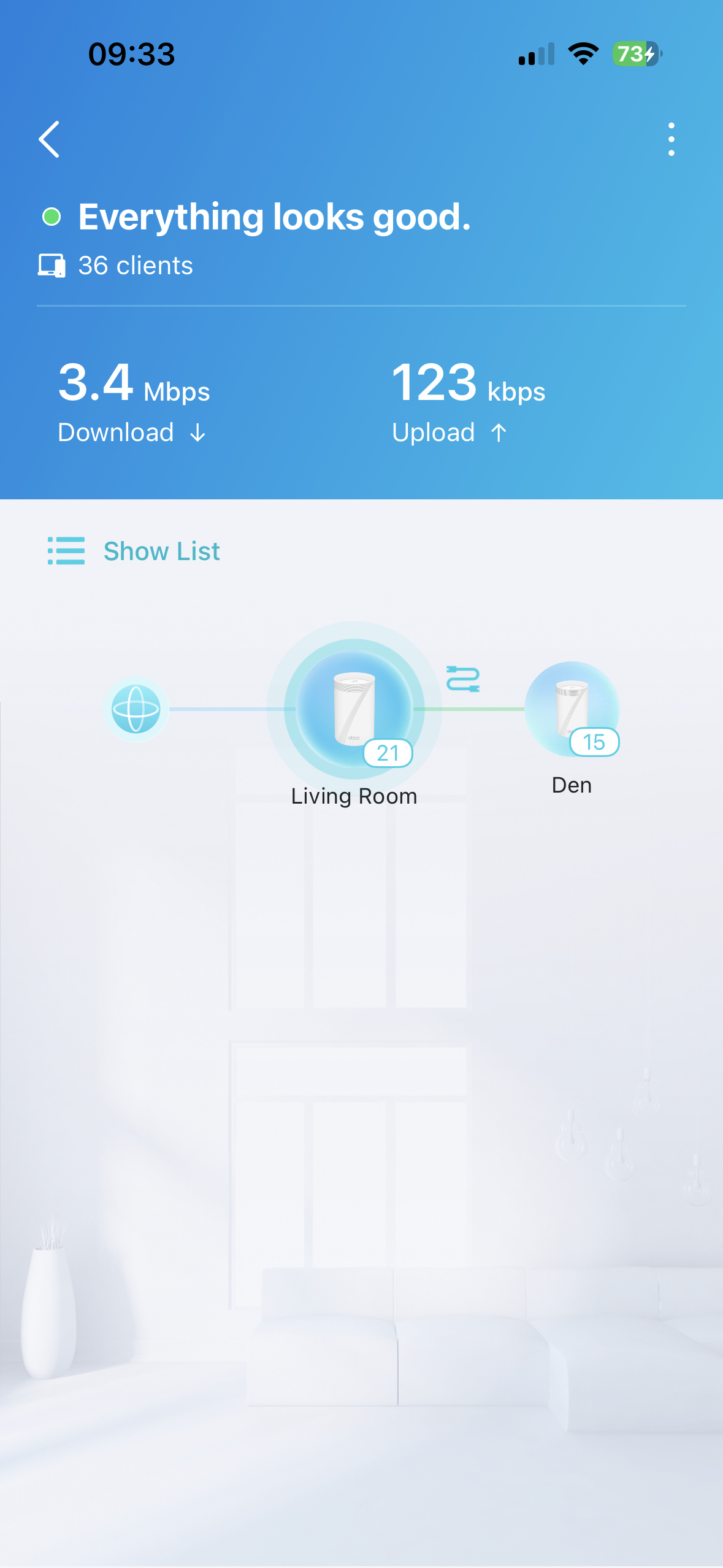
I have submitted the logs as requested. My setup is quite simple.
2 X Deco BE65's
1 is a BE65 V2 and this is my master unit (living room)
1 is a BE65 V1 and this is the secondary unit in my home office at the bottom of my garden (den)
Units are connected together via a cat6a run between both deco's (no switches between them). Cable length is roughly 30m
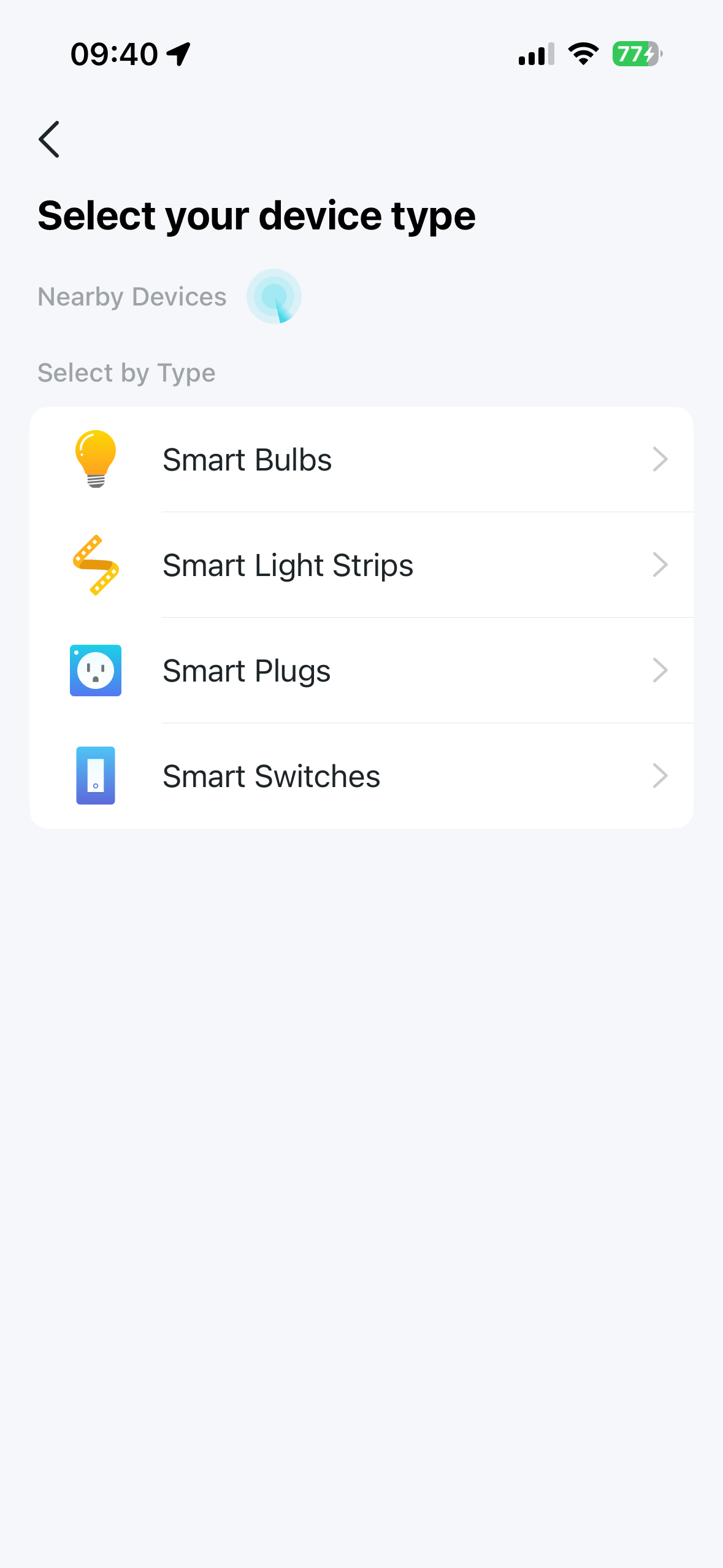
What I found was as soon as one of the smart plugs (P110m) was power cycled it would show as offline in the Deco app however it worked fine in the Tapo app as well via Alexa. I decided to remove all of the devices from the Deco App and then try and add them again. They don't even get discovered in when you search for them like they used too. Not a massive show stopper for me but would be good to get the feature working again. Everything else appears to be working well for me on the Beta.
James
- Copy Link
- Report Inappropriate Content

Is the NAT Loopback issue that was introduced with version 1.2.10 resolved with this firmware version?
https://www.reddit.com/r/TpLink/comments/1qinp79/latest_be63_firmware_broke_nat_loopback/
I had to revert back to 1.2.0 to resolve it so I'm holding off on updating to this firmware for now (as it mentions this version can't be downgraded back to 1.2.0).
BE63 in my case and issue is only affected on Ethernet connections not over WiFi for some reason.
- Copy Link
- Report Inappropriate Content
Hi, welcome to the community.
I saw there were 2 similar feedback on NAT Loopback on the 1.3.0 version. The cases have been escalated to the senior engineers. I haven't received an update yet.
If you'd like to cooperate with our senior engineer, you could send an email to support.forum@tp-link.com;
Subject: [Forum Escalation][ID 856030]Deco BE65 NAT Loopback.
It would be highly appreciated if you could include the email on how the Ethernet device is connected to the Mesh Network(to which Deco? Would there be a switch?), as well as where the Home Assistant server is located.
Thank you very much.
Best regards.
- Copy Link
- Report Inappropriate Content
Information
Helpful: 6
Views: 53260
Replies: 312
Voters 4



