
Early Access New Firmware for Archer BE400 V1 to Support IPv6 VPN, Wake On LAN, and More
Early Access New Firmware for Archer BE400 V1 to Support IPv6 VPN, Wake On LAN, and More


Hi everyone!
We're excited to roll out a major firmware update for the Archer BE400 V1. This update is packed with powerful new features designed to enhance your network's connectivity, security, and management capabilities.
This release serves as a significant milestone for the BE400 V1, introducing advanced IPv6 functionalities and specialized tools that provide a blueprint for the future of our router ecosystem. Whether you are looking for advanced VPN tunnels or improved local network control, this update delivers the next generation of TP-Link networking tools.
Advanced IPv6 Overhaul
We have significantly upgraded the IPv6 protocol stack to provide industry-leading flexibility. This update adds support for 3rd-party Dynamic DNS (DDNS) providers over IPv6 and implements 6rd (IPv6 Rapid Deployment) for smoother transition mechanisms. Additionally, the router now supports Static Link-Local addresses as gateways, enhanced Dynamic and PPPoE Auto mode detection, and ULA (Unique Local Address) support to ensure your IPv6 network remains stable and highly configurable.
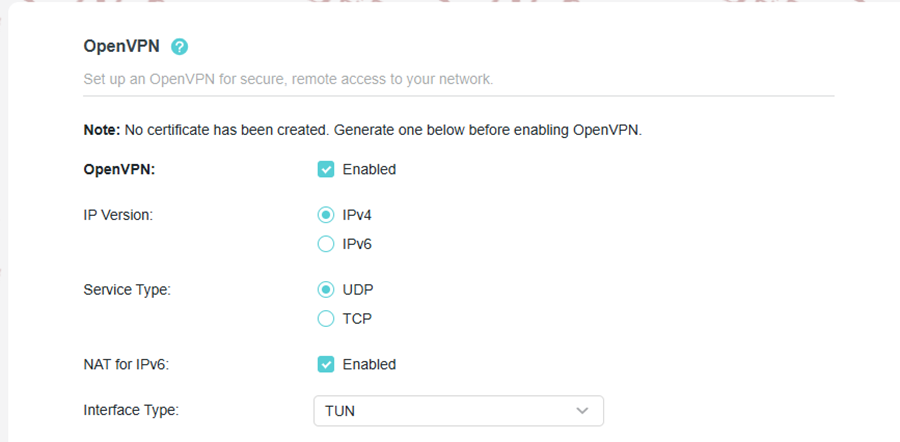
IPv6 VPN Support
To future-proof your secure remote access, we have officially optimized our VPN suite to support IPv6. Both OpenVPN and WireGuard now allow for the establishment of tunnels over IPv6 connections. This ensures that as global networks transition away from IPv4, your encrypted communication remains seamless and compatible with modern ISP infrastructures.
Traffic Monitor
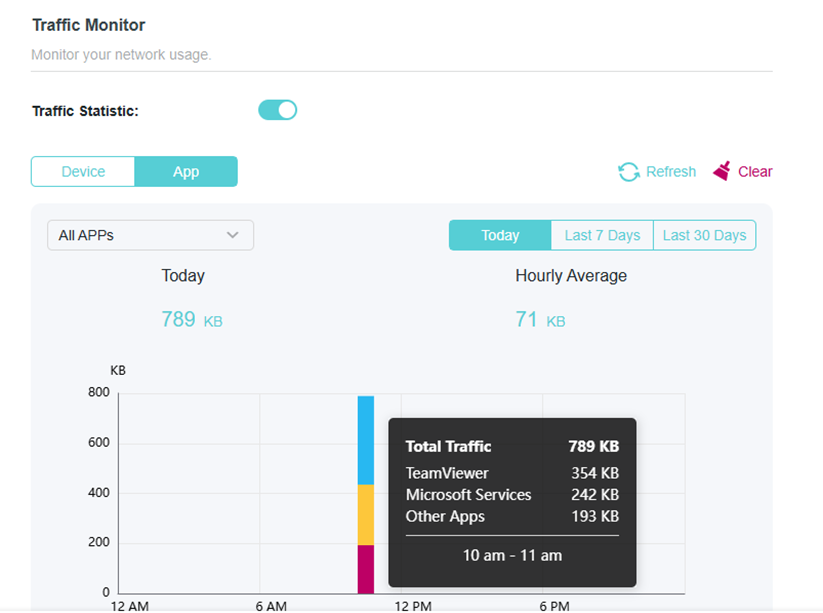
To give you better insight into your network, we have added a dedicated Traffic Monitor tool, allowing you to track data usage.
WOL (Wake on LAN)
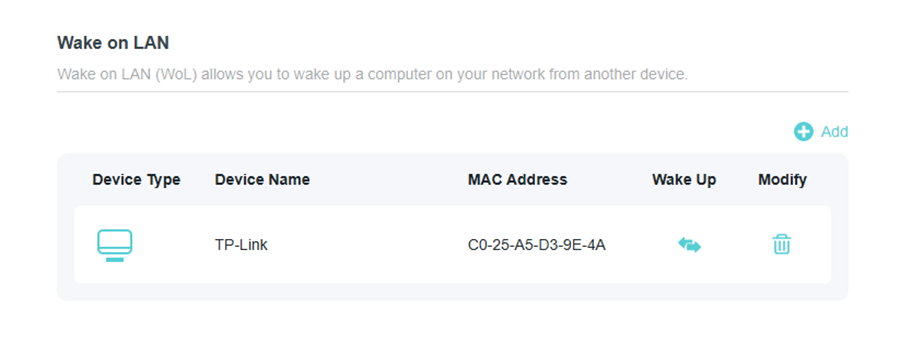
Managing your home hardware just got easier with the addition of WOL (Wake on LAN). From the router’s web interface or app, you can now send "magic packets" to wake up sleeping computers or servers on your local network. This is an essential tool for remote workers or media server enthusiasts who need to access their hardware on demand without leaving it powered on 24/7.
AP Mode Auto Upgrade
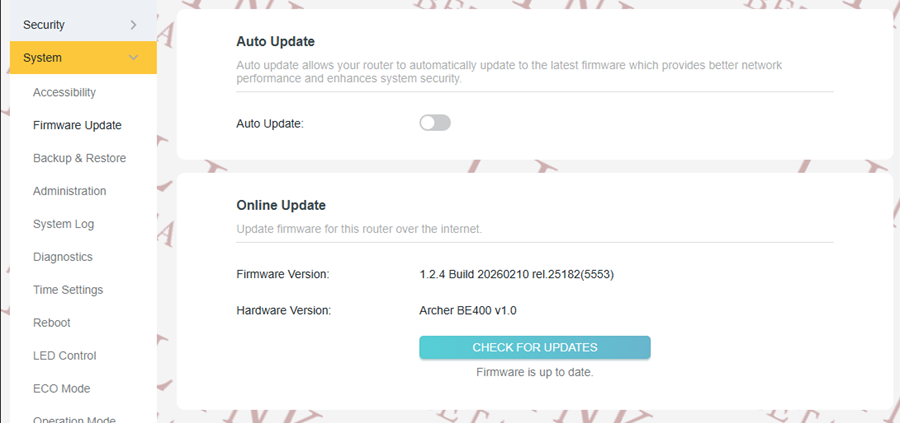
We haven't forgotten about users utilizing the BE400v1 as an Access Point. This update introduces Auto Upgrade support for AP Mode. Now, even when your device is not acting as the primary gateway, it can automatically detect, download, and install the latest firmware updates, ensuring your entire network infrastructure remains secure and up-todate with minimal manual intervention.
Key Updates (vs. v1.2.3 Build 20260107):
Compared to the previous version, this build introduces several significant enhancements:
- IPv6 Optimizations: Added support for 3rd-party Dynamic DNS, 6rd access, and Static Link-Local addresses as gateways. It also enhances support for Dynamic and PPPoE Auto modes and includes ULA (Unique Local Address) support.
- IPv6 VPN Support: OpenVPN and WireGuard now fully support IPv6.
- Efficiency: Added support for traffic monitor.
- AP Mode: Added support for Auto-Upgrades while in Access Point mode.
- New Features: Introduced WOL (Wake on LAN) and a Traffic Monitor tool.
Firmware Download:
Before the Upgrade
(1) Please be sure you have read the Beta Test Agreement before upgrading the pre-release firmware!
(2) For the sake of insurance, it's always recommended to save a copy of the router's Backup Config file before upgrading or downgrading.
(3) This pre-release firmware for Archer BE400 V1 is available for all versions.
(4) You may follow the guide to upgrade the firmware of your router. How to Upgrade the Firmware on the TP-Link Wi-Fi Routers.
(5) The screenshots in this article are taken from the web GUI of Archer BE400 V1 for reference only.
(6) If you encounter any anomalies after updating to the 1.2.4 pre-release version, you can still try to revert to the official 1.2.3 version. https://www.tp-link.com/support/download/archer-be400/v1/#Firmware
(7) IMPORTANT! Please ensure your Tether App is up to date if you want access to the new features of the Archer BE400.
Direct Firmware Download Link
| Archer BE400_V1 | Archer BE400_V1_1.2.4 Build 20260210 (Pre-Release firmware) |
Additional Information
As always, we value your feedback. If you happen to encounter any concerns during or after the router firmware upgrade, please leave a message below and provide the following information. Your feedback helps us continuously improve and provide you with better products and support.
Please provide detailed information, including but not limited to:
- A complete network topology diagram.
- The device's connection method, and whether EasyMesh networking is enabled.
- Screenshots of relevant error messages, etc.
Thank you for your continued support and for being a member of our community.
- Copy Link
- Subscribe
- Bookmark
- Report Inappropriate Content
Hello @Reda_Otrosh
Have you downgraded to 1.2.3? Can the application names turn back to normal?
@AF63 ,
If you have the same 'unknown' display for application names, and didn't roll back to 1.2.3, please help us collect the App logs:
How to collect system log of Tether App
The tech team will likely reach out to you via email to continue troubleshooting. Please check your email inbox and confirm.
Reda_Otrosh wrote
I have tried the new Beta.
Nice to see the new features. The most important one for me is the traffic monitor from WebUI and ability to turn it Off or clear all old data.
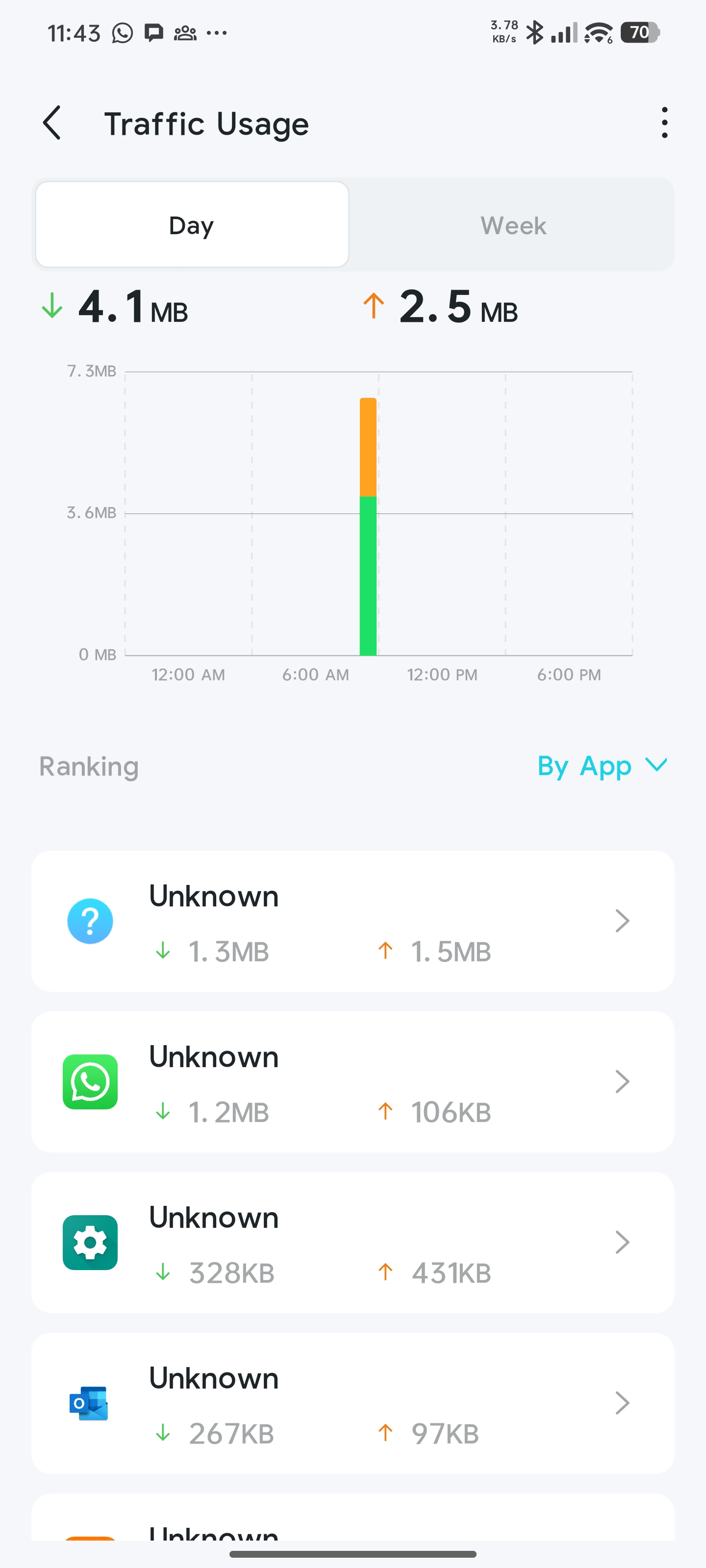
Just one concern from Tether App is the application names for traffic monitor is unknown for all Apps, we can differentiate the apps from category or Icon but the name is the same for all, please check and advice.
I cleared all traffic monitor and check again, it is the same as the following.
- Copy Link
- Report Inappropriate Content

I have downgraded to v1.2.3.
About application name, this option is not available as traffic monitor only show by devices.
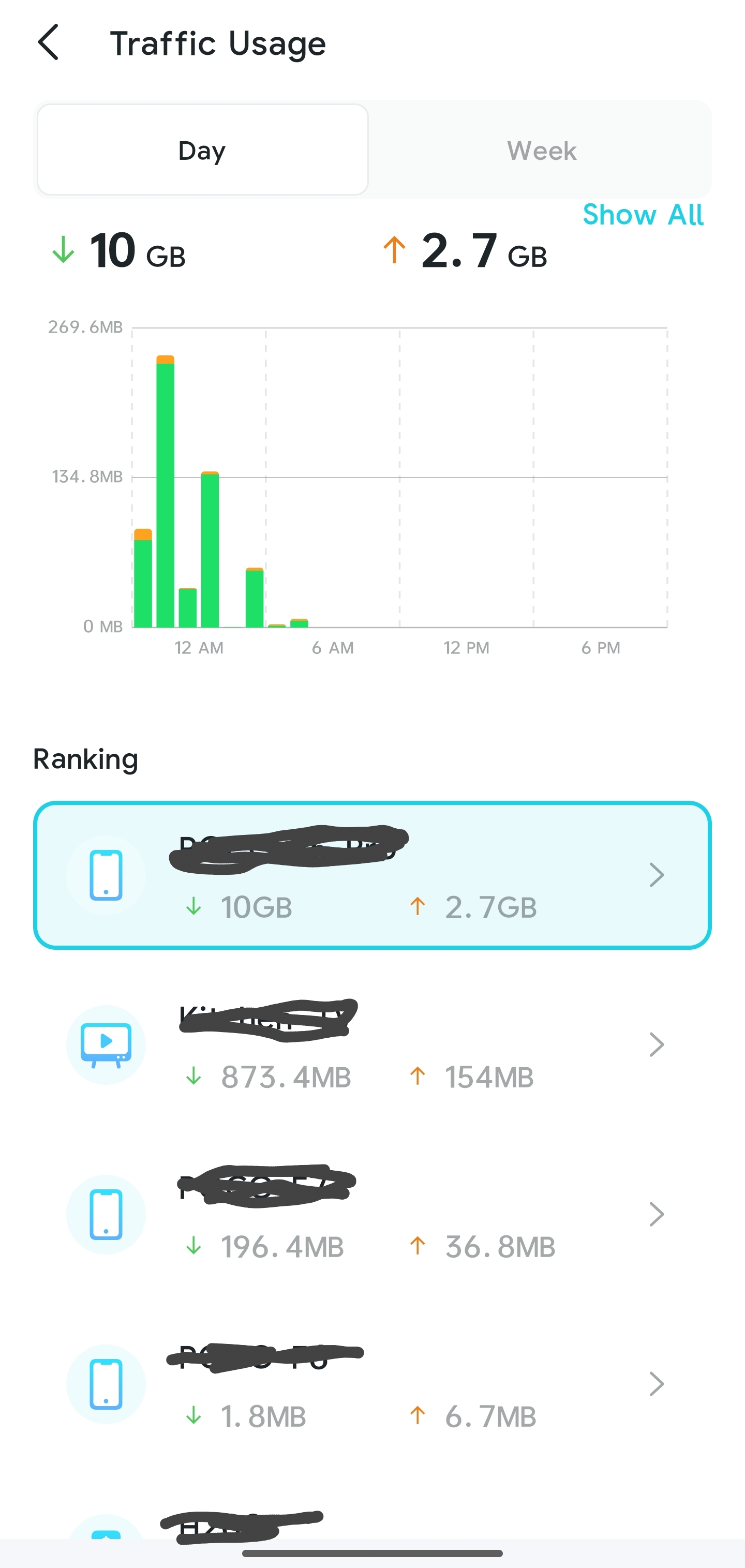
In weekly reports both versions show the name correctly.
- Copy Link
- Report Inappropriate Content
Hello @Reda_Otrosh ,
Thanks for sharing your usage experience.
For further analysis, would you mind temporarily upgrading to 1.2.4 again, and then saving the App log and sending it to us? How to collect system log of Tether App
You can send it to your previous feedback case, TKID260157832.
- Copy Link
- Report Inappropriate Content
- Copy Link
- Report Inappropriate Content


Will this model not get the easymesh binding support?
Seems higher models are getting it but requires all items to support and most would be using a lower model device like this as the client in an easymesh so really these need support at same times.
Also for what it is worth, firmware auto update doesn't exist for easy mesh. Shouldn't that follow/function similar to AP as far as some of the feature support? Like why couldn't fw auto update exist for it in easy mesh mode yet can for ap mode? They function very similar except syncing a few things.
- Copy Link
- Report Inappropriate Content
Hello @xBryan ,
The easymesh binding feature is still being tested on some models, such as Archer BE800, and we are still collecting relevant feedback from users.
You mentioned 'firmware auto update doesn't exist for easy mesh.' Does this mean that the BE400, as a Satellite node, cannot automatically update to the official firmware, rather than the pre-release firmware released this time?
What is the firmware version of the BE400 now?
- Copy Link
- Report Inappropriate Content
Information
Helpful: 0
Views: 3527
Replies: 16
Voters 0
No one has voted for it yet.