
Disable X50/BE25 Easymesh after Firmware 1.8.0 upgrade - wireless mesh backbone broken
Disable X50/BE25 Easymesh after Firmware 1.8.0 upgrade - wireless mesh backbone broken

I have a network mixed of three X50 V1 1.8.0 and three BE25 V1 1.1.7 running in access point mode.
After the latest automatic upgrade of the firmware (both the X50 and BE25 were updated at the same time), the wireless backbone no longer works. All Decos work with wired ethernet backbone, but one X50 is placed in a location where no wired backbone is available. I moved this X50 Deco temporary to a location with ethernet available and then this deco works.
I started playing around and I changed the Main Deco from a BE25 to a X50 to see if that makes a difference. It made no difference. But now I can not switch the Main Deco back from the X50 to the BE25 as I get the error that the BE25 does not support Easymesh and the option to disable Easymesh fails consistently. Nowhere in the settings is an Easymeshoption and I have never used easymesh before. The disable option only appears when you try to change the Main Deco. It is nowhere else available, neither in the App (I use IOS) nor in the web interface.
How do I fix this? I have a broken Deco mesh wireless backbone and can no longer make the BE25 the Main Deco.
I have the suspicion that this is a problem with the X50 1.8.0 firmware. However, downgrade of the firmware is not possible once you have 1.8.0.
Before this latest firmware upgrade, this setup was rock solid.
- Copy Link
- Subscribe
- Bookmark
- Report Inappropriate Content


Update:
This Article Applies to:
Deco BE25(EU/US)_V1
Phenomenon Description:
When using Deco BE25 as the main Deco with satellite units like the Deco X50_V1_1.8.0 that have a higher software platform, users might notice that if these satellite units are rebooted, they can't re-establish the wireless backhaul with the BE25. This issue occurs only with wireless Mesh Backhaul; it doesn't occur at all with an Ethernet backhaul.
Available Solution:
- An official firmware will be released soon to fix this issue in the future.
- If you need an urgent solution for now, please install the following beta firmware:
| Deco BE25(EU/US)_V1_1.1.7_Beta |
- Please be sure you have read the Beta Test Agreement before upgrading the Pre-release firmware!
- Please make sure the Deco APP is up-to-date.
- The Beta firmware versions can be degraded directly to the official 1.1.7 via web UI.
- How to manually update the firmware via web UI.
- Copy Link
- Report Inappropriate Content
@MeOverHere Sopme further checking: The Deco app shows no device has easymesh active and I am not able to change to another X50 as Main Deco either.
- Copy Link
- Report Inappropriate Content

@MeOverHere firmware 1.8.0 does not support easymesh.
- Copy Link
- Report Inappropriate Content
@bobvana I know that neither the X50 nor the BE25 support easymesh and still I get a message that I need to disable easymesh as it is not supported and my WiFi backhaul on both X50 and BE25 is broken. I have never used easymesh before. BTW, my router is a Ubiquiti UCG-Fiber so that should not cause any issues.
- Copy Link
- Report Inappropriate Content
Update:
This Article Applies to:
Deco BE25(EU/US)_V1
Phenomenon Description:
When using Deco BE25 as the main Deco with satellite units like the Deco X50_V1_1.8.0 that have a higher software platform, users might notice that if these satellite units are rebooted, they can't re-establish the wireless backhaul with the BE25. This issue occurs only with wireless Mesh Backhaul; it doesn't occur at all with an Ethernet backhaul.
Available Solution:
- An official firmware will be released soon to fix this issue in the future.
- If you need an urgent solution for now, please install the following beta firmware:
| Deco BE25(EU/US)_V1_1.1.7_Beta |
- Please be sure you have read the Beta Test Agreement before upgrading the Pre-release firmware!
- Please make sure the Deco APP is up-to-date.
- The Beta firmware versions can be degraded directly to the official 1.1.7 via web UI.
- How to manually update the firmware via web UI.
- Copy Link
- Report Inappropriate Content
This is what I get when I try to change the Main Deco from an X50 to a BE25. I have upload the Deco APP Log.
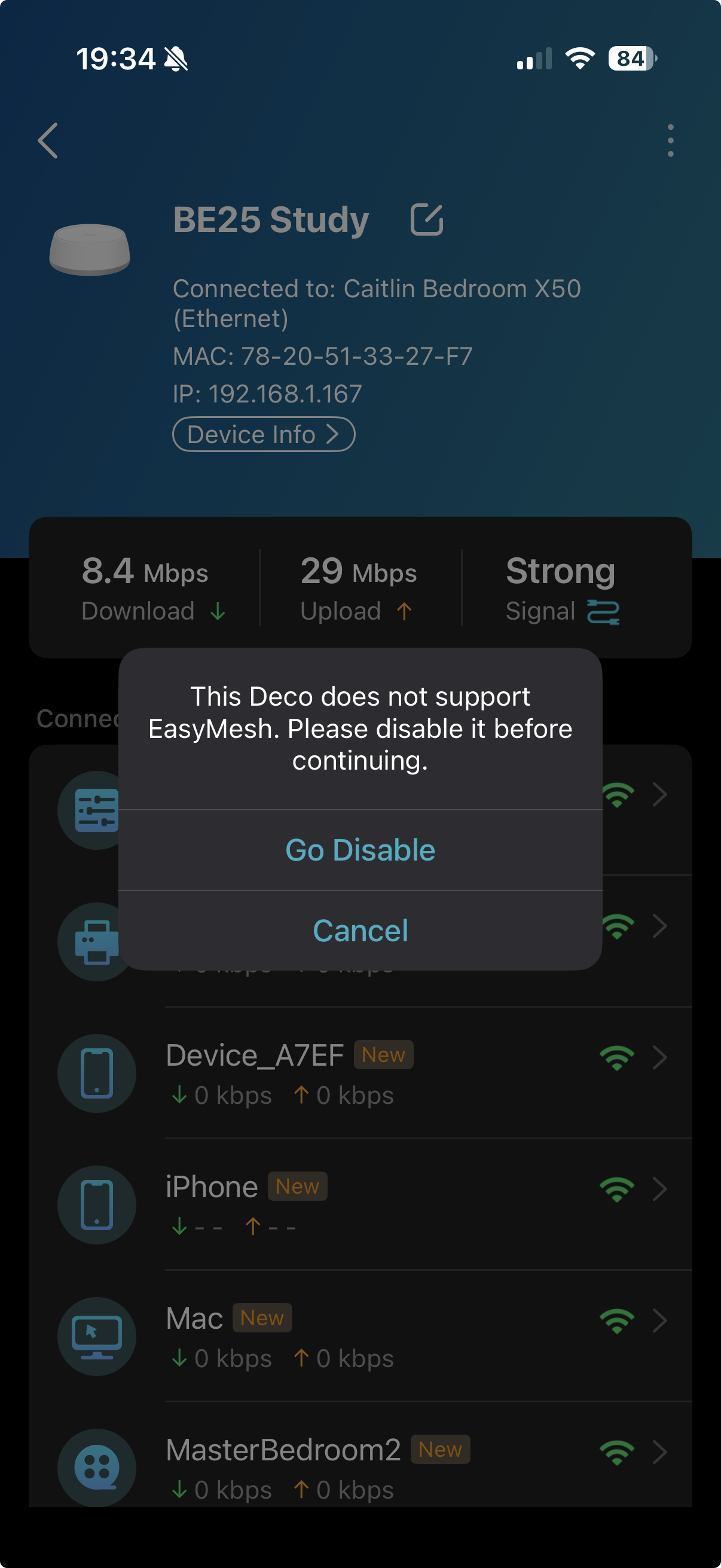
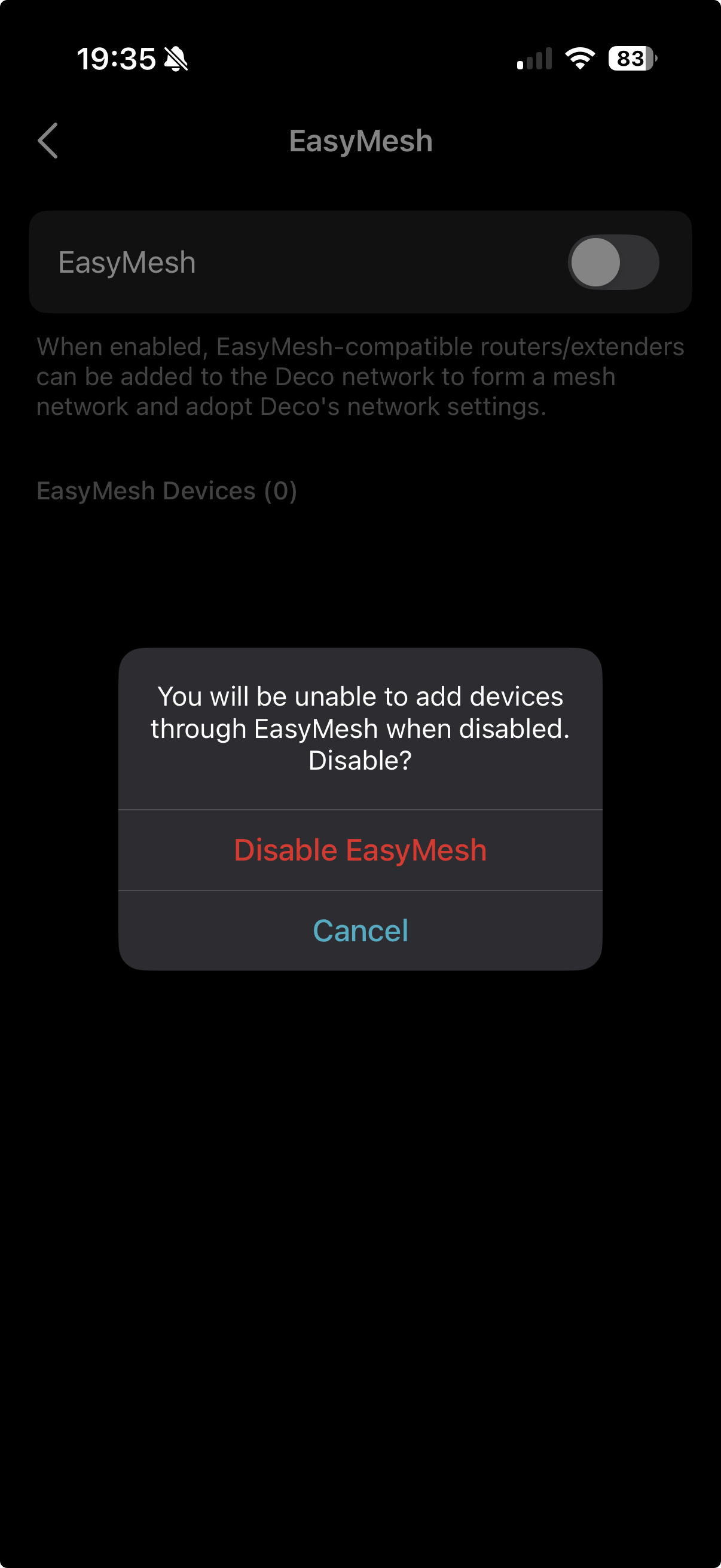
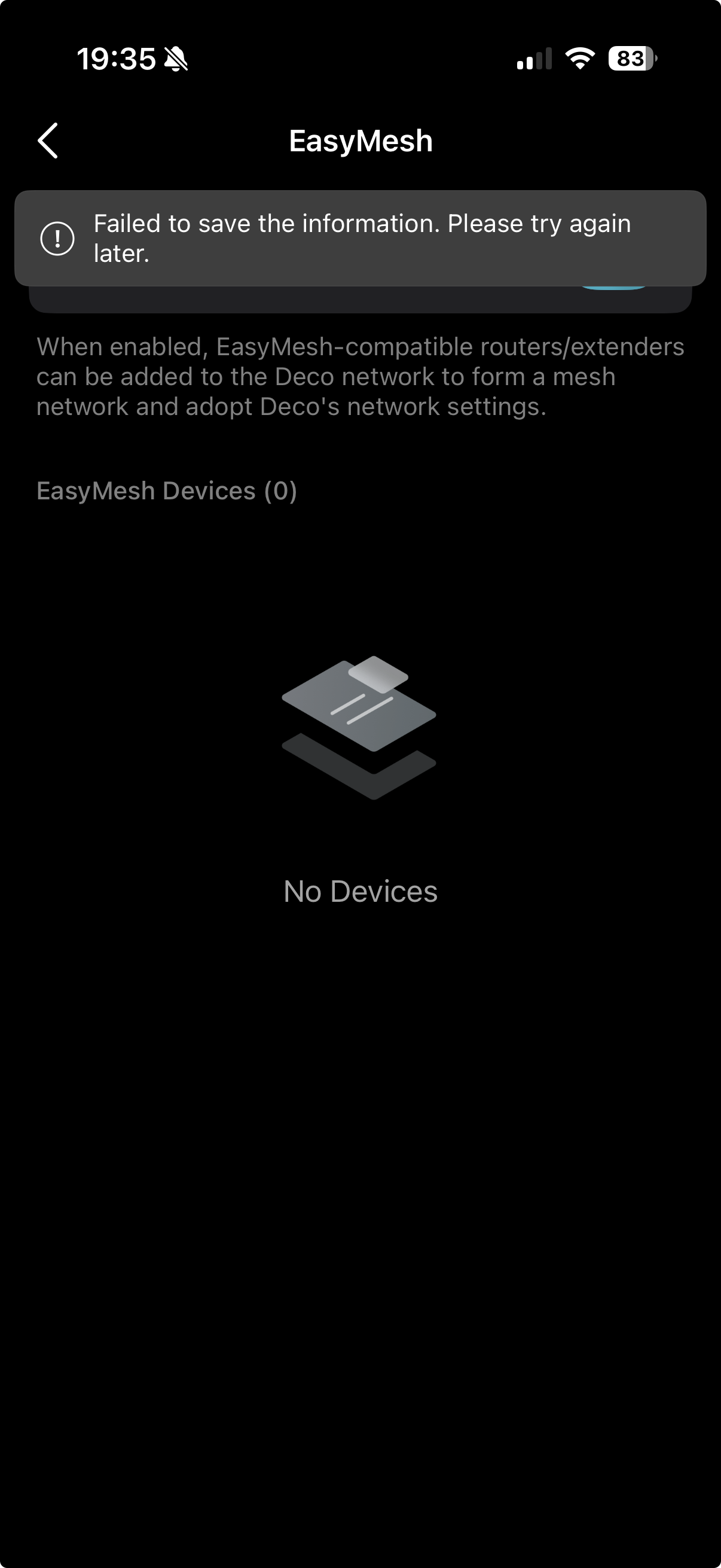
- Copy Link
- Report Inappropriate Content
Hi, thank you very much for the App logs.
Have you tried to remove the satellite Deco BE25 from the Deco App, then go to "+">"replace main Deco" to see whether you can set the Deco BE25 as the main Deco?
By the way, for the "Offline" WiFi Backhaul Deco X50, how about its LED status, flashing red?
-I think you can also remove it from the Mesh network, then add it again"+">"add a Deco unit" to see whether it helps.
Wait for your reply.
Best regards.
- Copy Link
- Report Inappropriate Content
@David-TP It works again, but I had to reset all 6 Deco's I have and rebuild the network from scratch. Even then, "Replace Main Deco" did not work, but set new "Main Deco" worked after a new device was added. If you would set a custom name while adding a Deco unit, it would default the name to name you get if you skipped the step. A custom name could not be set unless one of the fixed default names was selected first. The main screen of the APP looks normal again. Before the rebuild it did not show the Main Deco and you had to plress on "everything looks good" to get a list of Decos.
- Copy Link
- Report Inappropriate Content

I have a similar problem.
Main BE25 deco, then another BE25, three XE75, and two X50.
Yesterday, both X50 were offline (flashing red light).
Unable to reconnect.
After resetting and reconfiguring them, they started working again.
After rebooting them, same problem, and no way to reconnect via WiFi to the other decos.
Reset again, reconfigured, and they worked again.
Rebooted again, still offline.
The only way to see them online after a reboot is to connect them via cable.
I also noticed that after each reboot, the main and guest WiFi networks disappear, while only the IoT network remains visible.
It seems that after a reboot, the WiFi stops working, so they can't connect to the other decos via WiFi, but only via cable.
The strange thing is that this issue started two days ago, and the problem occurs even when I add other X50 I had as a spare to my network.
In short, the X50s work perfectly until the first reboot, after which they need to be reset.
Previously (2 days ago and before) , they always worked, and a reboot was scheduled every morning without any problems.
I even tried completely erasing my network and rebuilding it from scratch... Same problem, and always and only with the X50s (both hardware version 1 and version 1.2).
- Copy Link
- Report Inappropriate Content
Hi, thank you very much for the feedback.
Could you please send an email to support.forum@tp-link.com with the following details:
(Please add the forum ID# 858878 in the subject.)
- the current firmware versions on Deco BE25, Deco XE75 and Deco X50.
- some screenshots of the network maps and Mesh Backhaul types on the Deco App, such as:
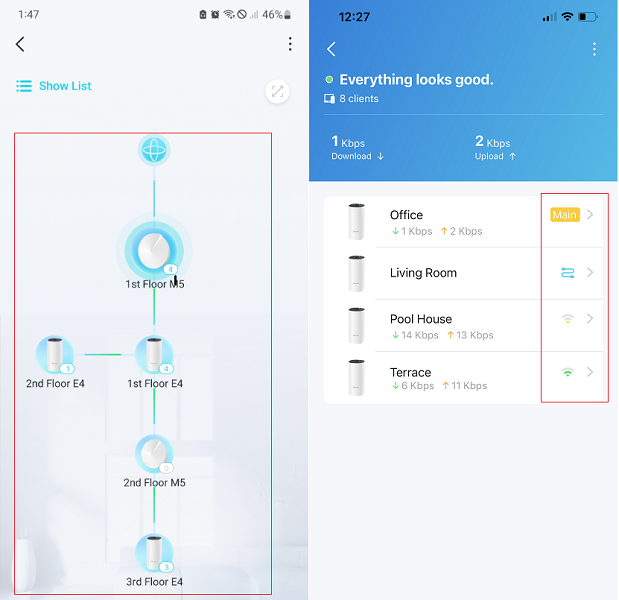
- Copy Link
- Report Inappropriate Content
@David-TP Based on the post by Mauriga, i did a reboot of my Deco system and I get exactly the same: the wify backhaul no longer works after a reboot. I unplugged ethernet from one X50 before reboot and the Wifi Backhaul took over. Then I did a reboot and repeated the experiment. Initially, it was green for a short while and the Deco App showed it was linked through the 2.4GHz/5Ghz link to my main Deco. But then the led went red and the link to the deco was list. Plugged ethernet back in, it works again.
- Copy Link
- Report Inappropriate Content
Information
Helpful: 0
Views: 2007
Replies: 19
Voters 0
No one has voted for it yet.