
Disable X50/BE25 Easymesh after Firmware 1.8.0 upgrade - wireless mesh backbone broken
Disable X50/BE25 Easymesh after Firmware 1.8.0 upgrade - wireless mesh backbone broken

I have a network mixed of three X50 V1 1.8.0 and three BE25 V1 1.1.7 running in access point mode.
After the latest automatic upgrade of the firmware (both the X50 and BE25 were updated at the same time), the wireless backbone no longer works. All Decos work with wired ethernet backbone, but one X50 is placed in a location where no wired backbone is available. I moved this X50 Deco temporary to a location with ethernet available and then this deco works.
I started playing around and I changed the Main Deco from a BE25 to a X50 to see if that makes a difference. It made no difference. But now I can not switch the Main Deco back from the X50 to the BE25 as I get the error that the BE25 does not support Easymesh and the option to disable Easymesh fails consistently. Nowhere in the settings is an Easymeshoption and I have never used easymesh before. The disable option only appears when you try to change the Main Deco. It is nowhere else available, neither in the App (I use IOS) nor in the web interface.
How do I fix this? I have a broken Deco mesh wireless backbone and can no longer make the BE25 the Main Deco.
I have the suspicion that this is a problem with the X50 1.8.0 firmware. However, downgrade of the firmware is not possible once you have 1.8.0.
Before this latest firmware upgrade, this setup was rock solid.
- Copy Link
- Subscribe
- Bookmark
- Report Inappropriate Content

I ran other tests without solving the problem.
In the end, I tried setting an X50 as the primary unit instead of the BE25.
After doing this, everything worked normally again, even after several test reboots.
Finally, I set the BE25 as the primary unit again, and so far, everything is fine.
This problem arose two days ago after the internet connection was interrupted by the provider for a few hours.
When the connection was restored, the problem arose.
My impression is that when the primary unit is a BE25, the X50 units are not configured correctly or cannot communicate properly with the BE25.
Once reconfigured, using an X50 as the primary unit, everything is stable again, and the BE25 can be restored as the primary unit.
The question is: in this scenario, what will happen if the internet connection is lost again for several hours?
Will the X50s lose their configurations again if the connection is lost?
- Copy Link
- Report Inappropriate Content


Hi, thank you very much for the update.
Mauroriga wrote
The question is: in this scenario, what will happen if the internet connection is lost again for several hours?
Will the X50s lose their configurations again if the connection is lost?
I can't say for sure, as the root cause still hasn't been located.
If you'd like to further cooperate with us, it would be highly appreciated if you could send an email to support.forum@tp-link.com with the details mentioned here:https://community.tp-link.com/en/home/forum/topic/858878?replyId=1673002
(Please add the forum ID#858878.)
Wait for your reply.
Best regards.
- Copy Link
- Report Inappropriate Content
@MeOverHere
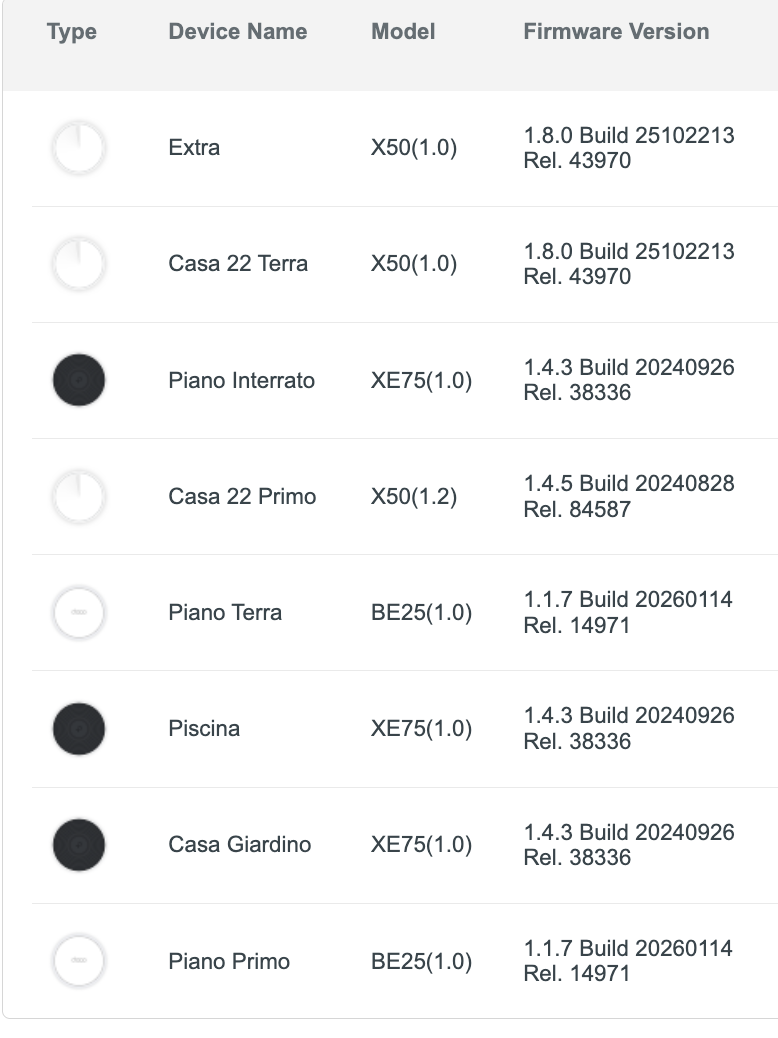
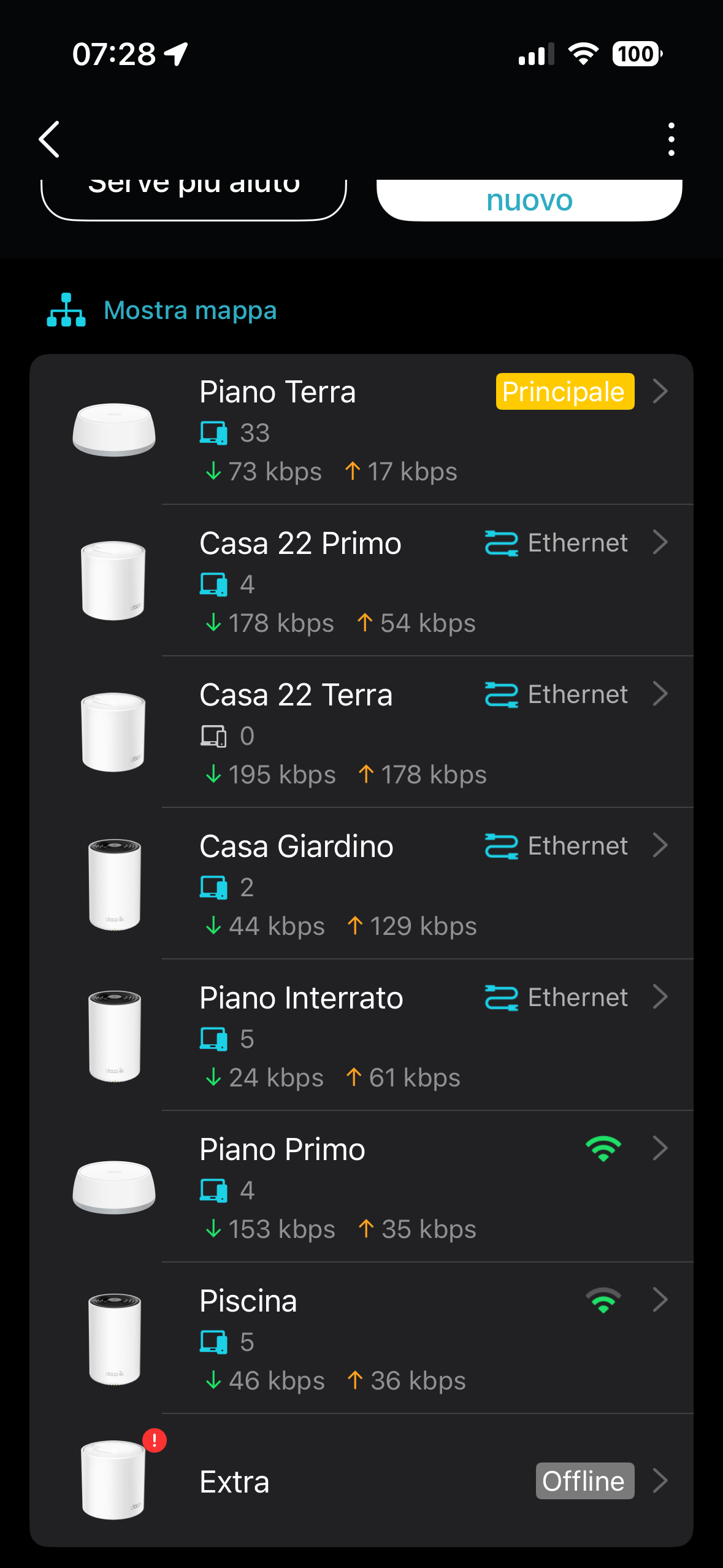
This morning, the DECO X50 called "extra" is offline again after a scheduled reboot that occurred overnight.
The other DECOs connected via Wi-Fi are working properly, as are the two DECO X50s connected via Ethernet cable.
- Copy Link
- Report Inappropriate Content
TPLINK support contacted me to test with an alternative firmware.
The problem appears to be related to the DECO X50 V.1.
I'm writing below the test I performed today and will update you after TPLINK's response.
I PERFORMED THESE TESTS:
I CONNECTED TWO DECO V1 AND TWO DECO V1.2 UNITS TO MY NETWORK
ONE V1 AND ONE V1.2 CONNECTED VIA ETHERNET
ONE V1 AND ONE V1.2 CONNECTED WIRELESSLY
EVERYTHING WORKED PERFECTLY UNTIL THE SCHEDULED RESTART LAST NIGHT
THIS MORNING, THE WIRELESS DECO V1 WAS OFFLINE AND FLASHING RED, THE CABLED DECO V1 WAS ONLINE BUT WITHOUT ANY CLIENTS CONNECTED
THE TWO DECO V1.2 WERE BOTH ONLINE AND WORKING PERFECTLY
- Copy Link
- Report Inappropriate Content

I am experiencing the exact same issue with my setup, which consists of one BE25 (firmware 1.1.7) and two X50 V1 units (firmware 1.8.0).
If I remove the two X50s from the network and re-add them, everything works fine. However, if the X50s reboot, the following happens:
-
The X50 connected via Wi-Fi starts blinking red.
-
The X50 connected via Ethernet blinks green but drops all Wi-Fi clients (only Ethernet-connected clients remain functional).
- Copy Link
- Report Inappropriate Content
I did an experiment today.
I have the network with 3xBE25 and 3xX50/V1, all connected through ethernet / wired backhaul. I did the following steps: The Main Deco is a BE25
1) I removed wired backhaul from one of the BE25s (not the main one) while keeping the unit powered on. The led for this BE25 turned red and unit did not work
2) I powered off all X50s. The moment the last X50 powered off, the led on the non-wired BE25 tuned green almost immediately. The BE25 non-wired unit still works.
3) I powered all 3 wired X50s back on. They flashed red for a long time and then turned green. The non-wired BE25 was unaffected and kept working / LED green.
4) I restarted the non-wired BE25. This BE25 rebooted successfully and the network works.
5) I removed wired backhaul from one of the X50s. The unit stops working and LED turns red.
6) I plugged wired backhaul back in for X50 and waited for led to turn green.The I restarted the whole system (BE25 still unplugged from ethernet). All units are working, but the X50s take a long time to go from flashing red to green. The BE25 wifi backhaul is connected to another BE25. When I plugged back in the ethernet, this BE25 remained connected through wifi and my router gave a network loop warning. I rebooted this unit and it went back ethernet backhaul and the loop is gone.
It is clear that the X50s are the problem. If the BE25 unit connects to another BE25, it seems everything is fine, but if it connects to a X50, it becomes part of the problem.
- Copy Link
- Report Inappropriate Content
Hi everyone,
@David-TP Are there any updates regarding this issue? this is a major problem for those of us affected. The firmware upgrade has completely broken our wireless mesh backbone.
Could someone from the TP-Link support team please step in and provide a status update ?
Thank you.
- Copy Link
- Report Inappropriate Content
Hi, have you tested the beta firmware in the "Recommended Solution" here:
https://community.tp-link.com/en/home/forum/topic/858878?replyId=1670896
Wait for your reply.
Best regards.
- Copy Link
- Report Inappropriate Content
@David-TP thank you ! it works perfetcly :)
i'm sorry, i don't know how i missed this post....
- Copy Link
- Report Inappropriate Content
Information
Helpful: 0
Views: 1975
Replies: 19
Voters 0
No one has voted for it yet.