Technical Support - Network Slowdown when Using VIGI NVR

Good afternoon, TP-Link support team,
I am experiencing an issue with a client whose entire network infrastructure was built using TP-Link equipment, aiming for maximum compatibility and performance between devices.
Below is the full description of the environment:
Installed equipment:
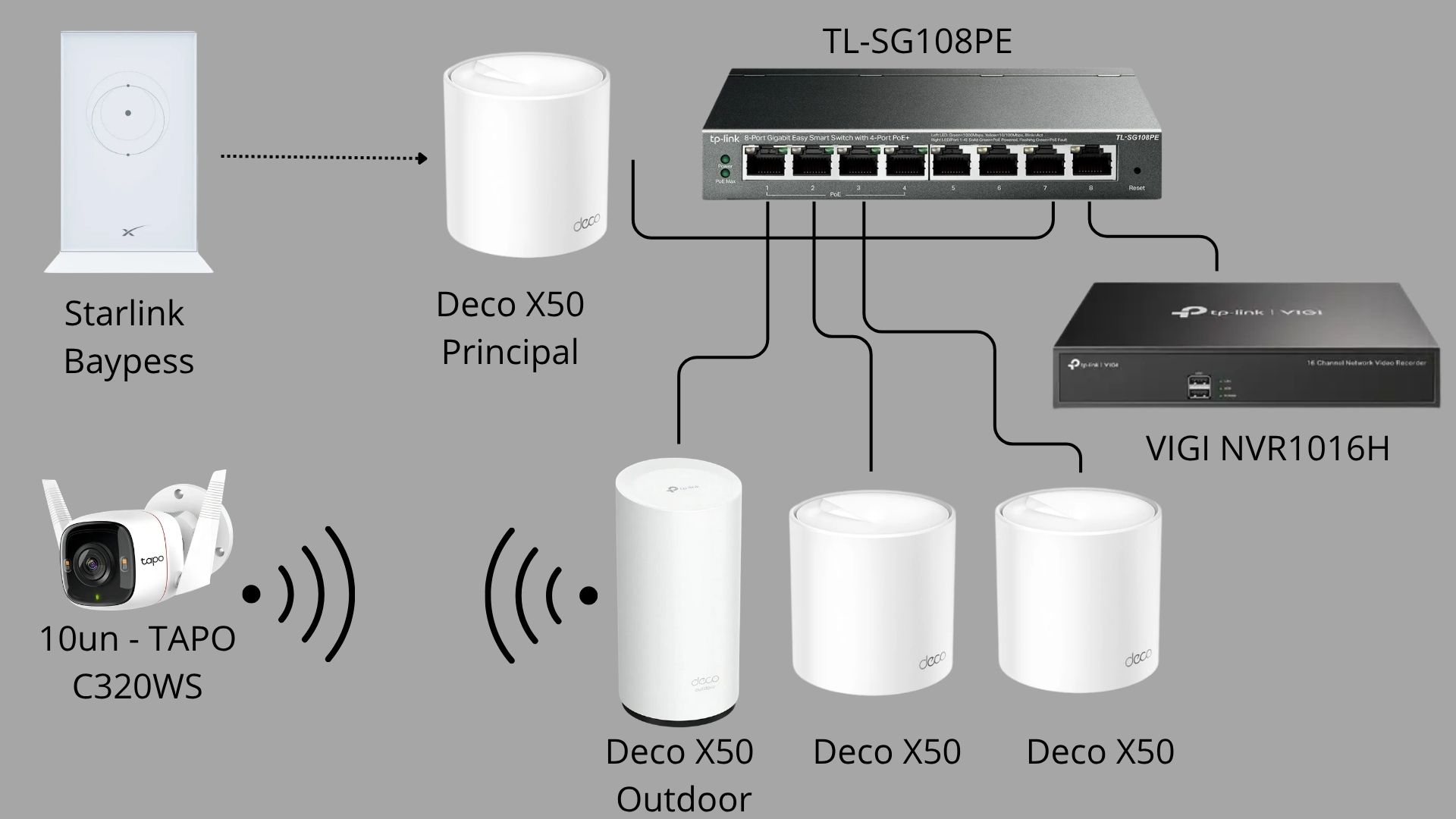
- 10 Tapo C320WS cameras connected via Wi-Fi
- Mesh network system with 3 Deco X50 units (indoor line, connected via Ethernet cable)
- 1 Deco X50 Outdoor unit (connected via Ethernet cable)
- VIGI NVR1016H for video recording
- Western Digital 6TB HDD for storage
- TL-SG108PE managed switch for network distribution
Problem description:
During testing, we observed the following behavior:
- With the VIGI NVR turned OFF:
- The entire network works perfectly
- Cameras remain stable, with no disconnections
- Wi-Fi signal has excellent range (reaching approximately 700 meters from the Deco X50 Outdoor)
- Normal network speed (around 300 Mbps)
- When the VIGI NVR is turned ON:
- The network experiences significant slowdown
- Several cameras start losing connection (verified through the Tapo app)
- Wi-Fi performance drops drastically
- Even close to the Deco Outdoor unit, speed does not exceed 10 Mbps
When the NVR is turned OFF again, the entire system returns to normal operation.
Request:
I would like support from your technical team to identify the cause of this issue.
Since all devices are from the same brand, we expected stable integration, but this situation is causing dissatisfaction for the client.
If necessary, I can provide additional details, logs, or perform further tests as instructed.
I look forward to your response with possible solutions or guidance.
Sincerely,
Wellington Costa
WIK Security Systems