CELL ID LOCK ERROR

CELL ID LOCK ERROR

CELL ID LOCK ERROR
CELL ID LOCK ERROR
15 hours ago - last edited 15 hours ago
Model: Archer MR600  
Hardware Version: V2
Firmware Version: 1.9.0 0.9.1 v0001.0 Build 250915 Rel.52419n
https://i.hizliresim.com/qx976de.jpg


https://i.hizliresim.com/q47i3kk.jpg

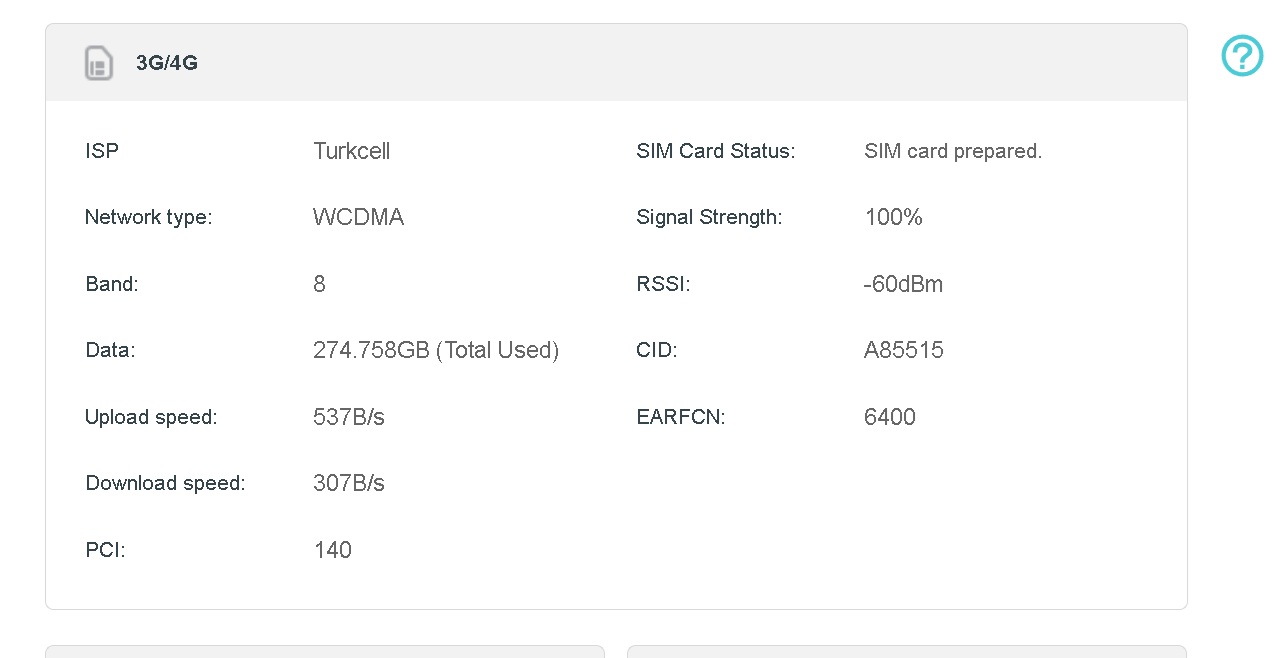
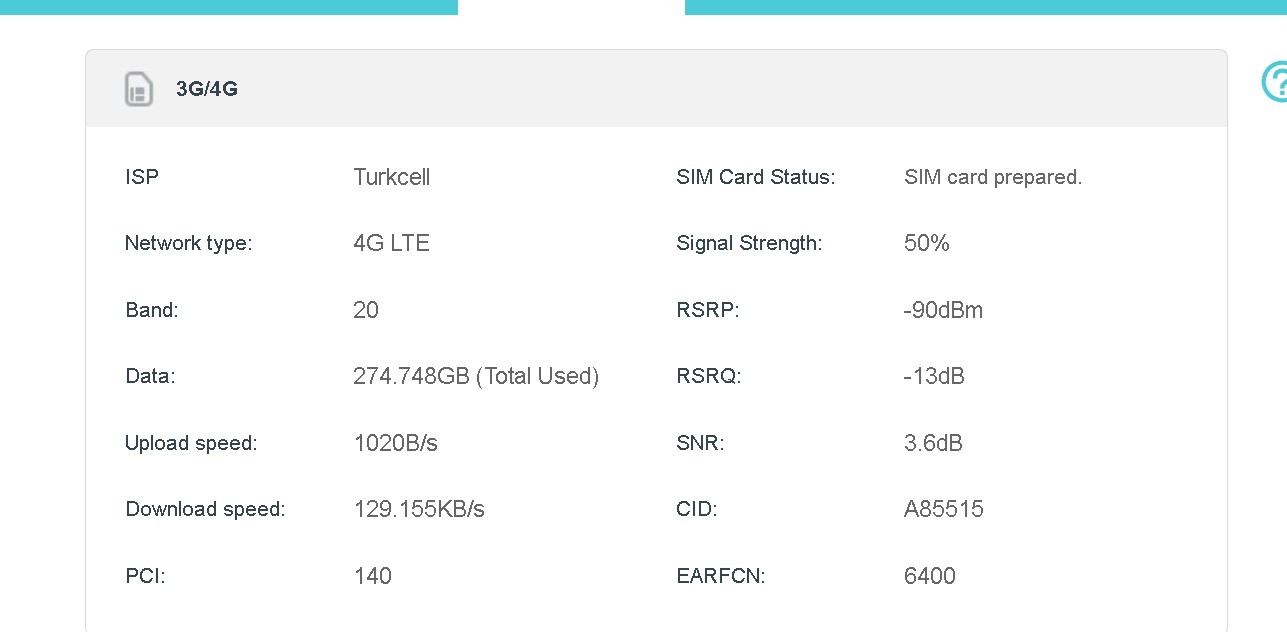
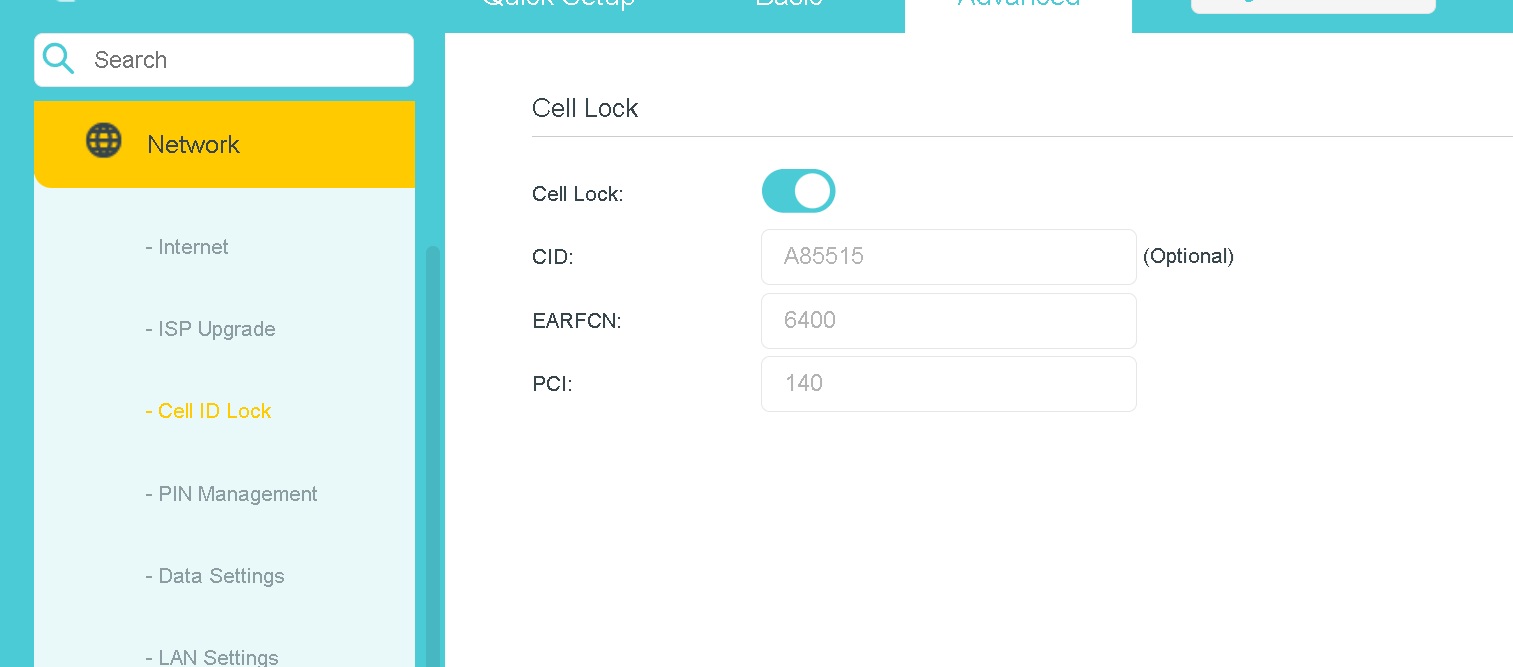
I wanted to use the "Cell ID Lock" feature in the new software on my Turkcell data line. However, even though the signal strength is very good, it constantly drops to 3G (WCDMA). No matter what I did, I couldn't fully utilize the "Cell ID Lock" feature.

Also, it would be much easier if the Cellular Identity (ECI) could be displayed in the Signal Menu. For example, something like 11031822 on my base station.


Note: Even when I select only 4G, I still experience inexplicable connection drops. I'm forced to disable the Cell ID Lock feature.

  0      
  0      
#1
Options
1 Reply
Re:CELL ID LOCK ERROR
2 hours ago

  @Fikotr74 

Hi,
The Cell Lock feature allows the router to connect to a specific cellular cell by the Cell ID. When the router's network mode is set to "4G Preferred," it prioritizes connecting to the 4G LTE network. However, enabling the Cell Lock feature does not guarantee that the router will remain exclusively on the 4G network; for example, if the base station actively terminates the connection, or the 4G network drops due to poor signal strength, the router will automatically switch to a 3G signal.


Based on the phenomenon you have reported, the 4G signal from Cell ID (CID) A85515 may be unstable. You could try repositioning the router to obtain a stronger 4G signal, or alternatively, disable the Cell Lock feature to allow the router to connect to 4G signals from other cells.


Best Regards

  0  
  0  
#2
Options