Issues With IoT (and 2.4ghz Guest) Network

Issues With IoT (and 2.4ghz Guest) Network

Issues With IoT (and 2.4ghz Guest) Network
Wednesday
Model: Deco X55   Deco X50-Outdoor  
Hardware Version:
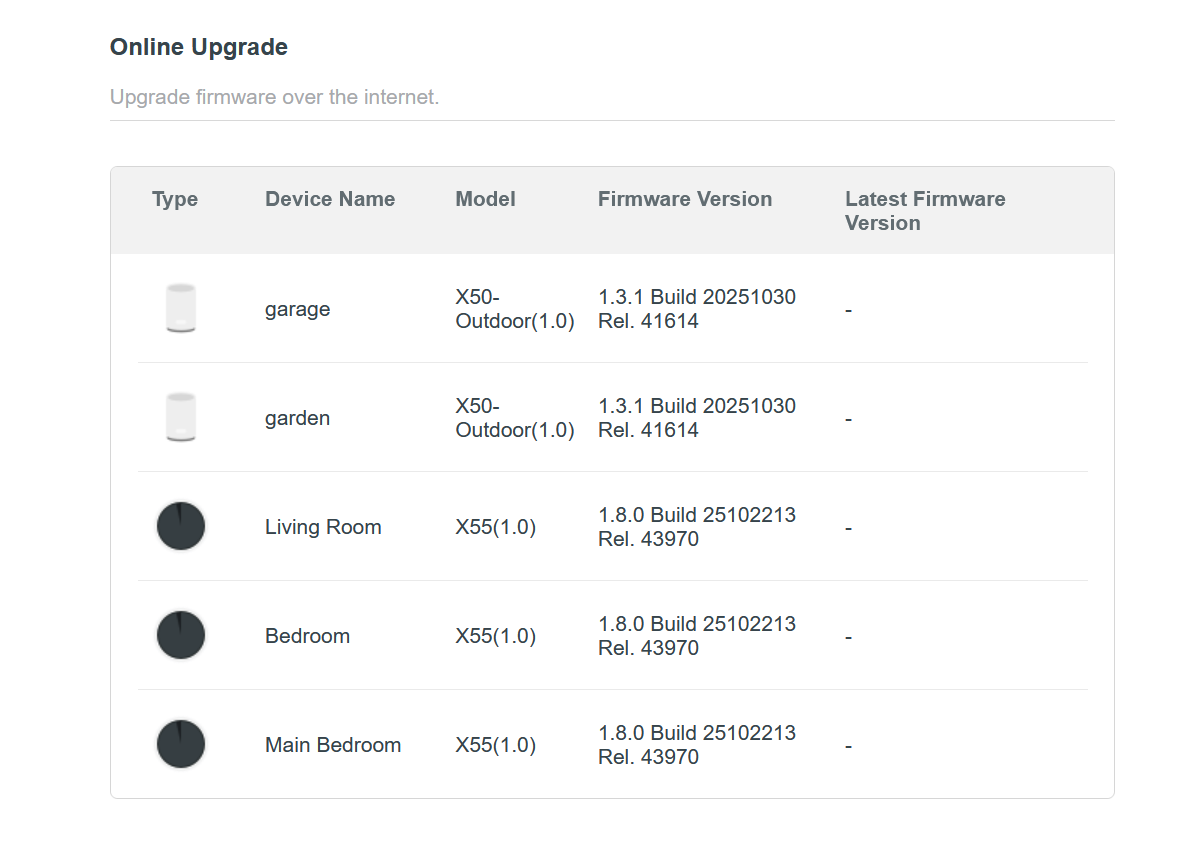
Firmware Version: 1.8.0 Build 25102213 Rel. 43970; 1.3.1 Build 20251030 Rel. 41614

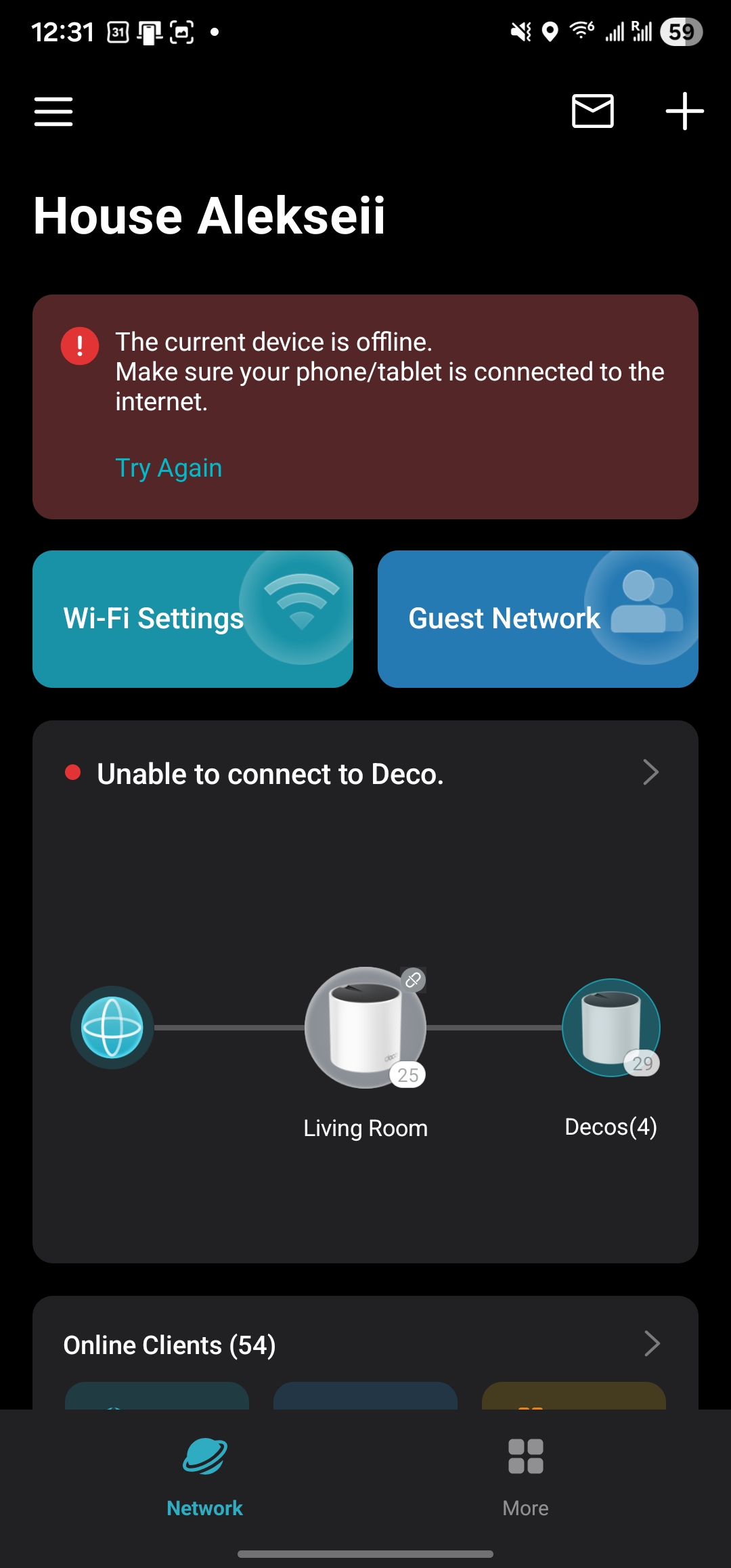
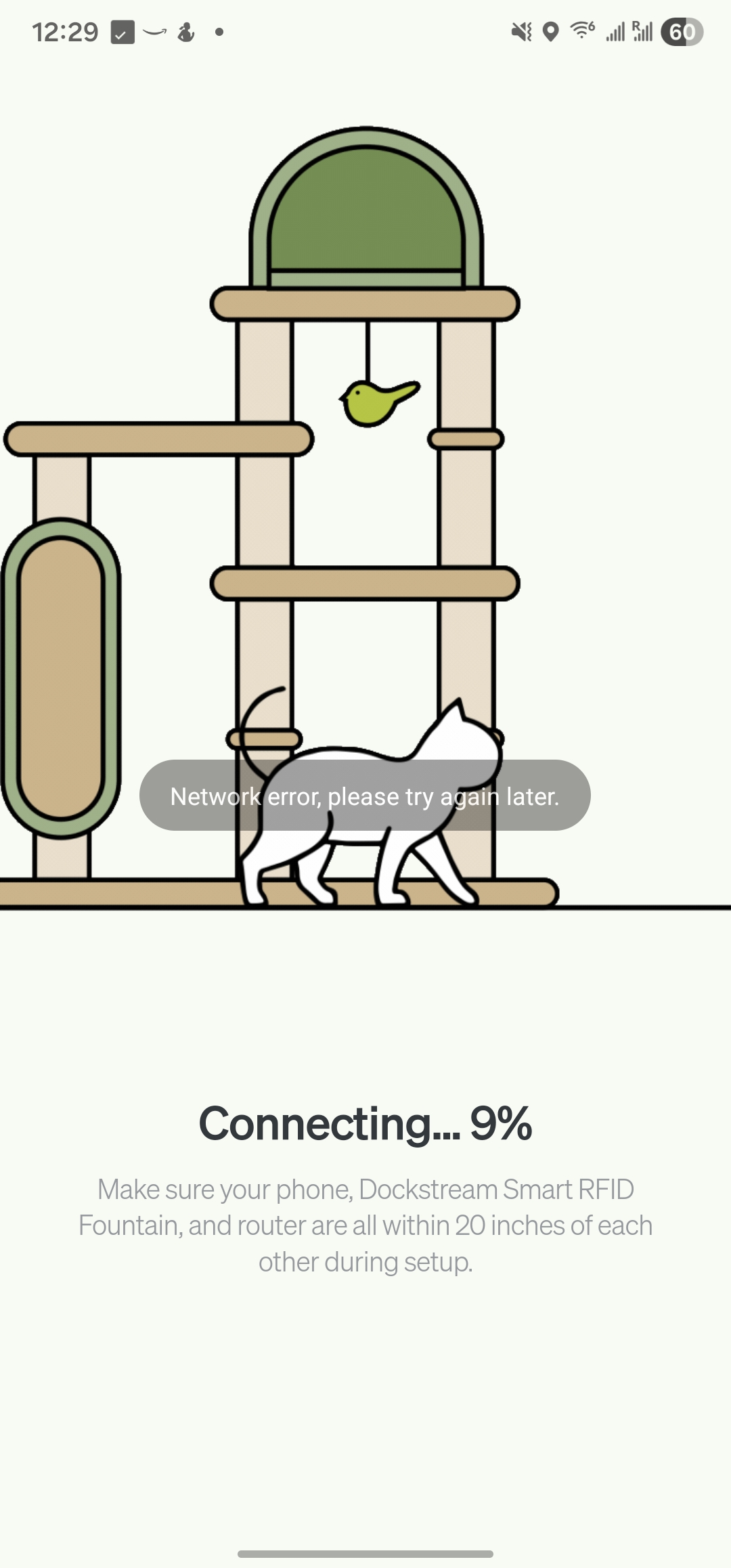
I have been having a frustrating issue where I am unable to connect my smart devices to my IoT network. When I connect to my IoT network in order to then set up those devices, both the apps I need to set up those devices and the Deco app itself list me as having a network error or not connected to the internet at all. Oddly, devices that have maintained their connection still maintain their connection when the system reboots nightly at 3AM. But any devices are disconnected and require a 2.4ghz connection to work, for some reason, are basically impossible to set back up. 


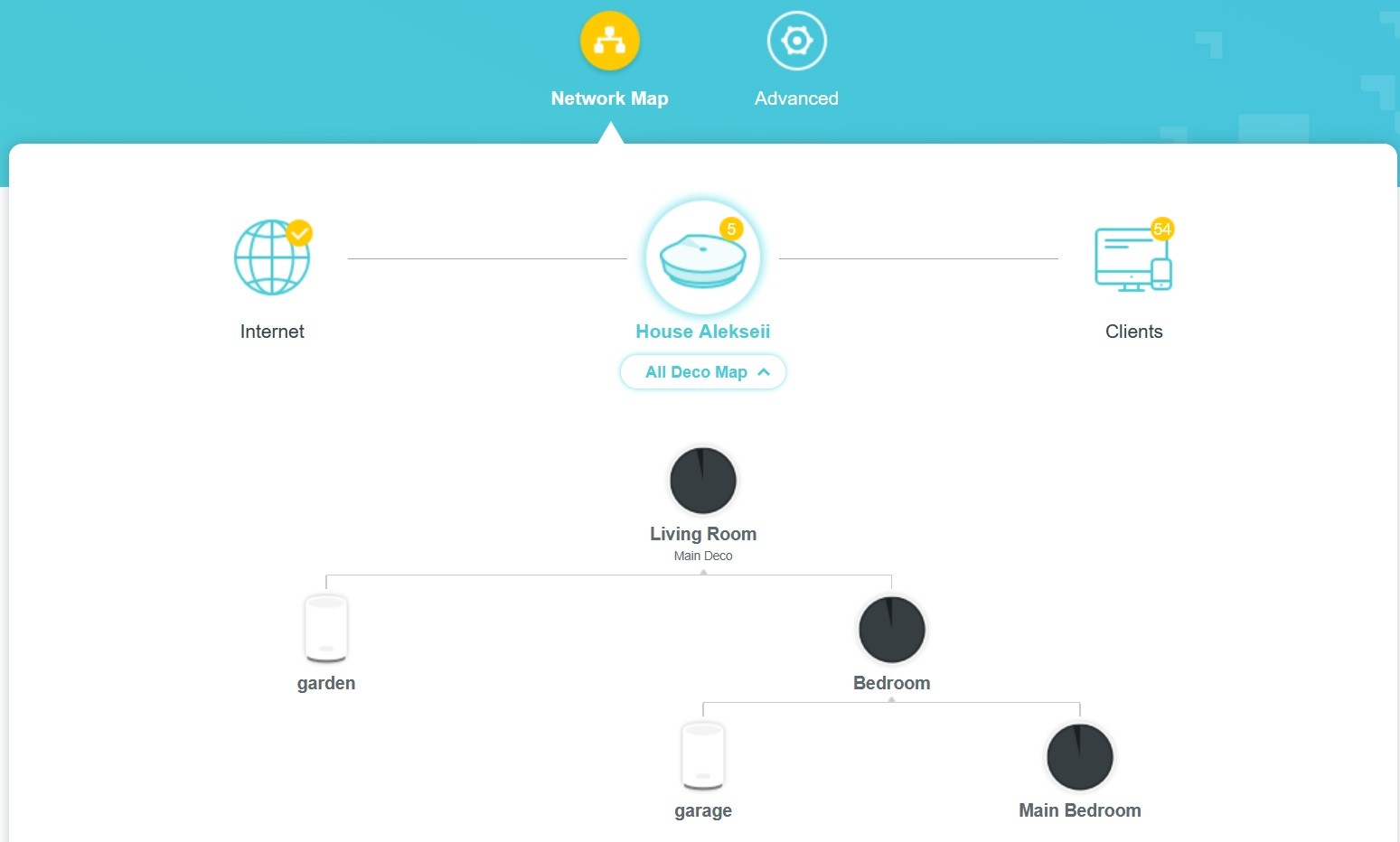
In order to assess whether this was just an issue with my IoT connection, I switched my Guest Network to just 2.4ghz and connected, and had the same issue. I don't seem to have issues being recognized by the Deco app on the Guest network, but apps like the ones needed to set up my smart devices continue to show a network error when on Guest wifi, even when the guest wifi is dual-band. I have no reason to believe that this is an issue of too many devices being connected to my IoT or to my wifi in general, because these devices were previously connected just fine and then got disconnected after a power outage, with only two of them refusing to reconnect. However, I suppose that is possible. I've tried to find support in the past about whether there is a limit to the number of devices that can be connected to a Deco network, to no avail. My attached Deco web screenshots show, though, that there are less than 100 devices total connected to my overall network, further making it unlikely to me that there is a bandwidth issue of some kind. 


I have switched off all advanced settings (Smart DHCP disabled, Fast Roaming disabled, Beamforming disabled, Smart Antennas Auto), and my Network Mode is set to 'Stable Mode'. All Deco nodes are up to date, as is the app itself (version 3.10.188). Any advice on how I could change or optimize my settings to get this to (finally, since I've been dealing with one issue or another since I got these about two years ago) would be greatly appreciated.


  0      
0
#1
Options
8 Reply
Re:Issues With IoT (and 2.4ghz Guest) Network
Thursday

  @House_Alekseii 

Hi, 
Below is a pre-release firmware for the Deco X50_V1. Please try downloading the new firmware from the link below, updating it on the Deco X50_V1 via the web UI, and check if it helps.
Deco X50/X55 V1/V1.6 Pre-Release Firmware 1.10.0 Enhanced Network Stability & Client Identification
How to Update TP-Link Deco Firmware 

Best Regards

  0  
0
#2
Options
Re:Issues With IoT (and 2.4ghz Guest) Network
Thursday
Just to be clear, does this firmware also apply to the X50-outdoor? Or just the regular X50?
  0  
0
#3
Options
Re:Issues With IoT (and 2.4ghz Guest) Network
Thursday - last edited Thursday

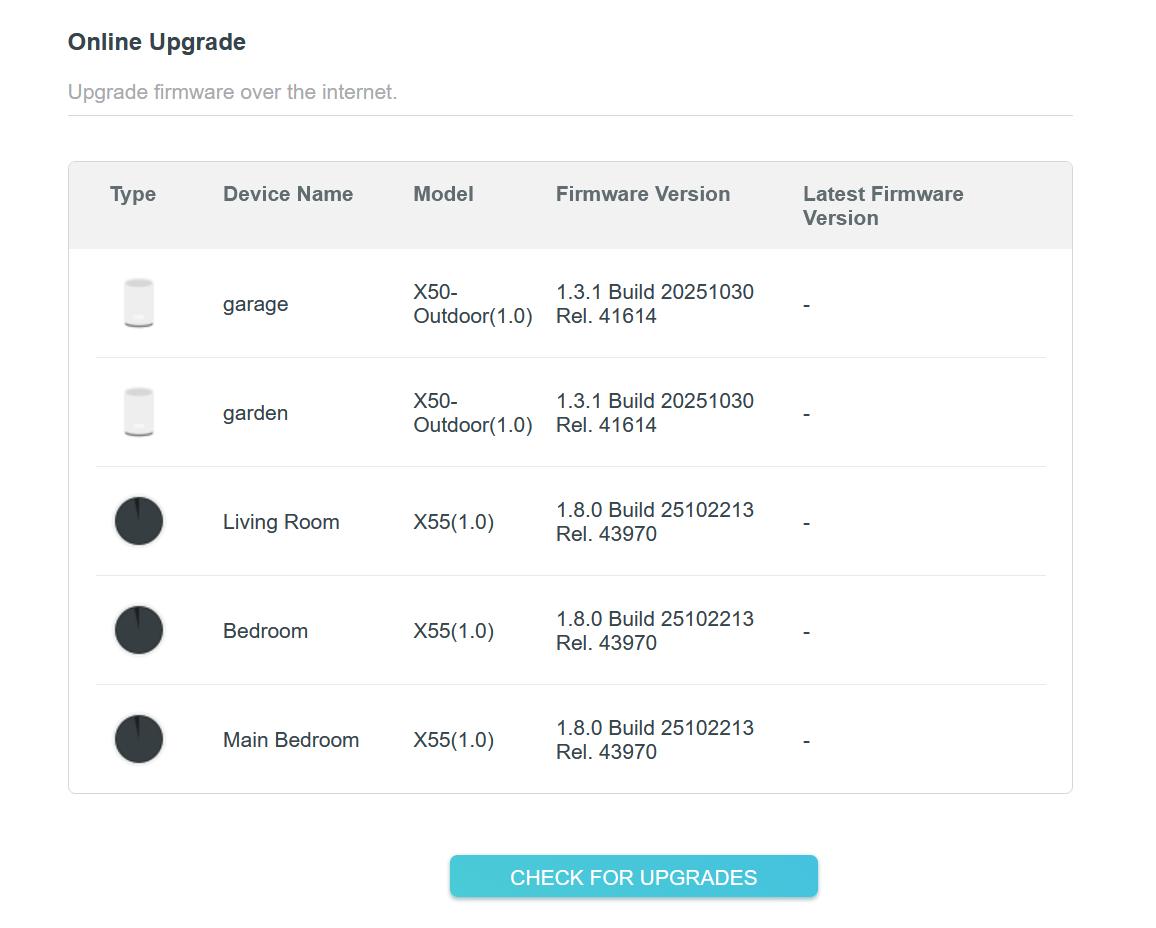
  @Solla-topee I actually attempted to update the firmware using the link provided, on both the X55 and X50 outdoor models, and it seems like there's been no change - the firmware versions previously stated have not changed. Below is a screenshot of the listed firmware versions, which are the same as previously stated, indicating to me there's been no actual update. I've also attempted to reconnect to the applications and devices that were at issue before, and the same issue persists. Is there an issue with the update process on the web UI, or is there some other issue?


  0  
0
#4
Options
Re:Issues With IoT (and 2.4ghz Guest) Network
Friday

  @House_Alekseii 

Hi, 
The firmware in this thread is suited for the Deco X50 V1 only, not for Deco X50-Outdoor.
 

Please try turning off the Deco X50-Outdoor nodes and see if you can successfully update the firmware on the Deco X50. If the same phenomenon persists, try to reboot the Deco X50 nodes, change the browser on your device to log in to the Deco's web UI, and then test whether you can successfully update the firmware.


Best Regards

  0  
0
#5
Options
Re:Issues With IoT (and 2.4ghz Guest) Network
Yesterday

  @Solla-topee after removing the two X50 Outdoor units from my network, I was able to update my X55 nodes to the prerelease firmware. However, unfortunately, I'm still having a problem where apps register network errors or seemingly not being online when I switch to my IoT network to connect devices. 

  0  
0
#6
Options
Re:Issues With IoT (and 2.4ghz Guest) Network
Yesterday

  @House_Alekseii 

Hi, 
Please confirm the following information for the reported phenomenon.


  1. How many smart devices do you have? How many smart devices can't connect to the Deco's 2.4 GHz IoT or Guest network?


  2. What are the smart devices that can't connect to the Deco's IoT or Guest network? Please provide the model numbers for these devices.


  3. Do you mean when you connect your phone to the Deco's Wi-Fi, open the Deco app, the main Deco and satellite Deco are displayed in an offline state, but the Deco nodes have a solid green light, and the internet connection is working for most of your client devices?


Best Regards

  0  
0
#7
Options
Re:Issues With IoT (and 2.4ghz Guest) Network
17 hours ago

  @Solla-topee Good day,
In response to your questions;

  1. There are nineteen (19) smart devices connected to the IoT network, including other devices like this one I'm having issues with . In fact, this device was once connected to the network but got disconnected randomly and is unable to be reconnected.
  2. The specific device is a Petlibro Dockstream Smart RFID Water Fountain (model number PL-WF305)
  3. The issue itself is that, when I attempt to connect to the IoT wifi, I get an error message that I am in fact not connected to the network, much like the error displayed in the last image in my original post. When I switch to the IoT network, I get error messages saying that I am not actually connected to the Deco network, like with the second-to-last image in my original post. The Decos are still green and offline, and all other devices are connected to their respective networks. As a result, though, when I switch to my IoT network to complete setting up the disconnected device, it appears that I am not connected to the internet. Like I mention in my original post, advanced settings are turned off, and I am in Access Point mode.
  0  
0
#8
Options
Re:Issues With IoT (and 2.4ghz Guest) Network
4 hours ago

  @House_Alekseii 

Hi, 
I have escalated your case to our tech team, and they will contact you via email to assist you further. Please wait patiently.
Best Regards

  0  
0
#9
Options