
Mobile Wi-Fi

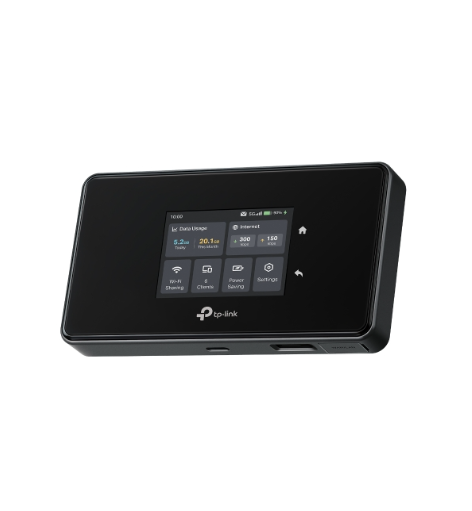
New ArrivalM8550: 5G Mobile Wi-Fi with Touch Screen
With the revolutionary power of cutting-edge 5G technology, our Mobile WiFi has transcended into a new era of connectivity. The M8550, equipped with advanced WiFi 6E technology, is meticulously crafte
OfficialHighlighted Thread

70Helpful
32297Views

Okay so I don't know exactly how to explain this but my m7000 just doesn't work, i cannot seem to connect it normally as wifi so I got around that through cable and now that doesn't work too, the wifi
Network Connectivity
By
Catloafsilly
· Latest post Yesterday
by Christopher26
0Helpful
135Views

Hi there, I recently bought an M8550 to replace my defective GL.iNet Mudi. Mobile radio and Wi-Fi configuration worked out of the box. But I need the router as a VPN client to connect to my AVM Fritz!
VPNWireGuardWeb GUI ManagementRemote Management
By
Maxx2112
· Latest post Yesterday
by Christopher26
8Helpful
5384Views

GOAL I want to use the M8550 in Ethernet (EWAN) mode as the router for a Starlink connection (no Starlink router in the chain). TOPOLOGY Starlink Standard Dish (HW rev3_proto2) -> Yaosheng 120W Step-U
Network Connectivity
0Helpful
118Views

Hi there, I am looking to replace home broadband with TP-Link products and set up an alternative wifi solution. I'd like mobile Wi-Fi as well, so I envisage buying a SIM. What kit do I need to set thi
Network ConnectivityRoamingMobile Wi-FiPresales
By
Bluebird888
· Latest post a week ago
by Solla-topee
0Helpful
181Views
This Article Applies to: M8550(EU/US)_V1.0/1.6 Hi All, To address critical reliability and performance issues with the WireGuard VPN client on the M8550, our engineering team has developed a targeted
Highlighted ThreadWireGuardOfficial
6Helpful
2541Views

I need a new router for the car for travelling and i'm interested in the m8550. at my cabin i use an x50-5g. Would the m8550 be comparable in performance? Would it be able to fully replace the x50-5g?
Presales
By
jasper_123
· Latest post 3 weeks ago
by Solla-topee
0Helpful
437Views

Hi all, I a have a Windows PC connected via ethernet cable to the M8550 router. I have also a registered TPLink DDNS record xyzk.tplinkdns.com. My target is to access my PC via Remote Desktop from Int
By
Enrico_Emilio
· Latest post 3 weeks ago
by Enrico_Emilio
0Helpful
165Views
This Article Applies to: M7200 V3 M7350 V3/V4/V5/V6.2/V7/V8 M7450 V2/V2.3 M7650(EU) V1.1 Phenomenon Description: The MiFi device is looping on the TP-Link logo during initialization after restarting.
25Helpful
18283Views

My router's WiFi has somehow been disabled, i know this because of the 3 LED lights on the router. The battery and internet LED lights work normally, they turn on except the WiFi LED. I have done a ha
0Helpful
181Views

Is it normal for the home screen to show "connecting" at the bottom of the screen continuously? The manual implies that it should be the carrier name or I'd have thought "connected. It seems to be wor
1Helpful
214Views
Hi all, Hardware version 8.0 Firmware version 8.0.4 My TP-LINK M7350 charging stuck at 1% from 3 days and if I remove charger it's not working. From Feb 2026, it started acting weird. Suddenly switche
Battery
By
PrudhvirajStark
· Latest post 2026-04-21 06:19:47
by Solla-topee
0Helpful
234Views