
Used unstable and unreleased firmware
 This thread has been locked for further replies. You can start a new thread to share your ideas or ask questions.
Hi
I I have many Tapo C246D camera.
But one of cameras is very unstable.
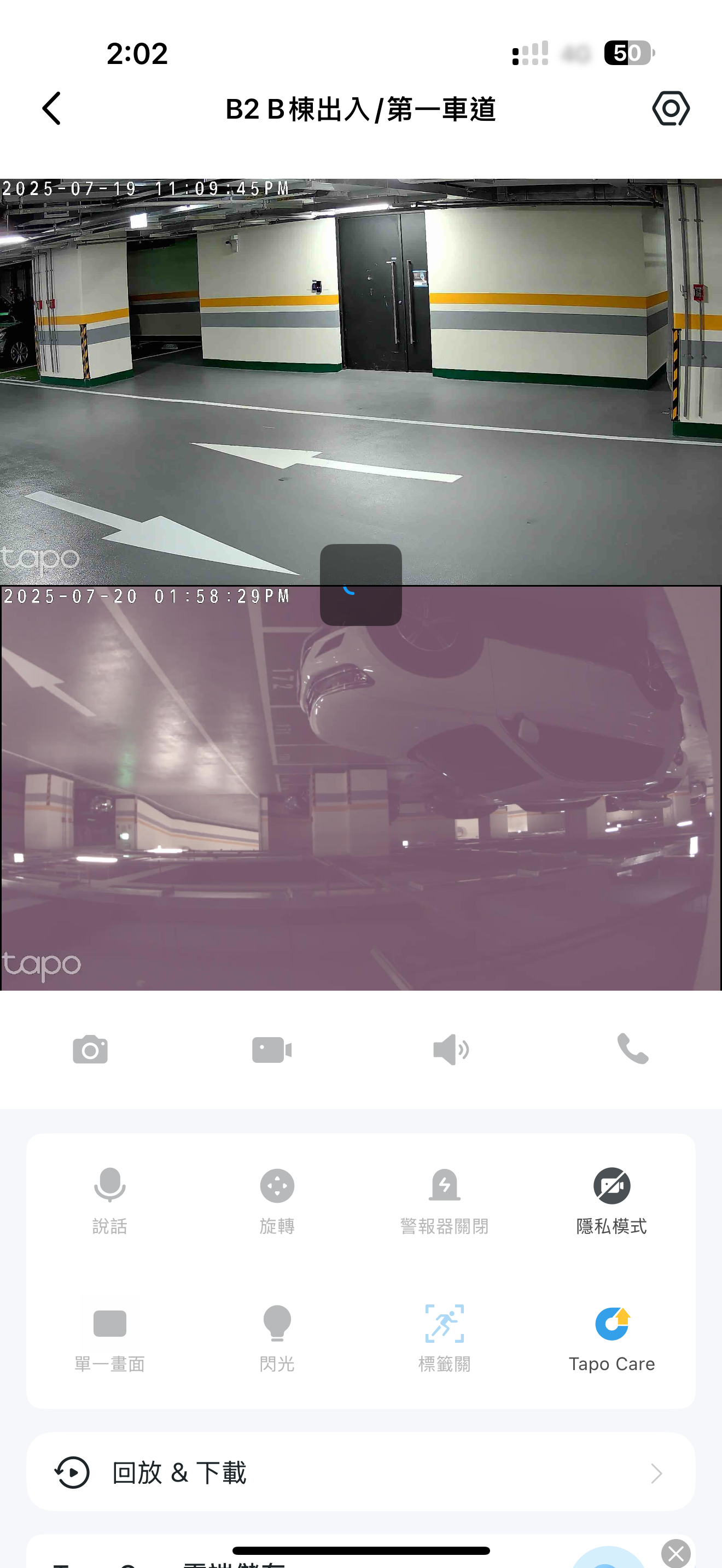
I often can't connect with it and and the screen display is also not normal.
I found its firmware is 1.04 which is different than others(1.03) . And I checked the latest version on TW web site is also 1.03
This camera used a unreleased version?
Could I downgrade or how could I fix it?
- Copy Link
- Subscribe
- Bookmark
- Report Inappropriate Content


Hi,
1. Firmware version 1.0.4 is the latest official firmware version of the Tapo C246D V1. Since this new firmware is rolled out gradually, you may not see the version info on the TW website. Please wait patiently for the information updates on the official website.
2. Is the camera often displayed in offline states in the Tapo app? If so, how about the LED status on the camera when it displays offline?
3. When the camera is working, please go to the Tapo app > Camera's Device Settings > Device Info page, tap the Wi-Fi icon, and check the RSSI value.
4. Is the Live View page of the camera always in pink? You can try switching the video mode (day and night mode) on the Live View page, reboot the camera, and check if the Live View page appears normal.
Note: We suggest removing the MAC address of the camera from the community.
Best Regards
- Copy Link
- Report Inappropriate Content
@Solla-topee
Hi, sir
Thanks for your reply.
Today , the camera was completed disconnected from app. and I checked the LED status, The red light keeps flashing and the camera is rolling.
Then I reset the camera and now the whole device is unusable.
The device SSID is incorrect , it ends with 0000 instead of MAC address.
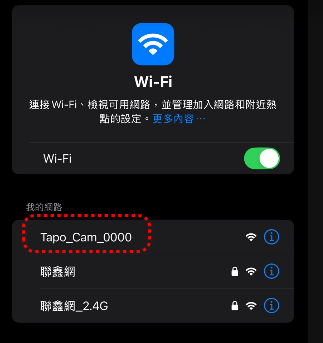
But still could be connected.
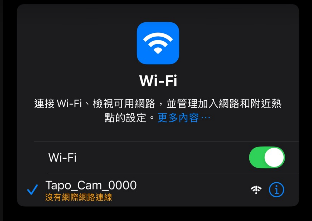
However, it told me it could find any 2.4G network.
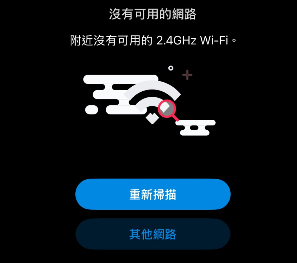
I am very sure that there is no problem with my environment and I have a 2.4G wifi network as the #1 pic shown above.
Now the device cannot join the tapo app and operate. Is it possible that the H/W is abnormal? Can I apply for after-sales repair service?
p.s by the way , Thanks for your reminder not to show the mac address. I have removed it from the original post.
- Copy Link
- Report Inappropriate Content
Hi,
In your situation, please use a pin to press the reset button on the camera for 10 seconds to perform a factory reset. If the LED on the camera flashes red and green, you can check if the correct default SSID appears and if you can set it up successfully.
If the LED on the camera won't turn to flashing red and green, what changes occur to the camera's LED when you reset it? Is the default SSID still Tapo_Cam_0000?
Best Regards
- Copy Link
- Report Inappropriate Content
@Solla-topee
Hi, sir
I did the reset procedure again.
(used a pin to press the reset buttom 10s---> heard the sound of the camera ring. --> camera rotation/rolling for self check?---> LED on the camera flashed red and green)
unfortunately, The default SSID was still Tapo_Cam_0000.
and I connected it and it stll told me it could not found any 2.4 Wifi.... ><
- Copy Link
- Report Inappropriate Content
Hi,
Your case is being followed up by our support team (TKID250741365). It's recommended to follow their instructions to handle your case.
Best Regards
- Copy Link
- Report Inappropriate Content
Information
Helpful: 0
Views: 452
Replies: 5
Voters 0
No one has voted for it yet.