
I only receive notifications if I unlock my phone
 This thread has been locked for further replies. You can start a new thread to share your ideas or ask questions.
Good morning, I've done several tests and settings and have come to the conclusion that the Tapo app isn't working properly.
Basically, when the t100 sensor detects motion, it sends a notification, but my phone (and other models I've tested) only receives it when I unlock the screen.
If I lock my phone and it detects motion within 3 minutes, the notification arrives correctly. After 3-4 minutes of the phone being in standby, the notification doesn't arrive until I unlock it.
I have a Samsung A51 with Android 13, but I've encountered the same problem on Android 14 and an even more recent Motorola. On my phone, I've removed all the restrictions and optimizations that could cause the Tapo app to go into "sleep," but it still doesn't work. With WhatsApp, for example, I haven't had to do any of this, and notifications always arrive immediately. So I assume it's a problem with the Tapo app, which hasn't been implemented optimally in terms of background services.
I've already read the article https://www.tp-link.com/it/support/faq/3213/ which suggests doing what I've already done. I'm sorry that for something like this, if there's no solution, I'm forced to return everything because it's useless if I don't receive real-time notifications. Hoping for a solution or an app update, thank you.
- Copy Link
- Subscribe
- Bookmark
- Report Inappropriate Content

I have a lot of tapo door and motion sensors with a h500. I was still testing but I think I solved it. I changed 2 settings. Under notifications in android, "show as popup" was not checked for miscellaneous, for doorbell it was so I checked that on miscellaneous too. I read somewhere that gives it higher priority

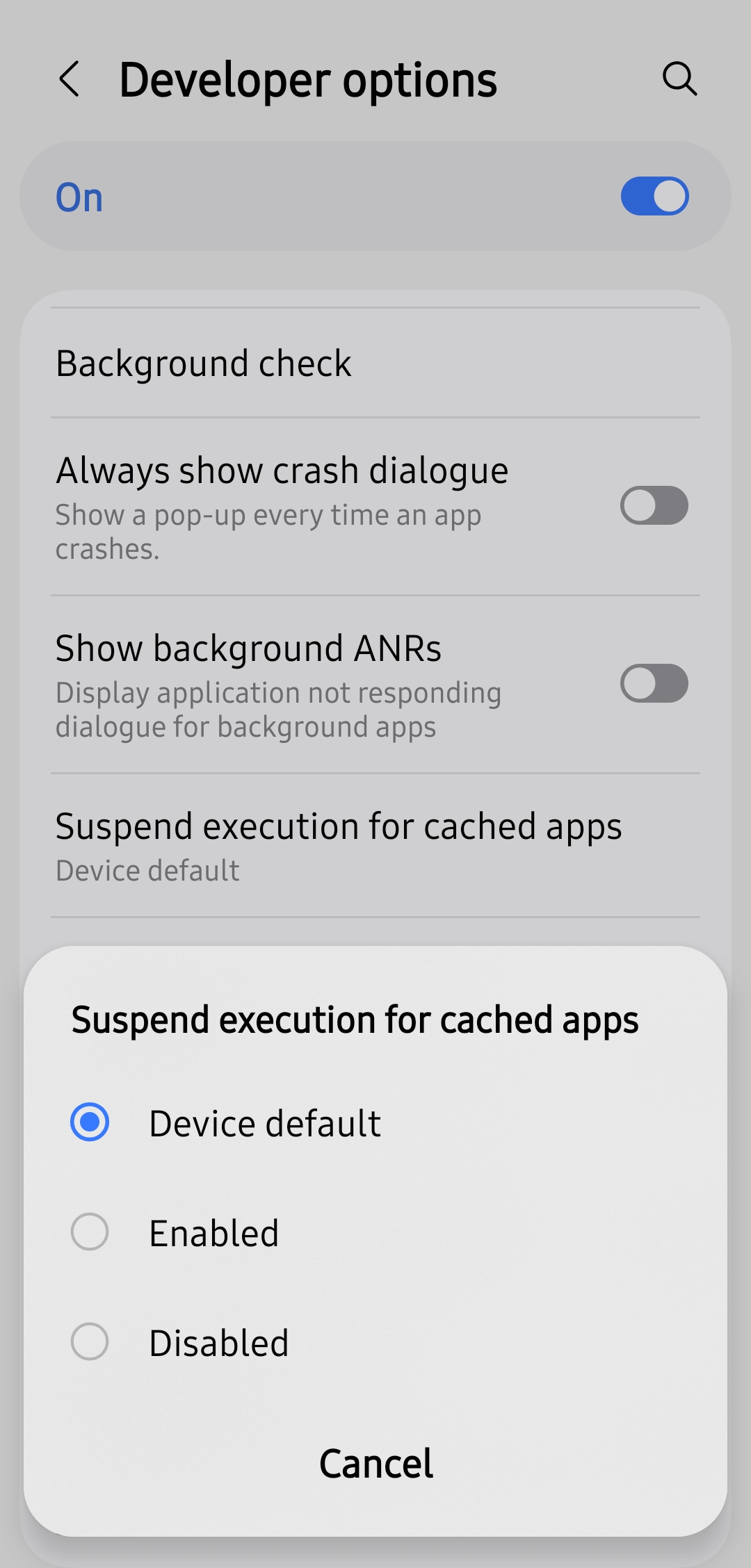
Then in developer options I set back "suspend execution for cached app" to system default. I had this enabled to save battery. I didn't know which of these 2 had to positive effect as I didn't both at the same time.
- Copy Link
- Report Inappropriate Content

- Copy Link
- Report Inappropriate Content

@zebrone This is a workaround, not a solution, but maybe it gives a hint to the developers where to focus.
- Copy Link
- Report Inappropriate Content

If you’re not receiving app notifications as expected, or if notifications are delayed, the issue is most likely due to your phone’s system settings, app permissions, or device notification settings. Below are some common settings that could cause such problems.
Note: Feature names vary by phone brand and model. The terms listed below are for reference only. Please look up the correct settings for your phone model and check whether they are enabled or disabled.
1. Phone System-Level Settings
Some system modes or features may restrict or prevent apps from running in the background, causing delayed or missed notifications.
- Do Not Disturb / Focus Mode
- Low Power Mode
- Adaptive Battery / Battery Optimization
2. App (Phone) Permission Settings
- Ensure app notification permissions are enabled and that notifications are set to be visible (e.g., not hidden from the lock screen, notification center, or grouped).
- Ensure background activity permissions are allowed for the app.
- Auto-start permission: Some phone brands require this permission to be enabled for the app to receive push notifications.
- Battery optimization settings: Some brands offer separate battery optimization controls for individual apps.
3. Tapo App Internal Settings
- Check whether Do Not Disturb mode is enabled: Me page → Notifications → Do Not Disturb
- Check whether device notifications are turned on: Device settings → Notification
- Check whether device notifications are allowed to show on your current phone:
Me page → Notifications → Enable Device Notification → Go to Management
Next Steps for Investigation
If the problem persists after confirming all necessary settings, we recommend sending an email to the forum support team with the following information for further assistance.
>> For users from the United States, send the email to forumsupport.usa@tp-link.com. Click to Join TP-Link Community - US Site
>> For users from other countries and regions, send the email to support.forum@tp-link.com.
To receive efficient assistance, please include the following information in your email.
Forum Nickname:
Thread URL:
Model&Version:
Description:
Product Info (Model, Hardware&Firmware Versions, Mac address, etc):
Description:
Any Other Relevant Information (Logs, Config Files, Images, etc.): For example, you can provide screenshots of the relevant settings—both on your phone system and within the app itself.
- Copy Link
- Report Inappropriate Content
@Wayne-TP unfortunately all the actions to get it to work didn't do it.
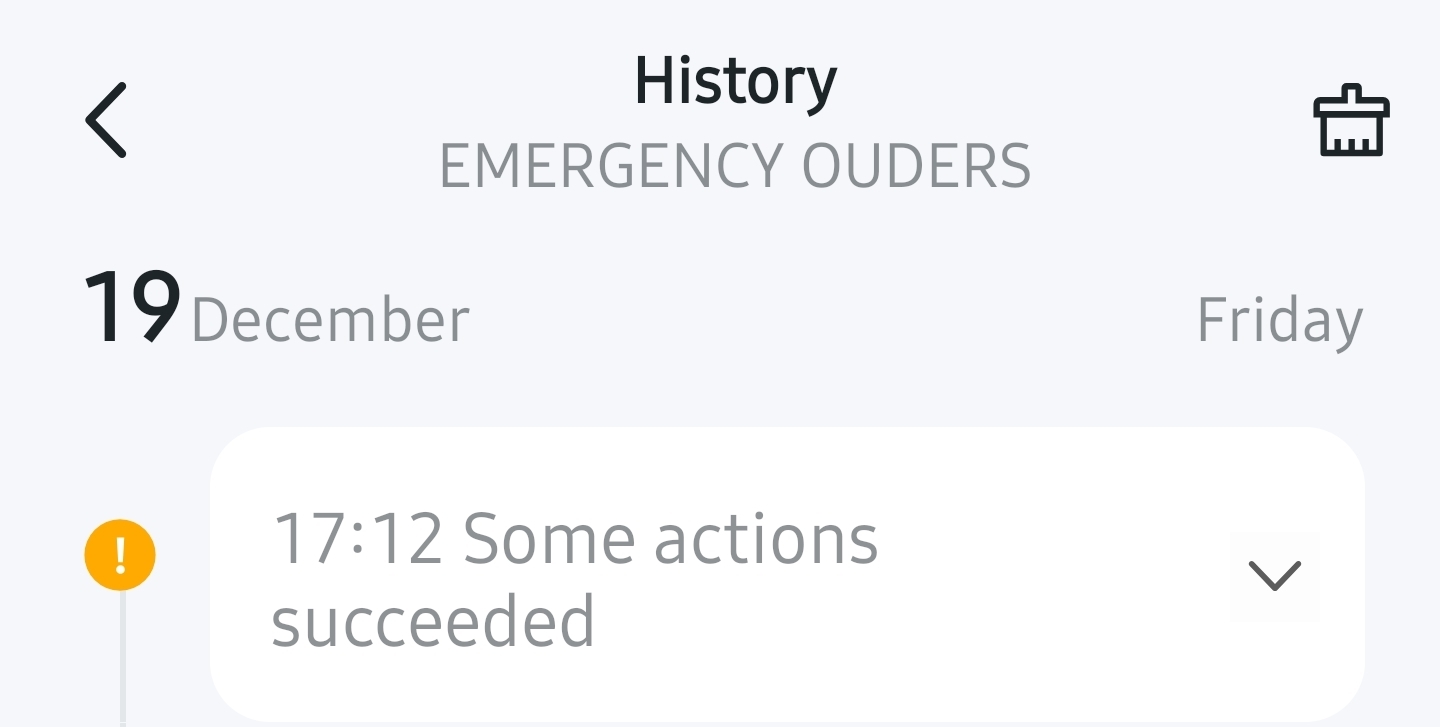
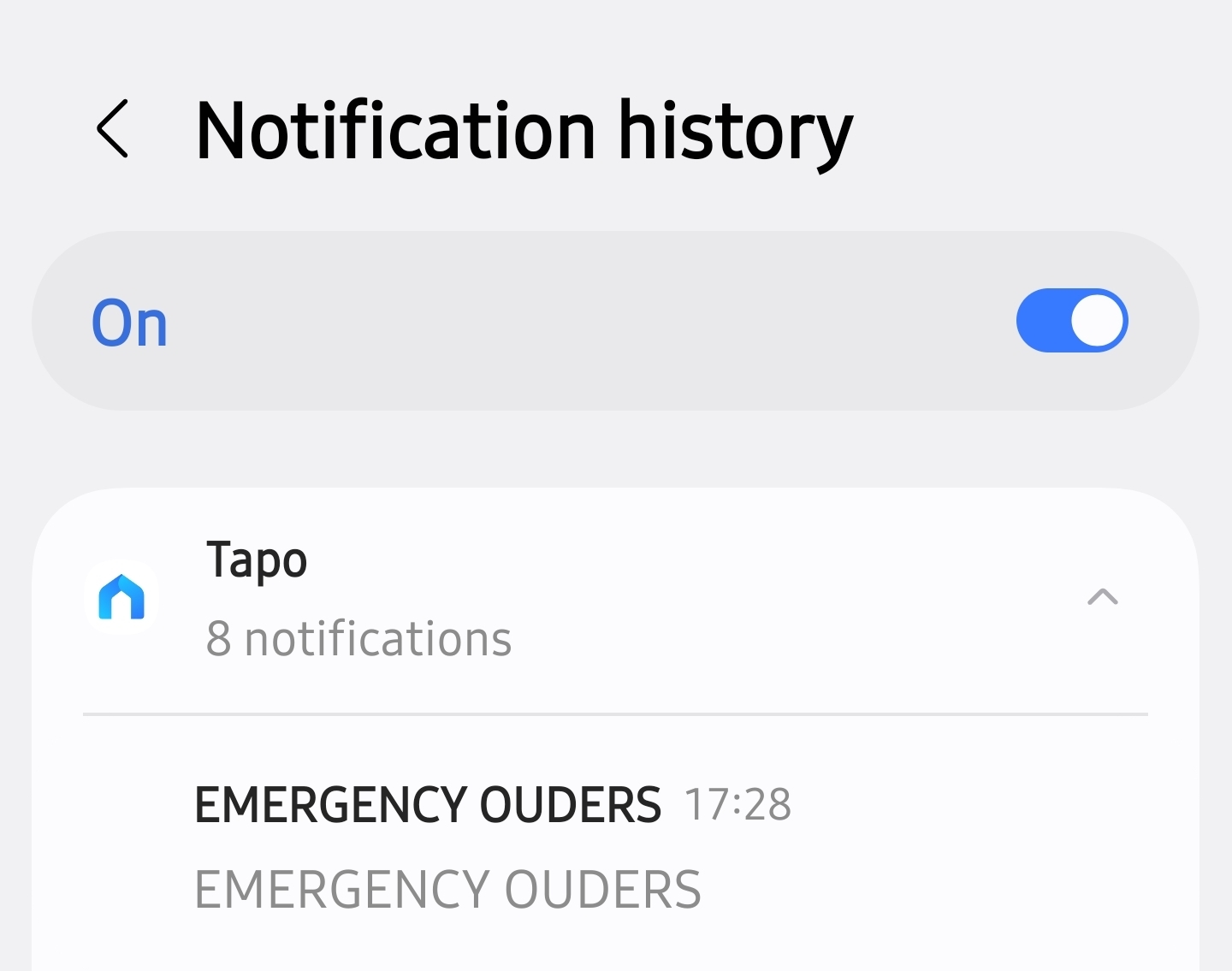
Alert at 17:12, notified at 17:28. That is a whopping 16min delay! My wife's iphone got it instant, my samsung s25 plus did not.
(The warning is a led strip that is offline)
- Copy Link
- Report Inappropriate Content

I consulted a TP-Link Technical Support specialist. He informed me that, "Theoretically, both smart actions and regular device notifications
should be pushed to the highest priority level". The issue has not been solved.
In my opinion, the problem is not in smartphone settings. If regular device notifications are working correctly, smart actions notifications should work as well.
- Copy Link
- Report Inappropriate Content
- Copy Link
- Report Inappropriate Content
Information
Helpful: 0
Views: 4562
Replies: 27
Voters 0
No one has voted for it yet.