
Detection
 This thread has been locked for further replies. You can start a new thread to share your ideas or ask questions.
Detection
This thread has been locked for further replies. You can start a new thread to share your ideas or ask questions.
My camera keeps detecting my own car in our driveway can I stop this. It keeps recording and sending notifications
- Copy Link
- Subscribe
- Bookmark
- Report Inappropriate Content


Hi,
It is normal for the camera to send a notification and record after detecting an event. In your situation, if the camera's detection feature is not working properly, please confirm the following information for further analysis.
1. On the camera's Device Settings > Detection page, please send us the screenshots of the Detection page and the pages of the enabled detection types.
2. What kind of notification have you received, such as a "vehicle was detected" notification?
3. Would you please send us a video showing that no event occurs, but the camera keeps detecting it, and send a corresponding notification? You can upload the video to your cloud server (such as Google Drive), generate a download link, and send it to me (@Solla-topee) via a private message.
Best Regards
- Copy Link
- Report Inappropriate Content

FYI :
Cleon from the tech team solved the problem.
Short wrapup of the situation:
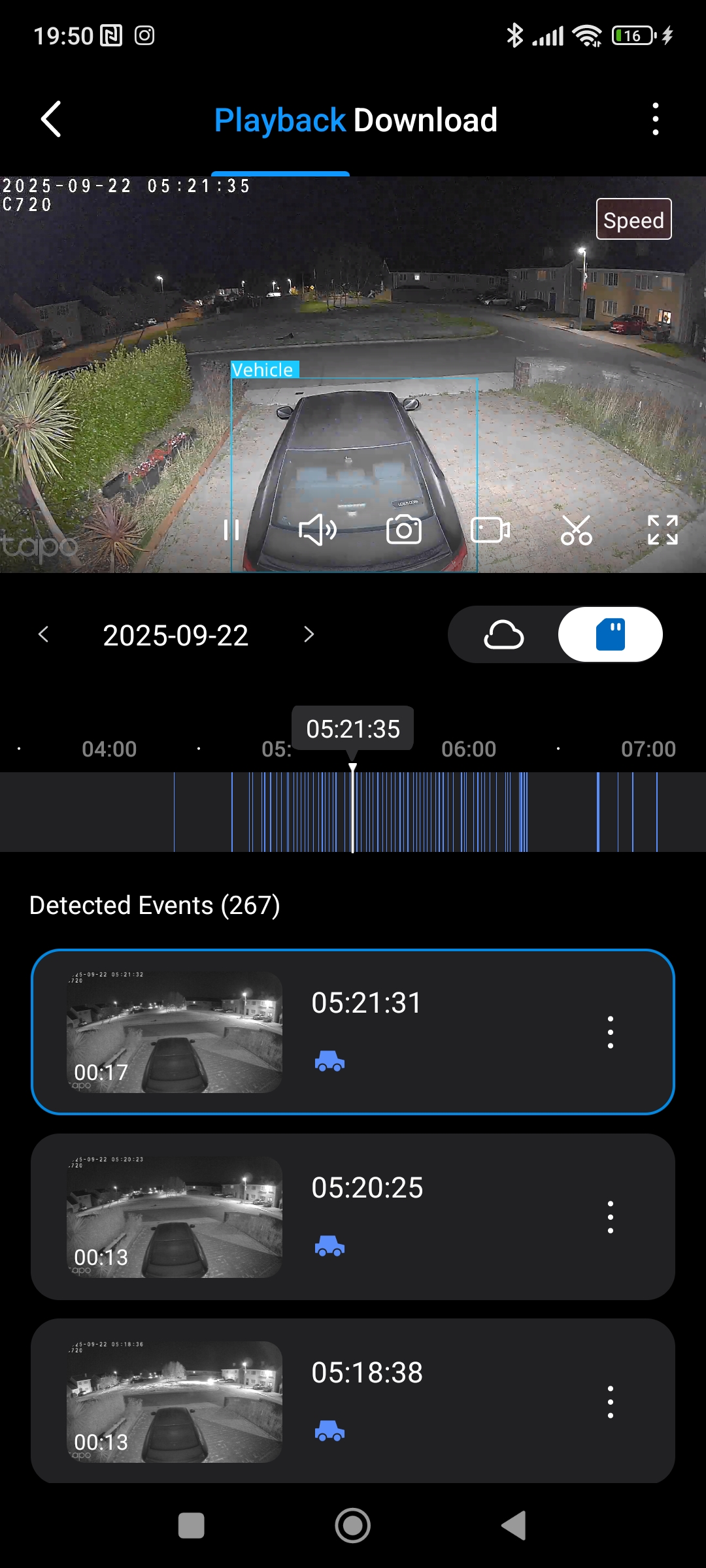
the original firmware 1.4.2 triggered lots of false vehicle alerts for my parked cars (not moving since days).
The only ways to get rid of the false alarms was to set sensitivity level down to 3, and train AI with manually setting detection type=none on any of the false alerts (I did it on 300++, I guess).
Downside was, that the cam didn't recognize my cars anymore even when really driving in and out of the parking lot, which is not what you want.
If someone would have made it into the car (without person detection), he could have driven away without triggering an alert and without video clip...
Solution :
Cleon who took over the case sent me a beta firmware, which I installed last week on Thursday.
Additionally I made a factory reset of the cam to get rid of false AI training, to make sure I really start from scratch with the new firmware (a firmware update does NOT reset AI training !).
I think it is useful to understand how the software works :
- it detects objects (vehicles, persons, pets), and shows the rectangles in the app to visualize what was detected
- then it compares video frames as they come, if the objects move.
- every movement above a certain threshold (which is the sensitivity level) triggers an alert.
What I noticed right away after the firmware update is, that the vehicle detection rectangles in the app are more stable (not flickering on-off-on-off so much as before), i.e. object recognition was improved.
Based on the knowledge how the software works and after the first 4 new false alerts on Thursday evening with default sensitity level=6, I set sensitivity level=5 and manually set detection type = none to re-train AI.
After that, till now (Tuesday) I had only 13 new false vehicle alarms with a decreasing number day by day, which I all set manually to detection type = none right away.
No false alarms during the last 36 hrs, but still my cars are triggering alerts when they really move.
I'm still on sensitivity level=5.
Problem solved. 
Special thanks to Cleon from the tech team for the explanations and professional approach to the problem
- Copy Link
- Report Inappropriate Content
Hi,
It is normal for the camera to send a notification and record after detecting an event. In your situation, if the camera's detection feature is not working properly, please confirm the following information for further analysis.
1. On the camera's Device Settings > Detection page, please send us the screenshots of the Detection page and the pages of the enabled detection types.
2. What kind of notification have you received, such as a "vehicle was detected" notification?
3. Would you please send us a video showing that no event occurs, but the camera keeps detecting it, and send a corresponding notification? You can upload the video to your cloud server (such as Google Drive), generate a download link, and send it to me (@Solla-topee) via a private message.
Best Regards
- Copy Link
- Report Inappropriate Content
- Copy Link
- Report Inappropriate Content
Hi,
Based on the information you sent in a private message, please send an email to support.forum@tp-link.com with the following information for further analysis.
Subject: [Forum ID 842384] False detection behavior
Forum Nickname: Frostiebee
Thread URL: https://community.tp-link.com/en/smart-home/forum/topic/842384
Model&Version: [User Provided]
Description: [User Provided]
Please provide us with the following info:
1. On the camera's Device Settings > Detection page, please send us the screenshots of the Detection page and the pages of the enabled detection types.
2. Please send us a video showing the reported phenomenon.
Best Regards
- Copy Link
- Report Inappropriate Content
I can confirm this on 2 of my C720 cams (V1) with latest firmware.
Both cam monitor my parking lot at the end of a dead end road.
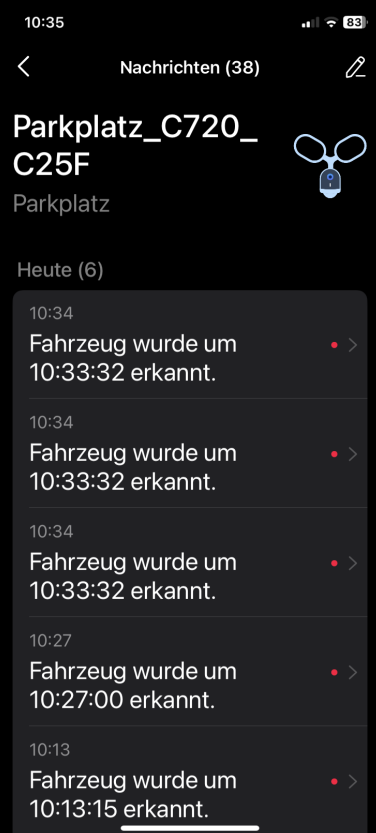
I constantly get false alarms on 3 parked cars too, from which 2 don't move for days and weeks.
I tried training AI by manually setting the detection type to 'no event' (I don't know the EN expression, I use the german App; I think you know what I mean).
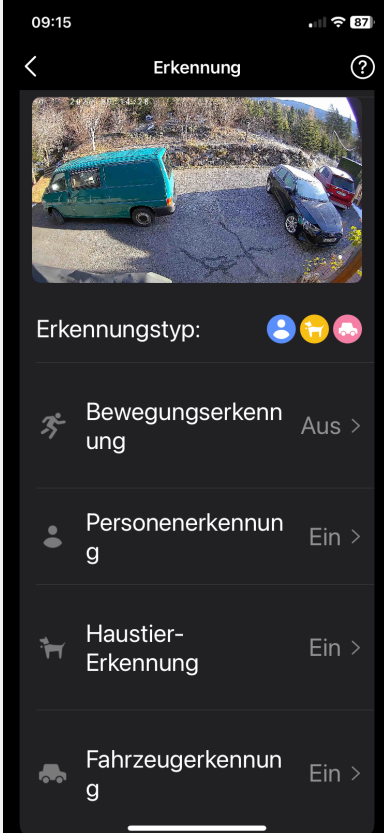
I only use Vehicle, Person and Pet detection, nothing else (no motion, no line crossing, no cam tampering).
With default sensitivity level 6 I had one night with close to 300 false alarms, in the end I turned off the phone.
It gets better with level 4 and lots of AI training, but still there are 10-20 false alarms per day.
On level 3 there are no more false alarms (after manual AI training), but it does not detect my own cars anymore driving in or out.
I don't know how to tell AI to send notifications only for moving cars ... ?
I have factory reset both cams several times to restart with AI from scratch, I seems to work then for the first 24 hours where I see the vehicle detection frame around the cars,
but I don't get notifications. But then it looks like AI jumps in and start doing weird things...
Person and Pet detection work reliably, but generally persons and pets move ...
Any ideas how to solve this problem are welcome.
- Copy Link
- Report Inappropriate Content
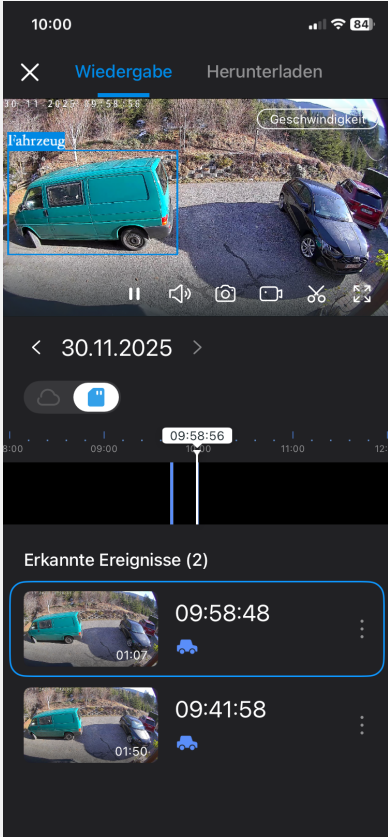
some more details to my Cams : Firmware is 1.4.2 Build 250919 Rel.56626n
What I noticed is, that the the detection frame starts flickering on-off-on-off maybe 1/s or 2/s before it triggers false alarms.
This flickering does not always trigger a false alarm, but I never saw it without the flickering ...
This is why I initially also tried increasing the sensitivity (up to 9), to get a more stable detection frame.
In the end if got worse and didn't help ...
90% of the time the black car in the middle causes the issue.
- Copy Link
- Report Inappropriate Content
Sensitivity level is 4 :
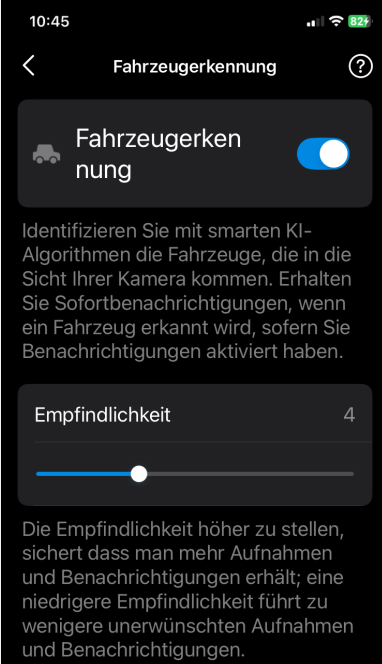
- Copy Link
- Report Inappropriate Content
Hi,
Thank you for the information provided. In your case, would you please send us a video showing that the car is not moving, but you receive the vehicle detected notification?
You can upload the video to your cloud server (such as Google Drive), generate a download link, and send it to me (@Solla-topee) via a private message.
Best Regards
- Copy Link
- Report Inappropriate Content
- Copy Link
- Report Inappropriate Content
Hi,
Thank you for the information provided. I have escalated your case to our tech team, and they will contact you via email to assist you further. Please wait patiently.
Best Regards
- Copy Link
- Report Inappropriate Content
FYI :
Cleon from the tech team solved the problem.
Short wrapup of the situation:
the original firmware 1.4.2 triggered lots of false vehicle alerts for my parked cars (not moving since days).
The only ways to get rid of the false alarms was to set sensitivity level down to 3, and train AI with manually setting detection type=none on any of the false alerts (I did it on 300++, I guess).
Downside was, that the cam didn't recognize my cars anymore even when really driving in and out of the parking lot, which is not what you want.
If someone would have made it into the car (without person detection), he could have driven away without triggering an alert and without video clip...
Solution :
Cleon who took over the case sent me a beta firmware, which I installed last week on Thursday.
Additionally I made a factory reset of the cam to get rid of false AI training, to make sure I really start from scratch with the new firmware (a firmware update does NOT reset AI training !).
I think it is useful to understand how the software works :
- it detects objects (vehicles, persons, pets), and shows the rectangles in the app to visualize what was detected
- then it compares video frames as they come, if the objects move.
- every movement above a certain threshold (which is the sensitivity level) triggers an alert.
What I noticed right away after the firmware update is, that the vehicle detection rectangles in the app are more stable (not flickering on-off-on-off so much as before), i.e. object recognition was improved.
Based on the knowledge how the software works and after the first 4 new false alerts on Thursday evening with default sensitity level=6, I set sensitivity level=5 and manually set detection type = none to re-train AI.
After that, till now (Tuesday) I had only 13 new false vehicle alarms with a decreasing number day by day, which I all set manually to detection type = none right away.
No false alarms during the last 36 hrs, but still my cars are triggering alerts when they really move.
I'm still on sensitivity level=5.
Problem solved.
Special thanks to Cleon from the tech team for the explanations and professional approach to the problem
- Copy Link
- Report Inappropriate Content
Information
Helpful: 0
Views: 1208
Replies: 11
Voters 0
No one has voted for it yet.