
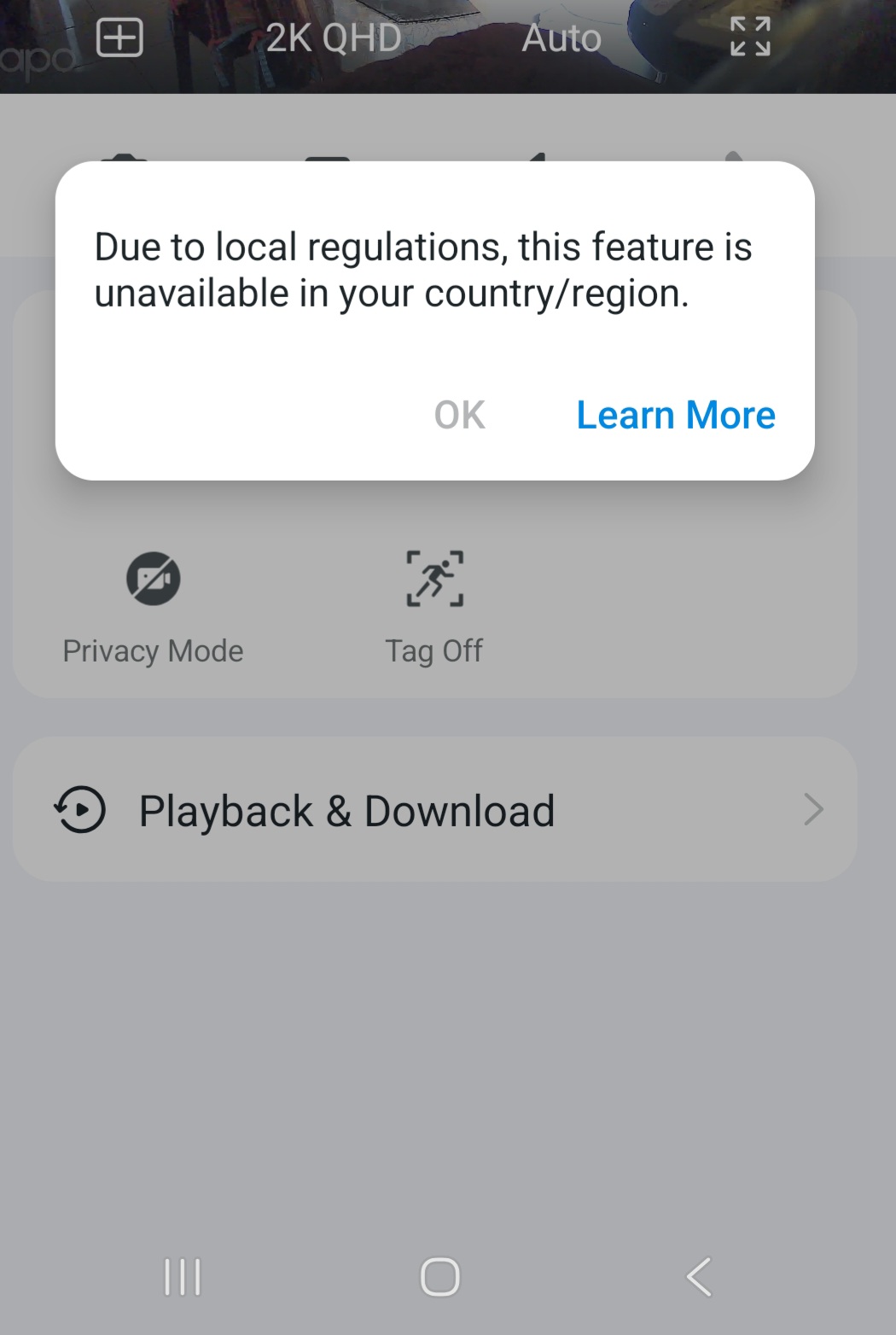
2-way audio is not active, How to change the region in setting of account.
 This thread has been locked for further replies. You can start a new thread to share your ideas or ask questions.
I live in Manila Philippines but the restriction is for the Sultanate of Oman. How can i remove the restriction.
- Copy Link
- Subscribe
- Bookmark
- Report Inappropriate Content


Update:
I found the following article on our website: https://www.tp-link.com/ae/press/press-release/375/.
Usually, only when your TP-Link account's region code is the Sultanate of Oman, you will see the reported prompt. Please confirm the following information for further analysis.
1. Where did you buy the Tapo C220, such as in the local shop in the Philippines, or from another region?
2. Where did you register your TP-Link account? Have you selected the Sultanate of Oman as your region when registering your TP-Link account?
Best Regards
- Copy Link
- Report Inappropriate Content
Update:
I found the following article on our website: https://www.tp-link.com/ae/press/press-release/375/.
Usually, only when your TP-Link account's region code is the Sultanate of Oman, you will see the reported prompt. Please confirm the following information for further analysis.
1. Where did you buy the Tapo C220, such as in the local shop in the Philippines, or from another region?
2. Where did you register your TP-Link account? Have you selected the Sultanate of Oman as your region when registering your TP-Link account?
Best Regards
- Copy Link
- Report Inappropriate Content
Information
Helpful: 0
Views: 294
Replies: 1
Voters 0
No one has voted for it yet.