
Tapo C120 not detecting mice motion

I have a Tapo C120 in my basement to detect mice. The first time we found a mouse in the basement, the camera did not detect it at all. So now I have the camera recording 24/7. We just found another mouse, and it was not detected again. I looked at the footage and found the mouse running across the screen, but this was not detected at all. I have motion detection on and it's set to 10. I have night boost on and viewing distance set to far view. Is there any setting I should be using or something else as to why it's not detecting this? It detects people coming in and out of the room fine. It also made a super loud noise when the trap snapped -- this wasn't picked up either.
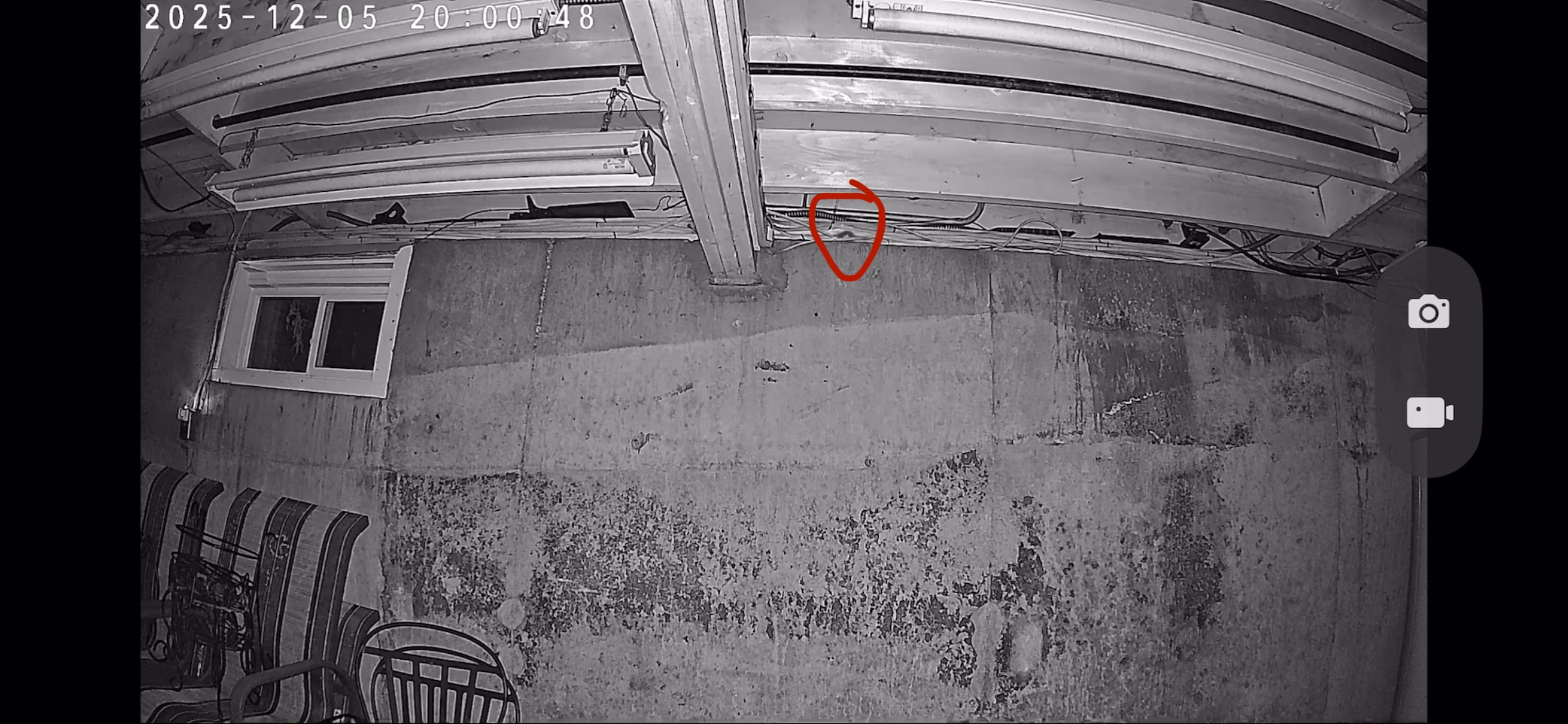
Here is a picture of the mouse. It starts out of frame on the right and then runs across the ledge before getting stuck in a trap on the left side of the screen (movement for ~10 seconds). I can try to add the video, too if that helps.
- Copy Link
- Subscribe
- Bookmark
- Report Inappropriate Content


Hi,
The effectiveness of the camera motion detection feature is related to factors such as the camera's detection settings, installation location, distance to the object, object size, and usage scenario. In some scenarios, such as when mice move quickly and their color is very similar to the background, it may be difficult for the camera to detect the event.
You can refer to the instructions below to troubleshoot when the camera's detection feature is not working.
What to do if the Detection feature is not working on the TP-Link Camera?
To further analyze the reported phenomenon, please provide the following information.
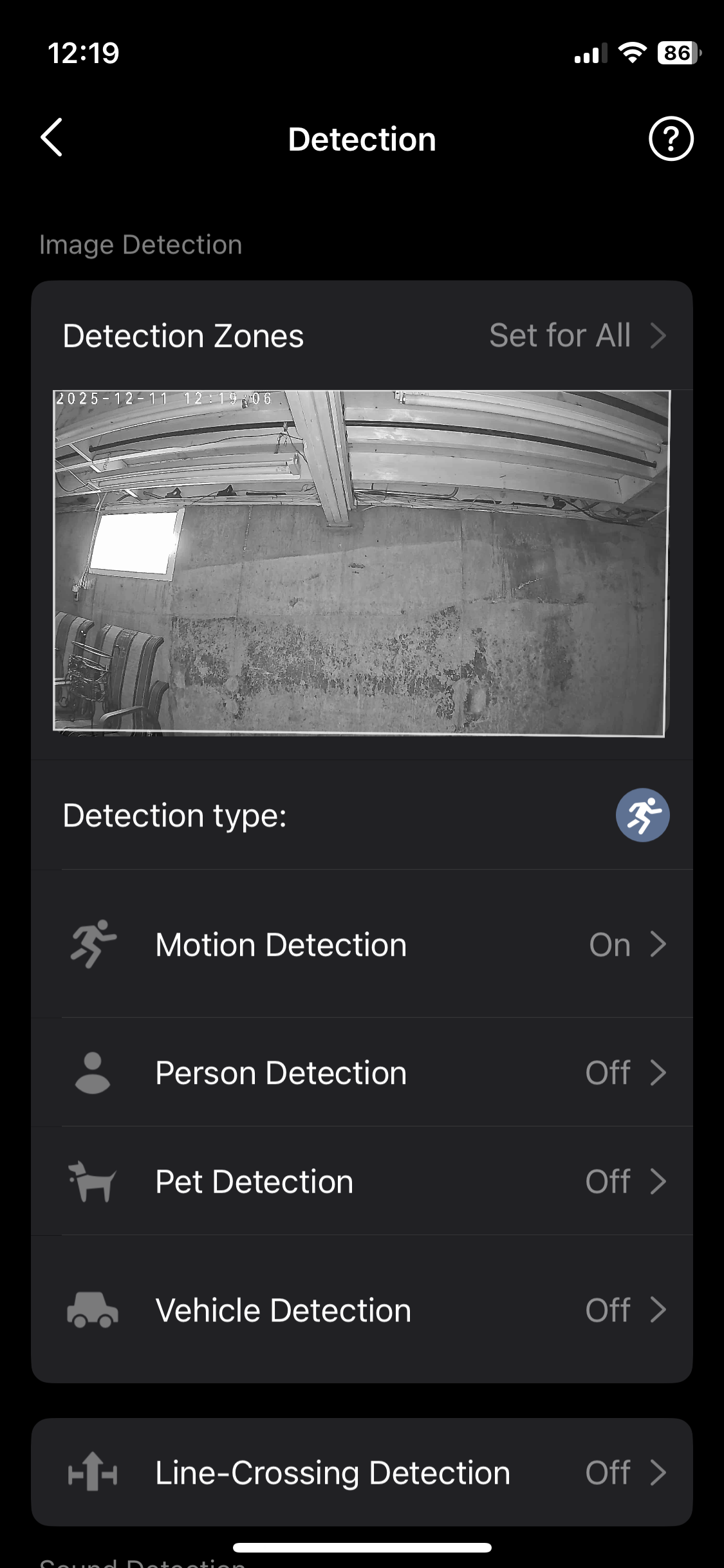
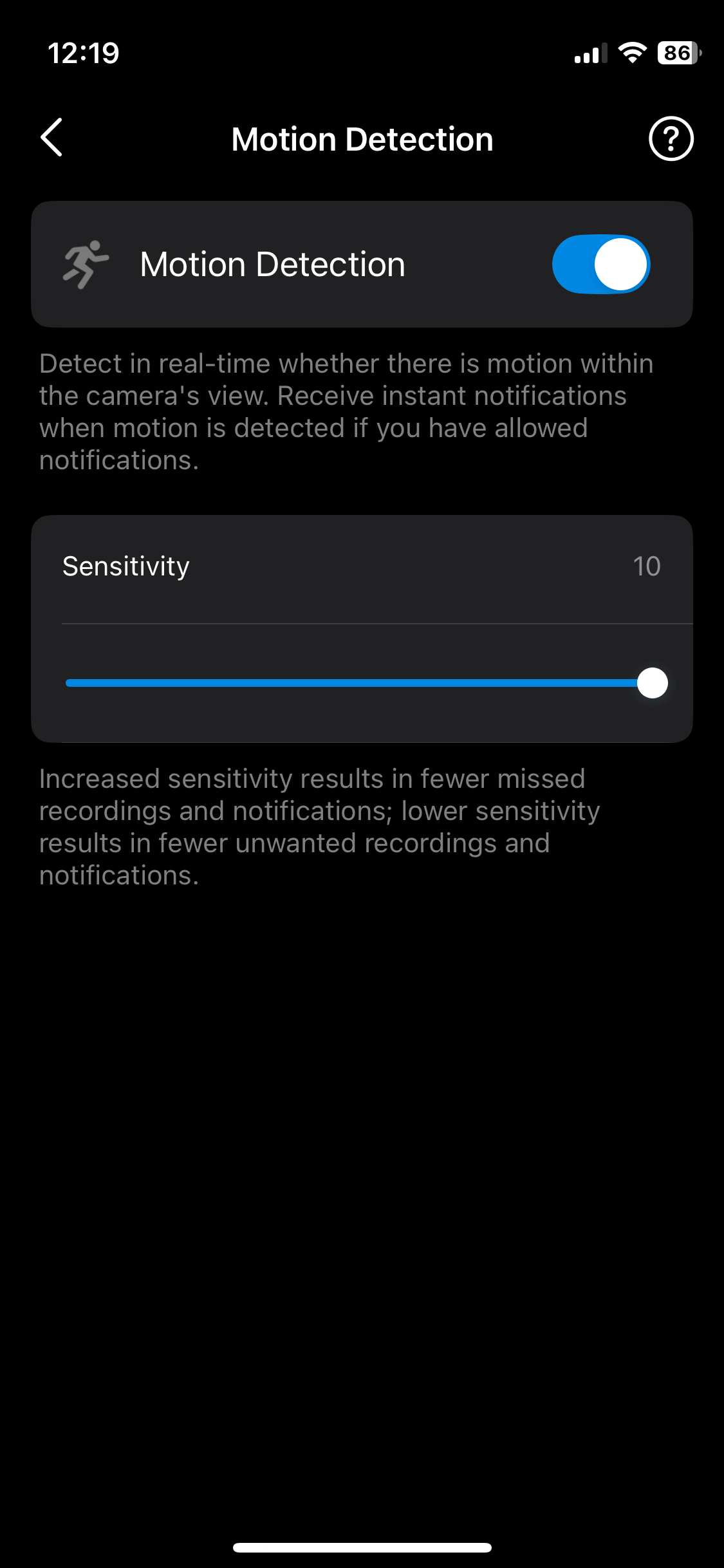
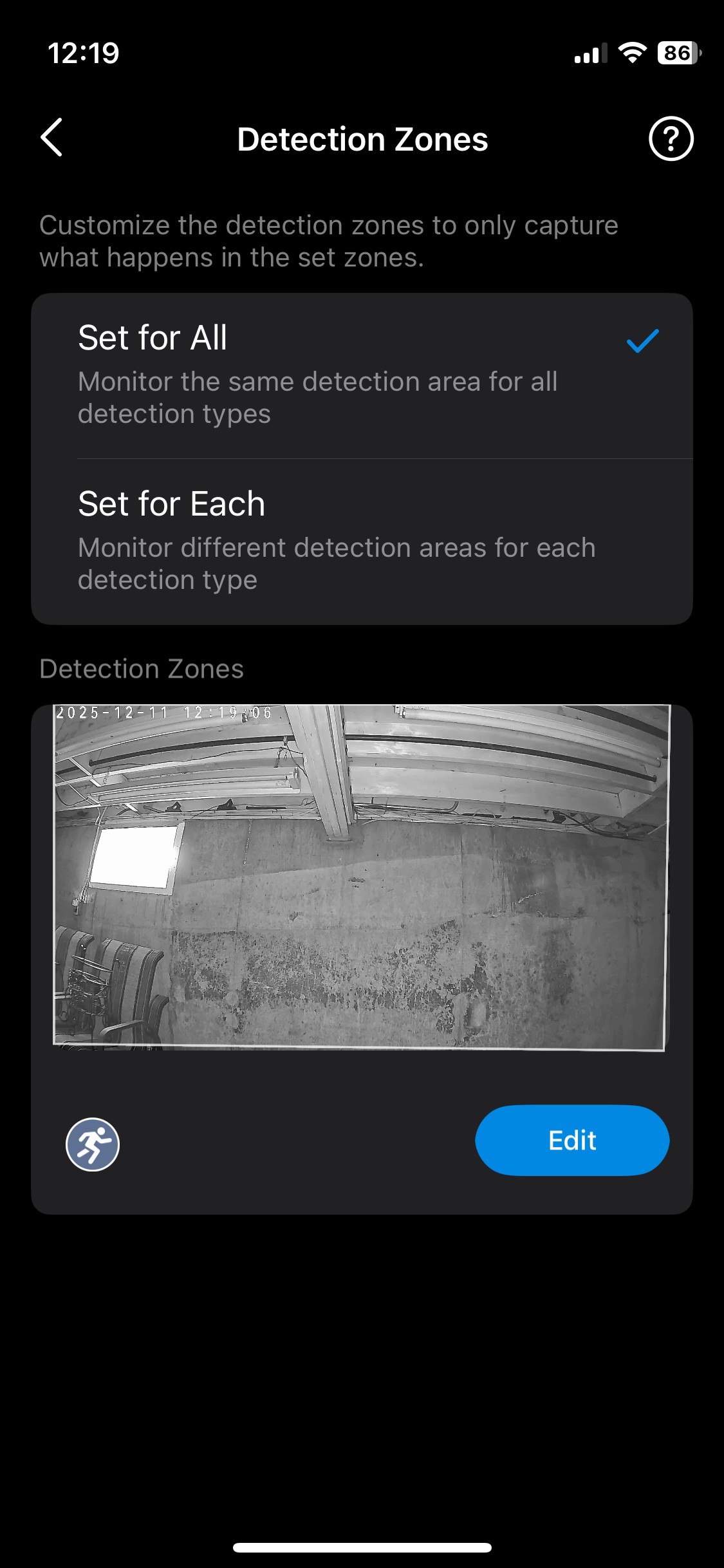
1. The screenshots of the camera's Detection page, Detection Zone page, and the enabled detection types pages.
2. A video showing the reported phenomenon.
You can upload the video and screenshots to your cloud server (such as Google Drive), generate a download link, and send it to me (@Solla-topee) via a private message.
The Tapo C120 only supports detecting some specific sounds, such as Baby Cry, Meow, Bark, and Glass-Breaking. The sound of a mousetrap catching a mouse is not among the supported sound types, so it cannot trigger the camera's detection function.
Best Regards
- Copy Link
- Report Inappropriate Content
Hi,
The effectiveness of the camera motion detection feature is related to factors such as the camera's detection settings, installation location, distance to the object, object size, and usage scenario. In some scenarios, such as when mice move quickly and their color is very similar to the background, it may be difficult for the camera to detect the event.
You can refer to the instructions below to troubleshoot when the camera's detection feature is not working.
What to do if the Detection feature is not working on the TP-Link Camera?
To further analyze the reported phenomenon, please provide the following information.
1. The screenshots of the camera's Detection page, Detection Zone page, and the enabled detection types pages.
2. A video showing the reported phenomenon.
You can upload the video and screenshots to your cloud server (such as Google Drive), generate a download link, and send it to me (@Solla-topee) via a private message.
The Tapo C120 only supports detecting some specific sounds, such as Baby Cry, Meow, Bark, and Glass-Breaking. The sound of a mousetrap catching a mouse is not among the supported sound types, so it cannot trigger the camera's detection function.
Best Regards
- Copy Link
- Report Inappropriate Content
- Copy Link
- Report Inappropriate Content
Update:
Thank you for the screenshots and video provided. In your situation, it may be that the mouse's size is too small, and it moves quickly and is similar in color to the background, so the camera does not detect it.
We recommend sending an email to forumsupport.usa@tp-link.com (if you are from the US) with the following information to see if they have other suggestions.
Subject: [Forum Escalation][ID 850948] Tapo C120 can't detect mouse
Forum Nickname: [User Provided]
Thread URL: https://community.tp-link.com/en/smart-home/forum/topic/850948
Model&Version: [User Provided]
Description: [User Provided]
You can provide the following information:
1. A detailed description of the phenomenon you encountered.
2. The camera's MAC address and detection settings.
3. The video shows the reported phenomenon.
Once sent, a ticket will be created in our support system, and a member of the technical team will follow up to assist you further.
Best Regards
- Copy Link
- Report Inappropriate Content
Information
Helpful: 0
Views: 425
Replies: 3
Voters 0
No one has voted for it yet.