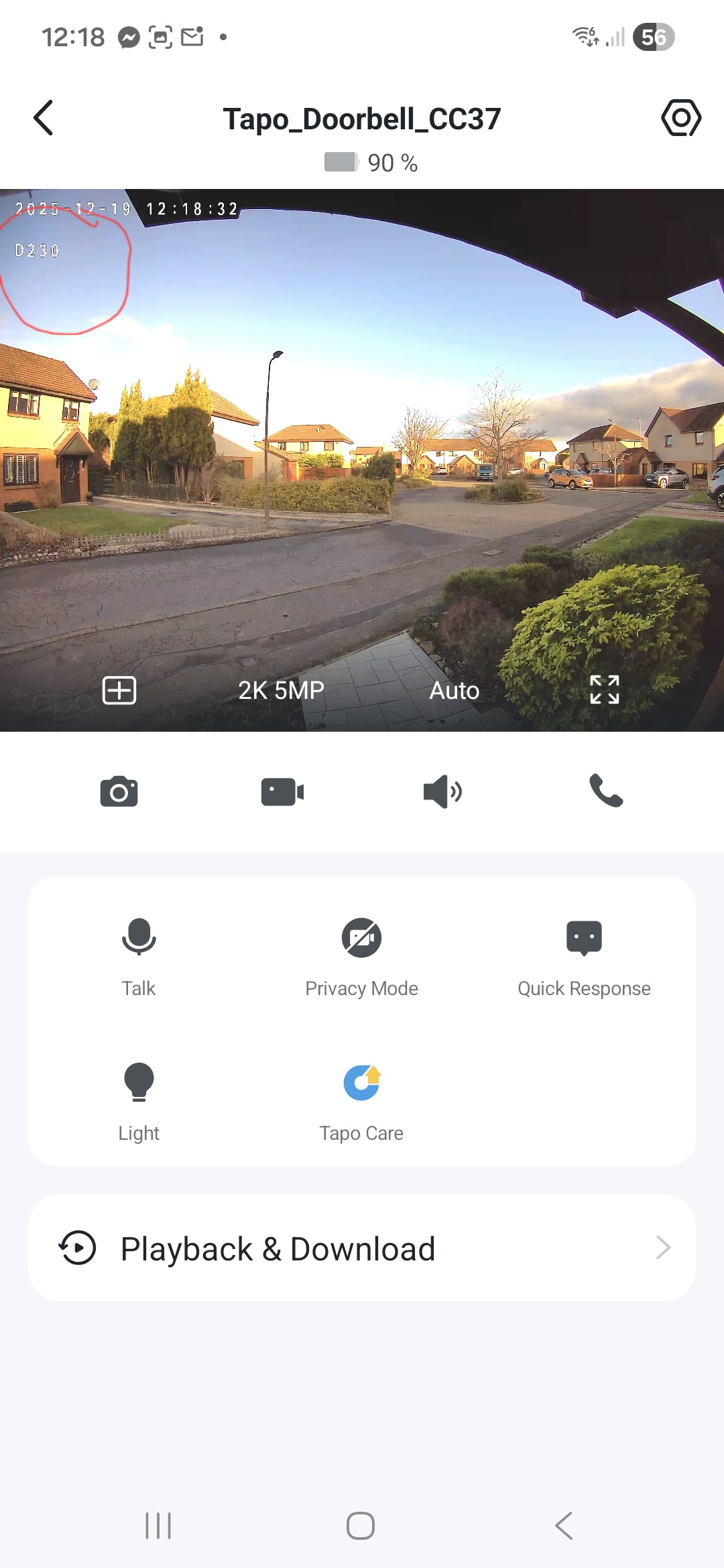
Not showing correct on-screen text

Not showing correct on-screen text

Not showing correct on-screen text
2 weeks ago
Model: Tapo D230S1  
Hardware Version:
Firmware Version:

Hi, I've got this doorbell cam plus a couple of solar 2K cameras at my property.  On the solar cams I've put some custom text that shows on the recording but on the doorbell cam it just shows the model of the camera. I've saved, edited, resaved, changed the text, saved, several times and it will show the correct text for a short time. When I exit the app and reopen the text has reverted to the camera model.  The only thing I haven't done is turn the doorbell off and on again but didn't need to do that with the solar cams?  Cheers.

  0      
  0      
#1
Options
4 Reply
Re:Not showing correct on-screen text
2 weeks ago - last edited 2 weeks ago

  @PeteEastLothian 

Hi,
Please ensure the Tapo D230 and H200's firmware versions, as well as the Tapo app version, are up to date. Then, check whether the reported phenomenon persists. If so, please confirm the following information.


  1. What are the Tapo D230 and H200's firmware versions and the Tapo app version?


  2. When you exit the Tapo app, do you mean force close the Tapo app or log out of the Tapo app?


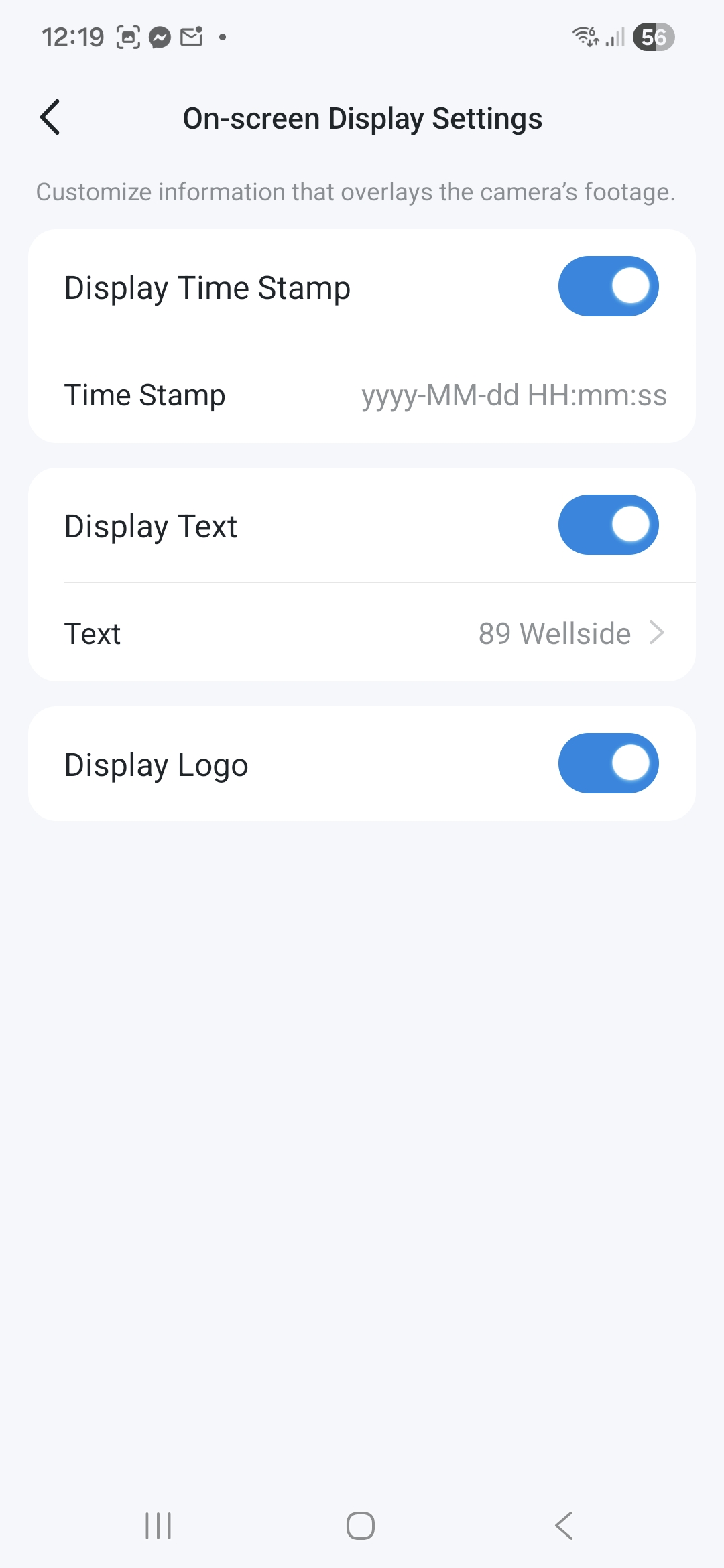
  3. When the text reverted to the camera model, on the camera's Device Settings > Video & Display > On-screen Display Settings > Text page, is the text back to the camera's model number?


Best Regards

  0  
  0  
#2
Options
Re:Not showing correct on-screen text
2 weeks ago

  @Solla-topee Hi thanks for your reply.


Firmware and app is up to date.  Camera 1.3.0, hub 1.6.0.


I mean force quitting the app, I haven't logged out.


The text still says what I have inputted but it's not displaying that.  See attached images.


  0  
  0  
#3
Options
Re:Not showing correct on-screen text
2 weeks ago
  0  
  0  
#4
Options
Re:Not showing correct on-screen text
a week ago

  @PeteEastLothian 

Hi,
What's the model number and OS version of your phone? Please test if the same phenomenon occurs when you try to manage your devices with a different phone.

If yes, please uninstall the Tapo app on your phone, copy this link, paste it into your phone's browser to download and install the Tapo Trial app(v3.15.117), then test whether this helps.

Best Regards

  0  
  0  
#5
Options