
Automate privacy mode

Hello Team,
It would be good if privacy mode were also included in automation so that the mode is deactivated for a certain area when it is detected. In this case, the issue is that a vehicle obscures an area that must not be filmed due to its height when the vehicle is no longer in that location. Thank you very much.
- Copy Link
- Subscribe
- Bookmark
- Report Inappropriate Content


Hi,
Thank you for your feedback here. While we don't have specific details on whether these features can be added to the product or when they might be, I'll log the feature requests and pass them along to the relevant team for evaluation.
Best Regards
- Copy Link
- Report Inappropriate Content

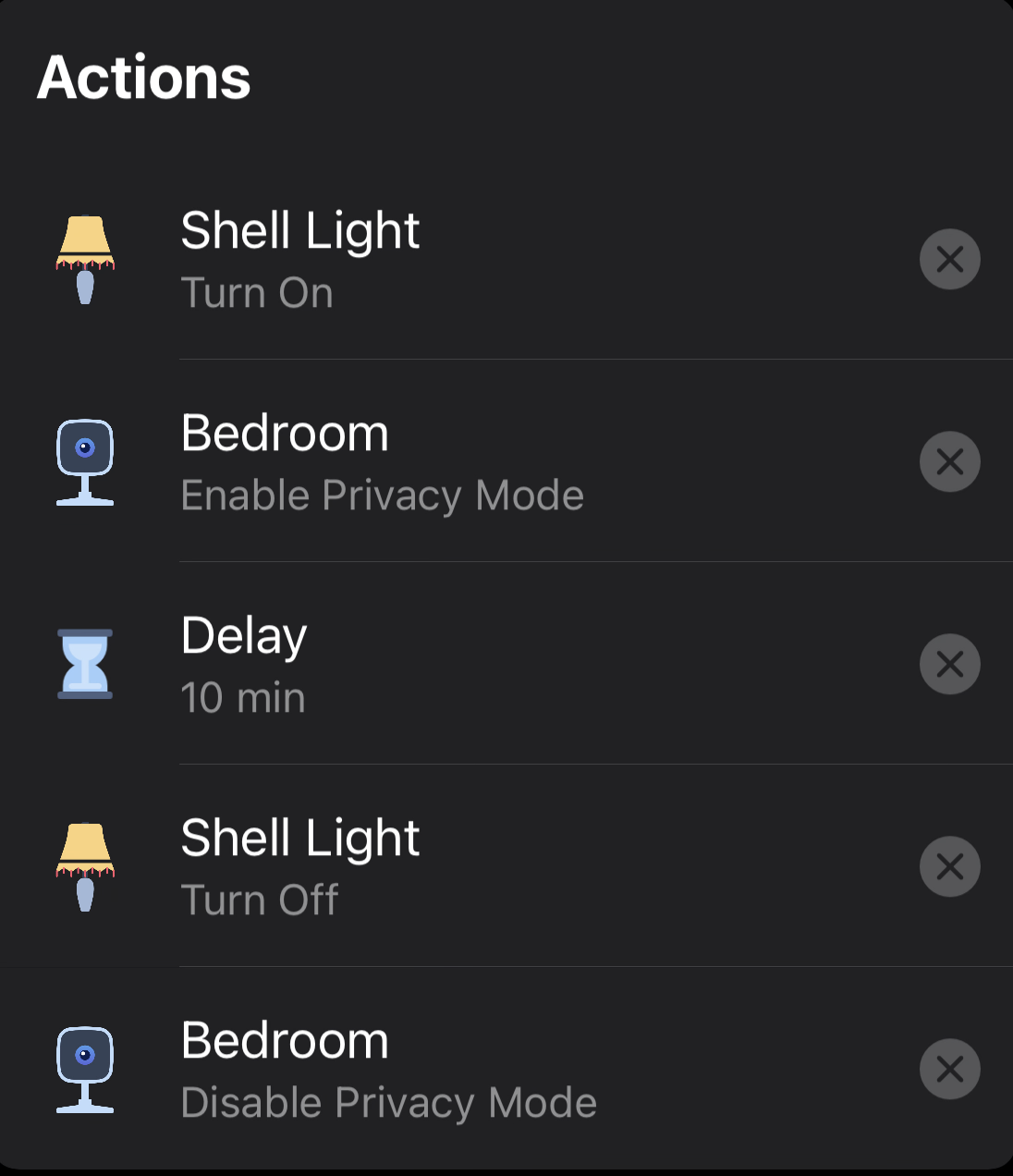 @iThMe have you checked that Privacy mode is not switchable. I don't have the 2 cameras you mention but my C100s do. See my get dressed shortcut that I can call using Alexa or Siri. I use time based but you could do it so one shortcut enables privacy and a second disables it.
the cameras are at the bottom of the control one device option
- Copy Link
- Report Inappropriate Content
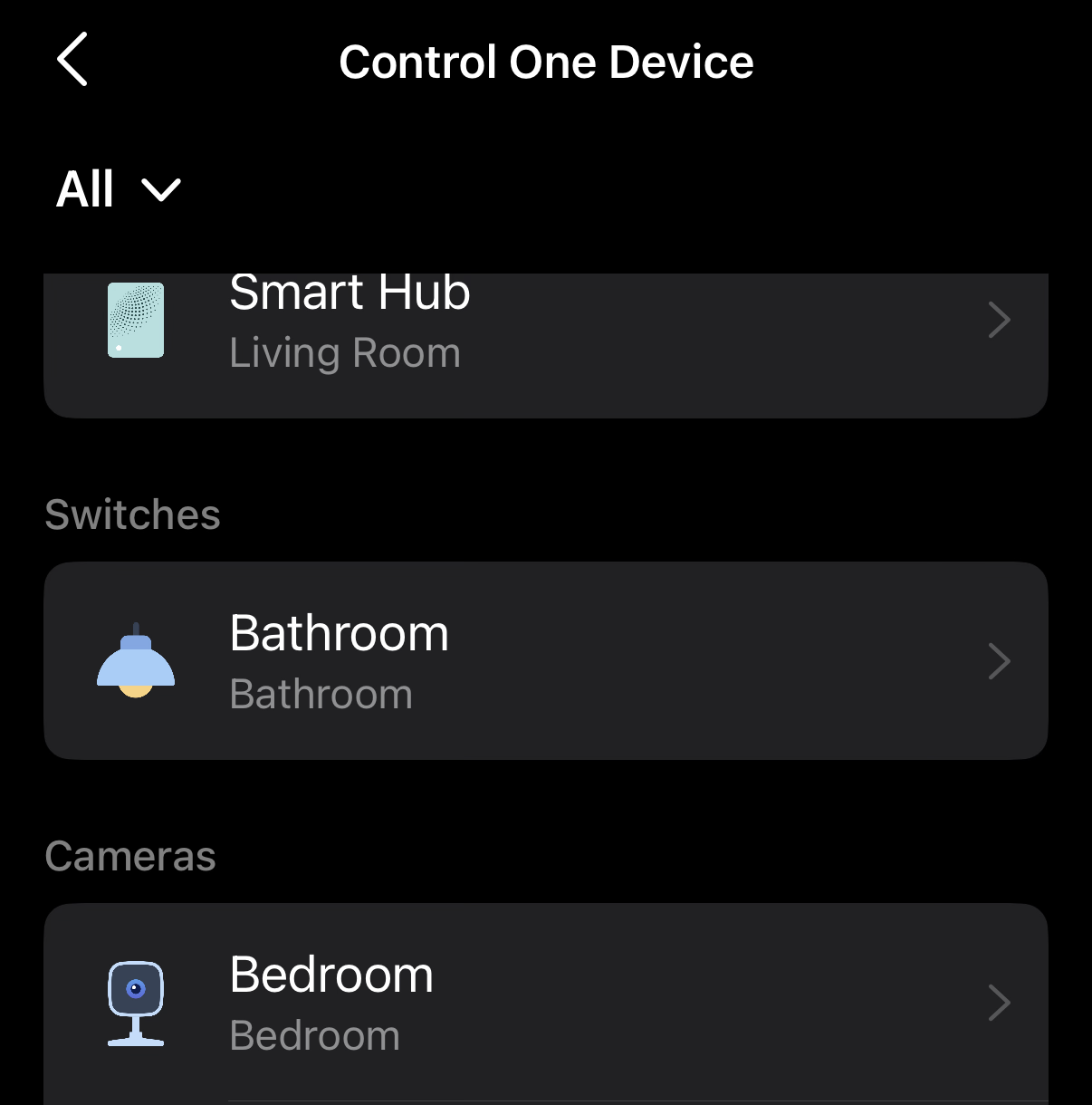 Here is what it shows. There is nothing in the control multiple items menu for privacy mode so you would need to do one each
- Copy Link
- Report Inappropriate Content
Hello The_civvie,
Unfortunately, that's not what I'm looking for. I'm looking for a way to choose between two privacy modes. One for when an object is in one place and another for when that object is no longer there. In both cases, there are other areas that should not be filmed.
- Copy Link
- Report Inappropriate Content
- Copy Link
- Report Inappropriate Content
Hi,
Just double-check: do you want the camera to enable a specific privacy zone when an object is detected in one place, and another privacy zone when no object is detected?
The privacy mode and privacy zone are different. If you enable the privacy mode, the live view page is black, and no events can be viewed or detected.
Best Regards
- Copy Link
- Report Inappropriate Content
Hi Solla-topee,
you're right, of course, it's about the private zone I described and not the privacy mode.
Kind regards
- Copy Link
- Report Inappropriate Content
Hi,
Thank you for your feedback here. While we don't have specific details on whether these features can be added to the product or when they might be, I'll log the feature requests and pass them along to the relevant team for evaluation.
Best Regards
- Copy Link
- Report Inappropriate Content
Information
Helpful: 0
Views: 271
Replies: 7
Voters 0
No one has voted for it yet.