
C460 24/7 recording 18x speed how to slow down?

I have a TC41 and it records 24/7 in real time (1x) whereas the C460 speeds up to 18x and then goes to real time when triggered.
I have the C460 set to 1s. Is there a way to stop the 18x recording and make it record 1x?
I realise you can select speed -18x to view however that is jerky. I have a daily situation I need recorded that is not getting picked up in the detection zone.
- Copy Link
- Subscribe
- Bookmark
- Report Inappropriate Content


Hi,
If you want to change the speed when watching the SD card video recordings, please go to the camera's Live View > Playback & Download > Playback > SD card page, click a video clip, tap the speed icon at the top right corner of the video, and then set the speed to 1x.
Best Regards
- Copy Link
- Report Inappropriate Content
@Solla-topee thank you for your reply.
I do not want the '24' recording to be 16x as when I slow it down it is difficult to watch. This is for non triggered footage.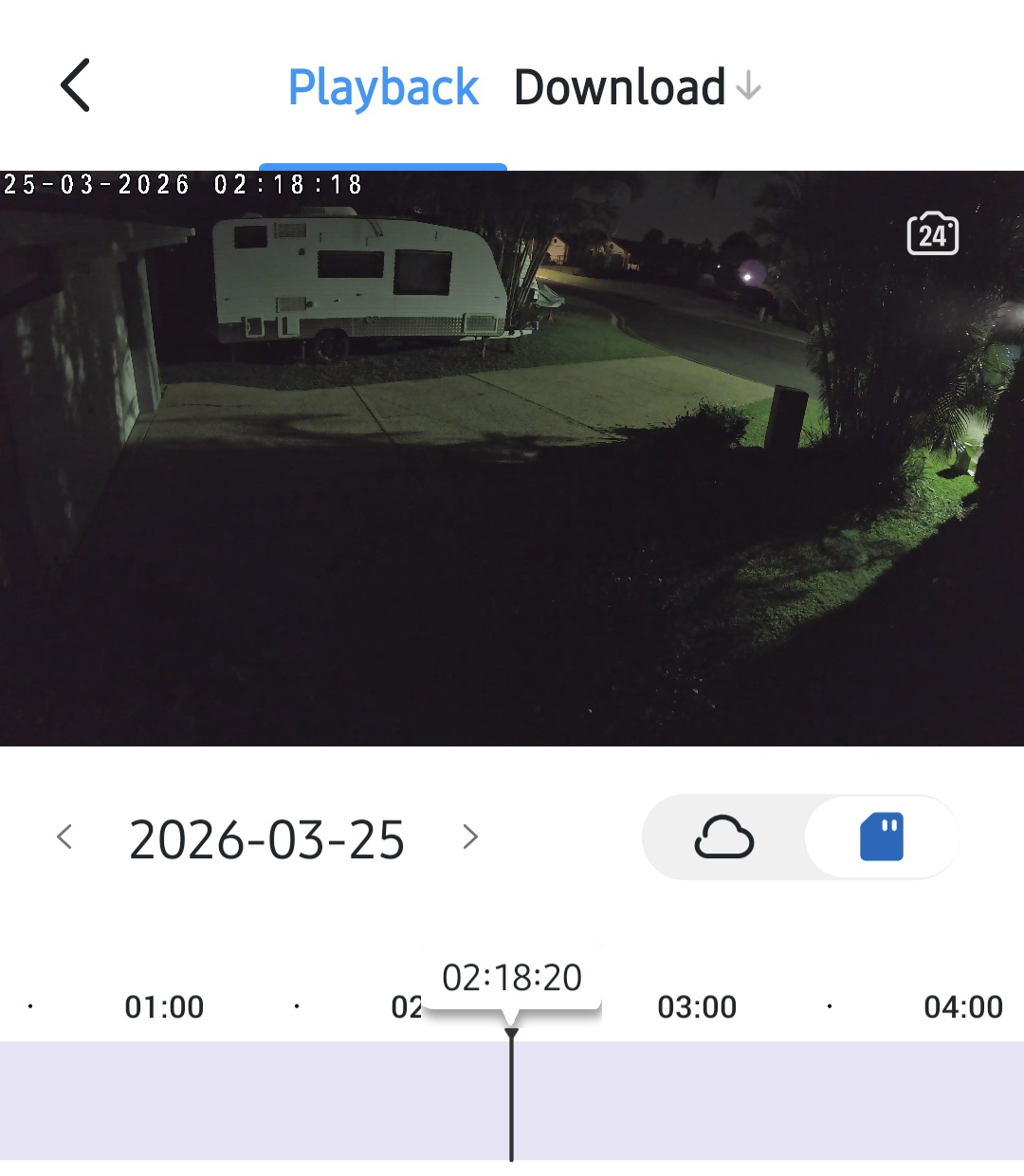
- Copy Link
- Report Inappropriate Content
Hi,
The continuous recording feature on the TC41 and the 24/7 Capture feature on the Tapo C460 are different. The TC41 can record video continuously on the SD card at 1x speed, while the C460 captures images at a specific time interval for 7*24 hours(when an event is detected, the camera will switch back to recording video at 1x speed).
On the Tapo C460's playback page, when the view speed is set to 1x but the time on the video changes very quickly, for example, the time on the video differs by 60 seconds per second, it may be because the C460's capture interval is set to 60 seconds. The camera captures an image every 60 seconds, so when you watch the images continuously on the playback page, you may feel that the camera is recording very quickly.
You can refer to the following instructions to learn more about the 24/7 Capture feature: How can I enable the 24/7 Capture on Battery Camera?
If this is not your case, maybe you can send us a video showing your problem so we can better help you. You can upload the video to your cloud server (such as Google Drive) or YouTube, generate a download link, and send it to me (@Solla-topee) via a private message.
Best Regards
- Copy Link
- Report Inappropriate Content
Information
Helpful: 0
Views: 112
Replies: 3
Voters 0
No one has voted for it yet.