
Tapo D235 so slow

I've had this camera doorbell for a few days now and bitterly disappointed with it, finding it almost unusable when trying to view the live feed or playback recordings.
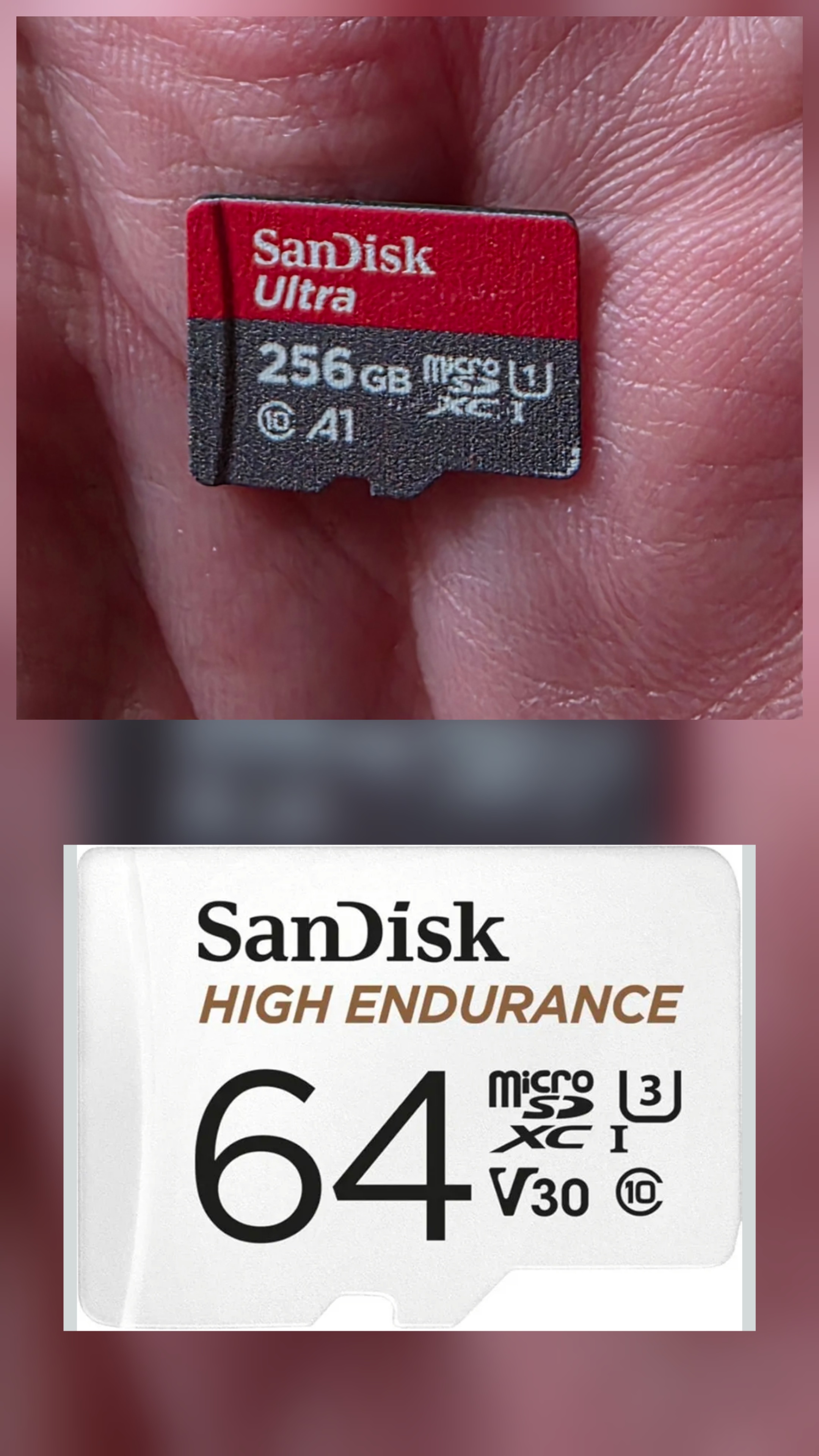
For reference the doorbell is around 10ft away from our EE smart hub router and we have 900mbps Internet, the app, which is the latest version from the Google play store, shows the -48 RSSI. I have tried rebooting with my router and the doorbell and also running through the whole setup process and still get the same results. The Micro SD card is a Sandisk Ultra but regardless of the SD card I would still expect the live fees to be ok.
Either the app takes ages to show the live feed of just doesn't work at all saying the network is unstable, same goes for trying to watch recorded videos.
- Copy Link
- Subscribe
- Bookmark
- Report Inappropriate Content


Hi,
Please refer to the following instructions to troubleshoot if you have a problem viewing the camera.
What should I do if I can't view the Tapo camera?
Please confirm the following information if the same phenomenon persists.
1. What's the capacity of your microSD card? Please send us a picture of the SD card if possible.
2. Please try to remove the SD card from the doorbell camera, set the camera's video quality to a lower one on the camera's Device Settings > Video & Display > Video Quality page, then test if you can stream the camera's live feed smoothly.
3. When you watch the camera's live feed in the Tapo app, is your phone connected to the same Wi-Fi as the camera? Please send us a video showing the reported phenomenon for further analysis.
You can upload the video to your cloud server (such as Google Drive) or YouTube, generate a download link, and send it to me (@Solla-topee) via a private message.
Best Regards
- Copy Link
- Report Inappropriate Content
@Solla-topee originally I was using a 256gb Sandisk Ultra and today I tried a new card which is a 64gb Sandisk Endurance card, both pictured below.
I removed the SD card and changed the video quality but still having issues where the line feed takes ages to appear or doesn't appear at all.
Regardless if I am connected to the same WiFi network as the doorbell or just using my mobile network I am experiening the same issues.
Other things I have tried is connecting to the second network my router has if devices are incompatible with the main network, I set this to be 2.4ghz only. I also have tried setting the cameras power mode to performance.
Video feed link
https://drive.google.com/file/d/17ubhowJI3iJ4upUujR-Uc8Uzd3MRQt3n/view?usp=drivesdk
- Copy Link
- Report Inappropriate Content
@Brisy Hi, I have sent the request to access the video. Please approve it and let me know. Thanks!
- Copy Link
- Report Inappropriate Content
@Solla-topee access is now approved
- Copy Link
- Report Inappropriate Content
Hi,
Thank you for the updates. I have escalated your case to our tech team, and they will contact you via email to assist you further. Please wait patiently.
Best Regards
- Copy Link
- Report Inappropriate Content
Information
Helpful: 0
Views: 134
Replies: 5
Voters 0
No one has voted for it yet.