
Early Access Deco X50/X55 Firmware 1.8.0 Introduces Client Connection Details and Channel Selection
Early Access Deco X50/X55 Firmware 1.8.0 Introduces Client Connection Details and Channel Selection


Hey Everyone,
We’re excited to introduce a pre-release firmware update for the Deco X50 and Deco X55, packed with powerful new features and enhancements designed to elevate your Deco Mesh Home Networking experience.
Applies to
Deco X50(EU/US/JP/CA) / Deco X55(EU/US/CA) V1.0/V1.6
Modifications and Enhancements:
New Features
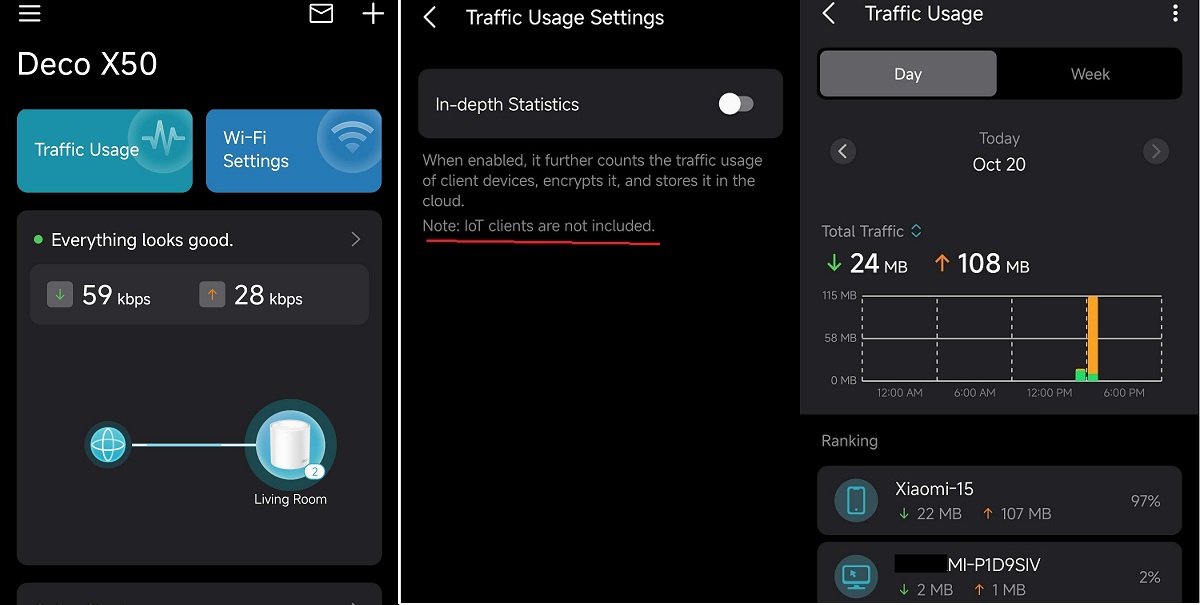
- Traffic Usage for online clients
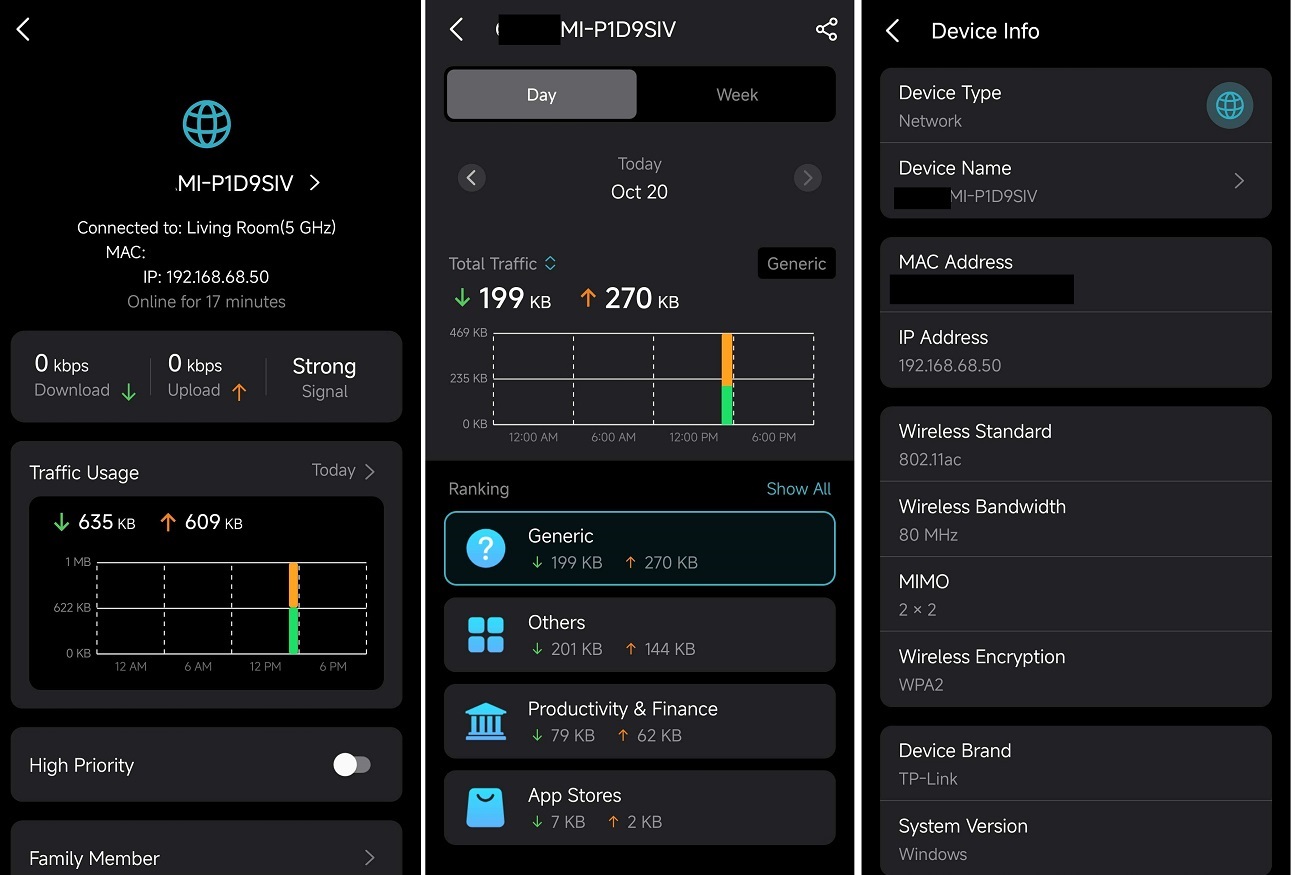
- Device Connection Details, including Wireless Standard, Bandwidth, Encryption, and Online Time.
- System Runtime and Online Time.
- Support for Channel Selection.
- Support for Configuration Backup.
Enhancements
- Improved 2.4 GHz Mesh Backhaul mechanism.
- Support for dynamic adjustment of network traffic load.
- Reduced latency for App management and improved user interaction experience.
- Streamlined TP-Link Simple Setup process.
- Enhanced AI Roaming performance.
- Reduced system boot-up time.
- Updated HomeShield service for enhanced protection.
- Improved network stability and system security.
Firmware Download Link
Update: The Official Release for 1.8.0 is now available. Please check your Deco app or the Firmware Downloads Page for your Deco X50/X55.
| Deco X50/X55_V1.0/V1.6 |
Note:
- Pre-release and Beta firmware should be used at your own discretion. We cannot guarantee the functionality of features or technical support for Pre-Release or Beta Firmware.
- This firmware cannot be downgraded to the previous version.
- If you are not comfortable using pre-release or beta firmware, please wait for the official fix or contact our support teams for assistance.
- Please make sure your Deco App is up-to-date.
- For detailed instructions, visit: How to manually update the firmware via web UI.
Traffic Usage
Device Connection Information
Additional Information
As always, we value your feedback. If you happen to encounter any concerns during or after the firmware upgrade, please feel free to comment below with the following information. Your input helps us continue to improve and provide the best possible products and support.
- Provide a detailed network layout, including how the devices are connected.
- Include a detailed description of the issue and as much information as possible regarding the specific conditions that seem to trigger the behavior.
Thank you for your continued support and for being part of our community.
- Copy Link
- Subscribe
- Bookmark
- Report Inappropriate Content

Recently updated to 1.8.0 and it's working very solid on my devices. No issues whatsoever. 
- Copy Link
- Report Inappropriate Content
Thanks for the feedback―glad to hear it's been rock solid!
Did you update to 1.8.0 via the Deco app?
- Copy Link
- Report Inappropriate Content

- Copy Link
- Report Inappropriate Content

@Ryan any update deco x50v1.30...?
- Copy Link
- Report Inappropriate Content
- Copy Link
- Report Inappropriate Content

Hi Ryan,
I have a question regarding the Deco X20. Currently, I am using a mesh network with three Deco X20 units, and I understand that the X20 does not support manual Wi-Fi channel selection.
If I replace my main Deco X20 with a Deco X50 (which supports manual Wi-Fi channel selection) and keep the other two Deco X20 units as satellite nodes in the same mesh network, will the manual channel selection feature still work properly across the entire network?
Thankyou.
- Copy Link
- Report Inappropriate Content
Yes, if the main Deco's firmware supports the Channel Selection feature and if Channel Selection is enabled via the Deco app, the satellite Deco node(s) will follow the Channel Selection of the main Deco.
- Copy Link
- Report Inappropriate Content
Information
Helpful: 0
Views: 5814
Replies: 17
Voters 0
No one has voted for it yet.