DNS Leak with WireGuard on Deco BE95

DNS Leak with WireGuard on Deco BE95

DNS Leak with WireGuard on Deco BE95
a week ago
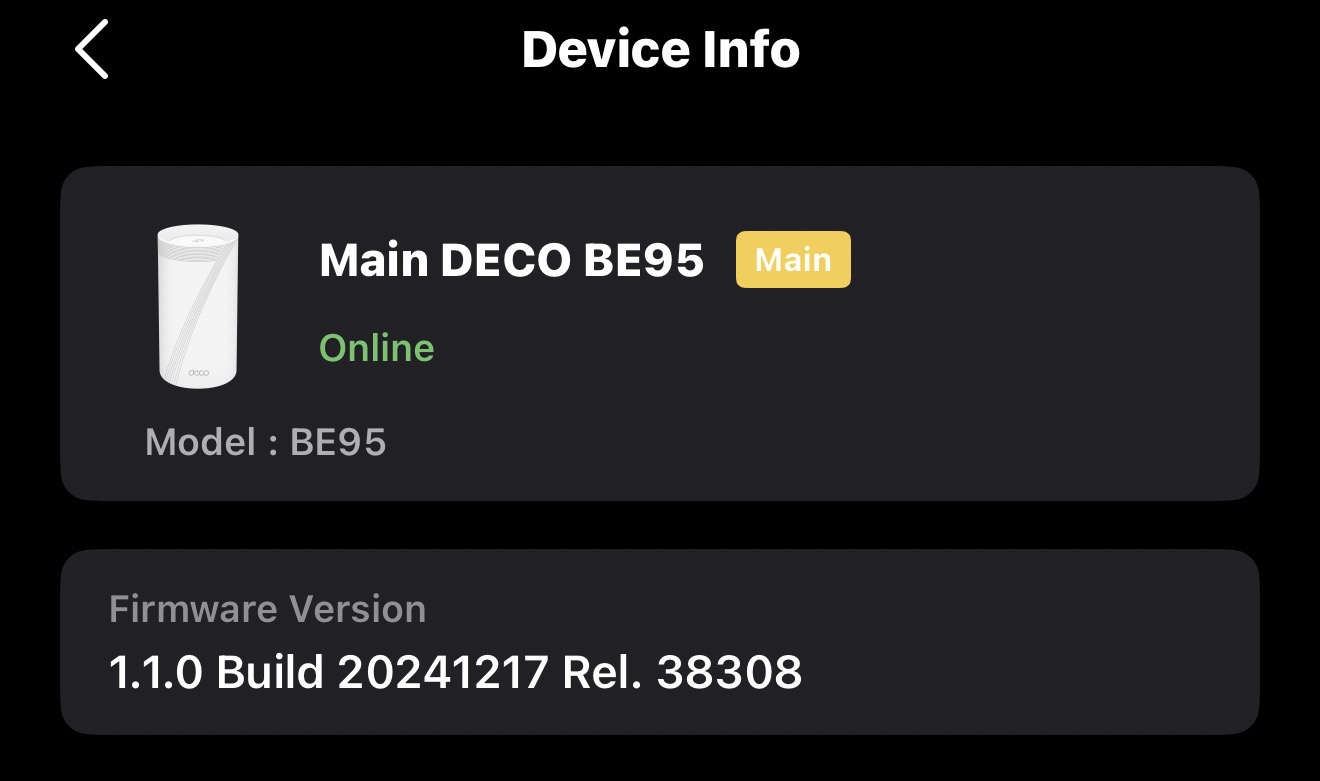
Model: Deco BE95  
Hardware Version:
Firmware Version:

I’m using WireGuard on my Deco BE95 with Surfshark VPN, and I’m seeing DNS leaks on tests, even though:


  • WireGuard DNS is set to 194.169.169.169
  • AllowedIPs = 0.0.0.0/0
  • “Exclude private IPs” is off
  • IPv6 is disabled
  • Deco WAN IPv4 DNS is also set to 194.169.169.169


Testing the same WireGuard config directly on my iPhone does not leak DNS. This indicates the leak is caused by the BE95 firmware — system-level DNS queries (mesh, device discovery, or router services) are bypassing the VPN DNS.


I’ve rebooted, toggled WireGuard, and double-checked all settings — the leak persists.


Request: Can TP-Link provide a fix or guidance to ensure all DNS queries on the BE95 go through WireGuard, fully respecting the DNS setting?


Thanks!


  1      
  1      
#1
Options
4 Reply
Re:DNS Leak with WireGuard on Deco BE95
a week ago

  @AnyArmato 

Hi, can I have the firmware version of the Deco BE95?

For the DNS leaks, did it specifically refer to the ISP DNS?


How do you notice there were DNS leaks? do you save any logs or screenshots?

If you do, it would be highly appreciated if you could send an email to forumsupport.usa@tp-link.com and attach these details so that our senior engineer can help us run further tests.

Subject: [Forum Escalation][ID 849892] DNS Leak with WireGuard on Deco BE95


Thank you very much.

Best regards.


  0  
  0  
#2
Options
Re:DNS Leak with WireGuard on Deco BE95
a week ago - last edited a week ago

0e1a1b23d48144f4aa5da5bf06122805

  @David-TP The BE95 isn't following DNS rules and is bypassing the VPN DNS, which is causing the leak.  This can be shown on sites like dnsleak and even SurfSharks DNS leak checker. I don't have a screenshot of that at the moment while I'm at the office. 

  1  
  1  
#3
Options
Re:DNS Leak with WireGuard on Deco BE95
Yesterday

  @AnyArmato 

Hi, thanks for your time and patience.

I consulted about your case with the senior engineers. He mentioned that it was due to the OpenVPN config file you've uploaded to the router.

You can manually edit the DNS server included into the config file via "dhcp-option DNS xxxx".(https://forums.openvpn.net/viewtopic.php?t=28661)

Best regards.


  0  
  0  
#4
Options
Re:DNS Leak with WireGuard on Deco BE95
Yesterday

  @David-TP No that's not correct. It's WireGuard and I did manually configure the DNS servers both in the config file and the BE95 itself. 

  0  
  0  
#5
Options