Firmware 1.4.0 for Deco XE75/XE5300/XE75 Pro V2/V3 Adds Wi-Fi Access Control, WireGuard VPN & More!

Firmware 1.4.0 for Deco XE75/XE5300/XE75 Pro V2/V3 Adds Wi-Fi Access Control, WireGuard VPN & More!

Firmware 1.4.0 for Deco XE75/XE5300/XE75 Pro V2/V3 Adds Wi-Fi Access Control, WireGuard VPN & More!
2026-02-02 17:25:04 - last edited 2026-02-02 17:25:42

Hey Everyone,


We’re pleased to invite members of our community to experience early access to beta firmware for the Deco models listed below. 

This firmware brings a multitude of significant enhancements, including Firmware Auto Update, WireGuard VPN, Fixed WAN Port, Captive Portal for Guest Network, and more!
 

Applies to:

Deco XE75(US/EU/AU/CA)_V2/V3
Deco XE5300(US)V2/V3

Deco WE10800(US)V2/V3
Deco XE75 Pro(US/EU/AU/CA)_V2/V3
Deco XE70 Pro(US)_V3

Vx.0=Vx.6(eg:V2.0=V2.6)


Firmware Features and Enhancements:

  • Added Camera Security Feature.
  • Added Whitelist/ Wi-Fi Access Control with support for both Allow List and Block List.
  • Introduced Captive Portal for Guest Network.
  • Added support for Firmware Auto Update.
  • Introduced ECO Mode 1.0 to save power.
  • Support for WireGuard VPN added.
  • Support added for Integrated third-party VPN services.
  • Added support for limiting client speeds.
  • Added the ability to assign a specific port as the WAN port.
  • Optimized client type recognition.
  • Added support for managing new Kasa and Tapo product categories (including light strips, multi-port outlets, etc.)


Download Links

Deco XE75/XE5300/WE10800_V2/V3 1.4.0_Build_20260130_Beta
Deco XE75 Pro/XE70 Pro_V2/V3 1.4.0_Build_20260130_Beta

Note: 

  • Please ensure your Deco app is fully up-to-date.
  • This firmware cannot be directly downgraded to the previous versions.
  • There will be an official firmware release in the future. If you are not comfortable using beta firmware, please wait for the official release or contact our support teams for assistance.
  • Pre-release and Beta firmware should be used at your own discretion. We cannot guarantee the functionality of features or technical support for Pre-Release or Beta Firmware.
  • For detailed instructions, visit: How to manually update the firmware via web UI.


As always, we value your feedback. If you happen to encounter any concerns during or after the firmware upgrade, please feel free to comment below with the following information. Your input helps us continue to improve and provide the best possible products and support.
 

  • Provide a detailed network layout, including how the devices are connected.
  • Include a detailed description of the issue and as much information as possible regarding the specific conditions that seem to trigger the behavior.


Thank you for your continued support and for being part of our community.

  3      
  3      
#1
Options
13 Reply
Re:Firmware 1.4.0 for Deco XE75/XE5300/XE75 Pro V2/V3 Adds Wi-Fi Access Control, WireGuard VPN & More!
2026-02-03 21:36:11

  @Ryan 


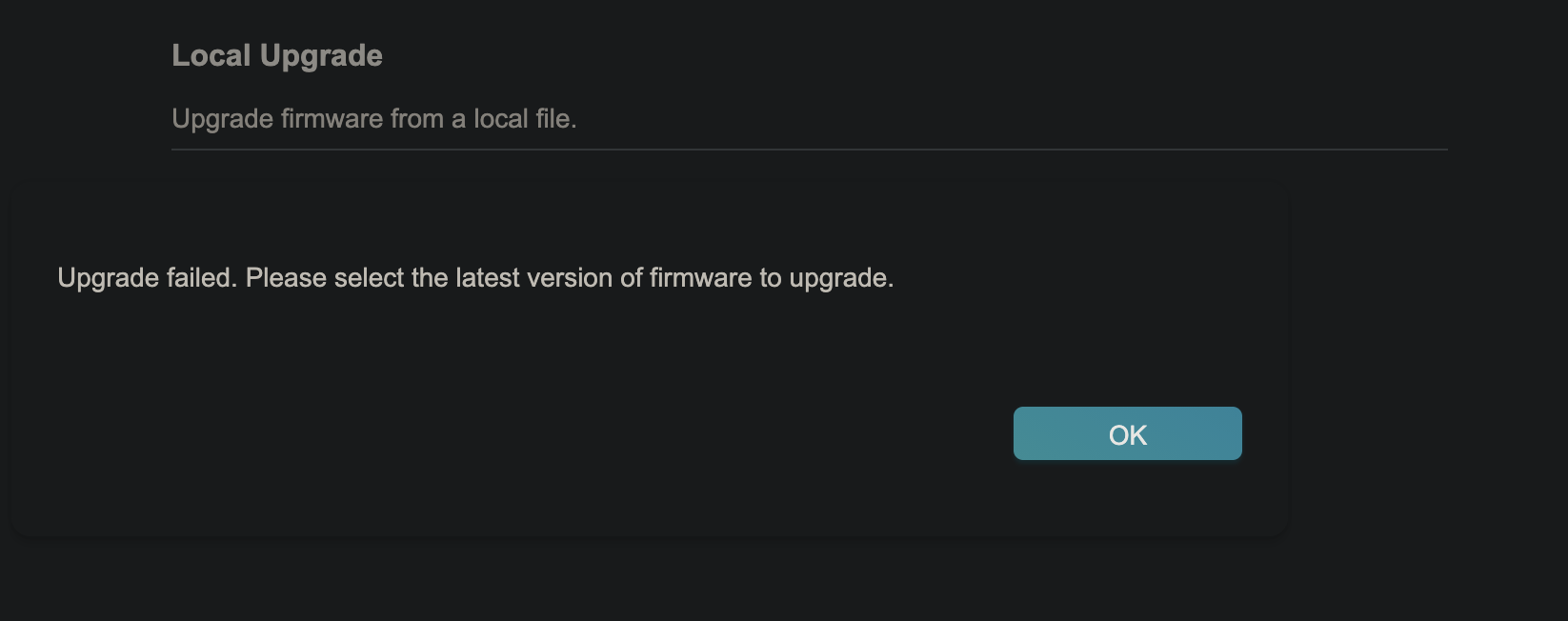
Well not sure why, I responded earlier today from my phone and it isn't showing up here. Just set up my XE5300 yesterday and it did a firmware update and got 1.4.5 as a firmware update last night, now this beta is 1.4.0? Just tried updating it and it failed. What is going on here?

  1  
  1  
#2
Options
Re:Firmware 1.4.0 for Deco XE75/XE5300/XE75 Pro V2/V3 Adds Wi-Fi Access Control, WireGuard VPN & More!
2026-02-04 17:33:02

 Hi @l88lMPHl,


It sounds like your Deco XE5300 is hardware version 1.6. Since the beta firmware in this post is specifically for hardware versions 2 and 3, it can't be installed on v1.6.


Because hardware v1.6 is already on firmware version 1.4.5, it should have the features listed for 1.4.0.


Hope this helps!

  1  
  1  
#3
Options
Re:Firmware 1.4.0 for Deco XE75/XE5300/XE75 Pro V2/V3 Adds Wi-Fi Access Control, WireGuard VPN & More!
a week ago

  @Ryan I want to try this to see if it's as stable as 1.2.14, since there's talk from a few users on Reddit that 1.3.1 has slower speeds...

But with kids it's hard to be so cavalier about beta's lol. Since I'll be the bad guy if it goes awry. 


  2  
  2  
#4
Options
Re:Firmware 1.4.0 for Deco XE75/XE5300/XE75 Pro V2/V3 Adds Wi-Fi Access Control, WireGuard VPN & More!
a week ago

  @WYLDSTALLYNS 


Here are the issues I have found so far


1. It hates my Samsung A53 phone - My phone won't stay connected to my XE75 pro any more - My download speed drops to zero but the upload speed is fine.


Support thought it was my phone so i unhooked both of my decos running the beta patch and hooked up one brand new XE75 pro with the base firmware and the phone stayed connected and download speeds came right back up 


2. Wirelessly access control is trash at lease for me it is might have something to do with the new patch not letting my phone stay connected to the wifi


Tried two other phones they both connect to the wifi and are fine on the beta patch so no idea why it wont work on 1.4 but it works on 1.2 something 

Need help with the Deco app, setup, Ethernet backhaul, network switch or rolling back firmware? Router or AP mode? https://community.tp-link.com/us/home/forum/topic/699816?page=1
  2  
  2  
#5
Options
Re:Firmware 1.4.0 for Deco XE75/XE5300/XE75 Pro V2/V3 Adds Wi-Fi Access Control, WireGuard VPN & More!
Tuesday
Yikes I see now why this release is definitely a beta, those are some rough starting issues. Hopefully they’ll be fixed fast as I have Samsung users also. 😳
  1  
  1  
#6
Options
Re:Firmware 1.4.0 for Deco XE75/XE5300/XE75 Pro V2/V3 Adds Wi-Fi Access Control, WireGuard VPN & More!
Tuesday

  @WYLDSTALLYNS 


Just to keep you in the loop here is part of an email i got from Ryan today 


"With that said, I'm also happy to share that R&D has reproduced some of the anomalies you're experiencing and is already working on putting together a fix. As soon as we hear any news of an update that's ready for testing and includes the fixes, we'll be sure to let you know."

Need help with the Deco app, setup, Ethernet backhaul, network switch or rolling back firmware? Router or AP mode? https://community.tp-link.com/us/home/forum/topic/699816?page=1
  1  
  1  
#7
Options
Re:Firmware 1.4.0 for Deco XE75/XE5300/XE75 Pro V2/V3 Adds Wi-Fi Access Control, WireGuard VPN & More!
Friday

  @HelpFixDecoApp The work around to downgrading back to stable firmware involves going into recovery mode on the main Deco? Looks like I'm experiencing the same issue as you for one phone (Samsung Galaxy A17 5G). Already tried different settings on the phone itself, but it's starting to seem that it might be an issue related to the beta firmware (all other devices are working fine with no issues). Looks like switching from 160MHz to 80MHz didn't fix the issue.

  1  
  1  
#8
Options
Re:Firmware 1.4.0 for Deco XE75/XE5300/XE75 Pro V2/V3 Adds Wi-Fi Access Control, WireGuard VPN & More!
Friday
Honestly, don't prefer to downgrade though lol.
  1  
  1  
#9
Options
Re:Firmware 1.4.0 for Deco XE75/XE5300/XE75 Pro V2/V3 Adds Wi-Fi Access Control, WireGuard VPN & More!
Friday

  @Gio235 


I've never tried the firmware recovery option yet and I pray I never have to lol 


About to try my Samsung tablet out which "used" to work on my decos just to see if it also has the same issues 

Need help with the Deco app, setup, Ethernet backhaul, network switch or rolling back firmware? Router or AP mode? https://community.tp-link.com/us/home/forum/topic/699816?page=1
  1  
  1  
#10
Options
Re:Firmware 1.4.0 for Deco XE75/XE5300/XE75 Pro V2/V3 Adds Wi-Fi Access Control, WireGuard VPN & More!
Sunday

  @HelpFixDecoApp 


system20:59:17

Agent jamesivan is at your service.


jamesivan20:59:49

Hi Mr. Travis

Travis Mills 21:00:54

I am on the beta firmware for xe75 pro. I have a few devices that will not receive Internet. How am I able to flash current firmware from beta firmware?


jamesivan21:02:13

You mean you want to downgrade the firmware?

Travis Mills 21:02:31


Preview


jamesivan21:02:52

I do apologize but it's not recommended to downgrade the firmware when it's already up to date.

Travis Mills 21:03:23

I agree. But if firmware is not working properly you will need to downgrade


Travis Mills 21:03:40

To a properly working version


Travis Mills 21:04:39

Xe75 pro 3 devices have issues have to route them to be25. Than no issue


Travis Mills 21:04:56

Ie: YouTube


jamesivan21:06:15

How did you update to the beta firmware?

Travis Mills 21:06:30

Tplink community website


Travis Mills 21:06:45

Via web gui


jamesivan21:08:23

May I know the link

Travis Mills 21:09:20

https://community.tp-link.com/us/home/forum/topic/856690?moduleId=2424


jamesivan21:09:42

What seems to be the problem by the way?

Travis Mills 21:11:37

Okde Samsung devices can not access online services


Travis Mills 21:11:46

YouTube for this example


Travis Mills 21:11:57

*older


jamesivan21:13:03

Is it connected without internet?


jamesivan21:13:06

Or unable to join the network

Travis Mills 21:14:07

Connects to xe75 pro. But YouTube and online apps struggle for Internet or time out


Travis Mills 21:14:22

Main deco be25 no issues normal


jamesivan21:14:35

Just the apps?


jamesivan21:14:42

Cannot access youtube on samsung

Travis Mills 21:14:46

I can not downgrade beta firmware to resolve issue


jamesivan21:15:33

I do apologize Mr. Travis, it is not recommended to downgrade a firmware

Travis Mills 21:16:22

Ok if I can not downgrade where is a newer beta firmware to upgrade mr. Jamesivan


Travis Mills 21:16:54

I do apologize


jamesivan21:17:36

There's no official announcement for the next firmware.


jamesivan21:17:44

But we will keep you posted

Travis Mills 21:18:03

How will you keep me posted?


Travis Mills 21:18:36

I now have 3 deco units causing problems for my family


Travis Mills 21:18:57

It has been over a month no beta update


jamesivan21:19:22

Have you tried using a different web browser and check if site are accessible

Travis Mills 21:19:30

I will post this conversation on forums for community to read sir


jamesivan21:20:37

Because the firmware that you've downloaded cannot be directly downgraded to the previous versions.


jamesivan21:20:50


Preview


jamesivan21:21:00

There will be an official firmware release in the future. If you are not comfortable using beta firmware, please wait for the official release

Travis Mills 21

:21:19

Yet no solution from firmware technician


jamesivan21:21:35

Because there is no official firmware release yet.


3x Xe75 pro HW 2.xxx main deco Be5000 need the dual 2.5gbs ethernet ports.
  1  
  1  
#11
Options