
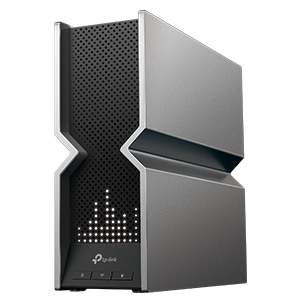
Wi-Fi Routers
Welcome to the TP-Link Wi-Fi Router Forum, home to discussions about the world’s most popular wireless routers, designed to deliver fast, stable, and secure Wi-Fi connections. This is your space to connect with fellow users, whether seeking advice, sharing your network setup, or just wanting to chat about the latest features. Feel free to dive into discussions that help everyone get the most out of their TP-Link Wi-Fi routers.
Wi-Fi Routers

Update: March 4th, 2026 The official version of Archer GE800 V1, 1.3.3 Build 20260210, has been officially released. Users can check for updates via the router's web interface or through the Tether Ap
Wi-Fi 7Bandwidth Control/QoS
2Helpful
4473Views

TroubleshootingArcher BE550v1 Wireless Clients Lose Internet in AP Mode After 1.1.3 Firmware Upgrade
The Article Applies to: Archer BE550v1 1.1.3 Build 20250421 rel.24697 (Official Firmware (AP Mode)) Please note, this issue only affects the BE550v1 while operating in AP mode; the behavior was not pr
3Helpful
3517Views
Beta SoftwareBE230/BE3600: After Connecting to WireGuard VPN, Backend Client is Unable to Access the Internet
This Article Applies to: Archer BE230 V1/V1.2, Archer BE3600 V1.26/V1.6 Issue Description/Phenomenon: When the router turns on the VPN Client function and connects to the Wireguard VPN, the wireless c
Firmware Update
1Helpful
3139Views
Welcome to CES 2026! Our teams have been working over the last year to streamline your home network experience. Wi-Fi 7 is more widely available than ever with our accessible lineup of Wi-Fi 7 Mesh Sy
By
 Ryan
Ryan
Ryan0Helpful
1545Views
Hey TP-Link Community, We have received feedback from several users indicating that iOS devices such as iPhones and iPads are experiencing a "connected but no internet" behavior, specifically when con
Wi-Fi 7OfficialFirmware Update
7Helpful
5197Views

[2025 Update] [Guide] My New Router is Not Obtaining an IP Address from My Cable Modem Setting up a new router should be a straightforward process, but many users encounter a frustrating issue: after
84Helpful
108622Views
We often receive questions relating to the setup, recommended configurations, and compatibility of TP-Link devices with a Starlink Network. Archer Routers, Access Points, Range Extenders, and Deco Mes
3Helpful
39100Views

Because of the varety of USB storage drives in the market, it is difficult for us to make our routers compatible with all them. Before you begin troubleshooting, please make sure that the drive works
2Helpful
2575Views

Most ISPs (Internet service providers) assign a dynamic IP address to the router and you can use this IP address to access your router remotely. However, the IP address can change any time and you don
0Helpful
13639Views

Application level Hard-coded s**t to prevent Google Chrome for offering passwords on login to 192.168.0.1 Can you remove that TP-Link? Don't be retarted, we pay alot for your most expensive products,
By
nVIDIA7
0Helpful
13Views
I purchased an AXE5400 assuming that if it worked on Windows 10 &11, it would work on Unbuntu. After several attempts I tracked back through support to "https://community.tp-link.com/us/home/forum/top
Wi-Fi 6EIPv6
0Helpful
58Views
Greetings, I have two BE 3600 routers cascaded. !st is 192.168.1.1 and is enabled as the DHCP server and the pool is set to start at 192.168.1.5. 2nd is 192.168.1.2 with DHCP disabled. I have copied o
0Helpful
52Views