
Tapo App - Delete Home?

Hello, I had two different homes in the Tapo app while moving, however, I no longer have access to the old home. I have removed all devices from the old home, but want to delete or remove that from the app now. I cannot find where i can do this, I only see the option to add new homes. Can you please let me know how to do this? Thank you!
- Copy Link
- Subscribe
- Bookmark
- Report Inappropriate Content


Hi,
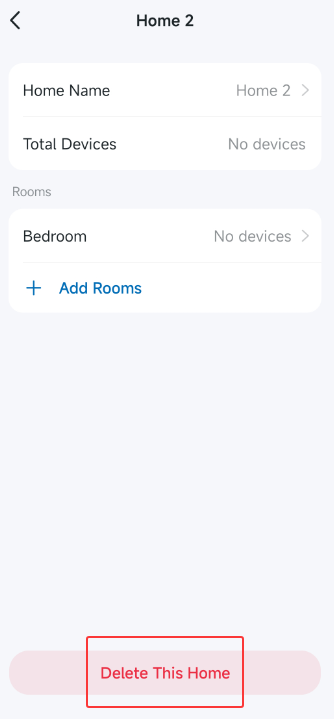
In the Tapo app > Home Settings page, if you click a Home, scroll down the page, and see the "Delete This Home" option, it indicates that this Home can be deleted. However, before deleting the Home, you need to move all devices in this Home to another one.
Best Regards
- Copy Link
- Report Inappropriate Content
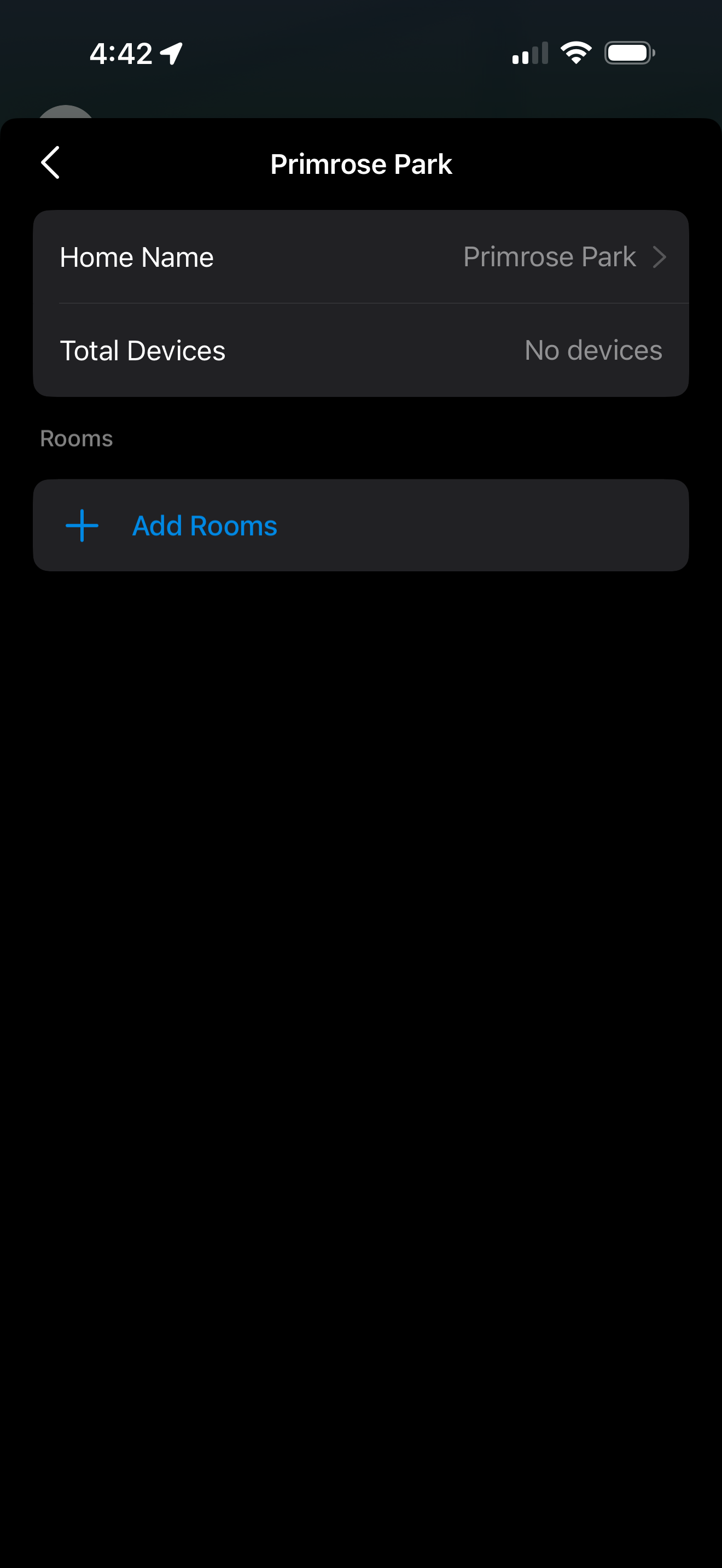
Hello. Unfortunately, that is not shown for the old home. It is only shown for the second home I created. Please see the screenshot. Any thoughts about how I can delete this home?
- Copy Link
- Report Inappropriate Content
Hi,
The initial Home on the Tapo app can't be deleted. If you only want one Home displayed in the Tapo app, you can create rooms in the initial Home, then add devices in the rooms to move smart devices from another Home to the initial Home. After that, delete another Home, and set a different Home Name for the initial Home.
Best regards
- Copy Link
- Report Inappropriate Content
Information
Helpful: 0
Views: 511
Replies: 3
Voters 0
No one has voted for it yet.