Guest networks on Access Points under EasyMesh - how is this supposed to work?

2 x AX55 (master & satellite) configured as APs EasyMesh, Ethernet Backhaul.
AX55 DHCP server disabled - external firewall with DHCP takes care of IP address distribution.
- everything is working nicely together BUT:
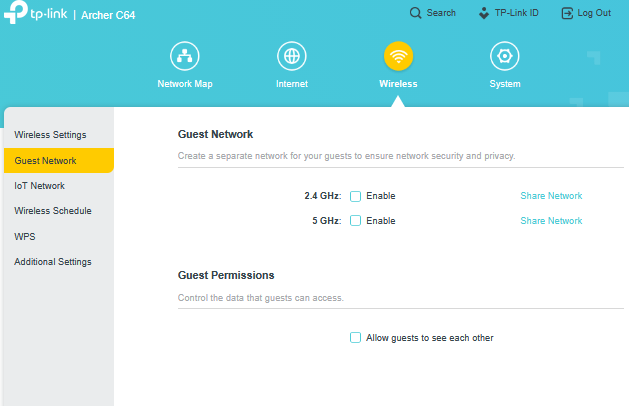
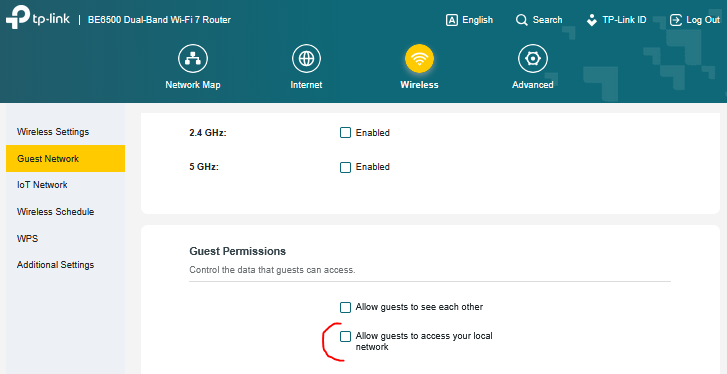
Enabling the Guest Network on the master only creates a guest SSID on the master - it works - you can connect and get a lease and you can access the internet through default gateway. So far so good, but the guest network is not propagated to the satellite - so the WiFi coverage is inadequate for the guest SSID.
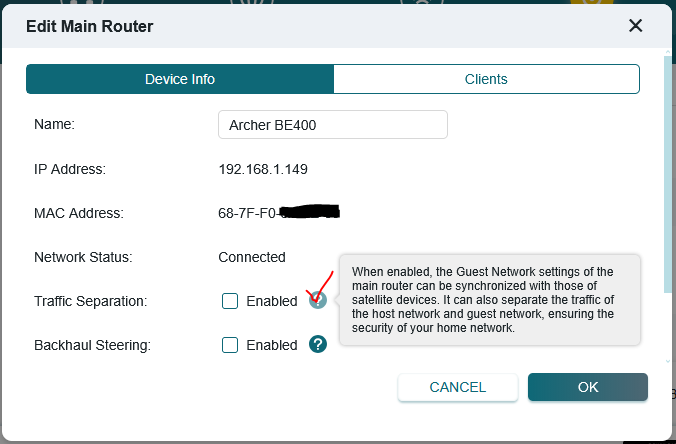
To enable guest network propagation to the satellite: You need to go to master AP / Advanced / EasyMesh - scroll down to Mesh Device Details, click Modify on the master and enable Traffic Separation. This is supposed to cause guest network settings to be propagated to the satellite. And it does! BUT when enabled it also separates the traffic of the host network and guest network. In my Access Point setup this has the side effect that I can connect to the WiFi guest SSID, but I do not get any IP from the external LAN DHCP server - and cannot use the guest network for anything!
Questions to TP-LINK:
A/ How is EasyMeshed Guest Network supposed to work in Access Point mode with an external DHCP server??
B/ This setup is covered nowhere in the AX55 documentation, and why is the Traffic Separation and Guest Network Propagation merged into one setting ??
C/ If the Traffic Separation works by putting all guest clients into some sort of VLAN then what are the specs of this VLAN (ID etc.) ??
Simplified network topology:
                                              WAN
                                                  |
DMZ1 -------- Firewall / LAN DHCP / Default Gateway -------- DMZ2
                                                  |
MASTER wan port -------- LAN-SWITCH -------- wan port SATELLITE
 |   |   |   |                            |   |   |   |   |   |                              |   |   |   |
Really looking forward to more info on this!
Best regards
zEnterHacker