
Deco PX50 - Deco iOS App Warning Message (!)
Deco PX50 - Deco iOS App Warning Message (!)

I have a pair of Deco PX50's providing my home WiFi from a 250mbs Virgin Media connection.
The satellite PX50 is in my sons bedroom and is using powerline backhaul ( strong ) with WiFi backup.
The whole setup works pretty well with very good coverage and speeds. We have a variety of mainly Apple devices ( oldest is original Homepod ) and Tapo cameras ( approx a year old ).
After the Deco app update today however I noticed an exclamation mark (!) against the satellite. It may have been there before and I hadn't noticed it though.
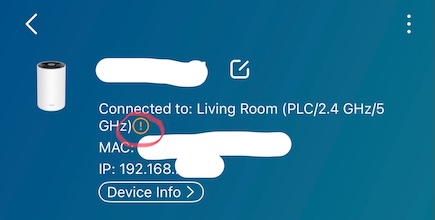
Pressing the exclamation (!) produces and strange explanation and recommendation.
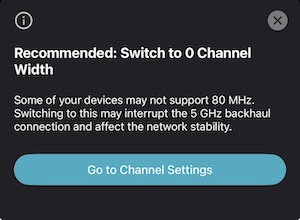
This is is after I had a similar message earlier regarding the 160MHz channel width ( which seems enabled by default ) not being supported by some devices and which I changed to 80MHz at the suggestion of the prompt. It's now set to 80 as I have only 3 devices that supports 160 ( M4 MacBook Airs ) plus I've read that 160MHz is as blessed as it is cursed for coverage and interference.
Can anyone tell me whats going on? Is it an app bug? What on earth is 0 channel width? Should I just leave it set to 80MHz, which seems fine, and forget about it.
Any help appreciated.
Radar
- Copy Link
- Subscribe
- Bookmark
- Report Inappropriate Content


Update on May 29, 2026.
Hi,
After confirming with the relevant team, the content of the message "Recommended: Switch to 0 Channel Width" is incorrect. The message won't appear on the new Deco app (v3.10.404). You can update the Deco app in the App Store.
Best Regards
- Copy Link
- Report Inappropriate Content

Hi, thank you very much for your feedback.
Could you please refer to this link to help me submit the Deco App log:
I think it is kind of a mismatch of the App UI.
Wait for your reply.
Best regards.
- Copy Link
- Report Inappropriate Content

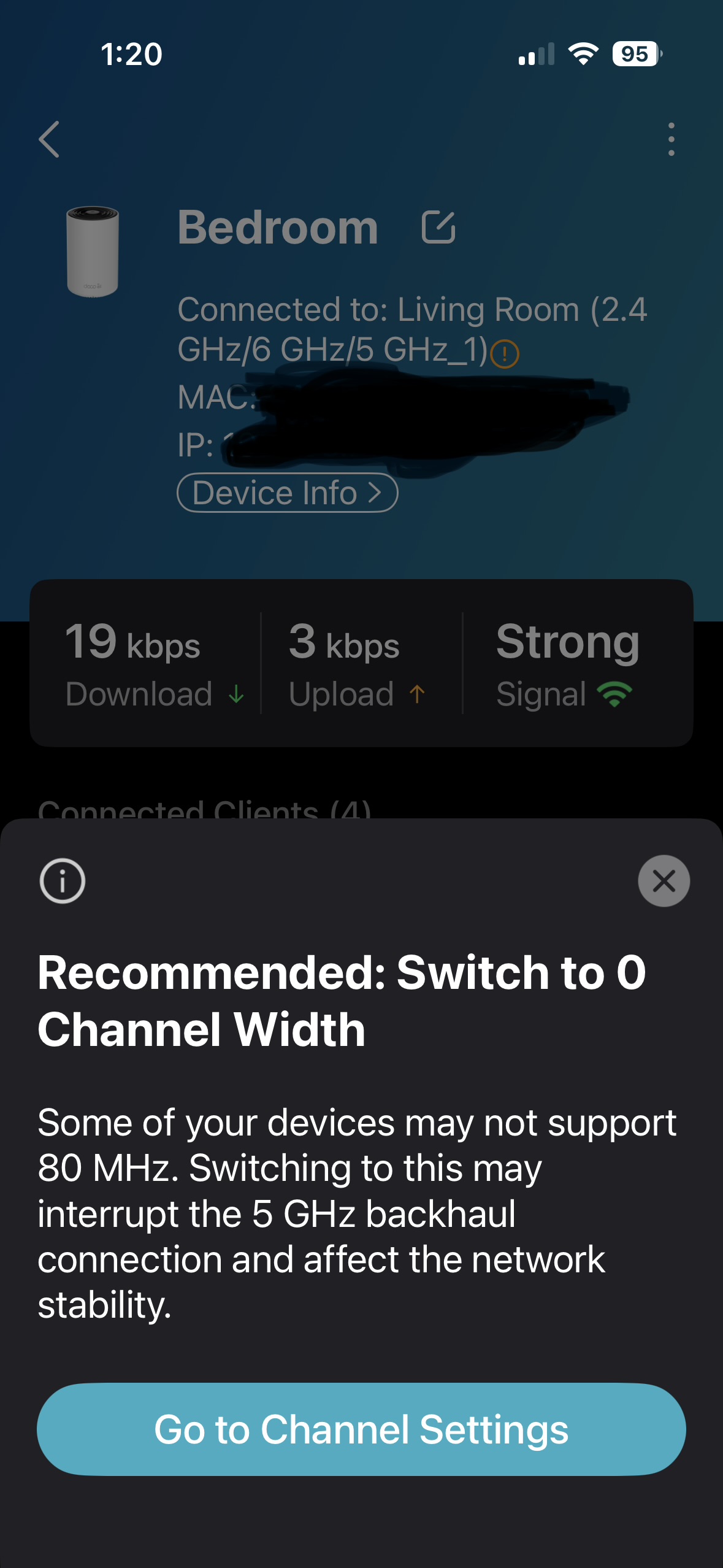
Hi- Having same issue. First it automatically changed width to 80 MHz. and now I also have the same message AND it also created my 5 GHz network as 5 GHz_1?
saying to switch to 0 Channel width.
However, XE75 model but also iOS just updated to iOS 26.4 Have rebooted twice.
Please advise. Thanks
- Copy Link
- Report Inappropriate Content
Hi, thank you very much for the feedback.
Could you please also help me submit the Deco App log here:
(Please update here with the support ticket ID after submitting the feedback. Thank you in advance.
Wait for your reply.
Best regards.
- Copy Link
- Report Inappropriate Content
To be honest without knowing the exact contents of the app log I'd be unwilling to share it at this point.
Is there anyway I can produce this log and view its contents before attaching here?
- Copy Link
- Report Inappropriate Content
Hi, thank you for the update. There is no need to post the log here.
When you submit the App feedback and select "Add the system logs", the feedback will be submitted to a dedicated feedback address- feedback.deco@tp-link.com.
I'm afraid the log content can't be previewed before submission. Please rest assured that these logs are encrypted, and It mainly records device interaction events between the Deco app and the hardware (such as command exchanges and device/cloud server responses).
If you have further questions about what data is included, as the log will be escalated to the senior engineer for further analysis later, you may check with the engineer whether he can provide additional clarification.
Thanks a lot.
Best regards.
- Copy Link
- Report Inappropriate Content
Thank you for your time and response.
Excuse my reticence but unless I know what specific information is contained within the logs I'm being asked to share then I'm afraid I'd be unwilling to send them. Call me paranoid but given the potential device specific information I'd be sending I'm determined to keep this private.
I have upgraded to the latest iOS app (v3.10.258) which appeared this morning and it is still displaying the same behavior - Switch to 0 Channel width. This is ONLY being displayed on my satellite Deco with powerline/wifi backhaul to the main Deco. None of the devices connected to the satellite are unique and I have similar and identical devices connected to the main Deco and this is not showing the message.
On another note. Why are the login credentials for this forum shared across the Deco and Tapo systems and yet there is no 2FA prompts when logging in? 2FA is setup for use on my Deco and Tapo apps with my phone as a trusted device, hence no prompts, but logging on to this forum just lets me in with my password. The forum settings also allow me to reset the password. Serious security loophole if the password were to be compromised?
Regards
Radar
- Copy Link
- Report Inappropriate Content
Hi, thank you for taking the time to report this concern regarding our community login. We very much appreciate your diligence in helping us enhance our platform's safety.
This improvement has been prioritized and added to our development roadmap. We are committed to implementing the necessary updates promptly to ensure a secure environment for all users.
Thanks a lot and Best regards.
- Copy Link
- Report Inappropriate Content
Hi,
I'm pleased to report that it would appear the new iOS app (v3.10.377) corrects the problem and the warnings have disappeared.
The satellite station no longer has the (!) mark and warning re 0 Channel Width.
I will monitor though.
Regards
Radar
- Copy Link
- Report Inappropriate Content
The problem has returned.
I had a power outrage at home this morning and after rebooting all my equipmetbn and checking the Deco app the satellite PX50 is reporting a channel 0 message again.
This is disappointing and quite poor.
- Copy Link
- Report Inappropriate Content

@Radar68 Same issue here. I have a mix of XE5300 and XE70 Pros. The app recently offered to merge my 6 GHz network into my main SSID, which I did. When that happened, it recommended I change my 5 GHz channel width to 80 away from 160. Now, I get the message which just returned for you, and the app itself is recommending I change it back to 160 in the advanced options screen. What an awful user experience.
In addition, all my nodes are using wired backhaul! I realize it needs to coordinate WiFI mesh as a fallback option, but jeez, some consistency in the UX would go a long way.
- Copy Link
- Report Inappropriate Content
Information
Helpful: 1
Views: 1148
Replies: 18
Voters 1