
BE230 puts DHCP requests every 30s despite putting it in static IP mode

Hi, TP Link team,
I found another bug, I am currently using this router in AP mode and my ASUS BE86U as the primary router, as the BE230 has a lot of bugs. Some bugs I found:
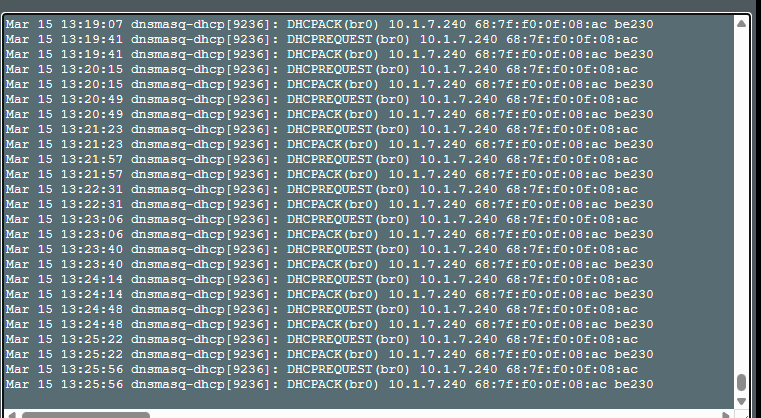
1. DHCP lease failure in AP Mode. My ASUS BE86U has static entry for be230 pointing to 10.1.7.240 bound to be230 MAC address, but BE230 TP link is attempting to lease every 34 seconds even when I have fixed static entry.
Even in static IP mode in TP Link BE230 it puts DHCP requests indefinitely.
CAUTION MY ASUS BE86U is not bugged, it is TP BE230 that is bugged. I am using ASUS Merlin Firmware
.
2. IPv6 is bugged as I mentioned earlier. IPv6 is not connecting after router auto restart in PPPoE, need to manually reboot only then it connects. I found out upon inspecting the packets that the Firmware is not handling these correctly.
TP BE230
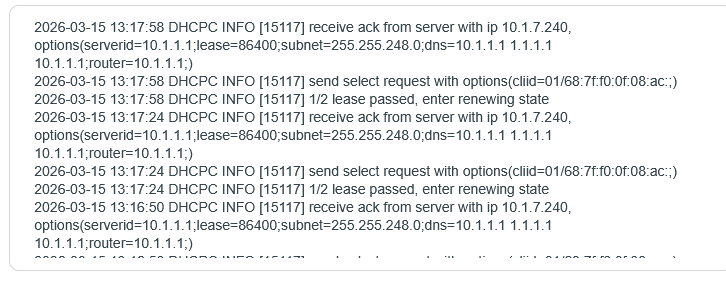
ASUS BE 86 U
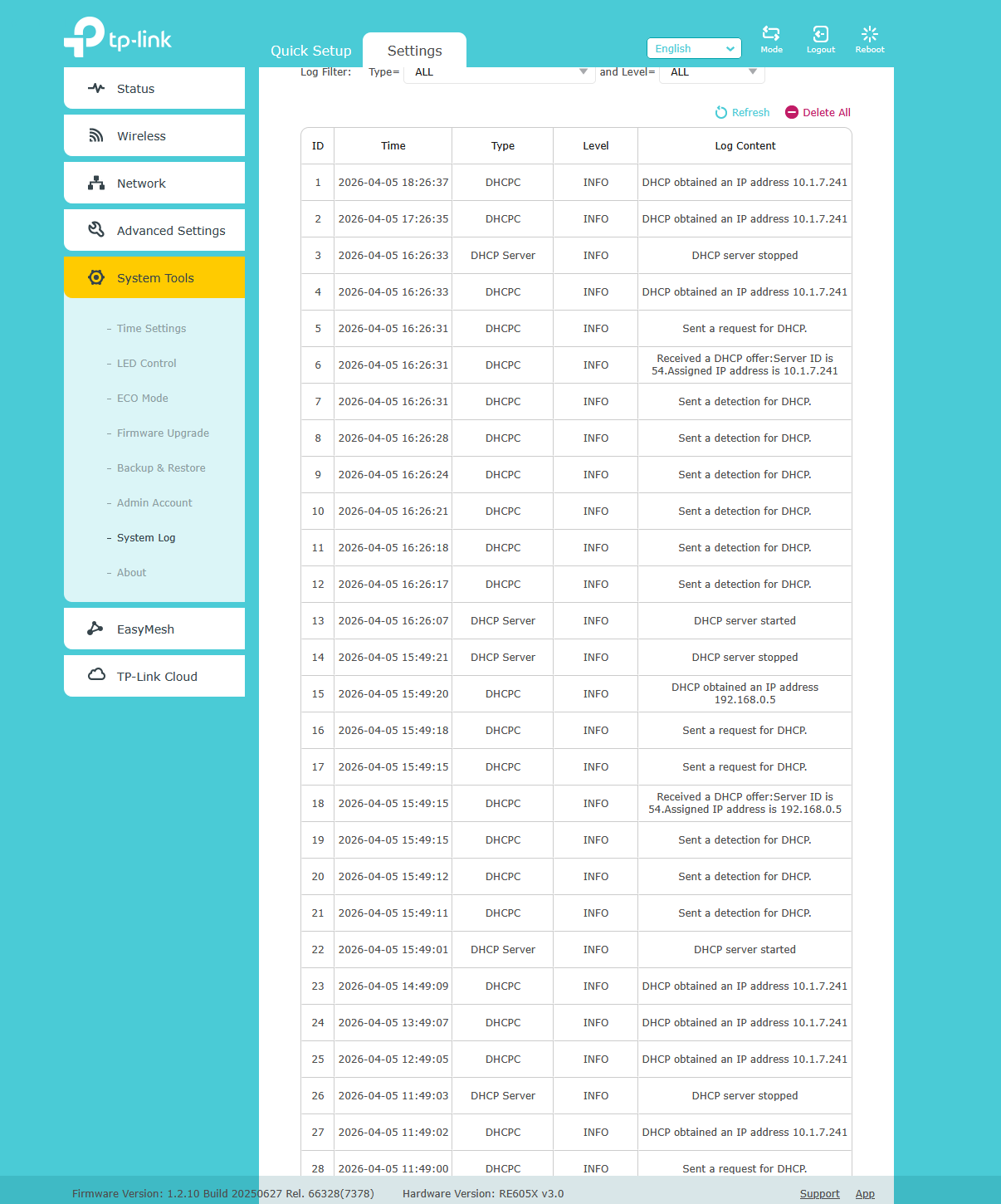
RE605X:
- Copy Link
- Subscribe
- Bookmark
- Report Inappropriate Content
@Archisman this device is buggy,
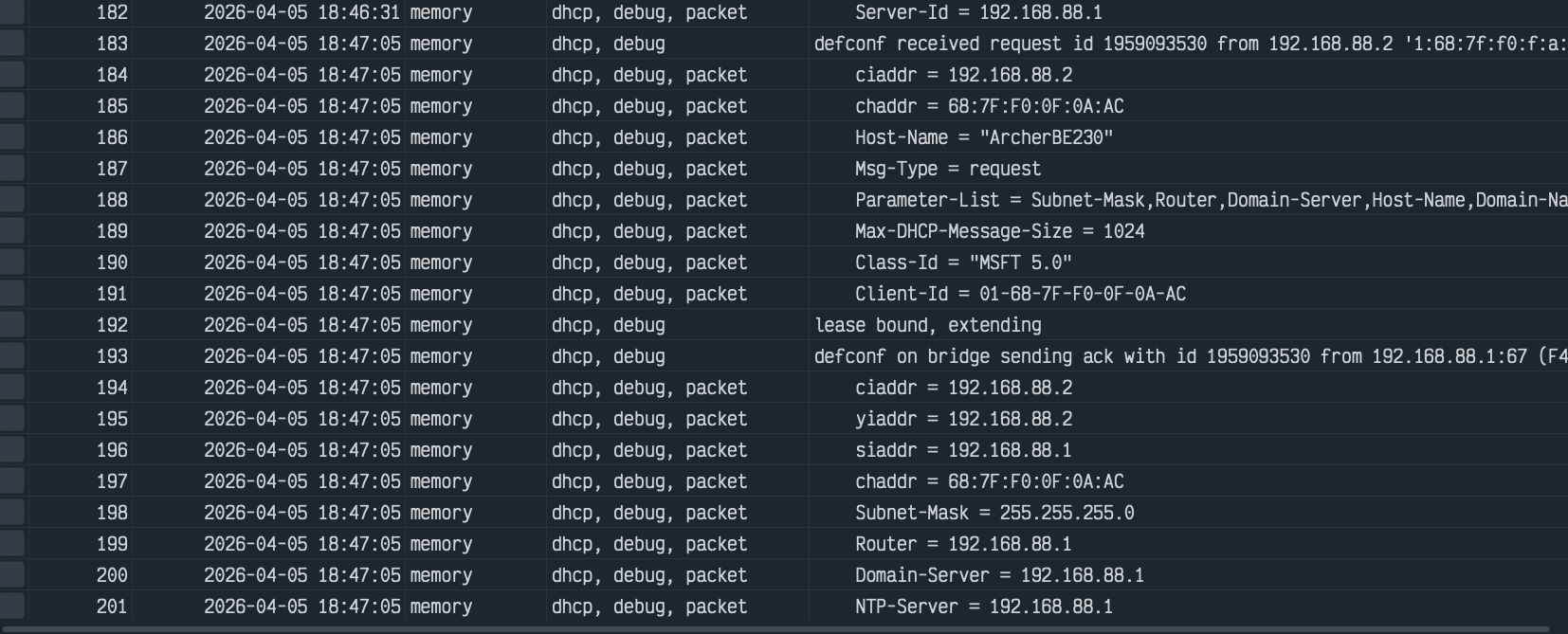
even on my mikrotik device i can see its making DHCP requests to the router eventho both be230 and mikrotik has it configured it as static
- Copy Link
- Report Inappropriate Content

@Archisman I'm seeing the same issue — my TP-Link router logs are flooded with DHCP renewal requests every minute or so, with the lease showing 1/2 passed and immediately entering renewing state again. The router keeps getting the same IP (in my case 10.1.7.240) but the constant renewals suggest the WAN connection is dropping or the ISP's DHCP server is pushing a very short lease time. Try checking your WAN cable/connection stability and also see if your ISP is having any issues on their end — rebooting the modem (not just the router) helped in some cases I've read about.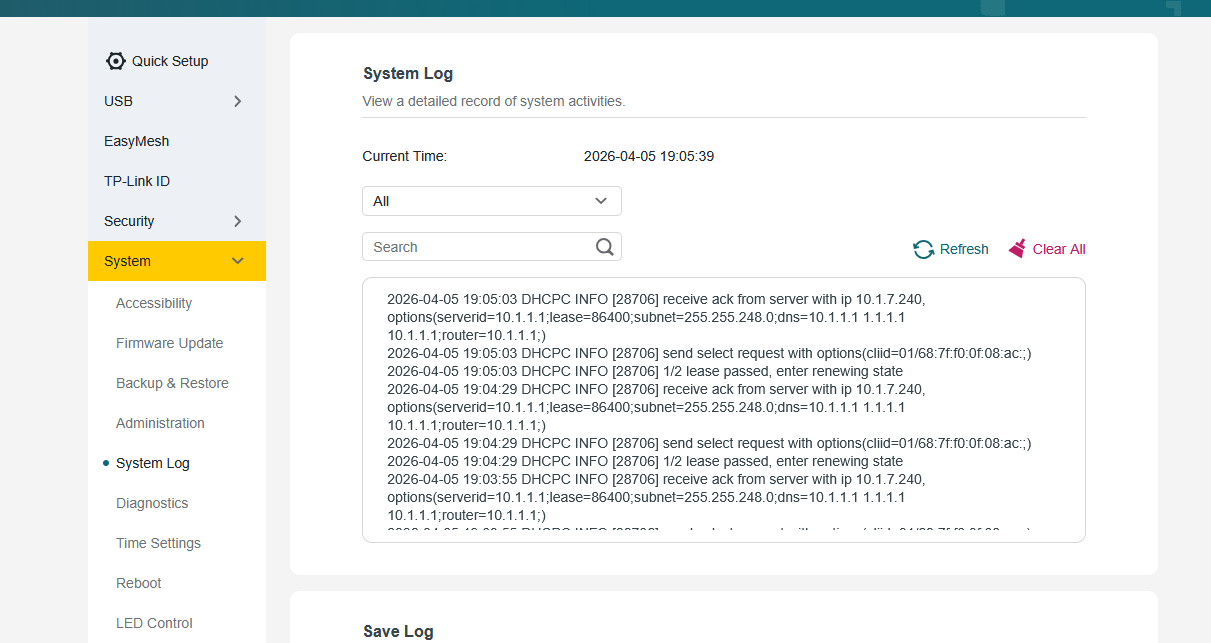
- Copy Link
- Report Inappropriate Content

Hi,
The issue with the DHCP requests occurring every 30 seconds in AP mode is present on all of TP-Link's Archer routers, as long as they are configured to obtain their IP address via DHCP.
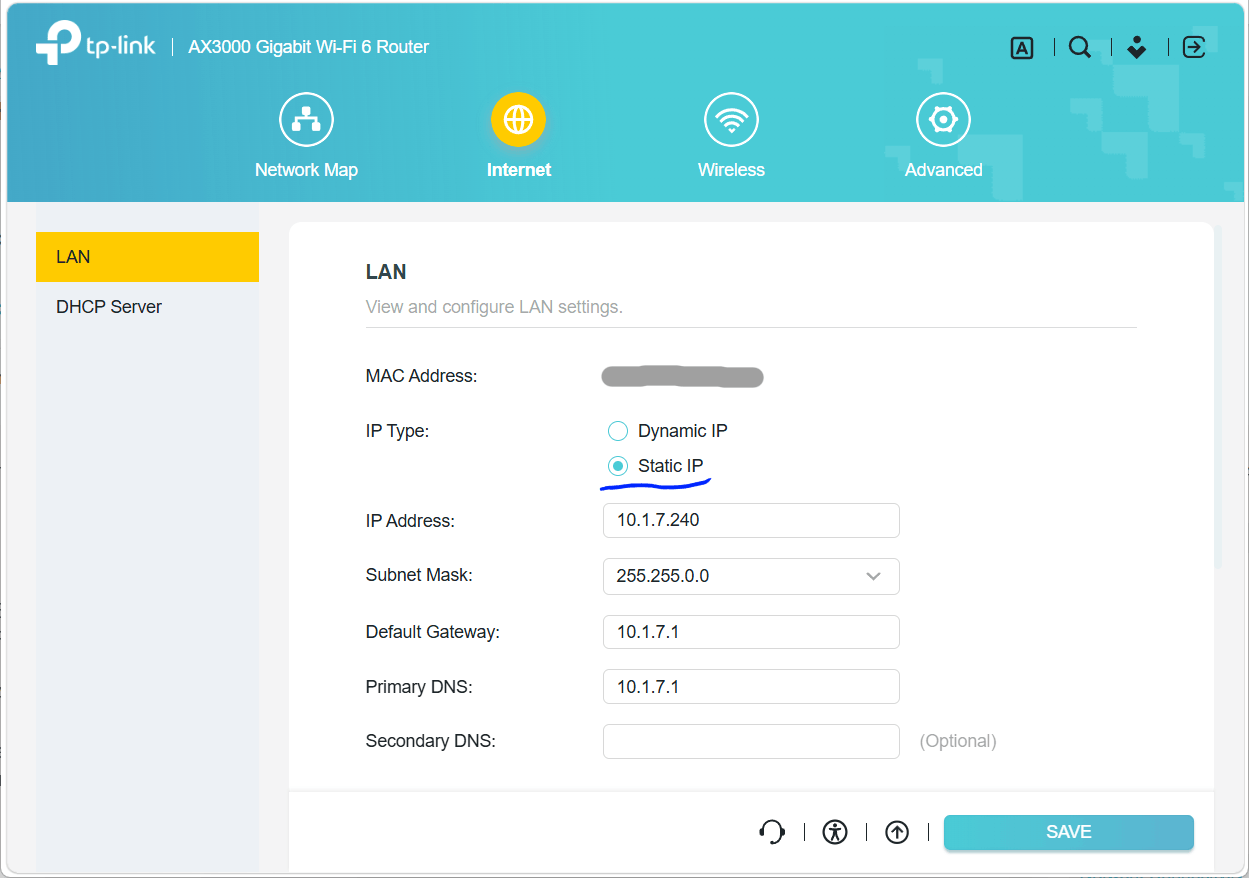
To stop this you would need to set a static IP address on the BE230 itself, via the menu Settings -> Network -> LAN. (and also subnet address and gateway address)
- Copy Link
- Report Inappropriate Content
@woozle
Hi,
I clearly said, the issue persists even in static IP mode (tested and verified 5 times and after factory reset too).
Kindly read & then comment, otherwise please don't comment only for upvotes. No thanks.
Other users who commented they also are using static ip mode and we 3 cannot have the same issue together. Please check before commneting daft.
- Copy Link
- Report Inappropriate Content

@Archisman I think BE230 is forever bugged, even BE400 is getting some sort of updates to fix some bugs, if not all. BE230 might be the forgotten middle child, getting no care at all...
@Kevin_Z kindly check this bug, as this is of utmost importance.
- Copy Link
- Report Inappropriate Content
Pardon me, but your comment "My ASUS BE86U has static entry for be230 pointing to 10.1.7.240 bound to be230 MAC address ..." lead me to believe you were only configuring something on the ASUS router, which would not help with the issue.
If you have already set a static IP address on the BE230 itself (similar to the example shown in the picture below taken from a different TP-Link model), but the BE230 is still sending DHCP requests in AP mode, then you are right, this is indeed a new issue that does not exist on other TP-Link models and hence needs to be looked at by TP-Link. @Joseph-TP
- Copy Link
- Report Inappropriate Content


Hello @Archisman
Thank you very much for reporting this abnormal behavior on the BE230 when it's operating in AP Mode with a static IP address.
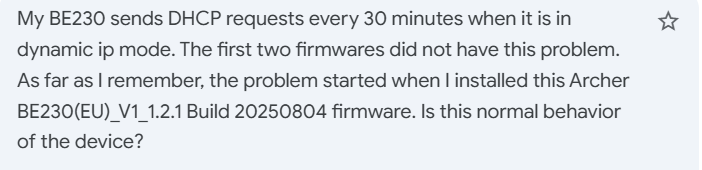
Just want to confirm: it seems you're using a debug version of the firmware on your BE230. Could you please confirm where you got it from? Was it provided by the support engineers?
If this is not provided to resolve a particular issue, I suggest upgrading to the latest official version, which is 1.2.5 Build 20260108:
https://www.tp-link.com/in/support/download/archer-be230/v1.20/#Firmware
How is the RE605X connected to the network?
@Yesrab @Nandeesh, are you both already running the latest official firmware?
- Copy Link
- Report Inappropriate Content
- Copy Link
- Report Inappropriate Content


- Copy Link
- Report Inappropriate Content
Yesrab wrote
hey, kevin yes im running the offical fw
Could you please verify whether your network layout is as follows?
Mikrotik router (gateway) --- BE230 V1.0 (AP Mode with a static IP address configured)
If possible, please email us at support.forum@tp-link.com the BE230 configuration file for further analysis, which will help our engineers determine whether this is a firmware bug.
Thank you very much.
- Copy Link
- Report Inappropriate Content
Information
Helpful: 3
Views: 1504
Replies: 21
Voters 2
