
Can not discover the C320WS via Ethernet
 This thread has been locked for further replies. You can start a new thread to share your ideas or ask questions.
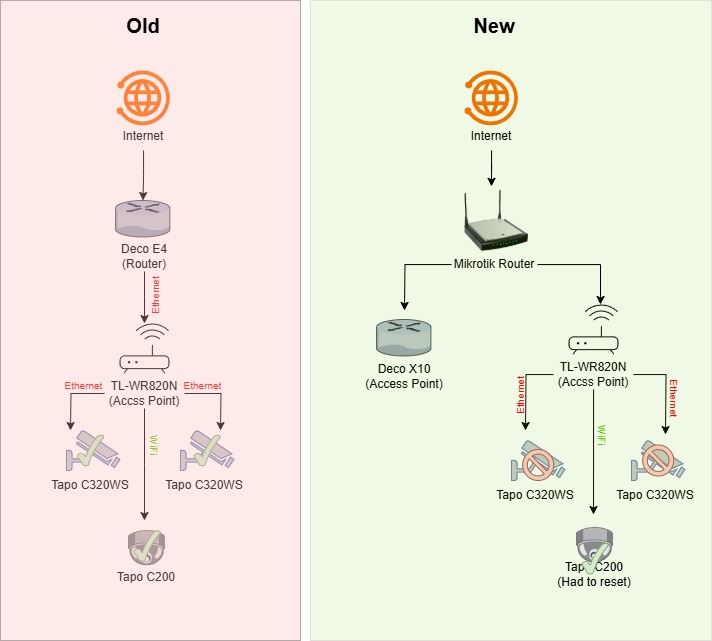
After changing my network setup, I can not connect to my Tapo C320WS camera. Below you can see my old vs my new network setup.
Is there any way to connect to my C320WS camera without hard reset?
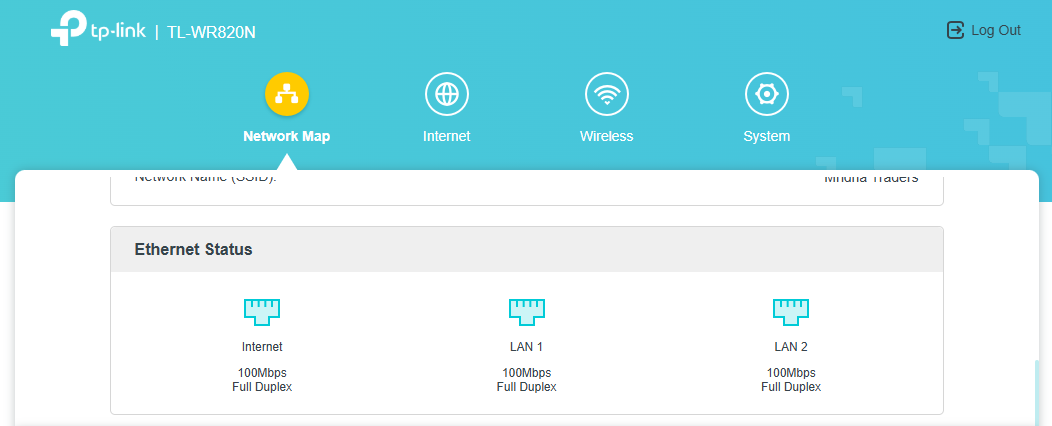
Cameras are connecto to the secondary router (TL-WR820N). See the Lan1 and Lan2 below.
- Copy Link
- Subscribe
- Bookmark
- Report Inappropriate Content


Hi,
Please confirm the following information for the reported issue.
1. Are the two Tapo C320WS displayed offline status on the Tapo app? Which device's Wi-Fi is the phone connected to?
2. How about the LED status on the two Tapo C320WS?
3. Please double-confirm if the TL-WR820N works in the AP mode or router mode. For example, please check the IP address of the Tapo C200 and the phone when it connects to the front router's Wi-Fi.
Best Regards
- Copy Link
- Report Inappropriate Content

- Copy Link
- Report Inappropriate Content
1. Yes. In the APP they are offline. My phone is connected to the Deco's WiFi but, I have tried connected with TL-WR820N 's WiFi.
2. Solid Green (Not blinking).
3. I can confirm TL-WR820N is running in AP mode. I tried switching to router mode but no luck. Now, again back to AP mode.
Note:
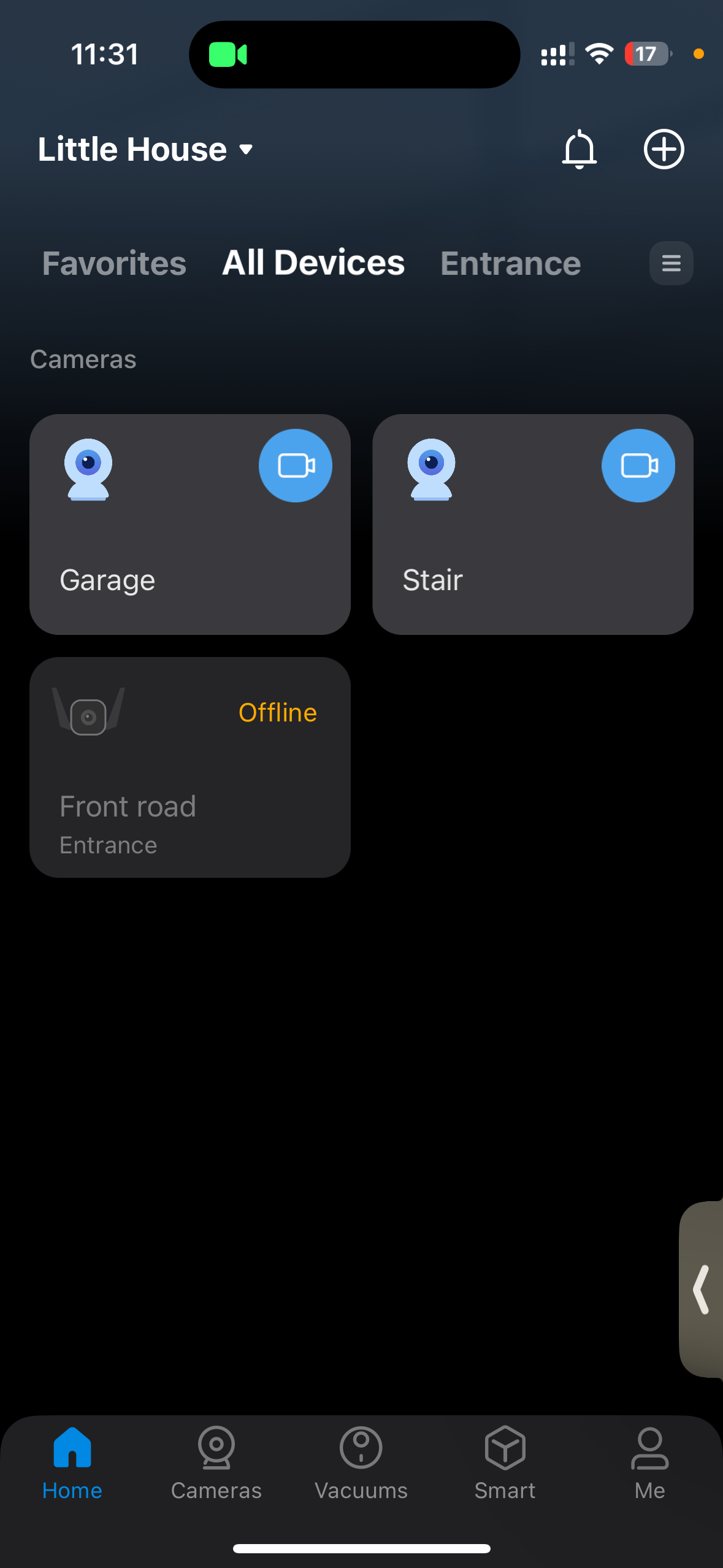
I removed one of the C320WS from the app to check if I can re-add the device. But, no luck. See the screenshot.
- Copy Link
- Report Inappropriate Content
Hi,
Usually, the solid green LED on the camera means it's configured successfully and connected to our cloud server. Please uninstall the Tapo app on your phone, download the latest one from Google Play/App Store, re-install the Tapo app and check if it helps.
You can turn off the Wi-Fi on your phone and check if you can access the Tapo C320WS remotely on the Tapo app.
Please send me(@Solla-topee) the MAC address of the two Tapo C320WS via a private message.
Best Regards
- Copy Link
- Report Inappropriate Content
Hi,
On the Tapo C320WS that you have removed from the Tapo app, please press the reset button for 10s to factory reset it, and when it has a flash red and green light, try to configure it to connect to the TL-WR820N's Wi-Fi, and check if you can set it up successfully.
If yes, connect the camera to the router via an ethernet cable and check if it will work.
Best Regards
- Copy Link
- Report Inappropriate Content
Information
Helpful: 0
Views: 733
Replies: 5
Voters 0
No one has voted for it yet.