
Camera installes in front of the door did not capture a person coming, the door opening and closing
 This thread has been locked for further replies. You can start a new thread to share your ideas or ask questions.
Tha camera is installed facing the front door. It captures the events when we enter and exit the house however, for example yesterday, a person came to the door, knocked, I opened the door, he entered and then he exited a bit later. None of these was captured by the camera which is scary. I also pay for Tapo Care license
- Copy Link
- Subscribe
- Bookmark
- Report Inappropriate Content


Hi,
The problem may be the camera does not detect events or does not record the detection video clips. Please help confirm the following information for the reported issue.
1. Please send us the camera's Device Settings > Detection page. What detection types are enabled? How about the sensitivity value of the enabled detection types? Have you enabled the Motion Tracking feature?
2. Have you enabled the Notification or Alarm feature? If yes, did you receive notifications or was the camera alarm yesterday when a person came, the door open and close?
If the Notification or Alarm feature is enabled but you do not receive notification or alarm, it may be the camera does not detect events. Please check if the following instructions are helpful.
What to do if the Detection feature is not working on the TP-Link Camera?
3. Currently, if you move in front of the camera, such as coming to the door, opening the door, and then exiting the door a bit later, can the camera capture the whole process?
Best Regards
- Copy Link
- Report Inappropriate Content
Hi,
The problem may be the camera does not detect events or does not record the detection video clips. Please help confirm the following information for the reported issue.
1. Please send us the camera's Device Settings > Detection page. What detection types are enabled? How about the sensitivity value of the enabled detection types? Have you enabled the Motion Tracking feature?
2. Have you enabled the Notification or Alarm feature? If yes, did you receive notifications or was the camera alarm yesterday when a person came, the door open and close?
If the Notification or Alarm feature is enabled but you do not receive notification or alarm, it may be the camera does not detect events. Please check if the following instructions are helpful.
What to do if the Detection feature is not working on the TP-Link Camera?
3. Currently, if you move in front of the camera, such as coming to the door, opening the door, and then exiting the door a bit later, can the camera capture the whole process?
Best Regards
- Copy Link
- Report Inappropriate Content
Thank you for the response.
I had enabled only the Facebook detection not the motion detection (no alarm enabled).
The camera is placed on the top right corner facing the door so it might be that Facebook recognition doesn't work so well.
I enabled now also the motion detection which should be detecting always door opening.
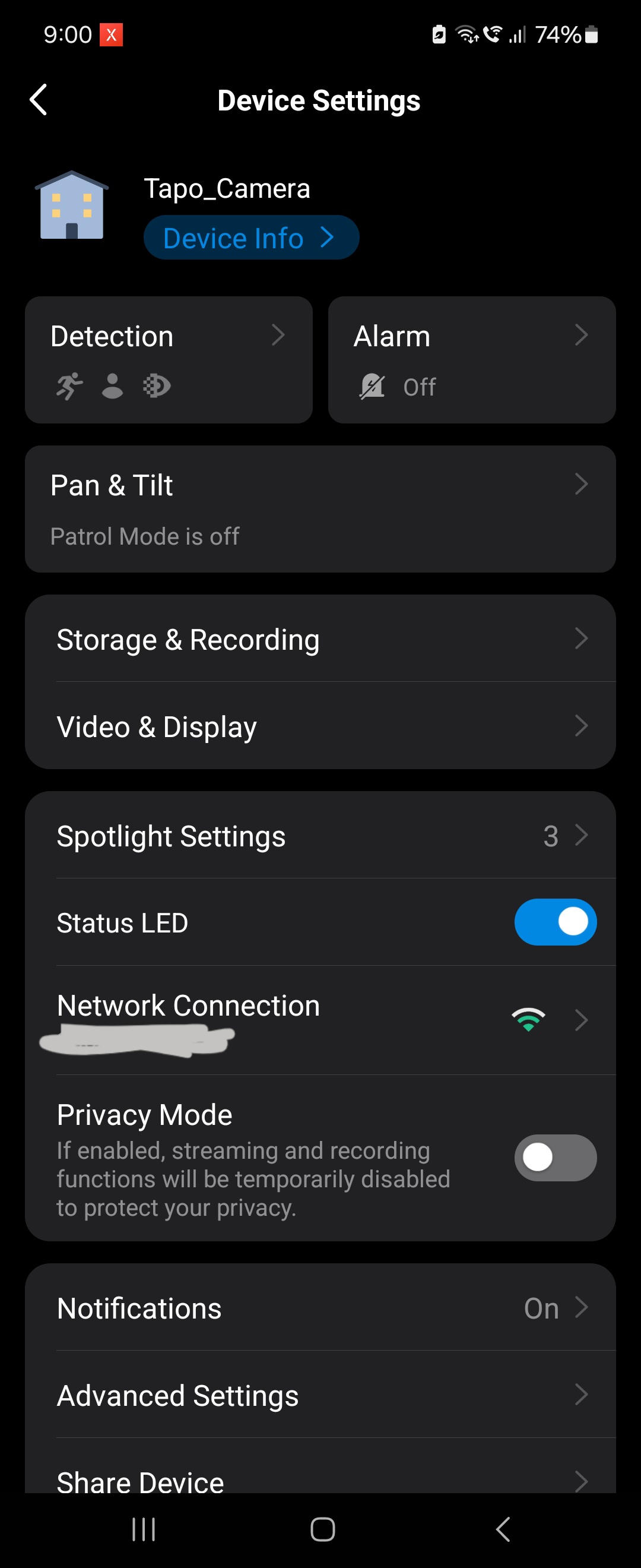
- Copy Link
- Report Inappropriate Content
Hi,
The Tapo C510W does not have Facebook detection. Do you mean you have enabled the Person Detection before?
If you have adjusted your Detection settings and the Notification feature is enabled, you can test if the camera is working as expected(for example, test if you can receive notifications when the camera detects the door opening and whether there are detection video clips stored). If so, you can keep monitoring it for some time to ensure it works fine.
Best Regards
- Copy Link
- Report Inappropriate Content
Information
Helpful: 0
Views: 888
Replies: 3
Voters 0
No one has voted for it yet.