
Multiple Notifications from Person Detect

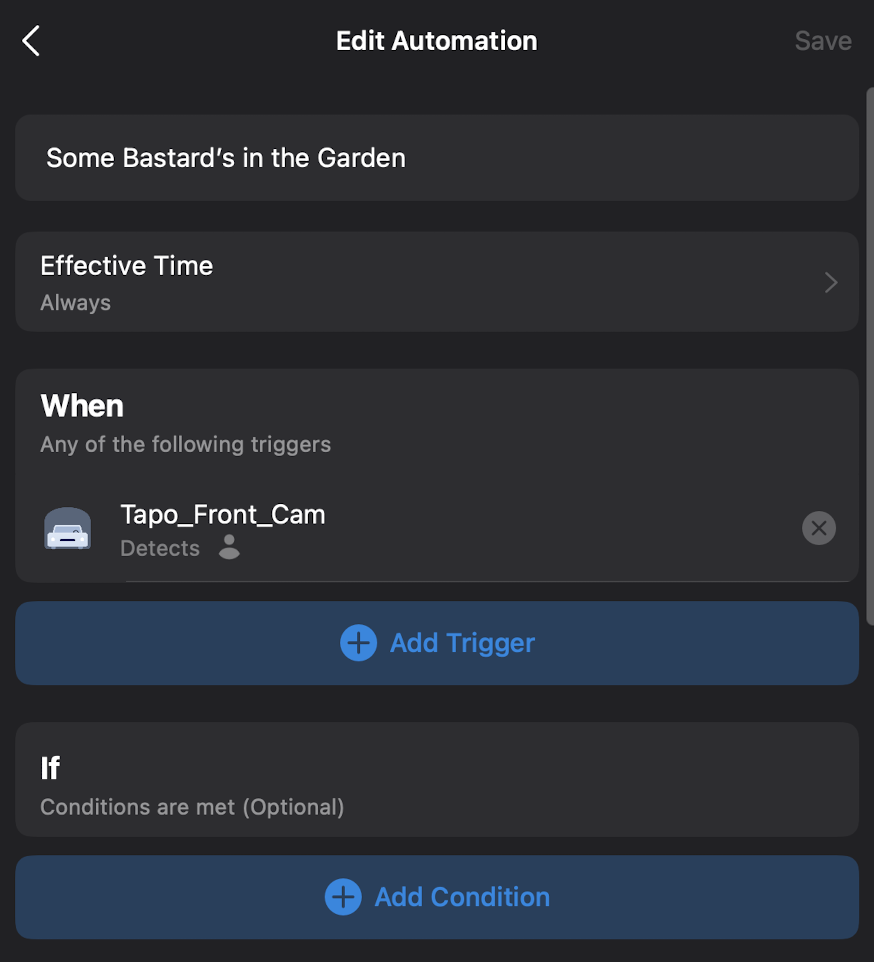
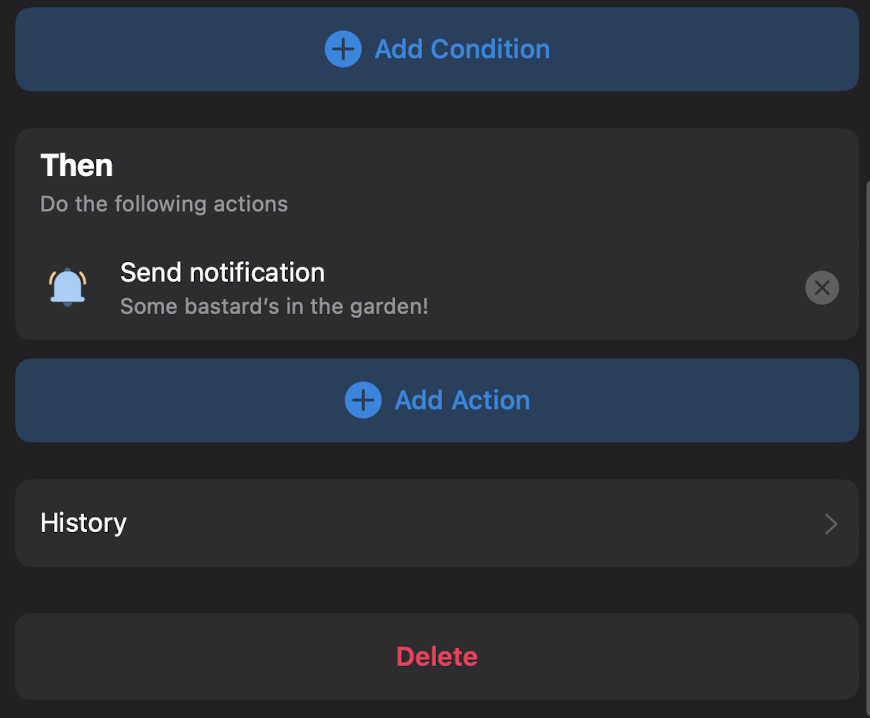
I use two detection zones to create a polygon around the area in my garden being monitored (avoiding a busy pavement and neighbours). I have AI person detection enabled, and have created an Automation that triggers when the camera detects a person, with an action of sending me a Notification. Motion detection is disabled.
An issue has recently turned up whereby I now seem to be getting two notifications whenever a person walks through my garden. My suspicion is that a recent update has caused a notification to be generated for each of my detection zones.
Can anyone think of another reason for this behavior? Thanks.
- Copy Link
- Subscribe
- Bookmark
- Report Inappropriate Content

Hi,
For the reported phenomenon, please confirm the following information for further analysis.
1. On the Tapo app > camera's Device Settings > Notifications page, have you enabled the Notifications feature here?
2. Have you subscribed to the Tapo Care service for your camera?
3. When a person walks through your garden, has this person passed through the two detection zones you set?
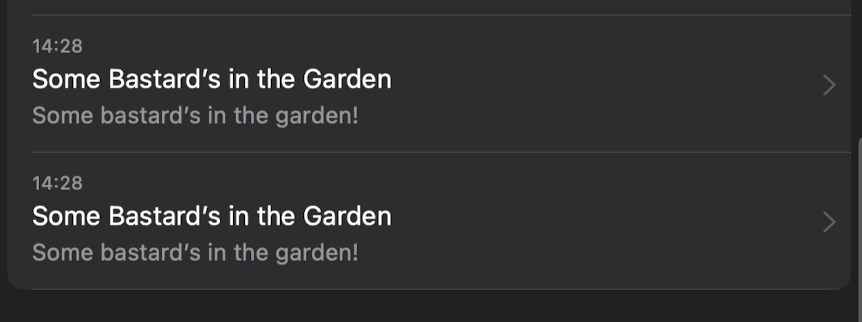
4. After you received two notifications for the same person, please go to the Tapo app > Smart page, tap the Page icon at the top right corner to enter the History page. Are there two records of automation entries executing successfully? Please send us a picture of the History page.
Best Regards
- Copy Link
- Report Inappropriate Content
Hi.
1. Notifications are set to 'off' in the camera settings.
2. No, I am not using Tapo Care, the camera has been installed for 3 months and connected to an H500 hub.
3. No. It appears to be that zone 2 does a double trigger, zone 1 only does a single trigger.
4. Here is a pair of notifications from the log (sorry - British humour). Also attached is the automation.
Best Regards.
- Copy Link
- Report Inappropriate Content

Hi,
Please help confirm the following information.
1. Please send me (@Solla-topee) your camera's MAC address via a private message for further analysis. You can find it in the Tapo app > camera's Device Settings > Device Info page.
2. When you receive the two detection notifications for the same event in zone 2, please send us the date, time, and time zone when you received the notifications.
Best Regards
- Copy Link
- Report Inappropriate Content
Hi,
Thank you for the information provided via a private message. I have escalated your case to our tech team, and they will contact you via email to assist you further. Please wait patiently.
Best Regards
- Copy Link
- Report Inappropriate Content

What was the solution to this? I have close to 20 Tapo cameras , and had to turn off notifications (truly sad), because I get 3-4 notifications every time. Even from the door bell camera. And I would never share ma camera Mac address with anyone
- Copy Link
- Report Inappropriate Content
Hi,
Usually, it's normal if 3-4 cameras detect the same event, so you receive 3-4 notifications. If you receive 3-4 notifications from a camera when it detects an event, it's suggested to check the following information for analysis.
1. What's the camera's model number, hardware, and firmware version?
2. Please go to the camera's Device Settings > Detection page to check what detection types are enabled. Is the detection zone set to the full screen of the camera?
3. What event is detected by the camera, such as a person walking?
4. What notifications have you received, for example, person-detected, motion-detected, or other notifications?
Best regards
- Copy Link
- Report Inappropriate Content
The tp-link solution was that camera notifications have a 1 minute cooldown delay to prevent these double notifications from the same camera, and they recommended using the built-in functionality instead of an automation. My problem with this, is that I wanted a custom notification. Also you get multiple notifications from multiple cameras covering the same area.
My own solution (and it may well work with multiple cameras) is to keep disabled the person notifications on the camera(s) (leave tamper notifications on).
Have a notification automation triggered by each camera detecting a person (Cam_Not_x).
This sends a notification, then immediate disables itself (and, if using > 1 camera, all other camera notification automations; so only the first camera triggered will make the notification; I'm assuming no multi-tasking on the hubs, so the others will be disabled before getting the chance to run).
Have another 'cooldown' automation that is also triggered from any camera detecting a person (Cooldown).
Cooldown does a 1 minute delay and then enables all camera notifications. This should prevent double notifications being sent from one or more cameras.
Hope that helps.
- Copy Link
- Report Inappropriate Content
Information
Helpful: 0
Views: 197
Replies: 7
Voters 0
No one has voted for it yet.