
OpenVPN Not Connecting

OpenVPN Not Connecting

OpenVPN Not Connecting
a week ago - last edited a week ago
Tags: #VPN
Model: Deco XE75 Pro  
Hardware Version: V2
Firmware Version: 1.2.14 Build 20250808 Red. 45526


Hi.  I cannot access home ip addresses on devices such as cameras and home automation device.  I use the OpenVPN clinet on an iPhone.  I included the configuration screenshots and logs.  The iphone client shows connected, however, I can't connect to anything.  As you can see in one screenshot, I have no clients connected, even though the iPhone client appears connected.  Trying to upload a Log file fails every time.
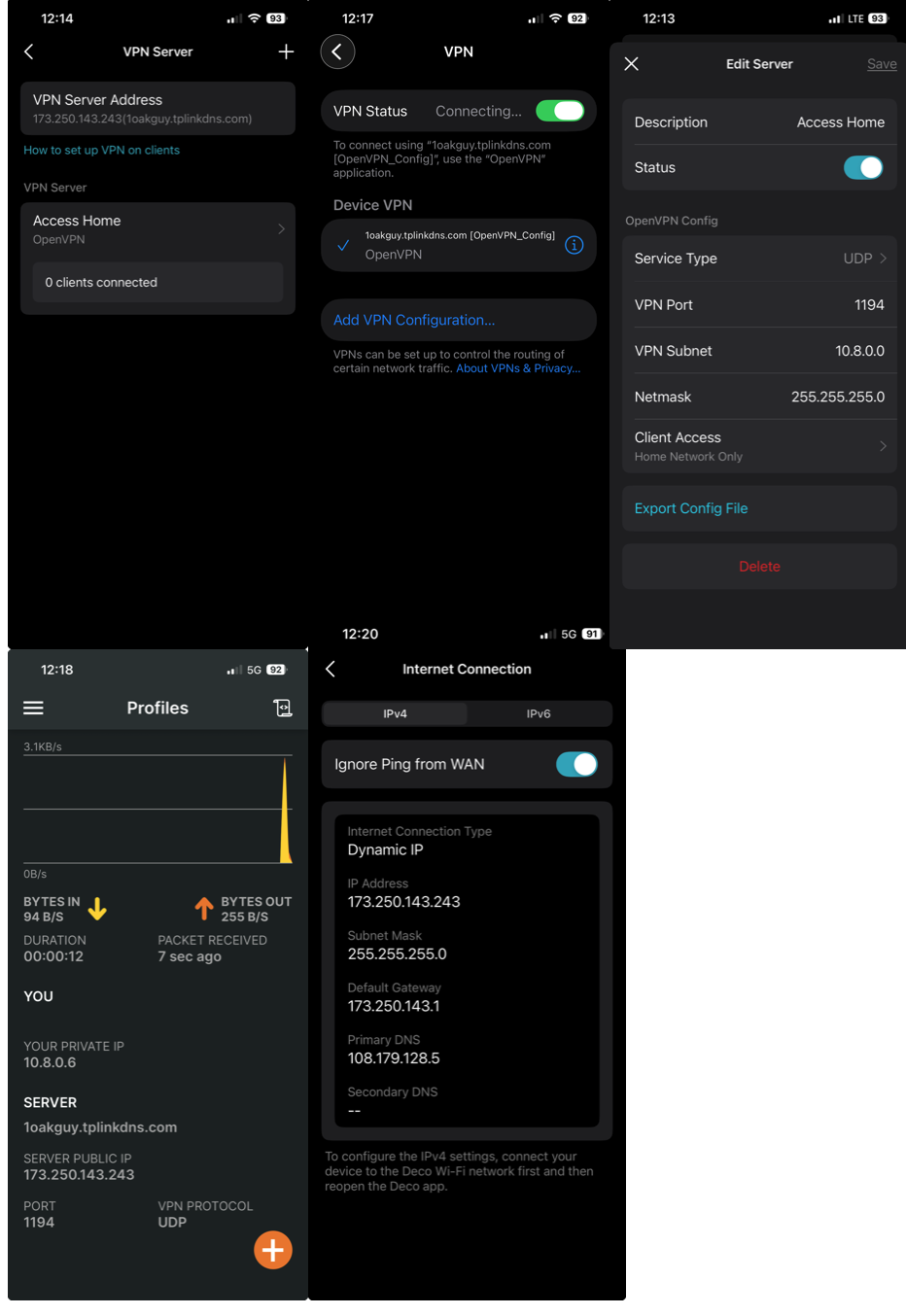


2eb4b7c3b47a4b81848019a16da51488

Oakguy
  1      
  1      
#1
Options
2 Reply
Re:OpenVPN Not Connecting
a week ago

  @oakguy 

Hi, thank you very much for the feedback.

It is recommended to send an email to forumsupport.usa@tp-link.com with the following information:

Subject: [Forum Escalation][ID 855782] Deco XE75 Pro OpenVPN Not Connecting

Thread URL:  https://community.tp-link.com/us/home/forum/topic/855782

Model&Version: Deco XE75 Pro-V2-1.2.14 Build 20250808 Red. 45526

Any Other Relevant Information (Logs, Config Files, Images, etc.):

Once sent, a ticket will be created in our support system, and a member of the team will follow up to gather more information or troubleshoot the cause.


(Please also update here with the support ticket ID.)

Best regards.


  0  
  0  
#2
Options
Re:OpenVPN Not Connecting
Wednesday

  @David-TP 


David, my apologies.  It was just easier for me to roll back to the previous firmware to resolve my issue.  I replied to the trouble ticket team with my decision.  I see on the forum that I'm not the oly one experiencing VPN issues on the XE75 Pro's so this will eventually be worked out.  Nice that we can still roll back firmware!!!!!!


Best regards,

Guy

Oakguy
  2  
  2  
#3
Options