
Deco X50-Poe with TL-SG1016PE switch showing slow ethernet backhaul speed

Deco X50-Poe with TL-SG1016PE switch showing slow ethernet backhaul speed

Deco X50-Poe with TL-SG1016PE switch showing slow ethernet backhaul speed
4 hours ago
Tags: #PoE #Wired Backhaul #Ethernet Backhaul
Model: Deco X50-PoE  
Hardware Version: V2
Firmware Version: 1.4.9

Hello,


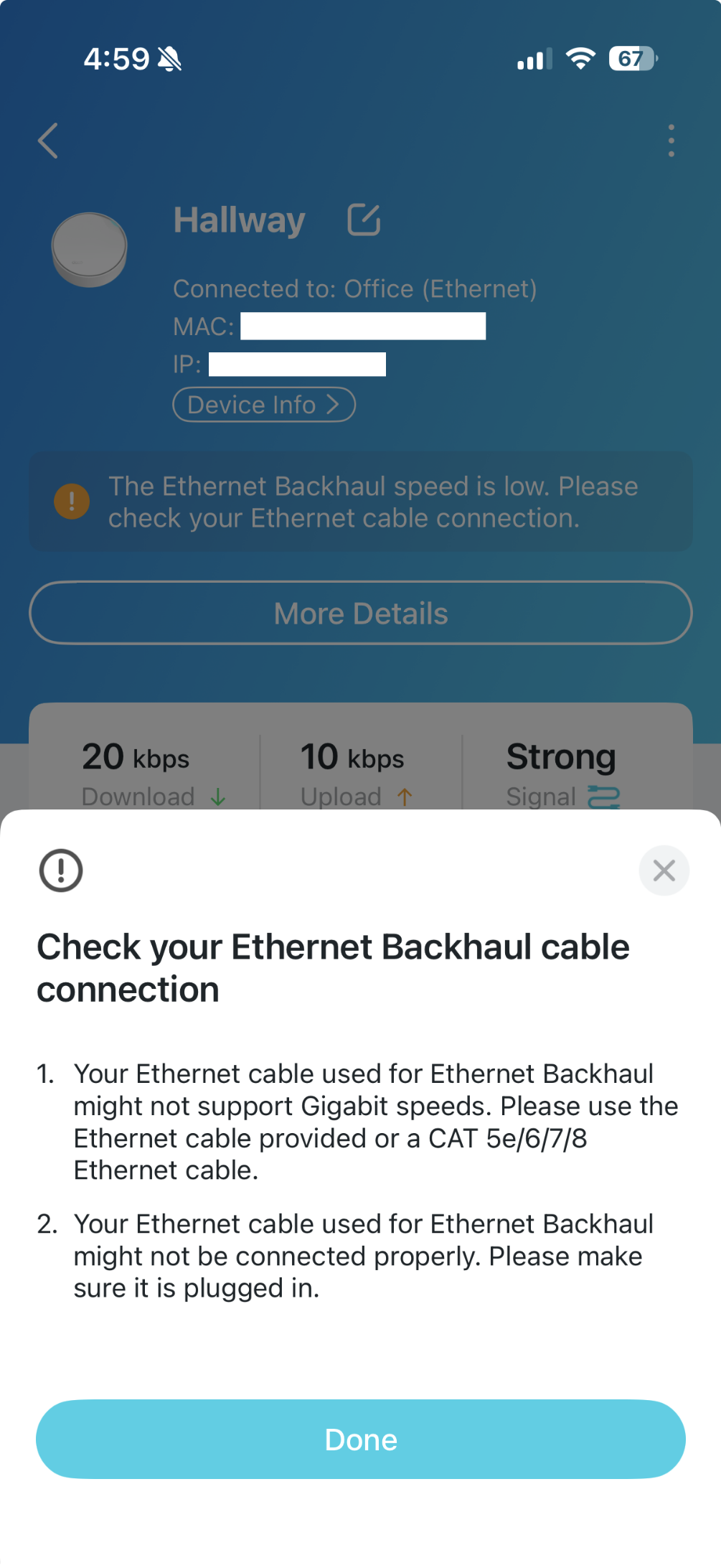
I am using a X50-poe as my main router. One port is plugged into the ISP modem and the other port is plugged into my switch TL-SG1016PE. I pay for 1G speeds. I get the full 1 gig when testing via cable or wifi if connected to the main unit. The remaining satellite X50 units are plugged into my switch and powered via the POE function. All of my satellite deco X50 units are giving me a warning message that the ethernet backhaul speed is slow. The wired speed test when plugged into one of the satellite units gives me nearly the full 1gig as well (980-990Mbps) and the wireless test usually gives a similar result. I have also tried using other ports and cables as well. Is the warning message in the deco app for all the satellite units simply an error within the app? The OCD part of me wants to fix the system until that warning goes away but maybe there is nothing actually wrong and there is just a bug within the deco app.

Photo examples of the warning message and the configuration my network is in.
  0      
  0      
#1
Options
1 Reply
Re:Deco X50-Poe with TL-SG1016PE switch showing slow ethernet backhaul speed
an hour ago

  @BigChungus3012 


Since the speeds are working like they should this sounds like a display issue on the app. Please use the directions below to open up a ticket with support.


First please access the Deco web UI by entering "tplinkdeco.net" in your browser. Navigate to Advanced > System > System Log, select "ALL" in the log type, and save the file to your local computer. Then follow the steps below making sure to attach the logs to the email.


I recommend sending an email to forumsupport.usa@tp-link.com with the following information:


Subject: [Forum Escalation][ID 860438Deco X50-Poe with TL-SG1016PE switch showing slow ethernet backhaul speed

Forum Nickname: [User Provided]

Thread URL: https://community.tp-link.com/us/home/forum/topic/860438?moduleId=2424

Model&Version: [User Provided]

Description: [User Provided]

Any Other Relevant Information (Logs, Config Files, Images, etc.): [User Provided]


In the template above please fill in the areas that say [User Provided].  This will open a case with our engineering team, and they will work with you via email. 

Need help with the Deco app, setup, Ethernet backhaul, network switch or rolling back firmware? Router or AP mode? https://community.tp-link.com/us/home/forum/topic/699816?page=1
  0  
  0  
#2
Options
