
Can I change my mesh point connections?

Can I change my mesh point connections?

Can I change my mesh point connections?
Yesterday - last edited Yesterday
Model: Deco BE63  
Hardware Version:
Firmware Version: 1.3.2 Build 26040912 Rel. 40631

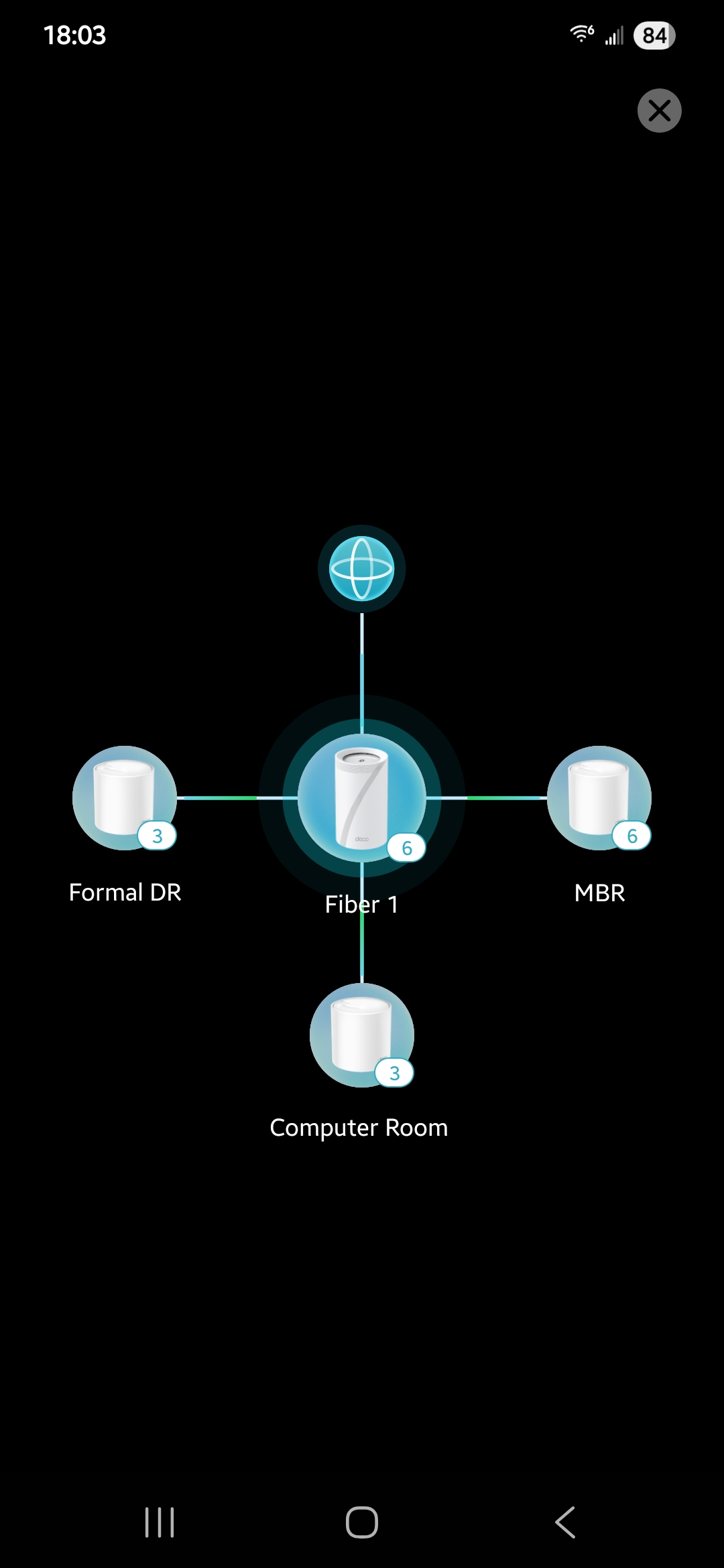
Given the layout of our house, I would like to change how the mesh points connect to each other.  If I am interpreting my current connections correctly, it appears all of my mesh points are connecting through the mesh point named Fiber 1.  See diagram below: 
94f6aa6df3fd4cfba4b60d1dd73ab936


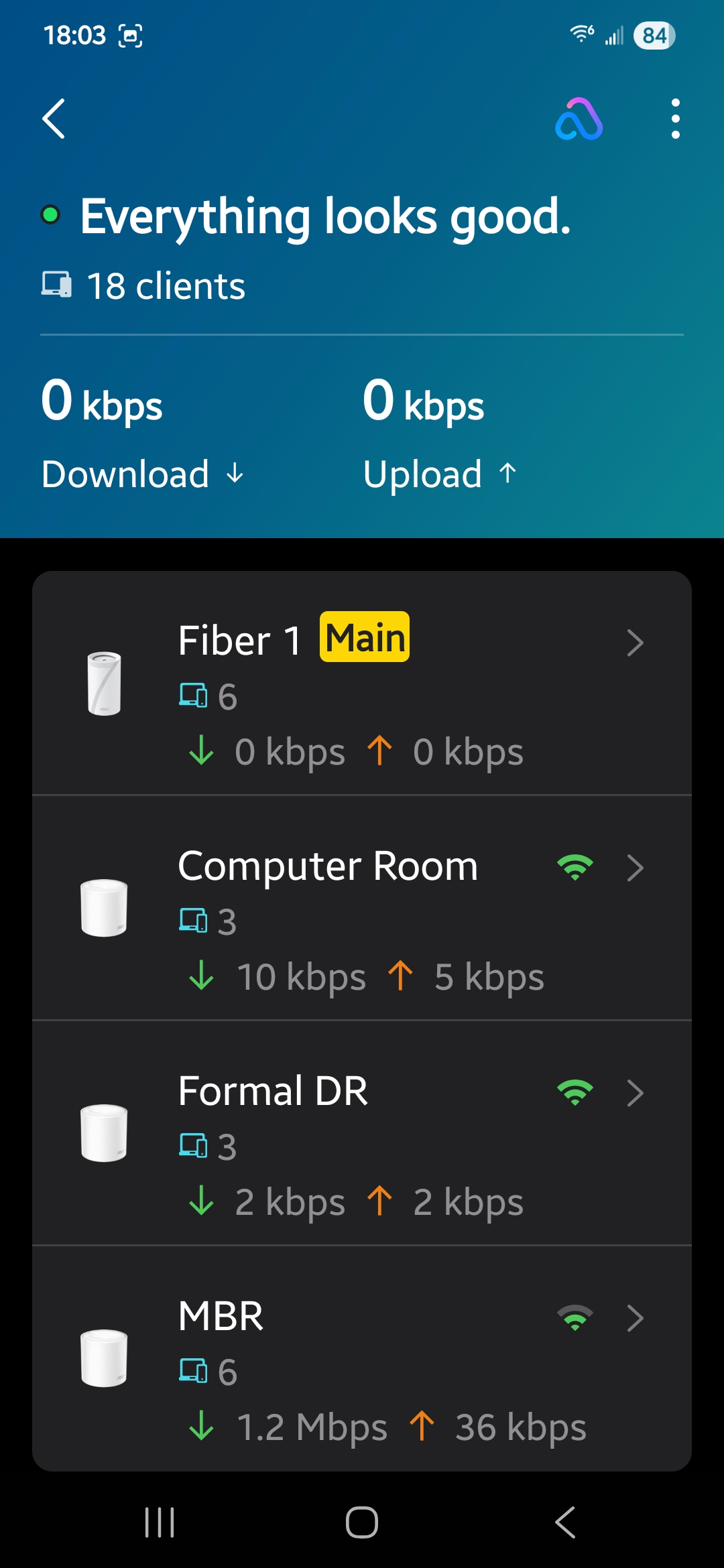
The problem is given the layout of our house, the mesh point named MBR is NOT working at full signal strength.  

See this photo to support that contention: 
e6960a448644446fb80ef00ab56b4804


Can I somehow make the mesh point called Formal DR work as an intermediate connection between Fiber 1 and MBR?  I would still want Formal DR to concurrently work as a mesh point.... That would better match the layout of our house and I am hoping that might provide a better signal strength for MBR.....

In other words, the conenction map would look like:   

Fiber 1  ----->  Formal DR  ----->  MBR
    |

    |

    |

   ⬇

Computer Room 


Thanks for any ideas offered. 

0
0
#1
1 Accepted Solution
Re:Can I change my mesh point connections? -Solution
Yesterday - last edited Yesterday

  @bbodb1 

Hi, 
The following instructions will help you: Connection Preference on the Deco App: Set Your Signal Source
Best Regards

Recommended Solution
0
0
#2
2 Reply
Re:Can I change my mesh point connections? -Solution
Yesterday - last edited Yesterday

  @bbodb1 

Hi, 
The following instructions will help you: Connection Preference on the Deco App: Set Your Signal Source
Best Regards

Recommended Solution
0
0
#2
Re:Can I change my mesh point connections?
Yesterday

  @Solla-topee That did the trick - thanks!  

0
0
#3