
Cant connect to wifi

This thread has been locked for further replies. You can start a new thread to share your ideas or ask questions.

Cant connect to wifi

This thread has been locked for further replies. You can start a new thread to share your ideas or ask questions.

Cant connect to wifi
2025-05-30 23:55:54 - last edited 2025-06-09 11:47:47
Model: Tapo C200  
Hardware Version:
Firmware Version:

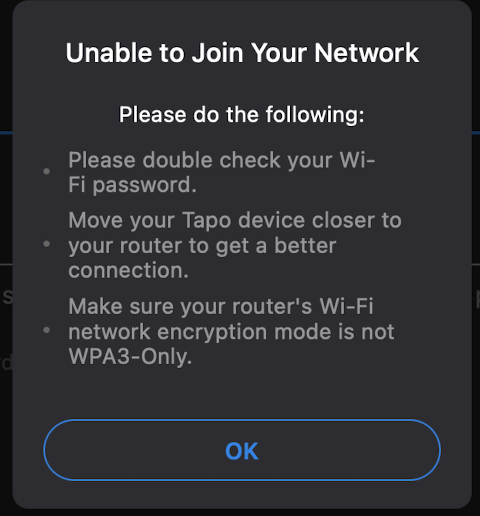
Couldnt connect C200 to 2.4GHz wifi even through manual wifi connect. Checked wifi router. it has been set to WPA2/WPA3. still not working. This happened from the last software update.
 

  0      
  0      
#1
Options
1 Accepted Solution
Re:Cant connect to wifi-Solution
2025-06-03 11:50:40 - last edited 2025-06-09 11:47:47

  @babamonster 

Hi,
You can refer to the following instructions to troubleshoot if you fail to connect the camera to your router's Wi-Fi.
What should I do if I fail to configure Tapo Camera?
 

If the problem remains, please try the following steps.
  1. Set the wireless security type to WPA2-PSK only.
  2. Try to change the Wi-Fi name and password if they have special characters.
  3. You can try to enable a hotspot Wi-Fi on your phone, factory reset the camera, configure it with another phone, connect it to the hotspot Wi-Fi, and then check if you can set it up.


Best Regards

Recommended Solution
  0  
  0  
#2
Options
1 Reply
Re:Cant connect to wifi-Solution
2025-06-03 11:50:40 - last edited 2025-06-09 11:47:47

  @babamonster 

Hi,
You can refer to the following instructions to troubleshoot if you fail to connect the camera to your router's Wi-Fi.
What should I do if I fail to configure Tapo Camera?
 

If the problem remains, please try the following steps.
  1. Set the wireless security type to WPA2-PSK only.
  2. Try to change the Wi-Fi name and password if they have special characters.
  3. You can try to enable a hotspot Wi-Fi on your phone, factory reset the camera, configure it with another phone, connect it to the hotspot Wi-Fi, and then check if you can set it up.


Best Regards

Recommended Solution
  0  
  0  
#2
Options
