Re setting up issues

This thread has been locked for further replies. You can start a new thread to share your ideas or ask questions.

Re setting up issues

This thread has been locked for further replies. You can start a new thread to share your ideas or ask questions.

Re setting up issues
2025-06-08 10:27:03 - last edited 2025-07-11 03:25:39
Model: Tapo C225  
Hardware Version: V1
Firmware Version:

Hello All, I have previous set up my C225 indoor camera and it was working fine. I noticed that an error happened when attempting to download footage as the device said my phone and camera were not on the same network. 
 

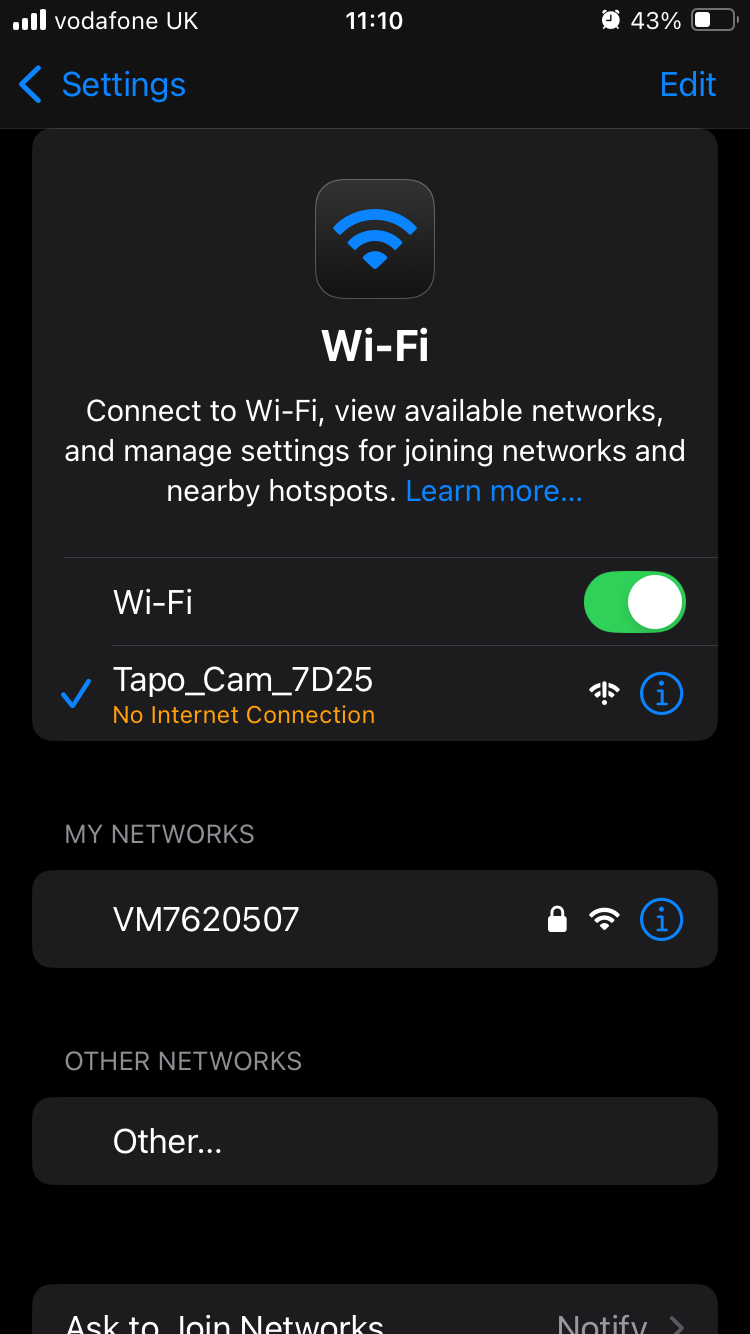
I have subsequently done a hard reset and attempted to set the camera up using an alternative email address however, when going through the set up onto my Wi-Fi I got the above connection error. I have switched off my VPN. Any ideas on a solution? Thanks 

  0      
  0      
#1
Options
1 Accepted Solution
Re:Re setting up issues-Solution
2025-06-09 12:25:40 - last edited 2025-07-11 03:25:39

  @Ronny14 

Hi,
The camera's default SSID has no internet connection. Usually, when your phone is connected to the default SSID, you can go back to the Tapo app and then check if you can search for the camera successfully in the Tapo app. If so, please follow the instructions in the Tapo app to configure the camera.


Here are the instructions to set up the camera: How to set up the Tapo camera
Here are the instructions to troubleshoot if you fail to configure the camera: What should I do if I fail to configure the Tapo Camera?
 

By the way, when the device indicates that your phone and the camera are not on the same network when downloading the video footage from the SD card, there is no need to reset and reconfigure the camera. You just need to connect your phone to the same Wi-Fi network as the camera.


Best Regards

Recommended Solution
  0  
  0  
#2
Options
1 Reply
Re:Re setting up issues-Solution
2025-06-09 12:25:40 - last edited 2025-07-11 03:25:39

  @Ronny14 

Hi,
The camera's default SSID has no internet connection. Usually, when your phone is connected to the default SSID, you can go back to the Tapo app and then check if you can search for the camera successfully in the Tapo app. If so, please follow the instructions in the Tapo app to configure the camera.


Here are the instructions to set up the camera: How to set up the Tapo camera
Here are the instructions to troubleshoot if you fail to configure the camera: What should I do if I fail to configure the Tapo Camera?
 

By the way, when the device indicates that your phone and the camera are not on the same network when downloading the video footage from the SD card, there is no need to reset and reconfigure the camera. You just need to connect your phone to the same Wi-Fi network as the camera.


Best Regards

Recommended Solution
  0  
  0  
#2
Options