
Enhance the Overall 5G network stability for Deco X50-5G/Archer NX200/NX500/NX600


This Article applies to
Deco X50-5G_V2, Archer NX200_V2, Archer NX600_V1
Any issues related to Deco X50-5G_V1, please make sure your firmware is up-to-date: Deco X50-5G-1.2.1 Official Now Available for Installation!
Firmware Modification:
- Fixed the issue that the 5G network randomly dropped out, and a reboot was needed to restore the internet connection.
- Improved overall network stability
Download Link:
| Deco X50-5G_V2 | Deco X50_5G_V2_1.1.1_build_20251128_Beta (2026.1.5 updated) |
| Deco X50-5G_V1 | Deco X50-5G_V1_1.3.1_Build 20250918_Official |
| Archer NX200_V1 | Archer NX200_V1_1.6.0_250529_Official |
| Archer NX200_V2.0/V2.2 | Archer NX200_V2_1.2.0_20250725_Official |
| Archer NX500_V1 | Archer_NX500_V1_1.0.0_20250616_Beta |
| Archer NX600_V1 | Archer NX600_V1_1.1.0_20250616_Beta |
| Archer NX600_V2 | Archer_NX600_V2_1.0.0_20250616_Beta |
| NE200-Outdoor_V1 | NE200-Outdoor_V1_1.3.0_build_20251226_Beta(2026.1.5 updated) |
Update Advice:
- Please be sure you have read the Terms and Conditions for TP-Link Beta Firmware before proceeding.
If the beta firmware didn't help, please comment below with your SIM service provider. We'll get in touch as soon as possible.
Related Articles:
Archer NX200 Can't Access Certain Websites or Only Receives an IPV6 Address
464XLAT Support on TP-Link 4G/5G routers for Jio/EE/Optus/Vodafone and other SIM carriers
- Copy Link
- Subscribe
- Bookmark
- Report Inappropriate Content
Hi, is the current firmware 1.7.0 3.0.0 v60a2.0 Build 250904 Rel.72968n?
May I know your mobile ISP?
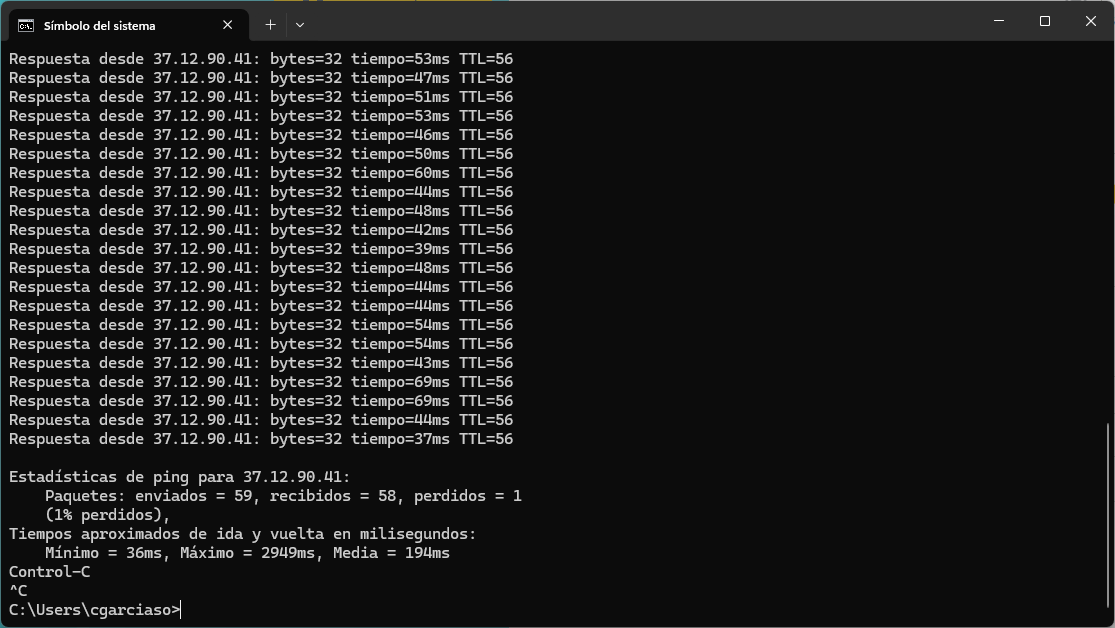
"when switched to 5G (5G NR), it starts dropping packets and experiencing ping times of up to a second at times."
-When it happened, would there be any change to the internet light on the Archer NX200?
-How about the internet status here:
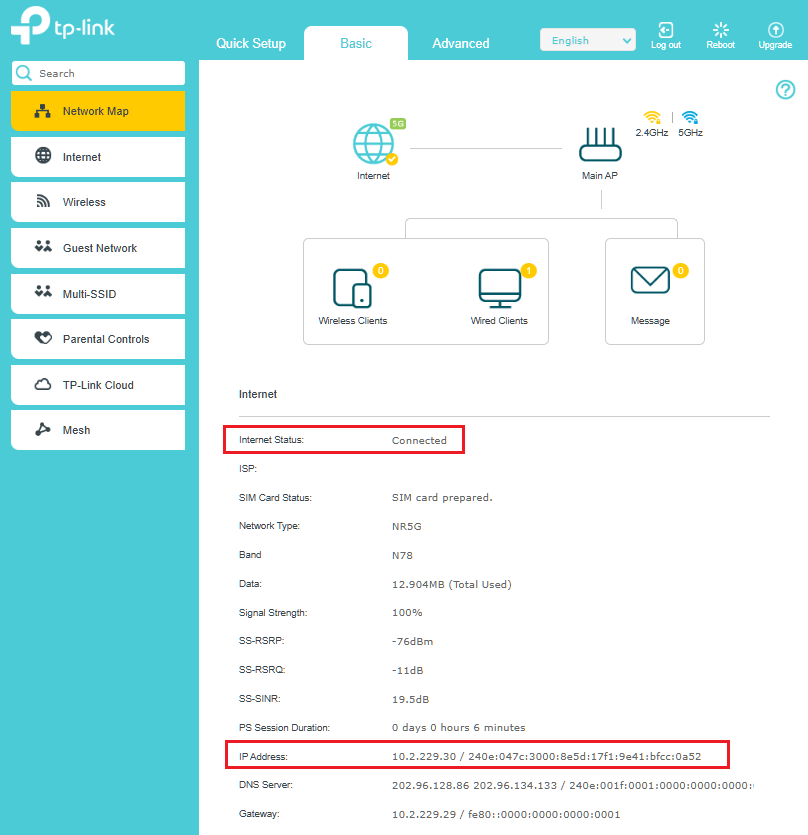
Best regards.
- Copy Link
- Report Inappropriate Content

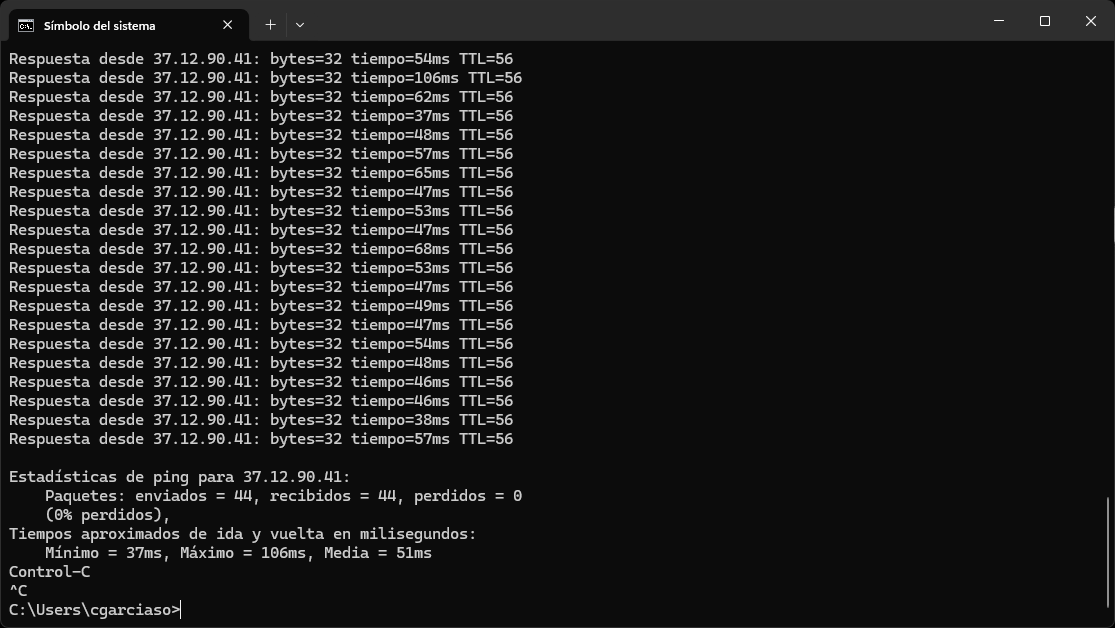
These are the two configurations. When I'm on 4G (LTE) it works correctly, but when I'm on 5G (NR5G) it's when I have problems. See the attachments.
4G (LTE)
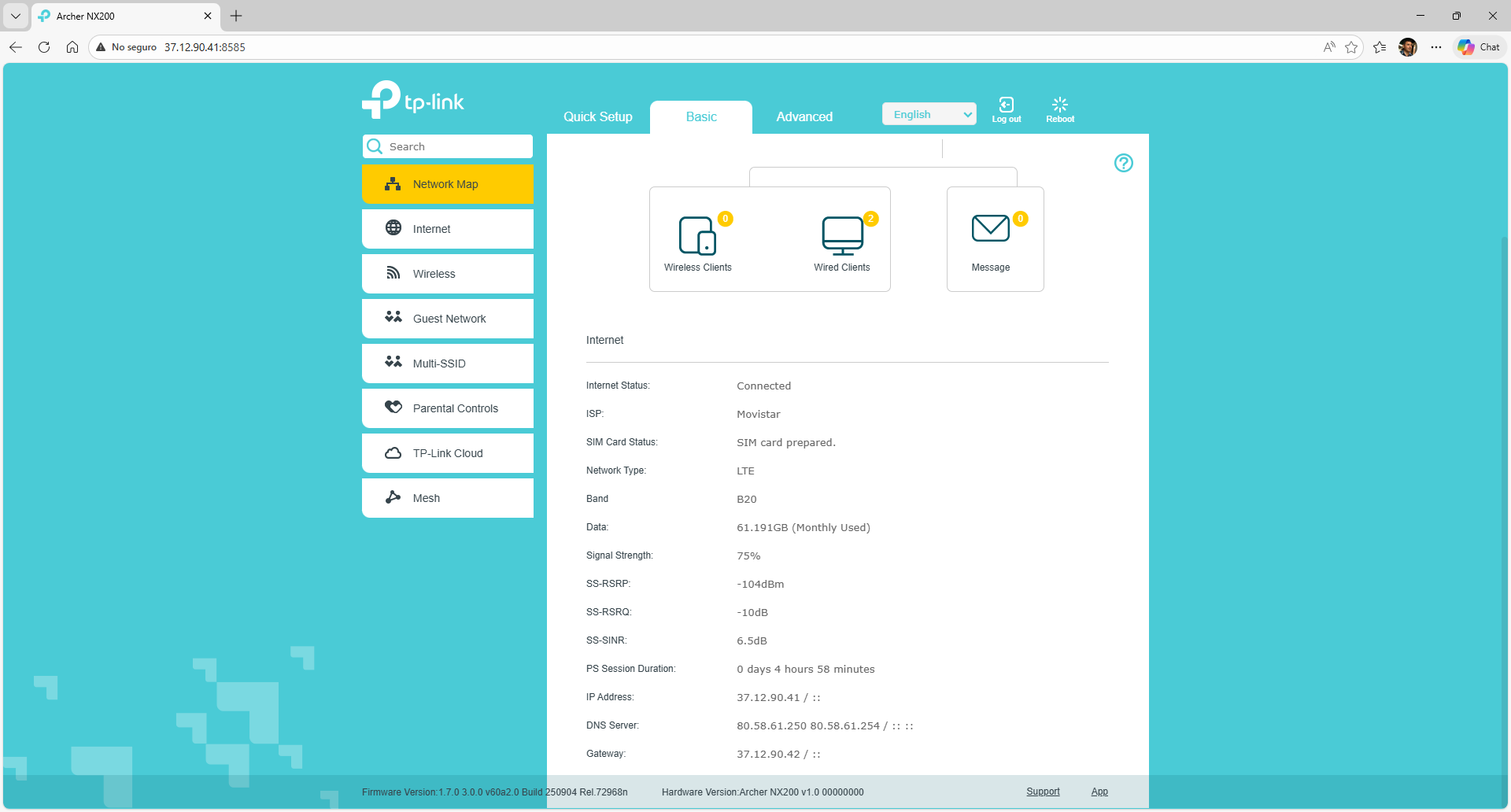
5g (NR5G)
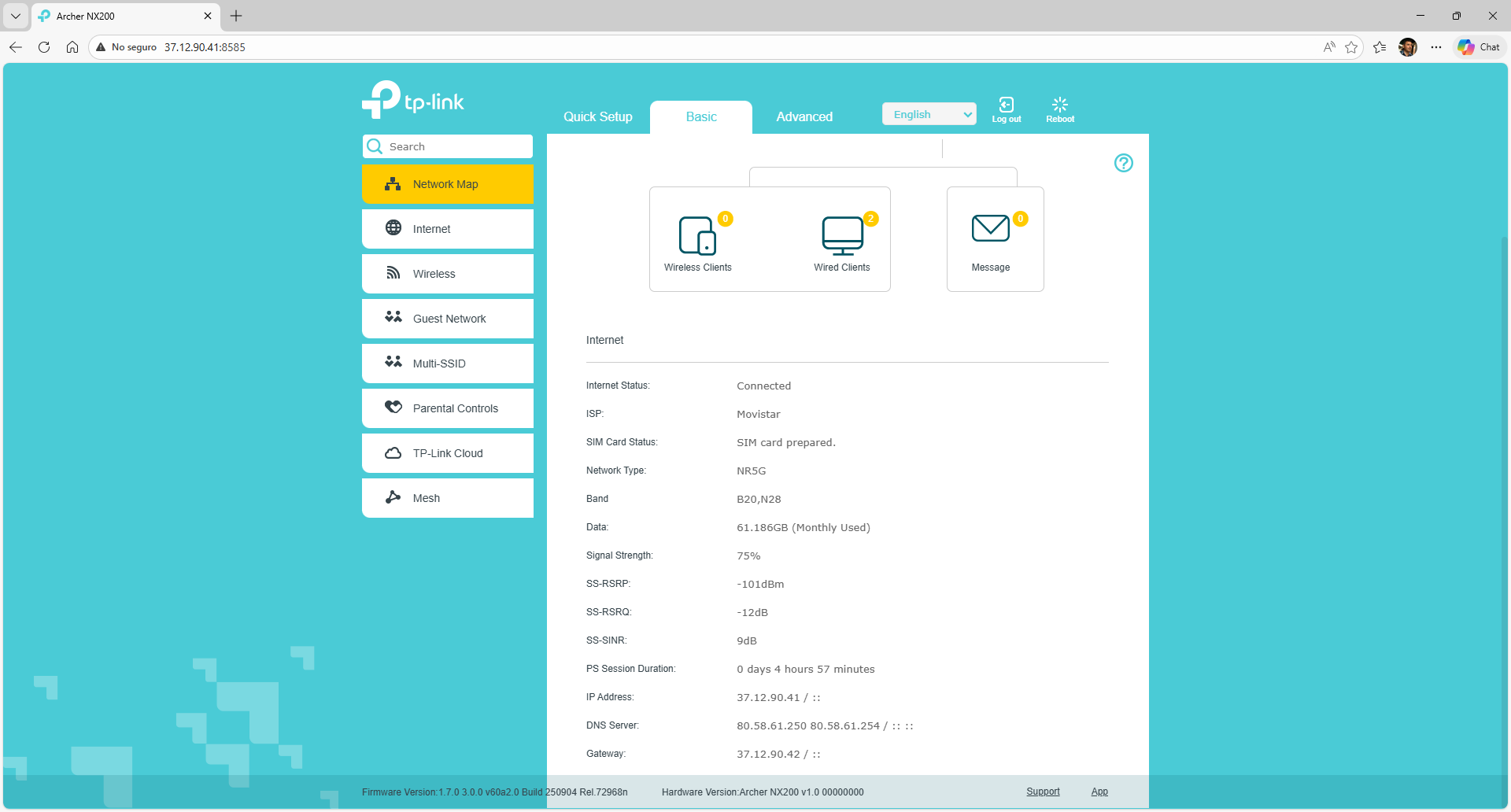
- Copy Link
- Report Inappropriate Content

i have an archer nx200 v2.0 with firmware version: 1.0.0 3.0.0 v60e0.0 Build 240822 Rel.76438n
i got a notification to upgrade to 1.2.0 3.0.0 v60e0.0 Build 250725 Rel.73467n
Is there a specific reason i should upgrade?
ChatGPT mentions issues after updating: 
1) Connection Instability / Drops
Several users on the official TP-Link community forums are reporting that after updating to the 1.2.0 firmware, their Archer NX200 stopped working reliably — the internet connection drops frequently, and the router’s admin status page shows messages like “Please configure DNS manually.”
2) Need for Manual Band Fixes
One user said that after the update, the connection became unstable with automatic band selection enabled. They resolved it (partially) by manually fixing the 4G/5G bands — but still noticed minor stability issues they didn’t have before.
3) Intermittent Internet and Slow Web UI
Another forum report from a different user also describes intermittent internet even after the firmware upgrade, and slower than expected access to the router’s management page — despite being wired directly to the device.
i know it may be wrong, however it gave me second thoughts... i mean it works fine as it is...
Moreover i cant find the release notes anywhere....
thank you in advance
- Copy Link
- Report Inappropriate Content
Hi, welcome to the community.
Is everything going on well on the current 1.0.0 3.0.0 v60e0.0 Build 240822 Rel. 76438n version?
Compared with 1.0.0, 1.2.0 hasn't made a huge adjustment, and several minor refinements have been made to improve the system stability and security.
As the 1.2.0 can't revert to 1.0.0 after the upgrade, if the router is working fine as it is, it is reasonable to stay on the 1.1.0.
Moreover, I don't think the issues summarized by GPT just started after the 1.2.0 firmware upgrade. This version, in general, is still worth a try, and we'd love to offer any further assistance if anything went wrong.
Thank you very much.
Best regards.
- Copy Link
- Report Inappropriate Content
Hi, thank you very much for the update.
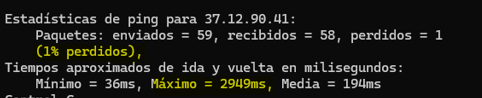
Can you consistently reproduce this issue on this laptop, dropping packets and experiencing ping times of up to a second at times?
-If yes, can I have the model number of this laptop? Is it connected to Archer NX200 via an Ethernet cable or by WiFi?
The ping test isn't as bad as it sounds, and if it can't be reproduced in a short time, further troubleshooting wouldn't be easy.
Thanks a lot.
Best regards.
- Copy Link
- Report Inappropriate Content
I performed the ping from a device with an FTTH connection. I was pinging the dynamic IP address provided by the NX200.
- Copy Link
- Report Inappropriate Content
Hi, thanks for your time and patience.
YASPE wrote
I performed the ping from a device with an FTTH connection. I was pinging the dynamic IP address provided by the NX200.
So, using a laptop to ping the WAN IP address from the internet, then. Can you consistently reproduce this issue when Archer NX200 is on the 5G network type, as the ping test in the screenshot doesn't look very bad:
By the way, how about the clients connected to Archer NX200? Were they running into any issues when NX200 is on the 5G network, such as slow loading during web page surfing/video streaming?
Wait for your reply.
Best regards.
- Copy Link
- Report Inappropriate Content
Customers connected to the NX200 aren't experiencing slow speeds, but they are experiencing packet loss. I think this is because the 5G network isn't SA, it's an NR5G network. Do you think the firmware released last week might offer any improvement in this regard? It hasn't automatically updated on my router yet; I imagine it will take a few more days.
- Copy Link
- Report Inappropriate Content
Hi, thanks for the update.
It depends on the mobile ISP whether the 5G network is SA or NSA, and most mobile operators currently deploy 5G as Non-Standalone (NSA), which relies on existing 4G infrastructure. This is indeed a common approach in the early stages of 5G rollout. The Archer NX200 is fully compatible with both NSA and SA architectures.
Packet loss in a 5G connection can stem from various sources, making it a common but complex issue to diagnose. Potential causes include Physical obstacles or radio frequency interference between the cellular tower and the router, the inherent instability of some early-stage 5G deployments, as well as the router software. It would be much easier if the packet loss could be consistently reproduced on certain devices; otherwise, it might be challenging to finally locate the root cause.
As for the new firmware, I think you refer to "1.2.0 3.0.0 v60e0.0 Build 250725 Rel. 73467n". Based on the release note, it may not directly resolve this particular intermittent packet loss, but it won't harm to always keep the firmware up-to-date.
Thank you very much for your understanding and support.
Best regards.
- Copy Link
- Report Inappropriate Content

- Copy Link
- Report Inappropriate Content
Information
Helpful: 2
Views: 27102
Replies: 90
Voters 1
