
Early Access Deco X50/X55_V1.3_1.3.1 Introduced Channel Selection, WiFi Access Control and WireGuard VPN
 This thread has been locked for further replies. You can start a new thread to share your ideas or ask questions.

Update on Feb 2nd, 2026:
The official version for Deco X50/X55_V1.30, 1.3.1 Build 20251122, has been released publicly.
Deco firmware release is gradually rolled out. Users might detect this new firmware at various times. Please pay attention to the Deco App new firmware notification as well as local official websites.
We will manually lock this post to better focus on discussions regarding the new firmware. If you have any further questions, please start a new thread to provide feedback.
--------------------------------------------------------------------------------
This Article Applies to:
Deco X50(US/KR) / Deco X55(US/CA)_V1.30/V1.33
Modifications and Enhancements:
New Features
- Supported Channel Selection.
- Supported Internet Backup via Hotspot Backup and Hybrid-Mesh Backup Mode.
- Added DoH/DoT under Deco APP>More>Advanced.
- Supported 20MHz/40MHz automatic bandwidth selection to enhanced 2.4GHz WiFi performance.
- Supported WireGuard VPN Server/Client.
- Supported built-in easy configuration of NordVPN/Surfshark VPN.
***In compliance with local regulations, the Third-party VPN feature may be restricted to specific regions.
- Added client speed limit under clients' detailed setting page.
- Supported Fixing the WAN port under Deco APP>More>Advanced>WAN Port.
- Added Scene Priority under QOS.
- Added Client MAC Identification to improve the accuracy of device detection.
- Added Firmware Auto Update.
- Supported Matter
- Advanced Parental Control subscription added APP block/App Time Limits feature, which supports 2000+ applications.
- Added Camera Security
- Added Whitelist/ Wi-Fi Access Control
- Added notification for Ethernet connection speed.
- Supported Captive Portal for Guest Network
Enhancements
- Optimized the collaboration with Tapo smart devices.
- Updated HomeShield Parental Control service.
- Improved network stability and system security.
Firmware Download Link
Deco X50/X55_V1.30/V1.33 |
1.3.1_build_20251122_Beta |
Update Notice:
- Please be sure you have read the Beta Test Agreement before upgrading the Pre-release firmware!
- Please make sure the Deco APP is up-to-date.
- This firmware can’t be degraded directly to the previous 1.2.10 version.
- How to manually update the firmware via web UI.
As always, we value your feedback. If you happen to encounter any concerns during or after the firmware upgrade, please feel free to comment below with the following information. Your input helps us continue to improve and provide the best possible products and support.
- Provide a detailed network layout, including how the devices are connected.
- Include a detailed description of the issue and as much information as possible regarding the specific conditions that seem to trigger the behavior.
Thank you for your continued support and for being part of our community.
- Copy Link
- Subscribe
- Bookmark
- Report Inappropriate Content

Feature request......Can we have a network optimization schedule similar to the reboot schedule? Thanks
- Copy Link
- Report Inappropriate Content

Subject: Serious Issues with Deco X50 (Firmware Version 1.3) – 2.4GHz Weak Speed & Lack of Data Usage Monitoring
Hello,
I am facing several serious issues with the Deco X50 (Firmware Version 1.3):
1. 2.4GHz Wi-Fi Speed Problem
The 2.4GHz band does not provide proper speed.
Only when I stay very close to the Deco unit, the speed becomes somewhat normal.
Even then, the speed is not stable at all.
2. Speed Comparison with Archer C6 V4
Using the same ISP and same distance, the performance difference is huge:
Deco X50 2.4GHz speed: 500 KB/s – 2 MB/s (sometimes even lower)
Archer C6 V4 2.4GHz speed: around 12 MB/s (≈ 96 Mbps)
How is this possible with the same connection and same location?
Many customers may stop using the Deco series because of issues like this.
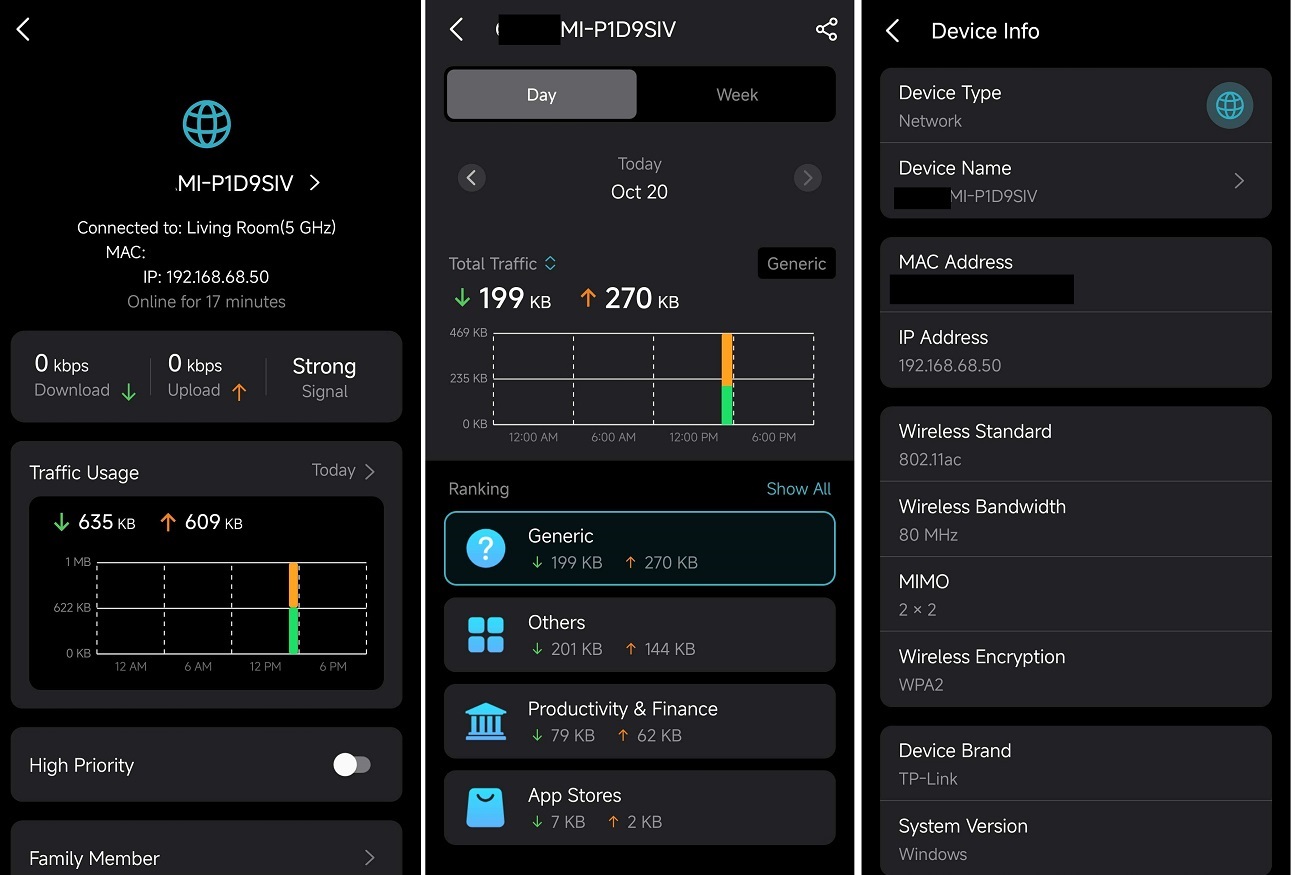
3. Missing Feature – Daily/Monthly Data Usage per Device
The Archer C6 V4 shows daily and monthly traffic usage per device.
But Deco X50 (v1.3) does not support this very important feature.
I will send you a sample screenshot as well.
My Request:
Please fix these issues as soon as possible.
Kindly inform me when you will release the next firmware update —
at least the expected month or timeline for the update.
Thank you.
This Article Applies to:Deco X50(US/KR) / Deco X55(US/CA)_V1.30/V1.33
Modifications and Enhancements:
New Features
- Supported Channel Selection.
- Supported Internet Backup via Hotspot Backup and Hybrid-Mesh Backup Mode.
- Added DoH/DoT under Deco APP>More>Advanced.
- Supported 20MHz/40MHz automatic bandwidth selection to enhanced 2.4GHz WiFi performance.
- Supported WireGuard VPN Server/Client.
- Supported built-in easy configuration of NordVPN/Surfshark VPN.
***In compliance with local regulations, the Third-party VPN feature may be restricted to specific regions.
- Added client speed limit under clients' detailed setting page.
- Supported Fixing the WAN port under Deco APP>More>Advanced>WAN Port.
- Added Scene Priority under QOS.
- Added Client MAC Identification to improve the accuracy of device detection.
- Added Firmware Auto Update.
- Supported Matter
- Advanced Parental Control subscription added APP block/App Time Limits feature, which supports 2000+ applications.
- Added Camera Security
- Added Whitelist/ Wi-Fi Access Control
- Added notification for Ethernet connection speed.
- Supported Captive Portal for Guest Network
Enhancements
- Optimized the collaboration with Tapo smart devices.
- Updated HomeShield Parental Control service.
- Improved network stability and system security.
Firmware Download Link
Deco X50/X55_V1.30/V1.33
1.3.1_build_20251122_Beta
Update Notice:
- Please be sure you have read the Beta Test Agreement before upgrading the Pre-release firmware!
- Please make sure the Deco APP is up-to-date.
- This firmware can’t be degraded directly to the previous 1.2.10 version.
- How to manually update the firmware via web UI.
As always, we value your feedback. If you happen to encounter any concerns during or after the firmware upgrade, please feel free to comment below with the following information. Your input helps us continue to improve and provide the best possible products and support.
- Provide a detailed network layout, including how the devices are connected.
- Include a detailed description of the issue and as much information as possible regarding the specific conditions that seem to trigger the behavior.
Thank you for your continued support and for being part of our community.
- Copy Link
- Report Inappropriate Content

Does this update work for the x50-Poe v2 as well? I’m currently running Firmware Version: 1.4.9 Build 20250110 Rel. 65349 but that’s almost a year old.
Is the X50-POE still supported?
- Copy Link
- Report Inappropriate Content
- Copy Link
- Report Inappropriate Content

Deco X50 (Firmware v1.3.1)**
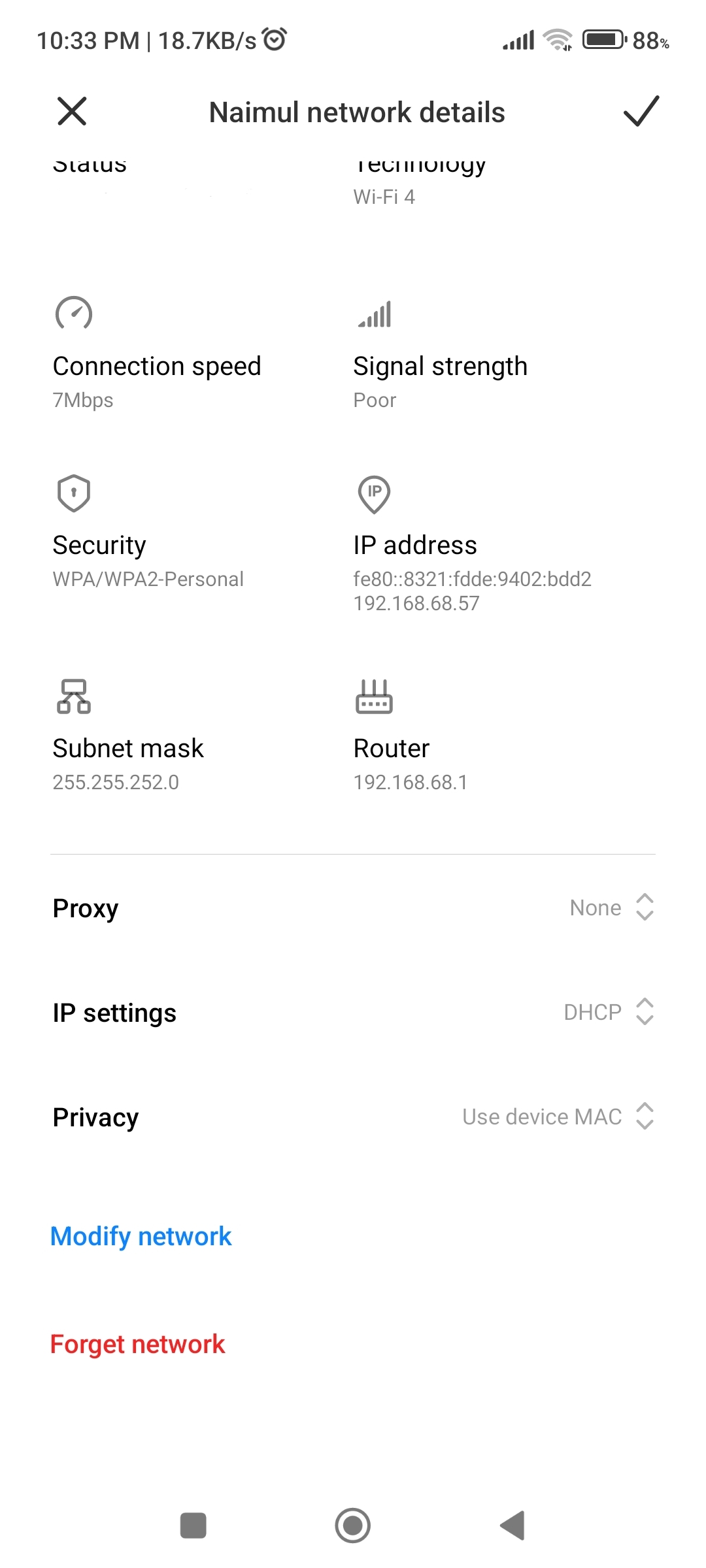
I have been using TP-Link Deco series routers for a long time. Previously, I used another Deco model where I received very stable and reliable network performance on the 2.4GHz band.
Experience with the previous Deco router:
For example:
Even when the mobile internet connection speed was only 7 Mbps,
YouTube
IMO
worked very smoothly without any issues.
From any website, I consistently received up to 2 MB/s download speed on my mobile device, even at the farthest signal range, without frequent disconnections.
Most importantly, the 2.4GHz signal remained stable even at the edge of the coverage area.
Current situation with Deco X50:
Currently, I am using Deco X50 (Firmware version 1.3.1). Although this is a well-known and modern router, the 2.4GHz band performance is extremely disappointing.
Current issues:
The speed and stability of the 2.4GHz network are much worse compared to my previous Deco model
Lag and buffering are noticeable during video streaming and even while using basic applications
Using the same location and the same devices, I am not getting the performance I used to get before
My questions:
1. What is the main reason for such poor 2.4GHz performance in Deco X50 firmware v1.3.1?
2. Will these issues be fixed in upcoming firmware updates?
3. I kindly request TP-Link to
👉 specifically improve the stability and performance of the 2.4GHz band in future updates.
Additional important feature request:
I would also like to request the addition of a Data Traffic Monitoring System, similar to what is available on other Deco routers, where users can view:
Daily data usage
Weekly data usage
Monthly data usage
Having this feature would make network management much easier and more effective for users.
Below, I have attached two screenshots for reference.
- Copy Link
- Report Inappropriate Content
- Copy Link
- Report Inappropriate Content

@Shraboni90 Have u tried to change 20 Mhz and 40 MHz ??
- Copy Link
- Report Inappropriate Content
Hi, thank you for the feedback. May I know where you're located?
I think it is likely that the HomeShield subscription might not be available in your place.
Jackdm wrote
I tried to purchase Homeshield through the app but I getting error. "purchasing not supported due to some reasons". So I'm not even able to use 30 day trial
Thanks a lot.
Best regards.
- Copy Link
- Report Inappropriate Content
Hi, thanks for the message.
I'm afraid there hasn't been another firmware available for Deco X50_V1.3 now.
May I know how many 2.4GHz devices you had? What are the model numbers of these devices?
How many Deco X50 do you have in total?
Using the same ISP and same distance, the performance difference is huge:
Deco X50 2.4GHz speed: 500 KB/s – 2 MB/s (sometimes even lower)
Archer C6 V4 2.4GHz speed: around 12 MB/s (≈ 96 Mbps)
-If there is only the main Deco left, did you still experience such a speed decline?
Best regards.
- Copy Link
- Report Inappropriate Content
Hi, what is the model number of your previous Deco?
How many Deco X50_V1.3 do you have? Are the satellite Deco units all connected via WiFi Backhaul?
By the way, how many smart home devices do you have? Can I have the model numbers of these devices?
Wait for your reply.
Best regards.
- Copy Link
- Report Inappropriate Content
Information
Helpful: 10
Views: 30679
Replies: 132
Voters 2

